If you are running an online store and struggling to get organic traffic, you are not alone. Most ecommerce businesses compete for the same customers, and without a solid SEO strategy, even a well-designed store can stay invisible. These 10 SEO tips for ranking higher your ecommerce store will walk you through exactly what to do, step by step, so you stop guessing and start climbing search results.
According to BrightEdge (2023), organic search drives 53% of all website traffic, making it the single largest channel for ecommerce discovery. That number alone should tell you where to focus your energy.
Ranking your ecommerce store higher in search engines requires a combination of technical SEO, smart keyword targeting, strong content, and authoritative backlinks. This guide breaks down 10 actionable steps, from fixing site speed to building product page authority, that any store owner can implement. Skip the guesswork and follow each section in order for the best results.
⚡ Key Takeaways
- Keyword research for ecommerce must target buyer-intent phrases, not just high-volume terms.
- Product page optimization is where most stores leave rankings on the table.
- Site speed and Core Web Vitals directly affect both rankings and conversion rates.
- Structured data (schema markup) can earn rich snippets that dramatically increase click-through rates.
- Internal linking across category and product pages distributes link equity and supports crawlability.
- Backlinks from relevant, authoritative sources remain a top ranking signal for ecommerce sites.
- Consistent content like buying guides and comparison posts attracts top-of-funnel shoppers and builds trust.
Why SEO Matters More Than Paid Ads for Ecommerce Long-Term
Paid advertising delivers traffic the moment you fund your campaigns. The second your budget runs out, the traffic stops. SEO compounds over time. A well-optimized product page can rank for months or years without ongoing ad spend. According to Ahrefs (2023), 90.63% of pages get zero organic traffic from Google, which means most ecommerce stores have untapped potential sitting right on their site.
The trade-off is real, though. SEO takes time. You will not see results overnight, and some competitive categories can take six to twelve months before rankings shift meaningfully. That said, the return on investment is consistently higher for organic over the long run. Our ecommerce marketing services combine both paid and organic strategies so stores do not have to choose between speed and sustainability.
Tip 1: Conduct Buyer-Intent Keyword Research
Most store owners pick keywords based on search volume. That is a mistake. A keyword with 50,000 monthly searches means nothing if the searchers are researchers, not buyers. Your goal is to find keywords with commercial or transactional intent.
How to Find the Right Keywords
- Start with your product categories and brainstorm how a buyer would search just before purchasing.
- Use tools like Google Keyword Planner, Semrush, or Ahrefs to identify search volume and keyword difficulty.
- Look for phrases that include words like “buy,” “best,” “cheap,” “review,” or specific model numbers.
- Check the first page of Google for each keyword. If it shows product pages and shopping results, it is a transactional keyword worth targeting.
- Build a keyword map: assign each keyword to one specific page so you avoid keyword cannibalization.
Choosing the right platform for your store also affects how you implement keyword strategy. If you are comparing platforms, our guide on WooCommerce vs Shopify breaks down which is better suited for SEO flexibility.
Tip 2: Optimize Every Product Page Like a Landing Page
Product pages are the revenue engine of your store. Yet most ecommerce sites use thin, manufacturer-copied descriptions that Google ignores or penalizes for duplicate content.
Product Page SEO Checklist
- Title tag: Include the primary keyword naturally. Keep it under 60 characters.
- Meta description: Write a compelling summary under 155 characters that mentions a benefit and a call to action.
- H1 tag: Use the product name with one descriptive modifier.
- Product description: Write at least 300 words of unique content that answers buyer questions, highlights benefits, and includes secondary keywords naturally.
- Image alt text: Describe every product image using keywords where they fit naturally.
- URL structure: Keep it clean and descriptive, such as /category/product-name, not /product?id=12345.
💡 Pro Tip: Add a FAQ section to each product page using real customer questions. This increases time on page, adds keyword coverage, and can earn FAQ rich snippets in search results.
Tip 3: Fix Technical SEO Issues That Block Rankings
Even the best content will not rank if Google cannot crawl and index your store properly. Technical SEO is the foundation everything else is built on. If you have ever wondered why your pages are not appearing in search results, this post on why Google is not indexing your pages covers the most common culprits.
Critical Technical SEO Fixes for Ecommerce
- Crawlability: Submit an XML sitemap to Google Search Console and check for crawl errors regularly.
- Canonical tags: Ecommerce sites often create duplicate pages through filters, sorting, and pagination. Use canonical tags to tell Google which version of a page is the master.
- HTTPS: Every ecommerce site must have SSL encryption. Google uses HTTPS as a ranking signal and shoppers will not trust an unsecured checkout.
- Robots.txt: Make sure you are not accidentally blocking important pages from being crawled.
- Broken links: Run a site audit monthly to catch and fix 404 errors before they damage user experience and rankings.
Tip 4: Improve Site Speed and Core Web Vitals
Google officially uses Core Web Vitals as a ranking factor. According to Google (2023), pages that meet Core Web Vitals thresholds are 24% less likely to be abandoned before loading. For ecommerce, where every second of delay costs conversions, speed is both an SEO issue and a revenue issue.
Steps to Speed Up Your Ecommerce Store
- Compress and serve images in next-gen formats like WebP.
- Enable browser caching and use a content delivery network (CDN).
- Minimize JavaScript and CSS files, especially render-blocking scripts.
- Use lazy loading for images below the fold.
- Choose a hosting plan that can handle your traffic without shared resource bottlenecks.
- Run your site through Google PageSpeed Insights and fix every flagged issue by priority.
If your store runs on WooCommerce, check the WooCommerce store maintenance checklist for platform-specific speed and performance tasks you should not skip.
Tip 5: Build a Smart Internal Linking Structure
Internal links do two important jobs. They help Google discover and understand your pages, and they distribute link authority from strong pages to weaker ones. Most ecommerce stores underuse internal linking, especially from blog content to product and category pages.
Internal Linking Best Practices
- Link from high-traffic blog posts to relevant category and product pages using descriptive anchor text.
- Add related product sections on every product page to keep users exploring and pass link equity.
- Make sure every important page is reachable within three clicks from the homepage.
- Avoid orphan pages, which are product or category pages with no internal links pointing to them.
For a deeper breakdown of how internal linking amplifies your backlink strategy, read our guide on how to use internal links to boost backlink impact.
💡 Pro Tip: Use your site’s most-visited pages as link hubs. A popular buying guide or comparison post can funnel authority to dozens of product pages if linked properly.
Tip 6: Add Structured Data Markup to Products
Schema markup tells search engines exactly what your content means, not just what it says. For ecommerce, product schema can display star ratings, price, availability, and review count directly in search results as rich snippets. This increases click-through rates significantly without changing your ranking position.
Schema Types Every Ecommerce Store Should Use
- Product schema: Covers name, description, SKU, price, availability, and brand.
- Review schema: Displays aggregate star ratings in search results.
- BreadcrumbList schema: Helps Google understand and display your site hierarchy in results.
- FAQPage schema: Earns accordion-style FAQ results directly under your listing.
Use Google’s Rich Results Test tool after implementing schema to verify it is valid and eligible for rich snippets.
Tip 7: Create Content That Attracts Shoppers at Every Stage
Category and product pages target buyers who are ready to purchase. But what about shoppers who are still researching? Blog content, buying guides, and comparison articles capture users at the top and middle of the funnel, building trust before they are ready to buy.
Content Types That Drive Ecommerce Traffic
- Buying guides: “How to choose the best [product category]”
- Comparison posts: “[Product A] vs [Product B]: Which is right for you?”
- How-to articles: “How to use [product] for [specific use case]”
- Seasonal content: Gift guides, sale roundups, and trend articles timed to buyer behavior
Learning how to boost SEO efforts with page content analysis helps you identify which existing pages need stronger content and which topics you are missing entirely.
Quality content at scale is one of the highest-leverage investments an ecommerce store can make. Our ecommerce SEO packages include content strategy and execution designed specifically for online stores competing in crowded categories.
Tip 8: Build High-Quality Backlinks to Product and Category Pages
Backlinks remain one of Google’s most powerful ranking signals. According to Moz (2023), pages with more high-quality backlinks consistently outrank pages with weaker link profiles, even when on-page content is comparable. The challenge for ecommerce is that links tend to cluster on homepages and blog posts, leaving product and category pages link-poor.
Ecommerce-Specific Link Building Tactics
- Create linkable assets: original research, product comparison tools, or industry surveys that journalists and bloggers want to reference.
- Pitch guest posts to niche blogs and publications with links back to your category pages.
- Reach out to product review bloggers and influencers for honest reviews that include a link.
- Submit your store to relevant industry directories and resource pages.
- Use digital PR to earn editorial mentions from news and media sites.
If your link building has stalled or backfired, read our post on how to fix a failed link building strategy before starting over. You may also want to review how to build links safely without triggering penalties so your gains do not get wiped out by a Google update.
Tip 9: Optimize for Google Shopping and Product Listings
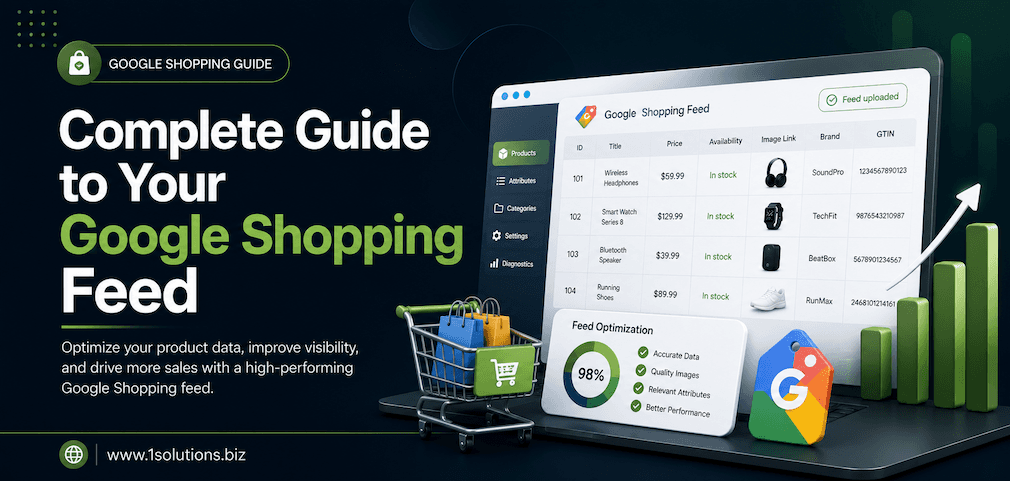
Organic text results are not the only way to appear in Google search. Google Shopping results appear at the top of the page and are driven by your product feed data. Optimizing your feed is essentially SEO for shopping placements.
How to Optimize Your Google Shopping Presence
- Write product titles that include brand, product type, key attributes, and variant details.
- Use high-quality images against clean backgrounds. Google Shopping is visual.
- Keep pricing and inventory data up to date to avoid disapproved listings.
- Add GTINs (Global Trade Item Numbers) for branded products to improve matching.
- Segment your campaigns by product performance so your best sellers get more budget.
For a complete walkthrough, our guide on how to increase sales with Google Shopping Ads covers feed optimization and campaign structure in detail.
💡 Warning: Do not rely on Shopping Ads as a substitute for organic SEO. Shopping placements require ongoing ad spend. Organic rankings deliver traffic for free once established. Use both channels together for maximum coverage.
Tip 10: Monitor Rankings, Traffic, and Conversions Consistently
SEO without measurement is guesswork. You need to know which pages are gaining traffic, which keywords are moving up or down, and whether your rankings are actually translating into sales. Without this data, you cannot make smart decisions about where to invest your optimization time.
Essential Ecommerce SEO Metrics to Track
- Organic sessions by landing page: Which product and category pages are bringing in traffic?
- Keyword position tracking: Are your target keywords improving, holding, or dropping?
- Click-through rate (CTR): Low CTR on high-ranking pages means your title tags and meta descriptions need work.
- Crawl errors and indexing issues: Monitor Google Search Console weekly for new problems.
- Conversion rate from organic traffic: Rankings that do not convert need content or UX improvements, not just more optimization.
Ecommerce SEO: Comparing Common Approaches
| SEO Approach | Time to Results | Cost Level | Long-Term Value | Best For |
|---|---|---|---|---|
| On-Page Optimization | 4 to 8 weeks | Low to Medium | High | All stores, highest priority |
| Technical SEO Fixes | 2 to 6 weeks | Medium | Very High | Stores with crawl or speed issues |
| Content Marketing | 3 to 6 months | Medium to High | Very High | Stores in research-heavy categories |
| Link Building | 3 to 12 months | High | High | Competitive niches needing authority |
| Google Shopping Optimization | 1 to 4 weeks | Medium (ad spend) | Medium (requires budget) | Product-focused stores with clear margins |
| Schema Markup | 2 to 4 weeks | Low | High | All stores wanting rich snippets |
Practical Action Plan: Where to Start
Do This Now
- Run a technical SEO audit: Use Google Search Console and Screaming Frog to identify crawl errors, broken links, and indexing issues. Fix critical errors before anything else.
- Rewrite your top 10 product page descriptions: Replace duplicate or thin content with unique, detailed copy that answers buyer questions and includes your target keywords.
- Check your site speed: Use Google PageSpeed Insights. If your Largest Contentful Paint (LCP) is over 2.5 seconds, prioritize image compression and hosting improvements immediately.
Worth Doing
- Build out your content calendar: Plan at least four to six buying guides or comparison articles per quarter targeting top-of-funnel keywords in your category.
- Implement product schema markup: Add structured data to your top product and category pages to pursue rich snippets and improve CTR.
- Start a link building outreach campaign: Identify five to ten niche blogs or publications that cover your product category and pitch guest posts or product features.
Low Priority
- Explore Google Shopping optimization: Once organic is working, layer in Shopping feed improvements to capture additional top-of-page real estate for high-margin products.
- Set up a full keyword tracking dashboard: After your initial fixes, build out rank tracking for your full keyword set so you can spot trends over time.
Frequently Asked Questions
How long does ecommerce SEO take to show results?
Most ecommerce stores see meaningful ranking improvements within three to six months of consistent optimization. Highly competitive categories can take up to twelve months. Technical fixes tend to show the fastest results, while content and link building compound over a longer time horizon.
Should I optimize my category pages or product pages first?
Category pages typically drive more organic traffic because they target broader, higher-volume keywords. Start with your most important category pages, then move to individual product pages. Both matter, but category pages deliver broader reach.
Is it worth hiring an SEO agency for an ecommerce store?
It depends on your competition and internal resources. If you are in a competitive category and your team lacks SEO expertise, a specialist agency will deliver results faster and with fewer costly mistakes. If your store is in a niche with low competition, a combination of self-learning and professional audits may be sufficient to start.
Can duplicate product descriptions hurt my rankings?
Yes. If you copy manufacturer descriptions, you are competing against dozens or hundreds of other sites using the same text. Google may choose to rank the original source over your page, or simply ignore the duplicate. Always write original descriptions for every product, even if it is shorter. Unique content is a non-negotiable for ecommerce SEO.
What is the biggest SEO mistake ecommerce stores make?
The most common mistake is ignoring technical SEO while focusing only on content. A site with excellent content but serious crawling, indexing, or speed problems will consistently underperform. Fix the technical foundation first, then build content and links on top of it. Many stores also neglect their category pages and focus too heavily on individual products, missing the highest-traffic opportunities in their niche.
Final Thoughts on Ranking Your Ecommerce Store Higher
Implementing these 10 SEO tips for ranking higher your ecommerce store is not a one-time project. It is an ongoing process of auditing, improving, and adapting as Google evolves and competition shifts. The stores that win in organic search are the ones that commit to fundamentals consistently: clean technical SEO, unique product content, strong internal linking, authoritative backlinks, and regular performance monitoring.
If you want to skip the trial-and-error phase and get expert guidance from a team that has been doing this for over 15 years, explore our professional SEO services designed to drive measurable results for online stores of every size. Whether you are just starting out or trying to scale past a plateau, the right strategy makes every effort count.