Which eCommerce Website Building Platforms Actually Deliver Results?
Choosing between eCommerce website building platforms is one of the most consequential decisions you will make for your online store. Pick the wrong one and you will spend months migrating, losing rankings, and burning budget. Pick the right one and your store can scale without constant technical firefighting. According to Statista (2024), global eCommerce sales are projected to surpass $6.9 trillion by 2025, which means the stakes for getting your platform choice right have never been higher.
This guide breaks down exactly five platforms worth your attention, covering real strengths, honest trade-offs, and who each one actually suits. No fluff, no padding, just a clear comparison that saves you from a costly mistake.
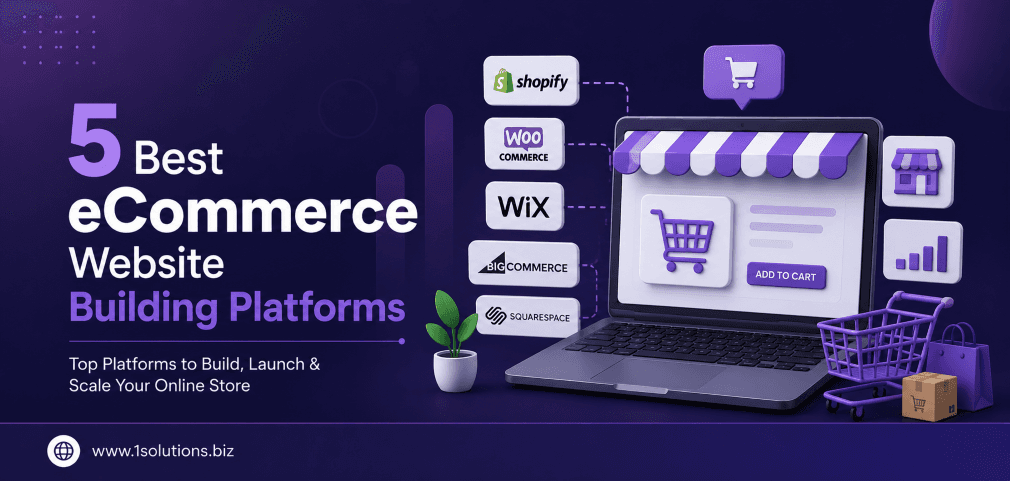
The five best eCommerce website building platforms in 2025 are Shopify, WooCommerce, BigCommerce, Wix eCommerce, and Squarespace Commerce. Each serves a different type of seller. Your choice should depend on your technical comfort level, product volume, budget, and long-term growth goals. Read the full breakdown before committing.
⚡ Key Takeaways
- Shopify is the most scalable hosted solution but carries ongoing transaction fees unless you use Shopify Payments.
- WooCommerce gives the most flexibility and SEO control, but requires hands-on technical management.
- BigCommerce suits high-volume sellers who want built-in features without relying heavily on paid apps.
- Wix eCommerce is ideal for beginners and small catalogs, not for stores expecting aggressive growth.
- Squarespace Commerce prioritises design and brand aesthetics, but its SEO and integrations remain limited compared to competitors.
- Platform choice directly affects your SEO performance, loading speed, and long-term marketing capabilities.
- Pairing any platform with professional eCommerce marketing support dramatically improves your return on investment.
A Quick Side-by-Side Platform Comparison
Before diving into each platform in detail, here is a snapshot comparison to orient your thinking:
| Platform | Best For | Starting Cost (Monthly) | SEO Capability | Technical Difficulty |
|---|---|---|---|---|
| Shopify | Growing brands, dropshippers | $39 | Good | Low to Medium |
| WooCommerce | Developers, SEO-focused stores | Free (hosting extra) | Excellent | High |
| BigCommerce | High-volume retailers | $39 | Very Good | Medium |
| Wix eCommerce | Beginners, small catalogs | $29 | Moderate | Very Low |
| Squarespace Commerce | Design-led brands | $28 | Moderate | Low |
The 5 Best eCommerce Website Building Platforms Explained
1. Shopify: The Most Scalable All-in-One Solution
Shopify remains the dominant force among hosted eCommerce website building platforms, and for good reason. As of 2024, Shopify powers over 4.6 million live websites globally (BuiltWith, 2024), a figure that speaks to both its reliability and widespread adoption. It offers a fully managed hosting environment, meaning you never have to worry about server configuration, security patches, or uptime management. You pay a monthly fee and focus on selling.
The platform’s App Store contains over 8,000 integrations, covering everything from email marketing and loyalty programs to advanced inventory management and multi-currency checkout. This plug-and-play extensibility is one of Shopify’s clearest advantages. You can add functionality without writing a single line of code, which suits business owners who need results fast.
Shopify’s checkout is highly optimised for conversion. Its Shop Pay accelerated checkout reportedly increases conversion rates by up to 50% compared to guest checkout flows (Shopify, 2023). The platform also handles abandoned cart recovery, discount codes, and gift cards out of the box.
Where Shopify demands caution is cost. While the Basic plan starts at $39 per month, serious stores often find themselves on the $105 or $399 tiers after factoring in premium themes and essential apps. Transaction fees apply if you use third-party payment gateways instead of Shopify Payments, which adds up quickly at scale. Also worth knowing: Shopify’s URL structure and blogging functionality are less flexible than WordPress, which can create friction for content-driven SEO strategies.
If you want to build a serious content strategy alongside your store, pairing Shopify with a strong eCommerce SEO package will help compensate for those limitations. You should also review our detailed breakdown of WooCommerce vs Shopify if you are torn between the two leading platforms.
Best suited for: Direct-to-consumer brands, dropshippers, and businesses that want a managed, reliable platform without deep technical involvement.
💡 Pro Tip: Before committing to Shopify’s higher tiers, calculate your annual app costs carefully. Many store owners discover that essential third-party apps push their real monthly spend well above the advertised plan price.
2. WooCommerce: Maximum Flexibility for the SEO-Focused Seller
WooCommerce is a free, open-source eCommerce plugin built on WordPress. It powers approximately 39% of all online stores globally (WooCommerce.com, 2024), making it the most widely used eCommerce solution in the world. That dominance exists for a reason: no other platform gives you this level of control over your site’s structure, content, and SEO behaviour.
Because WooCommerce runs on WordPress, you inherit the most powerful content management system available. You can build deeply optimised product pages, create rich blog content that drives organic traffic, manage internal linking with precision, and install advanced SEO plugins like Yoast or Rank Math. For stores where search engine visibility is a primary growth channel, this is a decisive advantage. Understanding how to use internal links strategically is critical here, and our guide on using internal links to boost backlink impact offers practical tactics you can apply directly.
WooCommerce also has zero platform-level transaction fees. You only pay payment gateway charges, typically around 2.9% plus a flat fee for standard processors. This is a meaningful cost saving compared to Shopify for high-volume stores.
The trade-off is real and significant. WooCommerce requires you to manage your own hosting, handle software updates, maintain security, and troubleshoot plugin conflicts. If your site goes down at 2am during a flash sale, you are responsible for fixing it or paying someone to do so. Our WooCommerce store maintenance checklist covers exactly what you need to stay on top of to avoid those crisis moments.
The hosting cost also varies widely. Budget shared hosting can compromise your site speed, which directly impacts both conversions and search rankings. A performant WooCommerce setup typically requires managed WordPress hosting, which ranges from $25 to $100 per month depending on traffic volume.
For teams looking to build a content-rich, SEO-dominant store with maximum design and technical freedom, WooCommerce combined with professional WordPress development expertise is often the highest-ceiling option available.
Best suited for: Developers, SEO-focused businesses, content publishers with an eCommerce component, and stores with complex product configurations.
3. BigCommerce: Built for High-Volume Retailers
BigCommerce occupies a distinct niche among eCommerce website building platforms: it is designed for stores that are already generating serious volume and need enterprise-grade features without the enterprise price tag. According to BigCommerce’s own data (2024), merchants on its platform generate an average of 28% more revenue in their first year compared to industry benchmarks, though context matters when interpreting vendor statistics.
What makes BigCommerce stand out is its built-in feature depth. Unlike Shopify, which requires paid apps for many professional-grade capabilities, BigCommerce includes professional reporting, real-time shipping quotes, multi-currency support, faceted search, and B2B tools in its core plans. This reduces your dependence on third-party integrations and keeps your total cost of ownership more predictable.
BigCommerce also imposes no transaction fees, regardless of which payment gateway you use. For a store processing thousands of orders monthly, that difference is financially significant. The platform supports headless commerce architecture, meaning developers can use BigCommerce as a backend while building a completely custom front end. This is particularly attractive for brands with specific design requirements that cannot be met by standard themes.
The platform’s SEO capabilities are solid. It generates clean URLs, supports canonical tags, allows customisable meta data, and integrates well with Google Shopping. Speaking of which, maximising your Google Shopping presence is a growth lever many eCommerce stores underuse. Our guide on increasing sales with Google Shopping Ads and the complete guide to your Google Shopping feed are worth reading alongside your platform setup.
The honest trade-off with BigCommerce is its annual revenue thresholds. Each plan has a sales cap, and exceeding it automatically bumps you to the next pricing tier. This can create unexpected cost increases during a strong sales period, which is something to factor into your financial planning. The interface is also slightly less intuitive than Shopify’s for non-technical users, and the theme selection is narrower.
Best suited for: Mid-market and enterprise retailers, B2B sellers, and brands scaling rapidly who want built-in feature depth over app dependency.
💡 Pro Tip: If you are evaluating BigCommerce for B2B use, test the Price Lists and Customer Groups features in a trial environment before committing. These tools are powerful but have a learning curve that affects how quickly your team can operate them effectively.
4. Wix eCommerce: The Beginner-Friendly Entry Point
Wix has evolved considerably from its early reputation as a basic website builder. Its eCommerce functionality now supports product variants, inventory tracking, abandoned cart recovery, subscriptions, and multichannel selling across social platforms. For a beginner launching a small store, Wix eCommerce removes almost all technical barriers to getting online.
The drag-and-drop editor is genuinely easy to use. You can design a visually appealing storefront in a day without any coding knowledge, and Wix’s AI website builder can generate a starting template based on a few prompts. The platform handles hosting, security, and updates automatically, so your operational overhead is minimal.
Wix eCommerce plans start at $29 per month, making it one of the more affordable entry points. The platform includes a free SSL certificate, basic analytics, and access to hundreds of templates. The Wix App Market provides additional functionality, though it is smaller and less mature than Shopify’s ecosystem.
The SEO situation with Wix deserves an honest assessment. Wix has improved significantly in this area, offering meta tag control, XML sitemaps, and structured data support. However, its page load performance can lag behind competitors, particularly on sites with many images and apps installed. Page speed is a confirmed Google ranking factor, and any slowdown translates directly to lost organic visibility. If you want to understand what causes indexing and visibility problems at a deeper level, our article on why Google is not indexing your page covers the most common culprits.
The most important limitation of Wix eCommerce is its scalability ceiling. Stores with large product catalogs, complex shipping rules, or high transaction volumes frequently outgrow the platform within two to three years. Migration off Wix can be technically painful, particularly because its proprietary system does not export data as cleanly as open platforms like WooCommerce.
For sellers running a side project, a niche boutique, or a service business with a small product add-on, Wix eCommerce is a sensible, cost-effective starting point. For anyone expecting aggressive growth, plan your migration path before you need it.
Best suited for: First-time sellers, small boutiques, service providers adding a limited product range, and anyone prioritising ease of use over long-term scalability.
5. Squarespace Commerce: Design-First eCommerce
Squarespace has always prioritised aesthetics, and its Commerce offering reflects that DNA. If your brand identity depends on a polished, editorial-quality presentation, and you sell a focused range of physical or digital products, Squarespace Commerce delivers an experience that most competitors cannot match at its price point.
The platform’s templates are genuinely premium. They are built with visual hierarchy, typography, and spacing in mind, which matters enormously for fashion, art, photography, food, and lifestyle brands where perception drives purchase decisions. According to Adobe (2023), 38% of users will stop engaging with a website if the content or layout is unattractive, reinforcing why design capability is a legitimate commercial consideration.
Squarespace Commerce includes inventory management, product variants, digital product delivery, subscription products, and abandoned cart recovery on its Commerce plans. The Basic Commerce plan ($28/month) removes transaction fees entirely, which is a strong value proposition at that price. The Advanced Commerce plan adds powerful features like advanced shipping rules, commerce APIs, and sell on Instagram and Facebook integrations.
For stores that want to reach customers through social channels, combining Squarespace with a structured social media strategy pays dividends. Our guide on how to advertise on Facebook is a practical companion resource for any store owner looking to drive paid traffic alongside their organic presence.
The honest limitations are significant for growth-focused sellers. Squarespace’s app ecosystem is small. Third-party integration options are limited compared to Shopify or WooCommerce, and complex customisation often requires CSS or developer involvement despite the visual builder. The SEO capabilities are functional but not exceptional. You can manage meta titles, descriptions, and alt text, but the platform does not offer the granular control that WordPress or even BigCommerce provides.
Squarespace also has limited B2B functionality and does not support complex product configuration well. If your catalog involves hundreds of SKUs with multiple attributes, you will find the platform frustrating to manage at scale. Pairing your store with professional eCommerce marketing services can help maximise the traffic potential of an otherwise design-strong but SEO-limited platform.
Best suited for: Creative professionals, lifestyle brands, photographers selling prints, food and beverage businesses, and any seller where brand aesthetics are the primary differentiator.
💡 Pro Tip: If you are on Squarespace and find your organic traffic underperforming, auditing your page content quality is an immediate action worth taking. Our article on boosting SEO with page content analysis gives you a framework to identify and fix underperforming pages without switching platforms.
Practical Action Plan: Choosing and Launching Your Platform
Use this tiered action plan to move from research to decision efficiently:
- Do This Now: Define your non-negotiables before evaluating any platform. Write down your product count, expected monthly orders, technical capability, and monthly budget ceiling. These four inputs alone will eliminate at least two of the five platforms from your shortlist immediately.
- Do This Now: Start free trials on your top two shortlisted platforms simultaneously. Most offer 14 to 30-day trials. Build the same five product listings on each and compare the experience, not the marketing copy.
- Worth Doing: Audit your SEO requirements early. If organic search is a primary acquisition channel, test each platform’s ability to customise URLs, meta data, schema markup, and page speed under realistic conditions. Partnering with a specialist in eCommerce SEO at launch gives you a structural advantage that compounds over time.
- Worth Doing: Map out your integration requirements. List every third-party tool you currently use or plan to use, from your email platform and accounting software to your fulfillment provider. Verify native integration availability on each shortlisted platform before committing.
- Low Priority: Customising your store’s visual design extensively before validating your product-market fit. Choose a clean, functional theme and focus on getting your first 50 orders. Design iteration is far less costly than platform migration later.
How Platform Choice Affects Your Long-Term Marketing Results
The platform you choose shapes far more than your store’s appearance. It determines your site speed, URL structure, content architecture, integration options, and ultimately your ability to rank in search engines and convert paid traffic. A technically weak platform creates a ceiling on your marketing performance regardless of how much you spend on ads or content.
If you are investing in search visibility, understanding how evolving search behaviour affects eCommerce is increasingly important. The landscape is shifting with AI-powered search features, and staying ahead requires both a solid platform foundation and an adaptive content strategy. Our breakdown of how to improve website visibility in AI search engines is relevant reading for any store owner planning beyond immediate sales.
Conclusion: Matching the Platform to Your Business Reality
The best among eCommerce website building platforms is not the one with the most features or the lowest price. It is the one that fits where your business actually is right now and where you plan to be in three years. Shopify wins on scalability and ease. WooCommerce wins on SEO flexibility. BigCommerce wins on built-in feature depth for high-volume sellers. Wix eCommerce wins on simplicity for small catalogs. Squarespace Commerce wins on brand presentation for design-led businesses.
Each platform has real trade-offs. Acknowledge them before you commit rather than discovering them after you have built your entire store. And regardless of which platform you choose, pairing it with professional eCommerce marketing services from day one will dramatically shorten the time between launch and consistent revenue.
Frequently Asked Questions
Which eCommerce website building platform is best for beginners?
Wix eCommerce and Squarespace Commerce are the most beginner-friendly options due to their drag-and-drop editors and minimal technical requirements. Shopify is also accessible to beginners and offers better scalability if your store grows quickly.
Is WooCommerce free to use?
The WooCommerce plugin itself is free, but you will need to pay for hosting, a domain name, SSL certificate, and typically several premium plugins or themes. Realistic monthly costs for a functional WooCommerce store range from $25 to well over $100 depending on your hosting tier and plugin needs.
Which platform is best for SEO?
WooCommerce on WordPress offers the most comprehensive SEO control, including advanced URL structures, content flexibility, and plugin support for technical SEO. BigCommerce is a strong second for hosted platforms. Shopify is good but has some structural limitations for content-heavy SEO strategies.
Can I switch eCommerce platforms later if I outgrow my current one?
Yes, but platform migration carries real risks including broken URLs, lost product data, and temporary SEO ranking drops. It is far better to choose a platform with sufficient headroom from the start. If migration becomes necessary, working with an experienced developer and an SEO specialist minimises disruption.
Do I need a developer to run a Shopify or Wix store?
For basic operations, no. Both platforms are designed for non-technical users. However, for custom functionality, advanced theme modifications, or complex integrations, developer involvement becomes necessary. WooCommerce and BigCommerce in headless configurations almost always require developer support from the start.