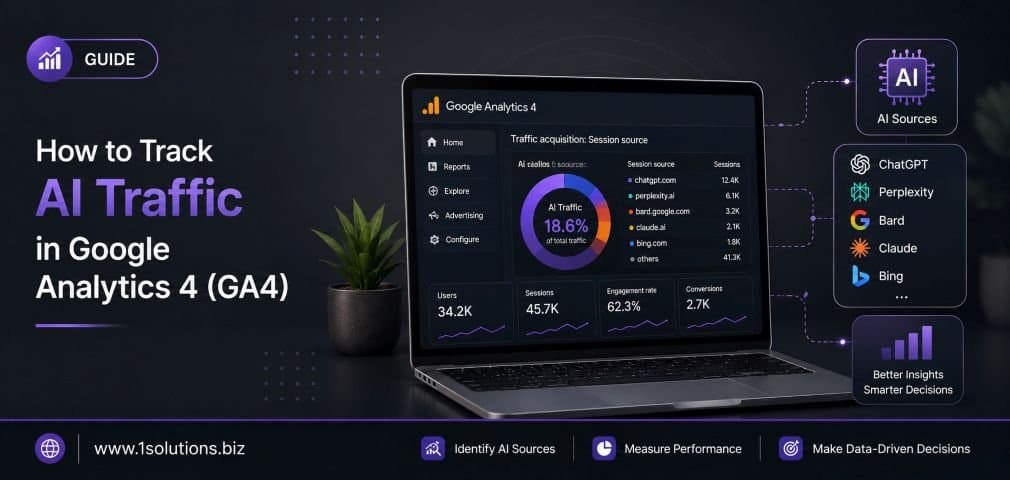
AI-powered tools like ChatGPT, Perplexity, and Google Gemini are now actively sending referral traffic to websites. If you are not tracking this AI traffic in Google Analytics 4, you are missing a growing piece of your audience puzzle. According to Semrush (2024), referral traffic from AI platforms grew by over 1,200% between 2023 and 2024, making it one of the fastest-rising traffic sources for content-heavy websites. This guide walks you through exactly how to set up, segment, and analyze AI-driven visits inside GA4, so you can make smarter decisions about your content and SEO strategy.
Whether you run an ecommerce store, a SaaS product, or a local service business, understanding where your visitors come from, including AI chatbots and answer engines, gives you a competitive edge. Let us get into the practical steps.
1. Understand What AI Traffic Actually Is in GA4
Before you start building reports or custom segments, you need a clear picture of what AI traffic means in the context of Google Analytics 4. AI traffic refers to visits that originate from AI-powered tools and platforms. These include large language model (LLM) chatbots like ChatGPT, answer engines like Perplexity.ai, AI-assisted browsers like Microsoft Edge with Copilot, and AI-generated summaries that include clickable citations.
In GA4, this traffic typically appears under the “Referral” channel, though some AI tools send traffic that gets classified as “Direct” because they strip referrer data. Unlike traditional search engines, AI platforms do not always pass clean UTM parameters or referrer strings, which makes tracking them more nuanced. According to SparkToro (2024), nearly 60% of AI-referred visits arrive with no referrer information at all, landing in the dark traffic bucket. Understanding this behavior is your foundation for building an accurate tracking setup. Without this knowledge, you risk misattributing a large portion of your growing AI audience to direct or unknown sources, which skews every report you look at downstream.
2. Audit Your Current GA4 Referral Traffic Sources
Your first practical step is to open GA4 and audit what referral traffic is already being recorded. Navigate to Reports, then Acquisition, then Traffic Acquisition. Change the primary dimension to “Session source” or “Session source / medium” to get a granular view. Filter for the medium “referral” and scroll through the source list. You may already see entries like chat.openai.com, perplexity.ai, claude.ai, or bing.com/chat appearing in your data.
If you are not seeing these sources, it does not necessarily mean you are getting zero AI traffic. It may mean that AI visits are being lumped into “Direct” or “(not set)” due to missing referrer headers. Run this audit for the last 90 days to get a statistically meaningful sample. Export the data to a Google Sheet so you can compare it against your organic and direct traffic trends. This baseline audit helps you spot patterns, like a spike in direct traffic coinciding with a viral mention in a popular AI chatbot response. Knowing your starting point is essential before layering on any new tracking configurations or custom channel groups.
3. Create a Custom Channel Group for AI Referrals
GA4 allows you to build custom channel groups, which is one of the most powerful tools for separating AI traffic from everything else. Go to Admin, then under the Data Display section, click Channel Groups, and create a new group called “AI Referrals” or “AI Traffic.” Inside this group, you will define rules based on session source matching specific AI domains.
Add conditions that include sources like chat.openai.com, perplexity.ai, claude.ai, bard.google.com, copilot.microsoft.com, you.com, phind.com, and any other AI platforms relevant to your niche. Use the “contains” operator rather than exact match to catch subdomains and variations. Once your custom channel group is live, GA4 will apply it going forward and retroactively to historical data within your property’s data retention window. According to Google’s official GA4 documentation (2024), custom channel groups do not alter raw data, so you can always revert or refine your rules without losing anything. This channel group becomes the foundation for every AI-specific report you build from this point forward, giving you a dedicated lens to measure this emerging traffic category cleanly and consistently.
4. Set Up a Custom Segment for AI-Sourced Sessions
Custom segments in GA4 let you isolate AI traffic and compare it against your broader audience without permanently changing how data is collected. In GA4, go to Explore, create a new Exploration report, and then build a segment using the condition “Session source contains” followed by your list of known AI domains. You can also layer in conditions like “Session medium exactly matches referral” to tighten the definition.
Segments are particularly useful because they let you ask behavioral questions: Are AI visitors bouncing faster than organic visitors? Are they viewing more pages? Are they converting at a higher or lower rate? These comparisons give you actionable insight, not just raw numbers. For businesses investing in content marketing or page content analysis to improve SEO, knowing how AI-referred users engage with specific pages can directly inform what content gets expanded or updated. Save your segment so you can reuse it across multiple Exploration reports. Building a library of saved segments for different AI sources, one for ChatGPT, one for Perplexity, one for Copilot, gives you granular insight as each platform grows and evolves.
5. Use UTM Parameters to Tag AI Traffic You Control
While you cannot control how organic AI mentions link to your site, you can control any links you intentionally share in AI-friendly contexts, like AI-optimized press releases, plugin listings for ChatGPT, or entries in AI directories. UTM parameters are your best tool here. Always add utm_source, utm_medium, and utm_campaign to any URL you distribute through channels that feed AI systems.
For example, if you submit your site to a ChatGPT plugin directory, use a URL like yoursite.com?utm_source=chatgpt&utm_medium=ai_referral&utm_campaign=plugin_listing. GA4 will capture these parameters and map them to the correct source and medium automatically. This is especially important for businesses running structured campaigns where they want clear attribution, not guesswork. The UTM strategy also helps you understand which AI channels drive quality traffic versus which ones send low-engagement visits. Over time, this data helps you prioritize where to invest in AI visibility efforts. Combining UTM tagging with your custom channel group means every tagged AI visit lands cleanly in your reports, separate from the organic AI referrals that arrive without any parameters attached.
6. Build a Dedicated Exploration Report for AI Traffic
GA4’s Explore section is far more powerful than the standard Reports section for analyzing AI traffic in depth. Create a new Free Form exploration and name it “AI Traffic Analysis.” Pull in dimensions like session source, session medium, landing page, device category, and country. Add metrics including sessions, engaged sessions, engagement rate, average engagement time, conversions, and total revenue if applicable.
Apply your saved AI traffic segment to filter the data down to AI-only visits. Then use the landing page dimension to see exactly which pages AI tools are sending visitors to. This reveals which of your content pieces are being cited or recommended by AI platforms, which is extremely valuable competitive intelligence. According to BrightEdge Research (2024), pages that appear as AI citations tend to have 4.4 times more authoritative backlinks than average pages, meaning AI visibility and traditional SEO authority are deeply connected. This report should become part of your regular analytics review cycle, checked weekly or at minimum monthly. You can also duplicate this exploration and swap in different date ranges to track AI traffic growth trends over time, giving you a clear picture of how this channel is scaling for your specific website.
7. Configure Referral Exclusion Lists Carefully
One common mistake that skews AI traffic data is an incorrectly configured referral exclusion list. In GA4, if an AI domain is accidentally added to your referral exclusions (found under Admin, Data Streams, Configure Tag Settings, List Unwanted Referrals), then all traffic from that source gets reclassified as direct. This makes AI traffic invisible in your referral reports.
Audit your referral exclusion list carefully. Remove any AI domains that may have been added by mistake. The exclusion list is designed for situations like payment processors, where a user leaves your site to pay and comes back, and you do not want that return visit counted as a new referral session. It is not appropriate for AI platforms. Keeping your exclusion list clean ensures that every legitimate AI referral is counted correctly. This is also a good time to review whether any subdomain configurations are causing sessions to reset incorrectly, which can inflate direct traffic numbers and indirectly hide AI referrals. Clean data hygiene in this area pays dividends across all your GA4 reporting, not just for tracking AI sources. If you have recently migrated your GA4 setup or updated your tagging, this audit is especially urgent.
8. Track AI Traffic Conversions With Custom Events
Knowing how many sessions come from AI platforms is useful, but knowing how many of those sessions convert is where the real business value lives. GA4’s event-based model makes it straightforward to attribute conversions to specific traffic sources, including AI referrals. Start by ensuring your key conversion events are properly configured: form submissions, phone clicks, purchases, trial signups, or any other goal relevant to your business.
Once conversions are tracking correctly, go back to your AI Traffic Exploration report and add the Conversions metric and the Key Events metric alongside your session data. This gives you a conversion rate specifically for AI-referred visitors, which you can benchmark against organic search, paid search, and direct traffic. If AI visitors convert at a notably different rate than other channels, that signals something important about the intent those platforms send. For businesses managing an online store, understanding how AI traffic performs compared to other channels connects directly to decisions about inventory, promotions, and content investment. Pair this data with your WooCommerce store maintenance practices to ensure your landing pages load quickly and convert the AI traffic you are earning. Slow pages kill conversion rates regardless of where the visitor came from.
9. Monitor AI Traffic Trends With Custom Dashboards and Alerts
Manually checking your AI traffic exploration reports every week is a good habit, but automating monitoring through custom dashboards and GA4 alerts makes the process more scalable. In GA4, you can create custom comparisons in the standard Reports section that surface AI referral traffic alongside other channels without needing to open Explore every time. Go to Reports, then Acquisition, and add a comparison using your AI traffic segment definition.
For automated alerts, GA4 supports email-based anomaly detection through its Insights feature. You can also connect GA4 to Looker Studio (formerly Google Data Studio) and build a live dashboard that pulls AI traffic metrics in real time. Set up threshold-based alerts: for example, notify you if AI referral sessions drop by more than 20% week over week, which could signal that a major AI platform has changed how it cites your content. Staying on top of algorithm and behavior changes from AI platforms is just as important as monitoring Google algorithm updates. For context on how search and AI ecosystems are evolving together, the article on how Google’s WebMCP protocol impacts SEO provides useful background on the direction these platforms are heading. Proactive monitoring means you catch problems early and can act on opportunities quickly.
10. Integrate AI Traffic Data Into Your Broader SEO Strategy
Tracking AI traffic in GA4 is not an end goal. It is an input into a smarter, more adaptive SEO and content strategy. Once you have clean data on which pages receive AI referrals, which AI platforms send the best-quality visitors, and how those visitors behave and convert, you can make deliberate decisions about content creation, optimization, and distribution.
Pages that attract AI citations tend to be highly structured, factually accurate, and authoritative. If you notice certain blog posts or service pages consistently drawing AI traffic, double down on them: update the content, add more depth, and build more internal links pointing to those pages. Pages that rank well in traditional search but receive no AI traffic may need structural improvements like better use of headers, clearer answer formats, and stronger data citations to become AI-citation-worthy. This connects directly to foundational SEO practices outlined in resources like proven SEO strategies for startups and aligns with how search engines and AI platforms increasingly reward the same signals: authority, clarity, and relevance. The businesses that treat AI traffic data as a strategic asset, not just a curiosity, will be better positioned as AI-powered discovery becomes a mainstream part of how people find products and services online. According to Gartner (2024), by 2026, traditional search engine volume will drop by 25% as AI chatbots and virtual agents take over search tasks, making AI traffic tracking not optional but essential for any serious digital marketing operation.
Bringing It All Together: A Practical AI Traffic Tracking Workflow
To summarize the workflow: start with an audit of existing referral data, build your custom channel group and segments, add UTM parameters to any AI-touchpoint URLs you control, create dedicated Exploration reports, verify your referral exclusion list, connect conversion data, and set up ongoing monitoring through dashboards and alerts. Each step builds on the previous one, and the full setup takes less than a day to implement for most GA4 properties.
Once the foundation is in place, shift to a quarterly review cycle where you assess AI traffic growth, compare conversion quality across AI platforms, and update your content strategy accordingly. If you are also monitoring for issues like crawling or indexing problems that might reduce your AI visibility, reviewing common reasons Google is not indexing your pages can help you close gaps that affect both traditional and AI-based discovery. The websites that win in the AI era will be those that treat measurement as a continuous discipline, not a one-time setup task.
Frequently Asked Questions
Does GA4 automatically separate AI traffic from other referral traffic?
No, GA4 does not automatically create a dedicated AI traffic channel. By default, traffic from AI platforms like ChatGPT or Perplexity appears inside the broader “Referral” channel group, often mixed with thousands of other referring domains. To separate it meaningfully, you need to create a custom channel group and apply custom segments as described in this guide. Some AI visits also land in “Direct” traffic if the platform does not pass a referrer header, which makes automatic tracking even more limited without deliberate configuration.
Which AI platforms send the most referral traffic to websites?
As of 2024, the leading AI platforms driving referral traffic include ChatGPT (chat.openai.com), Perplexity.ai, Microsoft Copilot (copilot.microsoft.com), Google Gemini, and Claude by Anthropic (claude.ai). The relative share varies significantly by industry and content type. Tech and research-focused content tends to perform well on Perplexity, while general consumer queries often come through ChatGPT. Monitoring each source individually in GA4 helps you understand which platforms are most relevant for your specific audience and content strategy.
What is dark traffic and how does it relate to AI referrals?
Dark traffic refers to website visits where the original source cannot be identified, causing GA4 to classify the session as “Direct” or “(not set).” A significant portion of AI referral traffic falls into this category because many AI tools, particularly those operating as mobile apps or browser extensions, strip the HTTP referrer header before sending a user to your site. This is the same phenomenon that affects traffic from messaging apps and secure HTTPS-to-HTTP redirects. You can partially recover this data by analyzing spikes in your direct traffic that correlate with AI platform activity or mentions of your content in popular AI outputs.
Can I track which specific AI prompt or query sent a visitor to my site?
Not directly through GA4 alone. AI platforms generally do not pass query-level data the way traditional search engines pass keywords through organic search (and even organic keyword data is largely unavailable due to secure search). However, you can infer likely query intent by analyzing the landing page the AI visitor arrived on, the content topic of that page, and the engagement behavior during the session. Combining GA4 data with tools like Perplexity’s built-in analytics (for any content you publish through Perplexity Pages) or third-party AI visibility tracking tools can give you a more complete picture.
How often should I review my AI traffic data in GA4?
For most businesses, a weekly review of AI traffic volume and a monthly deep-dive into conversion quality and landing page performance is a practical cadence. If you are actively running content campaigns designed to earn AI citations, increase the review frequency to twice weekly during the campaign period. Set up automated anomaly alerts in GA4 so you are notified immediately if AI traffic spikes or drops significantly, which can indicate either a viral AI mention or a technical issue affecting how AI platforms access and cite your content. Staying current with platform changes, like updates covered in resources on the Google March 2026 spam update, also helps you contextualize sudden shifts in your AI traffic patterns.