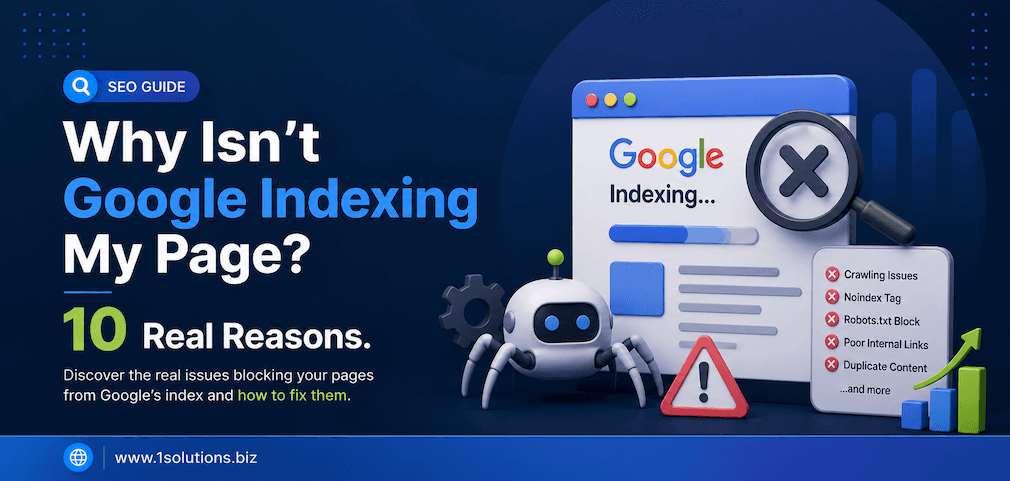
You published a page, waited a few days, searched for it on Google, and nothing. No ranking, no visibility, no traffic. If this sounds familiar, you are dealing with a Google indexing problem, and you are not alone. Countless businesses across the US, Canada, and Australia watch their content disappear into a void simply because Google never picked it up in the first place. Before you can rank, you need to be indexed. Full stop.
The frustrating part is that Google does not always tell you why a page gets skipped. You are left guessing. According to Google’s own Search Central documentation, there are dozens of reasons a URL may be excluded from the index, ranging from simple technical oversights to more complex quality signals. This guide breaks down the 10 most common and most damaging reasons your pages are not getting indexed, along with practical fixes you can apply today.
1. Your Page Is Blocked by Robots.txt
One of the most common and most embarrassing causes of a Google indexing failure is a robots.txt file that is actively telling Googlebot to stay away. The robots.txt file sits at the root of your domain and gives crawlers instructions about which pages or directories they are allowed to access. A simple Disallow: / rule can block your entire website from being crawled, and many site owners never check this file after launch.
This problem is especially common after website migrations, staging-to-live deployments, or CMS updates. Developers often block crawlers during development to prevent premature indexing and then forget to remove those restrictions before going live. According to a Semrush study from 2023, technical SEO issues including crawlability errors affect more than 42% of websites audited on the platform. To check your robots.txt, simply visit yourdomain.com/robots.txt in any browser. If you see Disallow rules covering important pages or your entire site, remove them immediately. Then use Google Search Console’s URL Inspection tool to verify that Googlebot can now access the page.
2. The Page Has a Noindex Tag
A noindex directive tells Google explicitly: do not include this page in search results. It can be added as a meta robots tag in the HTML head section or as an HTTP response header. Either way, Google will respect it and skip the page entirely. The problem is that noindex tags are very easy to add accidentally, especially in WordPress where plugins like Yoast SEO or Rank Math have a simple toggle that controls this setting per page.
Site owners sometimes set an entire site to noindex during development and forget to switch it back. Others add noindex to thank-you pages, category pages, or tag archives without realising those pages might actually be worth indexing. To find noindex tags, open your browser’s developer tools, inspect the page source, and search for robots in the meta tags. You can also use Google Search Console’s URL Inspection tool, which will flag a noindex directive clearly. Fix this by removing the tag or toggling the setting off in your SEO plugin, then requesting indexing through Search Console.
3. Your Page Has No Internal Links Pointing to It
Google discovers new pages primarily by following links. If your page exists in isolation with no internal links pointing to it from other pages on your site, Googlebot may never find it. These orphaned pages are essentially invisible to crawlers unless you have manually submitted the URL through Search Console or included it in your XML sitemap. And even then, the absence of internal links signals to Google that the page may not be particularly important.
Internal linking is one of the most underrated aspects of technical SEO. It not only helps with crawlability but also distributes PageRank across your site and helps Google understand the relationship between your content pieces. A study by Ahrefs from 2022 found that pages with zero internal links earn significantly fewer organic sessions than those with at least one contextual link from a related page. The fix is straightforward: identify your orphaned pages using a site audit tool like Screaming Frog or Ahrefs, then add meaningful internal links from relevant, already-indexed pages. For example, if you are learning how to structure a lean site architecture, this guide on how to perform SEO for a one page website covers internal linking principles in a focused context.
4. The Page Has Thin or Low-Quality Content
Google’s algorithms have become increasingly sophisticated at identifying pages that do not offer genuine value to users. Pages with very little content, duplicate text copied from elsewhere, auto-generated filler paragraphs, or content that simply rehashes existing articles without adding anything new are frequently excluded from the index or de-indexed after an initial crawl. This is especially relevant in the wake of Google’s Helpful Content updates, which explicitly target content written for search engines rather than people.
According to Google’s own quality rater guidelines, pages are assessed on experience, expertise, authoritativeness, and trustworthiness, commonly referred to as E-E-A-T. A page that scores poorly on these dimensions is unlikely to get indexed or stay indexed. If your page has fewer than 300 words, no original insights, no author credibility signals, and no supporting data, you are at risk. The solution is to invest in content depth. Add original research, expert commentary, structured data, and real-world examples. Make sure every page you publish answers a specific question better than any competing page already in the index. Also stay aware of the latest algorithm changes, such as those covered in this breakdown of the Google March 2026 Spam Update, which targeted low-value and manipulative content directly.
5. Your XML Sitemap Is Missing or Broken
An XML sitemap is essentially a roadmap you hand to Google listing all the important pages on your site. While Google can discover pages without a sitemap, submitting one through Google Search Console significantly speeds up the crawling and indexing process, especially for newer websites or large sites with complex architectures. A missing, outdated, or broken sitemap means Google is navigating your site without a guide, and important pages may get skipped.
Common sitemap problems include: including URLs that return 404 errors, listing pages with noindex tags, failing to update the sitemap after adding new content, or submitting a sitemap that contains incorrect URLs due to canonicalization issues. According to a 2023 report by Botify, pages listed in XML sitemaps are crawled up to 2.5 times more frequently than pages discovered only through internal links. To audit your sitemap, visit yourdomain.com/sitemap.xml and check for errors. Then go to Google Search Console under the Sitemaps section and make sure your sitemap is submitted and shows no errors. Update it regularly, ideally automatically through your CMS or SEO plugin.
6. The Page Has Duplicate Content or a Missing Canonical Tag
When multiple URLs on your site serve identical or near-identical content, Google faces a decision: which version should be indexed? In many cases, Google picks a version you did not intend, or worse, it dilutes the indexing signal across all versions so that none of them rank well. This happens more often than most site owners realise, particularly with e-commerce sites that have product pages accessible through multiple category paths, or with CMS platforms that generate multiple URLs for the same post.
The canonical tag is the standard solution to this problem. It tells Google: this is the preferred version of this page. If you are missing canonical tags on duplicate pages, or if your canonical tags are pointing to the wrong URL, Google may choose to index a version of the page you did not intend or skip all versions entirely. Use your browser’s developer tools or a site audit tool to verify that every page has a self-referencing canonical tag and that any duplicate pages point to the correct canonical URL. Also ensure that your canonical URLs are included in your sitemap and are the versions you actually want Google to index.
7. Your Website Has Crawl Budget Problems
Crawl budget refers to the number of pages Googlebot is willing to crawl on your site within a given time period. For small websites, crawl budget is rarely an issue. But for large sites with thousands of pages, faceted navigation, paginated content, URL parameters, or excessive redirect chains, Googlebot may exhaust its budget crawling low-value pages before it ever reaches your important content. The result is that new or updated pages never get crawled and therefore never get indexed.
Google’s Gary Illyes has publicly stated that crawl budget is a real concern for sites with more than a few thousand URLs. You can monitor crawl activity in Google Search Console under the Crawl Stats report. Look for spikes in crawl errors, slow server response times, and signs that Googlebot is spending too much time on unimportant pages. To improve crawl efficiency, block low-value URLs in robots.txt, consolidate duplicate content, flatten your site architecture so important pages are reachable in fewer clicks, improve server response times, and ensure your redirects are clean and minimal. Every improvement you make to crawl efficiency helps your most important content get indexed faster.
8. The Page Was Recently Published and Google Has Not Crawled It Yet
Sometimes the answer is simpler than you think. Google does not index pages instantly. For newer websites or pages without strong internal link support, it can take days, weeks, or even longer for Googlebot to discover and index a new URL. If you published a page yesterday and it is not showing in search results today, that is not necessarily a problem. It may simply be a matter of time and patience.
That said, there are things you can do to speed up the process significantly. First, request indexing directly through the URL Inspection tool in Google Search Console. This signals to Google that a specific URL is ready to be crawled and considered for indexing. Second, add internal links to the new page from already-indexed, high-authority pages on your site. Third, share the page on social media or other external platforms to generate initial traffic signals. According to Google’s own documentation, pages submitted via Search Console are typically queued for crawling within a few days in most cases. If your page still is not indexed after two to three weeks and you have taken these steps, then one of the other issues in this list is likely the cause.
9. Your Server Is Returning Errors or the Page Loads Too Slowly
When Googlebot visits a URL and receives a server error such as a 500 Internal Server Error, a 503 Service Unavailable, or even a temporary timeout, it logs that crawl attempt as unsuccessful and moves on. If errors persist across multiple crawl attempts, Google may significantly reduce how often it tries to crawl your site, which cascades into broader indexing delays. Even intermittent server issues can cause problems if they happen to occur when Googlebot visits.
Page speed is also a factor. Google’s Core Web Vitals are now official ranking signals, and while a slow page will not be blocked from indexing outright, consistently poor server performance can reduce how aggressively Googlebot crawls your site. Use Google Search Console’s Page Experience report and the Core Web Vitals section to identify performance issues. Tools like GTmetrix and Google PageSpeed Insights can also pinpoint specific bottlenecks. Fix server errors at the hosting level, optimize your page load times, use a CDN if your audience is geographically distributed, and ensure your hosting infrastructure can handle crawl traffic without throwing errors. Investing in solid technical infrastructure is foundational to reliable Google indexing.
10. The Page Was Penalised or Caught in a Spam Filter
If your site or specific pages have been flagged by a manual action or hit by an algorithmic penalty, those pages may be demoted or completely removed from the Google index. Manual actions are issued by Google’s human review team when they find clear violations of Google’s spam policies, such as hidden text, doorway pages, unnatural link patterns, or cloaking. Algorithmic penalties happen automatically through systems like Google Panda, Penguin, and the more recent Helpful Content and Spam updates.
Check the Manual Actions section in Google Search Console immediately if you suspect a penalty. If a manual action is present, it will be listed there along with guidance on what needs to be fixed. For algorithmic issues, the process is more nuanced: you need to identify what changed around the time traffic dropped, audit your content quality, review your backlink profile for toxic links, and make substantive improvements before expecting recovery. Understanding the most current algorithm behavior is essential here. The Google March 2026 Spam Update provides a detailed look at how recent spam-detection changes are affecting sites today. Recovery from penalties takes time, but consistent quality improvements and transparent compliance with Google’s guidelines will eventually restore your indexing status.
How to Diagnose and Fix Google Indexing Issues Systematically
Rather than guessing which problem is causing your indexing failure, use a structured diagnostic process. Start with Google Search Console because it is your direct line of communication with Google’s systems. The URL Inspection tool will tell you whether a specific URL is indexed, what Googlebot last saw when it crawled the page, and whether any specific issues were detected. From there, work through the following checklist:
- Check robots.txt for any Disallow rules affecting the page
- Inspect the page source for noindex meta tags or HTTP headers
- Verify the canonical tag is correct and self-referencing
- Confirm the page is included in your XML sitemap
- Count the number of internal links pointing to the page
- Assess the content quality and word count against competing pages
- Check server response codes and page load speed
- Review the Manual Actions section in Search Console
- Analyse crawl stats for signs of crawl budget waste
- Request indexing directly through Search Console after fixing any issues
This systematic approach removes guesswork and helps you identify the root cause quickly. For complex sites or persistent indexing problems, working with an experienced SEO team can save significant time and prevent costly mistakes. Understanding newer developments in search, such as the changes discussed in this overview of WebMCP and how Google’s new protocol impacts SEO, can also help you stay ahead of indexing-related changes at the infrastructure level.
What Role Does Content Quality Play in Google Indexing?
It is worth spending a moment on content quality specifically because it is one of the most misunderstood factors in the indexing conversation. Many site owners assume that as long as their technical setup is clean, their pages will get indexed. But Google has been increasingly selective about which pages it includes in its index, especially since the rollout of the Helpful Content system.
Google’s index is not a library that stores everything on the internet. It is a curated database designed to surface the most useful, trustworthy, and relevant pages for any given query. Pages that do not clear a basic quality threshold may be crawled but not indexed, or indexed temporarily and then removed during a later quality assessment. This means your content strategy directly affects your indexing rate, not just your ranking position.
Focus on creating pages that are genuinely useful, written by or attributed to credible experts, supported by original data or experience, and structured clearly for the reader’s benefit. Avoid publishing pages just to target keyword variations if they do not offer meaningful additional value. One strong, comprehensive page will always outperform ten thin variations in both indexing and ranking. If you are exploring how AI tools can help you produce higher-quality content at scale, this roundup of 10 AI SEO tools to outrank your competitors covers some of the best options available right now.
Advanced Indexing Signals: What Else Matters
Beyond the 10 core reasons covered above, there are a handful of advanced factors that can influence whether Google prioritizes your pages for indexing. These are worth understanding if you have already addressed the fundamentals and are still seeing gaps in your coverage.
PageRank and Link Authority
Pages with more high-quality backlinks pointing to them tend to get crawled and indexed faster. Google’s crawl prioritisation is influenced by the authority signals associated with a URL. If a new page on your site is linked to from a highly authoritative external source, it will typically be crawled within hours. Building a strong backlink profile over time is therefore not just a ranking strategy but also an indexing accelerator.
Structured Data and Rich Signals
While structured data does not directly cause a page to be indexed, it does communicate to Google that the page has been built with care and intentionality. Pages with correct schema markup tend to be associated with higher content quality, and Google’s systems may factor this into crawl prioritisation decisions over time.
User Engagement Signals
Google has publicly stated that it uses Chrome user data and other anonymised engagement signals to understand how real users interact with pages. Pages that receive genuine traffic, low bounce rates, and meaningful time-on-page may be crawled more frequently as a result. This is another reason why promoting new content through social media and email marketing is not just a traffic tactic but also a potential indexing signal.
For those curious about how visibility is evolving beyond traditional search, the guide on how to improve website visibility in AI search engines explores the next frontier of discoverability that sits alongside traditional Google indexing.
Conclusion
Getting your pages into the Google index is the absolute foundation of organic search performance. Without indexing, there is no ranking, no organic traffic, and no return on your content investment. The good news is that the vast majority of Google indexing problems have clear, fixable causes. Whether it is a stray noindex tag, an orphaned page with no internal links, a thin content problem, or a server-side error, every issue on this list can be diagnosed and resolved with the right tools and a methodical approach.
Start with Google Search Console as your primary diagnostic tool. Work through the checklist systematically. Prioritise technical fixes first, then content quality improvements, and use internal links to connect your content ecosystem in a way that makes crawling efficient and logical. The businesses that consistently win in organic search are not always the ones with the biggest budgets. They are the ones who take technical SEO seriously, treat content quality as non-negotiable, and stay informed about how Google’s systems are evolving.
If you have worked through every item on this list and are still struggling with persistent Google indexing problems, it may be time to bring in expert support. Systematic technical audits, crawl budget analysis, and content quality assessments are all areas where professional SEO guidance can make a significant difference to your indexing coverage and long-term search performance.
Frequently Asked Questions About Google Indexing
How long does it take for Google to index a new page?
The time it takes for Google to index a new page varies widely depending on your site’s authority, crawl budget, internal linking structure, and whether you have submitted the URL through Google Search Console. For established sites with strong authority, indexing can happen within hours to a few days. For newer or lower-authority sites, it may take several weeks. Submitting the URL directly via Google Search Console’s URL Inspection tool is the most reliable way to speed up the process. Adding internal links from already-indexed pages also helps Googlebot discover and prioritise the new URL faster.
Why does Google crawl a page but not index it?
Google may crawl a page and still choose not to index it for several reasons. The most common include: the page has a noindex directive, the content is considered too thin or low-quality to provide value to searchers, the page is flagged as a near-duplicate of another URL, or Google has determined that a different canonical URL better represents the content. Google Search Console’s URL Inspection tool will show you the exact reason under the Coverage section, labelled as things like “Crawled, currently not indexed” or “Duplicate, submitted URL not selected as canonical.” Each of these statuses points to a specific technical or content-related fix.
Can I force Google to index my page immediately?
You cannot force Google to index a page, but you can significantly increase the speed at which it gets crawled and considered for indexing. The most direct method is using the Request Indexing function inside Google Search Console’s URL Inspection tool. This places the URL in a priority crawl queue. Beyond that, adding internal links from high-authority pages on your site, sharing the page externally to generate early traffic signals, and ensuring the page is included in your XML sitemap all contribute to faster discovery. Keep in mind that even after crawling, Google may take additional time to process and include the page in its index.
Does social media sharing help with Google indexing?
Social media links are generally considered nofollow and do not pass PageRank directly. However, sharing content on social platforms can indirectly support Google indexing in a few ways. It drives real user traffic to the page, which can trigger Googlebot to crawl the URL sooner if Google detects referral activity. It also increases the chance that other websites will discover and link to your content, which does pass authority signals. While social sharing alone is not a reliable indexing trigger, it forms part of a broader promotion strategy that can accelerate both discovery and eventual indexing of new content.
What is the difference between crawling and indexing?
Crawling and indexing are two distinct stages in how Google processes web content. Crawling is the discovery phase: Googlebot visits a URL, reads the page’s HTML, and follows any links it finds to discover additional pages. Indexing is the storage and analysis phase: Google evaluates the crawled content, determines whether it meets quality standards, and decides whether to add it to its searchable database. A page can be crawled without being indexed if it fails quality thresholds, has a noindex tag, is considered a duplicate, or triggers any of the other exclusion reasons covered in this guide. Only indexed pages are eligible to appear in Google search results.