10 Best SEO Audit Tools (Free and Paid) You Need in 2026
Choosing from the 10 best SEO audit tools (free and paid) available in 2026 is not just a technical decision. It is a business decision. The wrong tool wastes hours. The right one surfaces exactly what is holding your site back, whether that is crawl errors, thin content, broken backlinks, or slow Core Web Vitals. According to BrightEdge (2024), organic search drives 53% of all trackable website traffic, which means a thorough, regular SEO audit is no longer optional. It is the baseline. This guide covers every major option honestly, with real trade-offs, pricing context, and clear recommendations for different use cases.
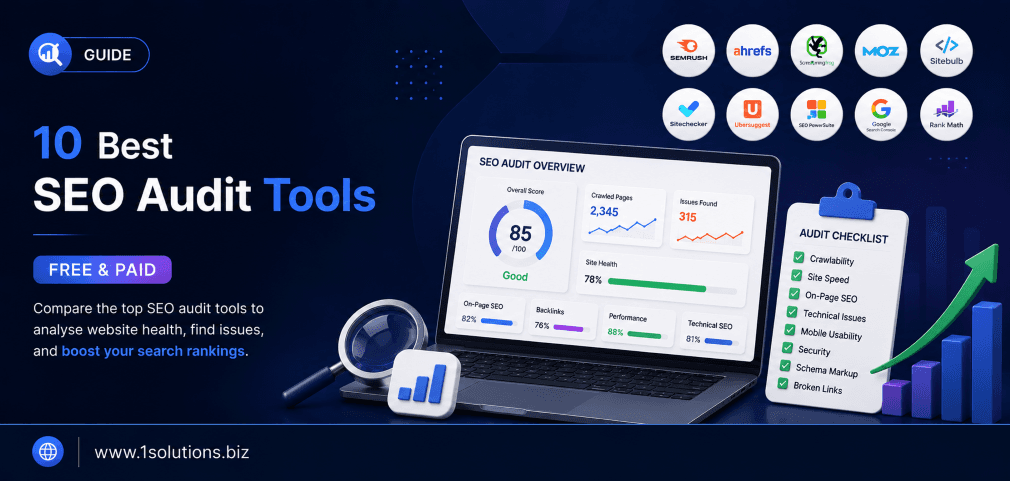
This article reviews the 10 best SEO audit tools for 2026, covering both free and paid options. Each tool is evaluated on features, accuracy, ease of use, and value so you can pick the right one for your site size and budget. Whether you are a solo blogger or an enterprise team, there is a clear winner in this list for you.
⚡ Key Takeaways
- Free tools like Google Search Console and Screaming Frog (free tier) are genuinely powerful starting points, not just limited demos.
- Paid all-in-one platforms like Semrush and Ahrefs overlap significantly. You rarely need both.
- Site speed and Core Web Vitals audits require dedicated tools. Generic SEO crawlers often miss performance nuances.
- Backlink audits and technical crawls are two different jobs. Choose tools accordingly.
- Running audits without acting on the findings is the most common and expensive mistake teams make.
- AI-powered audit features are now standard in premium tools, but human interpretation still matters.
- Small businesses can build a complete audit workflow using only free tools if budget is a constraint.
Why SEO Audits Matter More Than Ever in 2026
Search engine algorithms have grown significantly more complex. The rollout of AI Overviews, continuous core updates, and the rise of Agentic SEO (AAIO) have changed how Google evaluates and ranks content. A site that performed well in 2023 may be struggling today for reasons that only a structured audit can uncover. According to Ahrefs (2024), over 90% of web pages receive zero organic traffic, largely because of fixable technical or content issues that go undetected without proper auditing. Regular audits are how you close that gap.
If you want expert help interpreting and acting on audit findings, the team at 1Solutions provides professional SEO services that include full technical and content audits as part of an ongoing optimization strategy.
The 10 Best SEO Audit Tools Compared at a Glance
| Tool | Free Tier | Best For | Starting Price (Paid) |
|---|---|---|---|
| Google Search Console | Yes (full) | Index and performance data | Free |
| Screaming Frog SEO Spider | Yes (500 URLs) | Technical crawl audits | ~$259/year |
| Semrush Site Audit | Limited | All-in-one SEO audit | $139.95/month |
| Ahrefs Site Audit | Limited (via Webmaster Tools) | Backlinks and technical | $129/month |
| Google PageSpeed Insights | Yes (full) | Core Web Vitals and speed | Free |
| Moz Pro Site Crawl | Limited | Beginners and small teams | $99/month |
| Ubersuggest | Yes (limited) | Budget-friendly all-in-one | $29/month |
| SE Ranking | Trial only | Agencies and mid-size teams | $65/month |
| Sitebulb | Trial only | Visual technical audits | $13.50/month |
| Lumar (DeepCrawl) | No | Enterprise-scale crawls | Custom pricing |
The 10 Best SEO Audit Tools for 2026
1. Google Search Console
Google Search Console (GSC) is the most reliable starting point for any SEO audit, and the price is hard to beat because it is completely free. GSC gives you direct data from Google itself: which pages are indexed, which are excluded and why, your average position for specific queries, click-through rates, Core Web Vitals status, mobile usability issues, and manual actions. No third-party tool can replicate the authority of data that comes directly from the search engine doing the ranking.
The trade-off is that GSC does not tell you what competitors are doing, it does not analyze your backlink profile in depth, and it has a 16-month data retention limit. It also reports on issues after they occur rather than proactively flagging risks. That said, if you are trying to understand why Google is not indexing a specific page, GSC is the first place to check. Our guide on why Google is not indexing your page covers the most common reasons GSC surfaces and how to resolve them. Best used in combination with one crawl-based tool, GSC forms the diagnostic backbone of any smart audit workflow.
2. Screaming Frog SEO Spider
Screaming Frog SEO Spider is the gold standard for technical crawl audits. The free version crawls up to 500 URLs, which is sufficient for small sites. The paid version at approximately $259 per year unlocks unlimited crawls, JavaScript rendering, scheduled crawls, Google Analytics and Search Console integration, and custom extraction via XPath. For technical SEOs, it remains an essential tool even in 2026 despite being around for over a decade.
What makes it exceptional is granularity. You can audit redirect chains, find duplicate content at scale, check canonical tags, analyze hreflang attributes, and export everything to a spreadsheet for further analysis. The interface is not the most visually polished, and non-technical users often find the raw data overwhelming without guidance. But for developers, consultants, and experienced SEOs, nothing crawls a site with more precision at this price point. Pair Screaming Frog with GSC data for a complete technical picture. If your site is built on WordPress, combining this tool with a proper WooCommerce maintenance checklist can help you cover both technical SEO and platform-specific health checks simultaneously.
💡 Pro Tip: When using Screaming Frog, always enable JavaScript rendering for sites that load content dynamically. Standard crawl mode misses a significant portion of JS-rendered content, which leads to incomplete audits.
3. Semrush Site Audit
Semrush is arguably the most comprehensive all-in-one SEO platform available, and its Site Audit module is one of the best in the industry. It checks over 140 technical SEO issues across categories including crawlability, HTTPS implementation, site performance, internal linking, and markup. The dashboard presents results in an easy-to-read priority order with actionable recommendations. Semrush also offers thematic reports for Core Web Vitals, AMP, and log file analysis on higher plans.
The downside is cost. At $139.95 per month for the Pro plan, it is a significant investment for solo practitioners or small businesses. The crawl limits on lower plans can also be frustrating for large sites. However, if you want one tool to handle keyword research, competitor analysis, backlink auditing, and technical crawling in a single interface, Semrush delivers. For teams already investing in SEO for small businesses, the cost-per-feature ratio is actually reasonable when compared to subscribing to multiple standalone tools.
4. Ahrefs Site Audit
Ahrefs built its reputation on backlink analysis, but its Site Audit tool has matured into a serious technical auditing platform. It crawls your site for over 100 pre-defined SEO issues and presents them in a clean, intuitive interface. One standout feature is the Data Explorer, which lets you filter crawl data with custom conditions, making it incredibly flexible for advanced users who want to build custom audit reports.
Ahrefs Webmaster Tools offers a free limited version for verified site owners, which makes it accessible to budget-conscious users who need basic auditing. The paid plans start at $129 per month. The main limitation is that Ahrefs is not as strong for local SEO auditing or content gap analysis compared to Semrush. However, for backlink profile audits, which are a critical component of any full SEO review, Ahrefs remains the most trusted source. Understanding how your link profile looks is especially relevant if you are concerned about penalties. Our guide on how to build links safely without triggering penalties pairs well with Ahrefs audit data.
5. Google PageSpeed Insights
Core Web Vitals became a confirmed Google ranking factor in 2021, and by 2026, performance auditing is a non-negotiable part of any SEO audit. Google PageSpeed Insights (PSI) is the free, authoritative tool for measuring Largest Contentful Paint (LCP), Cumulative Layout Shift (CLS), and Interaction to Next Paint (INP). It provides both lab data and real-world field data pulled from the Chrome User Experience Report (CrUX), which gives you a genuine picture of how actual users experience your site.
PSI also generates specific, prioritized recommendations to improve load speed, such as eliminating render-blocking resources, reducing server response times, and optimizing image formats. The trade-off is that it only analyzes one URL at a time, so running a full site audit manually is impractical at scale. For that, combine PSI with a bulk testing tool like WebPageTest or integrate Core Web Vitals monitoring into Semrush or Ahrefs. According to Google (2023), sites that meet Core Web Vitals thresholds are 24% less likely to be abandoned by users before loading completes, which directly affects bounce rate and conversions.
💡 Pro Tip: Do not just check your homepage with PageSpeed Insights. Test your most important landing pages and product pages separately. Performance bottlenecks often hide on interior pages that receive the most conversion traffic.
6. Moz Pro Site Crawl
Moz Pro has been a trusted name in SEO for well over a decade, and its Site Crawl feature offers a clean, beginner-friendly approach to technical auditing. The tool organizes issues by severity (critical, warning, and suggestion), making it easy for users who are not deeply technical to understand what needs fixing first. It also tracks crawl data over time so you can monitor whether fixes are actually sticking between audits.
Moz Pro’s Page Optimization score gives individual pages a clear, actionable breakdown of on-page SEO factors including keyword usage, title tag optimization, meta descriptions, and internal link anchor text. The starting price of $99 per month is more accessible than Semrush for small teams. The limitation is that Moz’s link index and keyword database are smaller than those of Ahrefs or Semrush, which matters if competitive research is part of your workflow. Still, for teams that need a clean, structured audit workflow without advanced data engineering, Moz Pro is a solid and underrated choice. It also integrates well with content-focused strategies, which you can explore further in our post on how to boost SEO with page content analysis.
7. Ubersuggest
Ubersuggest, developed by Neil Patel, positions itself as the affordable all-in-one SEO platform, and for many small businesses and bloggers, it delivers exactly what is promised. The Site Audit feature checks for on-page SEO issues, speed problems, and basic technical errors. The free plan offers limited daily searches and audits, while paid plans start at $29 per month, which is significantly cheaper than enterprise alternatives.
The trade-off is depth. Ubersuggest does not go as deep as Screaming Frog or Semrush on technical issues. It misses nuanced problems like orphaned pages, complex redirect chains, or advanced structured data errors. The backlink data is also less comprehensive than Ahrefs. However, for a business that has never run an audit and needs to identify the most obvious, high-impact issues quickly and affordably, Ubersuggest is a practical entry point. It is particularly useful for startups and small e-commerce sites that want a digestible audit report without a steep learning curve. Combine it with insights from our article on SEO strategies that work best for startups to build a smarter action plan from your audit findings.
8. SE Ranking
SE Ranking has grown rapidly into a well-rounded SEO platform that punches above its price point. Its Website Audit module checks for over 70 technical parameters including broken links, duplicate content, missing canonical tags, redirect issues, and page speed. The reports are visually clean and organized into categories that make prioritization straightforward. SE Ranking also includes a dedicated on-page checker and a white-label reporting feature, which makes it a strong choice for agencies managing multiple client sites.
Pricing starts at around $65 per month, which positions it between Ubersuggest and Semrush in terms of cost and capability. The keyword tracking feature is precise and updates daily, which is more frequent than some larger competitors. The main limitation is that SE Ranking’s backlink database, while growing, still lags behind Ahrefs and Semrush in index size. For agencies that need clean client reporting without paying enterprise-level fees, SE Ranking is one of the best value propositions currently available. It pairs effectively with local SEO packages for agencies serving businesses that rely on location-based search visibility.
💡 Pro Tip: If you manage more than five client sites, SE Ranking’s white-label reports can save you hours each month on manual reporting. Set up automated scheduled audits and reports so clients receive updates without additional work from your team.
9. Sitebulb
Sitebulb is a desktop-based SEO crawler that sets itself apart with exceptional data visualization. Rather than presenting a flat list of errors, Sitebulb maps your site’s structure visually, showing how pages are connected, where crawl depth becomes excessive, and which sections of the site are receiving the least internal link equity. This visual approach makes it significantly easier to explain audit findings to clients or non-technical stakeholders.
At approximately $13.50 per month for the basic plan, Sitebulb is one of the most affordable professional-grade crawlers available. It handles JavaScript rendering well, supports large crawls, and generates detailed hint-based recommendations that explain not just what is wrong but why it matters and how to fix it. The downside is that it is desktop software, which means crawl speed depends on your local machine and internet connection. It also lacks the all-in-one keyword research and competitor analysis features of cloud-based platforms. Sitebulb is best used as a specialist technical audit tool rather than a complete SEO suite. According to Search Engine Journal (2023), visual site architecture audits help teams identify crawl efficiency issues 40% faster than standard list-based reports.
10. Lumar (formerly DeepCrawl)
Lumar, previously known as DeepCrawl, is built specifically for enterprise-scale technical SEO. It supports crawls of millions of URLs, integrates directly with Google Analytics, Search Console, log file analyzers, and data warehouses like BigQuery, and provides governance-level reporting that allows large teams to assign, track, and verify SEO fixes across departments. For companies running large e-commerce platforms, news sites, or multi-brand digital properties, Lumar provides a level of oversight that no mid-market tool can match.
The pricing is custom and typically runs into thousands of dollars per month, which makes it entirely unsuitable for small or mid-size businesses. However, for enterprise teams where a single indexation bug can mean millions of lost impressions, the investment is justified. Lumar also supports automated testing within CI/CD pipelines, meaning SEO checks can be embedded directly into the development deployment process. This prevents technical regressions from going live undetected. If your organization runs on a large e-commerce platform, pairing Lumar’s audit capabilities with a strong ecommerce marketing strategy creates a full-funnel optimization approach from crawlability through conversion.
How to Use These Tools Together Effectively
No single tool does everything perfectly. The most effective SEO audit workflows layer multiple tools strategically. Start with Google Search Console for index and performance data. Run a technical crawl with Screaming Frog or Sitebulb. Check speed and Core Web Vitals with PageSpeed Insights. Analyze your backlink profile with Ahrefs. Use Semrush or SE Ranking for competitive gap analysis and on-page scoring. This layered approach takes more time upfront but produces a far more complete picture of site health than relying on any single platform.
It is also worth understanding that audits alone do not move rankings. Execution is what matters. If you are building an audit-to-action process, our post on 10 AI SEO tools to outrank competitors covers complementary tools that help you move from audit insights to ranking improvements faster. For businesses that want expert implementation rather than DIY workflows, 1Solutions offers a free 45-day SEO trial that puts professional audit and optimization expertise to work on your site with no long-term commitment required upfront.
Practical Action Plan: What to Do With Your Audit Results
- Do This Now: Fix crawl errors, broken internal links, and missing meta titles or descriptions. These are low-effort, high-impact changes that can produce measurable improvements within weeks. Use Google Search Console to identify and resolve indexing issues first.
- Worth Doing: Address Core Web Vitals failures, resolve duplicate content issues, and improve your internal linking structure. These require more effort but have a direct impact on rankings, user experience, and crawl efficiency. Use Screaming Frog or Sitebulb to prioritize based on page importance.
- Low Priority: Schema markup enhancements, advanced log file analysis, and competitor content gap filling. These are valuable over the long term but should not distract from fixing fundamental technical and on-page issues first. Revisit these after your critical issues are resolved.
For content-level improvements identified in your audit, pairing your findings with a strong content and copywriting strategy ensures that fixing technical issues is matched by equally strong on-page content that satisfies both search engines and users.
Frequently Asked Questions
What is an SEO audit tool and why do I need one?
An SEO audit tool analyzes your website for technical, on-page, and off-page issues that may be preventing it from ranking well in search results. You need one because many SEO problems are invisible without automated scanning. Issues like broken links, duplicate content, slow page speed, and crawl errors directly impact rankings but are nearly impossible to catch manually across a site of any meaningful size.
Are free SEO audit tools good enough for small businesses?
For many small businesses, yes. Google Search Console, Google PageSpeed Insights, and the free tier of Screaming Frog (up to 500 URLs) together provide a solid foundation for technical auditing without any cost. The main limitation is that free tools typically lack competitor analysis, backlink auditing depth, and automated scheduled reporting. As your site grows, upgrading to a paid tool becomes increasingly worthwhile.
How often should I run an SEO audit?
A full technical audit should be run at minimum quarterly. For large or actively changing sites, monthly crawls are recommended. Any time you make significant site changes, such as a redesign, platform migration, or major content restructure, run an immediate audit afterward to catch any regressions introduced by the changes.
Can I use multiple SEO audit tools at the same time?
Absolutely, and it is actually recommended. Different tools have different crawl methodologies and data sources, which means they catch different issues. A common professional workflow combines Screaming Frog for technical crawling, Google Search Console for index health, Ahrefs for backlink audits, and PageSpeed Insights for performance. The key is avoiding tool redundancy by assigning each tool a specific job.
What is the biggest mistake people make when running SEO audits?
The biggest mistake is running the audit and then not acting on the findings. Audit reports generate lists of issues, but fixing them requires prioritization, resources, and follow-through. A site with 200 identified issues but zero fixes applied is worse off than a site with 20 issues and a clear remediation plan in progress. Always treat the audit as the beginning of a process, not the end product.