Are These Common Shopify SEO Mistakes That Are Killing Your Rankings?
You built a beautiful Shopify store, loaded it with products, and waited for Google to send customers your way. Weeks passed. Months passed. Traffic stayed flat. Sound familiar? The culprit is almost always a handful of fixable SEO errors that store owners overlook because Shopify makes setup so easy that the technical side gets ignored.
Shopify powers over 4.6 million live websites globally, according to BuiltWith (2024), which means competition for organic search visibility is fierce. If your store is not ranking, chances are you are committing one or more of the common Shopify SEO mistakes that are killing your rankings, and some of them may have been hurting you since day one.
This guide breaks down exactly seven of those mistakes, explains why each one damages your rankings, and gives you a clear path to fixing them.
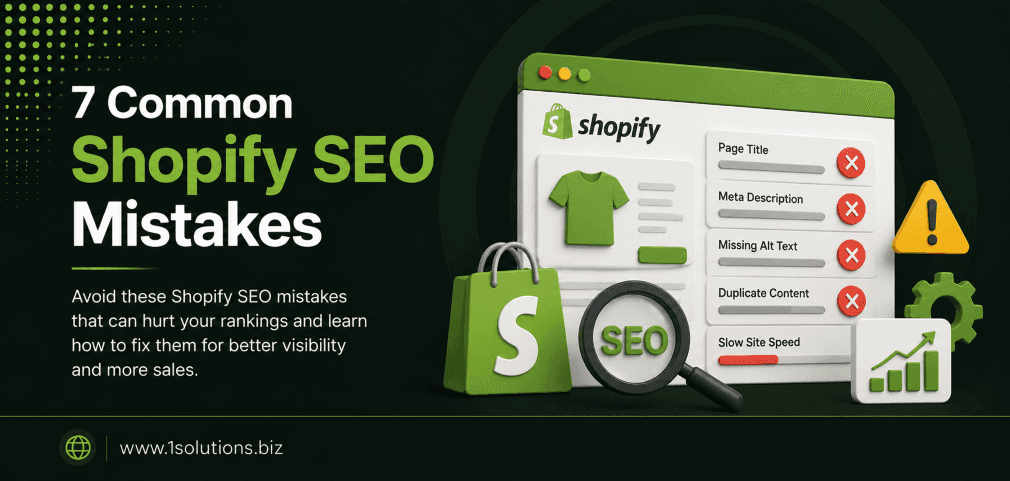
Most Shopify stores underperform in search because of preventable technical and content mistakes. This article covers exactly 7 common Shopify SEO mistakes that are killing your rankings, from duplicate content caused by URL structures to ignoring site speed and schema markup. Fix these and you will see meaningful organic growth.
⚡ Key Takeaways
- Shopify’s default URL structure creates duplicate content that confuses Google and splits link equity.
- Thin product descriptions are one of the fastest ways to lose ranking potential on category and product pages.
- Missing or broken canonical tags cause Google to index the wrong version of your pages.
- Site speed directly impacts both rankings and conversion rates, and Shopify themes vary widely in performance.
- Ignoring structured data means missing out on rich results that increase click-through rates significantly.
- Poor internal linking leaves product pages as orphans that search engines rarely prioritize.
- Skipping keyword research for collections pages wastes one of Shopify’s most powerful SEO opportunities.
1. Ignoring Shopify’s Duplicate Content Problem
One of the most damaging and least discussed common Shopify SEO mistakes that are killing your rankings is the platform’s built-in duplicate content issue. By default, Shopify creates two valid URLs for every product: one under its own product path and one under the collection it belongs to. For example, a single product can be accessible at /products/blue-sneakers and also at /collections/mens-shoes/products/blue-sneakers. Both URLs return the same content, which means Google has to decide which one to index and rank.
According to a Semrush study (2023), duplicate content affects roughly 29% of all audited ecommerce sites, and Shopify stores are disproportionately represented in that figure because the issue is structural rather than accidental.
The consequences are real. When Google finds two identical pages, it may index neither one well, split any backlink equity between them, or choose the wrong version to rank. Shopify does add a canonical tag to these pages, pointing to the /products/ version, but this does not always work as intended, especially when third-party apps or theme edits override or duplicate those tags.
To fix this, audit your canonical tags using a crawl tool such as Screaming Frog. Confirm that every product page canonicalizes to the primary /products/ URL. Avoid linking internally to the collection-scoped product URLs. Check your sitemap to ensure only canonical URLs are submitted to Google Search Console. If you want to understand why indexing sometimes fails even with canonicals in place, our post on why Google is not indexing your pages walks through ten real causes that go beyond canonical errors.
💡 Pro Tip: After fixing canonicals, use the URL Inspection tool in Google Search Console to manually request indexing for your primary product URLs. Do not wait for Googlebot to re-crawl on its own schedule.
2. Using Thin or Duplicate Product Descriptions
Copying descriptions directly from a manufacturer or supplier feels like a time-saver, but it is one of the most common Shopify SEO mistakes that are killing your rankings. When dozens or hundreds of other stores use the same description, Google treats your page as duplicate content. Even if your canonical tags are perfect, thin or copied content signals low editorial value and pushes your pages down in rankings.
A BrightEdge study (2022) found that organic search drives over 53% of all website traffic, and ecommerce pages with unique, detailed product descriptions consistently outrank those with minimal or borrowed text. Google’s quality evaluators explicitly look for original content that adds value beyond what is available elsewhere.
Thin descriptions also hurt conversion. A product page with two sentences gives shoppers nothing to trust. Unique descriptions that address real customer questions, highlight key features, and anticipate objections do double duty: they rank better and they sell better.
For Shopify stores with hundreds of SKUs, writing unique descriptions for every product is a genuine challenge. Start with your top 20% of revenue-driving products and work outward. Use a consistent template that includes a short hook, bullet-pointed features, usage scenarios, and a call to action. For collections pages, write a 150 to 250 word introductory paragraph that targets a head keyword naturally.
If content production is a bottleneck, professional ecommerce copywriting support can help you scale without sacrificing quality. You can also read our guide on how to boost SEO efforts with page content analysis to prioritize which pages need rewrites first.
3. Neglecting Collections Pages as SEO Assets
Most Shopify store owners spend their SEO energy on product pages and almost none on collections pages. This is a significant missed opportunity. Collections pages sit higher in the purchase funnel. They target broader, higher-volume keywords like “men’s running shoes” rather than a specific product model. They also accumulate internal links from product pages naturally, giving them strong topical authority potential.
The mistake typically looks like this: a collections page has a generic title such as “Men’s Shoes,” no descriptive text, no keyword-optimized meta description, and no structured internal linking from related blog posts or other collections. The page is essentially invisible to search engines beyond its title tag.
Fixing this requires treating your top collections pages like landing pages. Research the keywords your target customers use when browsing categories. Use tools like Ahrefs or Google’s own Search Console performance data to identify which collection URLs already receive impressions but have low click-through rates, which usually means the title and meta description need work.
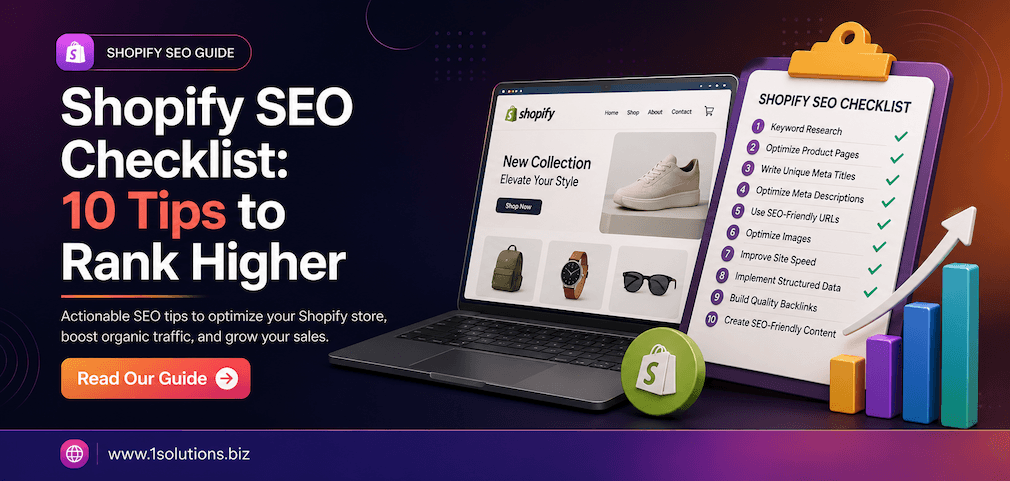
Add descriptive body text at the top or bottom of each collections page. Use your target keyword in the H1, in the first paragraph, and naturally throughout. Build internal links to these pages from relevant blog posts. If you are exploring structured approaches to ecommerce optimization, our Shopify SEO checklist covers collections page optimization alongside ten other actionable steps.
For a broader comparison of how Shopify handles SEO relative to other platforms, it is also worth reading the WooCommerce vs Shopify comparison guide to understand the structural trade-offs each platform presents.
4. Overlooking Site Speed and Core Web Vitals
Shopify’s hosted infrastructure is reliable, but it does not guarantee a fast store. Themes loaded with animations, high-resolution images that are not compressed, unnecessary third-party app scripts, and large JavaScript bundles can drag your Largest Contentful Paint (LCP) and Cumulative Layout Shift (CLS) scores into the red. Google has used Core Web Vitals as a ranking signal since 2021, and the impact on competitive ecommerce verticals is measurable.
According to Google’s own data (2023), pages that load in under 2.5 seconds see significantly higher engagement rates than slower pages, and a 100-millisecond delay in load time can reduce conversion rates by up to 7%. For a Shopify store doing any volume at all, that is a meaningful revenue impact alongside the ranking hit.
The most common speed offenders in Shopify stores are: unoptimized images served without WebP formatting, too many installed apps that each inject their own scripts into the storefront, bloated theme code from page builder plugins, and render-blocking JavaScript from tracking tools.
Start by running your store through Google PageSpeed Insights and the Core Web Vitals report in Search Console. Address image compression first since it typically yields the biggest gains. Use Shopify’s native lazy loading for images below the fold. Audit your installed apps and remove any that you are not actively using. Each app that remains active adds HTTP requests even if you never open its dashboard.
💡 Pro Tip: Use Shopify’s built-in theme performance scores when selecting or upgrading a theme. A theme that scores above 70 in PageSpeed on a clean install is a much better starting point than a visually impressive theme that scores below 50.
5. Missing or Misconfigured Structured Data
Structured data, specifically Schema.org markup for products, reviews, prices, and availability, tells search engines exactly what your page contains. When implemented correctly, it can trigger rich results in Google, including star ratings, price ranges, and stock status directly in the search snippet. These rich results increase click-through rates substantially.
A study by Search Engine Land (2023) found that pages with structured data rich snippets receive an average 20 to 30% higher click-through rate compared to standard blue-link results. For an ecommerce store, that difference in CTR can mean thousands of additional monthly visitors without any change in rankings.
The common mistakes here include: relying on a Shopify theme that only partially implements product schema, not including review markup even when you have customer reviews displayed on the page, using incorrect property values that trigger manual penalties, and failing to validate your markup in Google’s Rich Results Test tool after any theme update.
Shopify’s default themes include some basic product schema, but they rarely cover all the properties Google looks for, particularly aggregateRating, offers with accurate availability values, and brand properties. You can add or extend schema through a custom theme snippet or via a dedicated structured data app.
Always validate your changes using Google’s Rich Results Test and monitor your Search Console for structured data errors. If you are investing in professional ecommerce SEO packages, ensure schema implementation is explicitly included in the scope of work. Many agencies overlook it.
6. Building a Weak or Misdirected Internal Link Structure
Internal linking in Shopify stores tends to be an afterthought. Most stores rely entirely on the navigation menu and the “related products” widget for internal links, which is not enough to communicate topical authority or distribute link equity strategically. Important product pages end up with only one or two internal links pointing to them, while the homepage absorbs most of the site’s authority without passing it downstream.
Google uses internal links to understand how your pages relate to each other and which pages are most important. A product page that is three or four clicks away from the homepage, with no blog posts or collections pages linking to it, is functionally an orphan page from a crawler’s perspective.
The fix requires deliberate structure. Map out your top 30 to 50 most important pages, typically high-margin products and key collections, and identify how many internal links point to each. Then create a linking plan: write blog posts that reference and link to relevant products and collections, add contextual links within product descriptions to related items, and use breadcrumb navigation consistently.
Anchor text matters too. Using descriptive, keyword-relevant anchor text instead of “click here” or “learn more” helps Google understand what the destination page is about. Our guide on using internal links to boost backlink impact explains how to align internal linking with your external link building efforts for compounding results.
You should also build external authority through ethical link acquisition. Our resource on how to build links safely without triggering penalties covers the tactics that work in 2024 and the ones that will get your store penalized.
💡 Pro Tip: Run a crawl of your Shopify store and filter for pages with fewer than three internal links pointing to them. These are your orphan or near-orphan pages, and they represent some of the fastest ranking wins available once you add contextual internal links from existing high-authority pages.
7. Skipping Technical SEO Audits After App Installs or Theme Changes
Shopify’s app ecosystem is one of its greatest strengths, but it is also one of the most common sources of silent SEO damage. Every time you install a new app, update your theme, or customize your storefront, there is a risk that existing SEO configurations get overwritten, new redirect chains appear, hreflang tags break, or canonical tags get duplicated. Most store owners never check.
According to Ahrefs (2023), over 65% of ecommerce sites have technical SEO issues that are directly causing ranking suppression, and a large portion of those issues were introduced by site updates rather than being present from the start. Apps that inject JavaScript into the global theme, modify the head section, or add their own sitemaps are particularly risky.
The most damaging scenarios include: a review app that generates separate indexable pages for each review, a currency converter that creates alternate URLs without proper canonical handling, an app that modifies robots.txt and accidentally blocks important pages, and theme updates that remove JSON-LD schema blocks that were previously working.
The solution is process, not just tools. Establish a pre and post-change audit checklist. Before installing any new app, check whether it modifies the theme code and which files it touches. After any significant change, run a crawl with a tool like Screaming Frog or Sitebulb, check for new 404 errors and redirect chains in Google Search Console, and re-validate your structured data.
If your store has accumulated years of unreviewed changes and you suspect technical issues are holding back rankings, a comprehensive professional SEO audit service can identify what is broken and prioritize fixes by impact. Pair that with ongoing ecommerce marketing support to ensure that technical fixes translate into measurable traffic and revenue gains.
Shopify SEO Mistakes: Quick Comparison Overview
| Mistake | Root Cause | SEO Impact | Fix Difficulty |
|---|---|---|---|
| Duplicate Content via URL Structure | Shopify platform default | High: splits link equity and confuses indexing | Medium |
| Thin or Copied Product Descriptions | Time constraints, supplier content | High: low quality signals, poor rankings | High effort but high reward |
| Neglected Collections Pages | Focus on individual products only | High: misses high-volume category keywords | Medium |
| Poor Site Speed and Core Web Vitals | Heavy themes, unoptimized images, excess apps | Medium to High: direct ranking signal | Medium |
| Missing or Broken Structured Data | Incomplete theme implementation | Medium: loses rich result eligibility | Low to Medium |
| Weak Internal Link Structure | Passive reliance on navigation and widgets | Medium to High: orphan pages lose authority | Medium |
| No Technical Audits After Changes | Lack of process around updates | High: silent compounding damage over time | Low with a checklist in place |
Practical Action Plan: Where to Start
- Do This Now: Audit your canonical tags across all product URLs using Google Search Console and a crawl tool. This single fix can recover link equity that has been split for months. Also check for any pages accidentally blocked in robots.txt after recent app installs.
- Worth Doing: Rewrite descriptions for your top 20 revenue-driving products and add keyword-targeted introductory copy to your top 10 collections pages. Schedule a Core Web Vitals audit and implement image compression across your product catalog. Add or fix product schema and validate it in Google’s Rich Results Test.
- Low Priority: Build out a comprehensive internal linking strategy across your entire blog and product archive. This has strong long-term compounding benefits but is less urgent than fixing structural and technical issues first. Consider expanding into off-page authority building once on-page foundations are solid.
Conclusion
The common Shopify SEO mistakes that are killing your rankings are rarely dramatic. They are structural oversights, skipped audits, and content shortcuts that accumulate quietly over time. The good news is that every mistake covered in this guide has a clear, actionable fix. You do not need to rebuild your store. You need a systematic approach to identifying what is broken and prioritizing repairs by impact.
Start with canonical tags and duplicate content because those are platform-level issues affecting every Shopify store to some degree. Move on to content quality, collections page optimization, and site speed. Build your internal link structure deliberately rather than leaving it to default widgets. And create a standing process for technical audits every time your store changes.
If you want expert help identifying and fixing these issues quickly, explore our ecommerce SEO packages or reach out to discuss a customized audit. The organic traffic your store is missing is not gone. It is just waiting for you to remove the barriers blocking it.
Frequently Asked Questions
Does Shopify handle SEO automatically?
Shopify provides a solid SEO foundation, including automatic canonical tags, sitemap generation, and some structured data through themes. However, it does not optimize your content, fix duplicate URLs, or ensure your schema is complete. Manual oversight and ongoing SEO work are still essential for competitive rankings.
How do I fix the duplicate URL issue in Shopify?
Shopify adds canonical tags to resolve this, but you should verify they are working correctly using a crawl tool. Ensure that your internal links always point to the canonical /products/ URL version, not the collection-scoped version. Also confirm your sitemap only includes canonical URLs.
Is Shopify SEO different from WordPress SEO?
The core principles are the same: quality content, technical health, backlinks, and user experience. The differences are structural. Shopify has URL limitations that WordPress does not, and it gives you less control over certain technical settings. For a detailed comparison, read our WooCommerce vs Shopify guide.
How often should I run a technical SEO audit on my Shopify store?
Run a full technical audit at least quarterly, and run a targeted check after every significant change: app installs, theme updates, bulk product imports, or major navigation changes. Many ranking drops in Shopify stores are directly traceable to unreviewed technical changes.
Can poor site speed really affect my Shopify rankings?
Yes. Google uses Core Web Vitals as a ranking signal, and Shopify stores with heavy themes or excessive app scripts frequently fail these benchmarks. Beyond rankings, slow load times hurt conversion rates. Both effects compound over time, making speed optimization one of the highest-leverage fixes available to most store owners.