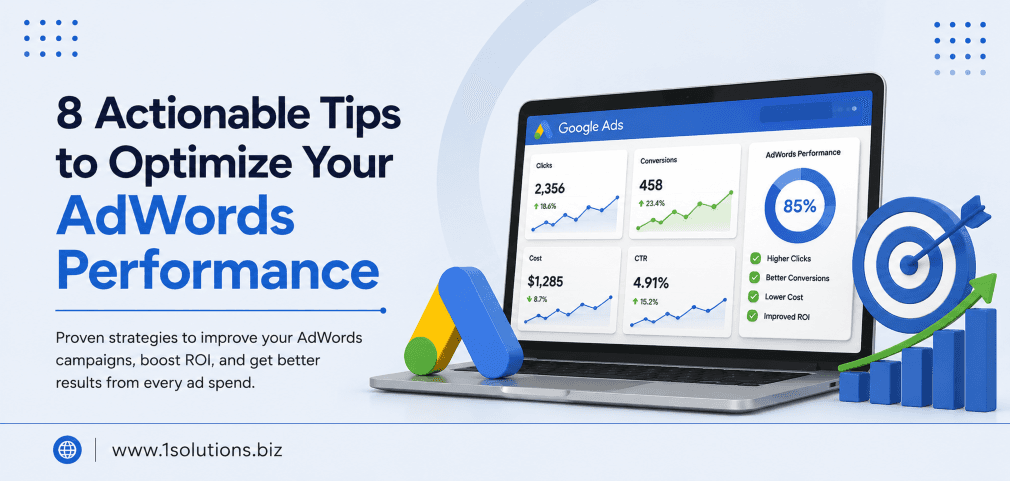
Running Google Ads without a clear optimization strategy is like pouring water into a leaky bucket. You spend more, get less, and wonder why results never improve. If you are looking for 8 actionable tips to optimize your AdWords performance, this guide walks you through every step with practical actions you can apply immediately, whether you are running campaigns for a small business or managing a large ecommerce store.
Optimizing Google AdWords is not about spending more. It is about spending smarter. This guide covers eight proven strategies including keyword refinement, Quality Score improvement, audience layering, and landing page alignment that reduce wasted spend and increase conversions without inflating your budget.
⚡ Key Takeaways
- Negative keywords are one of the fastest ways to reduce irrelevant clicks and improve ROAS immediately.
- Quality Score directly affects your cost-per-click and ad position, so improving it saves you money at scale.
- Ad scheduling and device bid adjustments let you concentrate budget where conversions actually happen.
- Landing page relevance is as critical as ad copy. A mismatch kills conversion rates regardless of ad quality.
- Audience layering with remarketing lists gives search ads a significant performance edge over untargeted campaigns.
- Automated bidding strategies work best after campaigns have accumulated at least 30 to 50 conversions.
- Regular search term report reviews should happen weekly, not monthly, to prevent budget leakage.
Why AdWords Optimization Cannot Be a One-Time Task
Google Ads (formerly AdWords) is an auction system that changes constantly. Competitor bids shift, search behavior evolves, and Google’s algorithm updates affect how ads are ranked and priced. According to WordStream (2023), the average small business wastes up to 25% of its Google Ads budget on irrelevant clicks. That is a significant loss that compounds over time if left unaddressed.
The good news is that most of the waste is preventable with consistent, structured optimization. The eight tips below are ordered by impact so you can prioritize where to start.
Tip 1: Build and Refine Your Negative Keyword List
Negative keywords tell Google which searches should NOT trigger your ads. Without them, your ads can appear for loosely related or completely irrelevant queries, draining your budget fast.
How to Do It
- Navigate to your campaign, click on Keywords, then open the Search Terms report.
- Sort by cost and look for terms that generated clicks but zero conversions.
- Add those terms as negative keywords at the ad group or campaign level depending on their scope.
- Create a shared negative keyword list in the Shared Library and apply it across all relevant campaigns.
- Repeat this process every week during the first month, then every two weeks once the list matures.
Common negative keyword categories to consider upfront: competitor brand names (unless you are intentionally targeting them), informational queries like “how to” or “what is,” and job-seeking terms like “free” or “DIY” if you sell premium services.
💡 Pro Tip: Use broad match negative keywords carefully. A negative broad match for “cheap” will block “cheap alternatives to expensive software” but might also block legitimate queries you want. Test with exact or phrase match negatives first before going broad.
Tip 2: Improve Your Quality Score Systematically
Quality Score is Google’s rating of the relevance and quality of your keywords, ads, and landing pages. It ranges from 1 to 10 and has a direct impact on your cost-per-click and ad rank. A higher Quality Score means you pay less for the same position compared to a competitor with a lower score.
Google’s own data (Google, 2022) shows that advertisers with a Quality Score of 7 or above see up to 50% lower CPCs than those with a score of 4 or below.
Three Levers That Move Quality Score
- Expected Click-Through Rate (CTR): Write ad copy that is highly specific to the keyword intent. Use the keyword in the headline where possible.
- Ad Relevance: Make sure each ad group contains tightly themed keywords, ideally no more than 10 to 15 per group.
- Landing Page Experience: The landing page should directly reflect what the ad promises. Load speed, mobile usability, and content relevance all factor into this score.
If your landing page experience score is “Below Average,” start there. Slow or generic pages are the most common Quality Score killers. For businesses using WordPress, a well-optimized site structure makes a measurable difference. Our team at 1Solutions offers expert WordPress development services that help ensure your pages are fast, relevant, and conversion-ready.
Tip 3: Structure Campaigns and Ad Groups for Precision
Poorly structured campaigns are one of the most overlooked performance drags in Google Ads. When too many different keyword themes share the same ad group, it becomes impossible to write ads that are highly relevant to each one.
The Single Theme Ad Group (STAG) Approach
Group keywords by a single, tight theme per ad group. For example, rather than having one ad group called “Running Shoes” with keywords like “men’s trail running shoes,” “women’s cushioned sneakers,” and “best running shoes for flat feet,” split these into separate ad groups with dedicated ads for each theme.
This structure improves ad relevance, which improves Quality Score, which lowers CPC. It also makes reporting cleaner so you can identify which themes perform and which do not.
Tip 4: Use Ad Scheduling and Device Bid Adjustments
Not all hours of the day or all devices convert equally. Serving ads at full bid during your lowest-performing windows wastes money that could be concentrated in high-conversion periods.
How to Audit Your Schedule and Device Performance
- Go to the Insights and Reports tab and pull data segmented by hour of day and day of week.
- Identify your top three conversion windows and your three worst-performing windows.
- Apply positive bid adjustments (+15% to +30%) during peak hours and negative adjustments (-20% to -50%) during low-conversion periods.
- Check device performance under Segments and apply device bid adjustments accordingly. If desktop converts at 3x the rate of mobile, shift budget weight accordingly.
One trade-off to acknowledge: reducing bids during off-peak hours does mean less visibility during those times. If brand awareness matters to you alongside conversions, you may want to maintain a minimum presence rather than zeroing out entirely.
💡 Pro Tip: Do not make bid adjustments based on less than two weeks of data. Small sample sizes create misleading patterns. Wait for statistical significance before acting on device or schedule data.
Tip 5: Write Stronger Ad Copy with Clear Value Propositions
Ad copy is the bridge between the search query and the click. Weak copy leads to low CTR, which hurts Quality Score and raises your costs. Strong copy attracts the right clicks and filters out the wrong ones.
Elements of High-Performing Ad Copy
- Headline 1: Include the primary keyword as naturally as possible.
- Headline 2: State your key differentiator. Price, speed, guarantee, or unique feature.
- Headline 3: Include a call to action. “Get a Free Quote,” “Shop Now,” “Book Today.”
- Description lines: Address the searcher’s pain point and reinforce trust signals like years in business, certifications, or customer count.
Use Responsive Search Ads (RSAs) and pin your strongest headlines to positions 1 and 2. Run at least two RSA variants per ad group and let Google’s machine learning identify the best combinations. After 30 days, pause the weaker performer and introduce a new challenger.
For businesses that need help crafting compelling ad and landing page copy, our professional content and copywriting services cover everything from headline testing to full page copy optimization.
Tip 6: Layer Audiences on Search Campaigns (RLSA)
Remarketing Lists for Search Ads (RLSA) let you adjust bids or show different ads to users who have already visited your website when they search again on Google. This is one of the most underused features in Google Ads.
Practical RLSA Setups That Work
- Past visitors with no conversion: Increase bids by 20 to 30% for people who visited key pages but did not convert. They are warmer leads than new visitors.
- Cart abandoners: Increase bids significantly and show ads with a specific offer like free shipping or a limited-time discount.
- Past customers: Bid higher for upsell or cross-sell campaigns. Past customers convert at significantly higher rates than cold audiences.
- Observation mode first: Before adjusting bids, add audiences in observation mode for two weeks to collect data on how different audience segments perform.
According to Google (2023), RLSA campaigns can deliver conversion rates up to 2x higher than standard search campaigns targeting the same keywords. If you are also running social ads alongside search, see our detailed guide on how to advertise on Facebook step by step to understand how audience strategies differ across platforms.
Tip 7: Align Landing Pages with Ad Intent
Sending paid traffic to your homepage is one of the most common and most costly mistakes advertisers make. Every ad should lead to a landing page that specifically addresses what the ad promised.
| Ad Topic | Wrong Destination | Right Destination | Expected Impact |
|---|---|---|---|
| Men’s Running Shoes Sale | Homepage | Men’s Running Shoes Category Page | Higher CVR, Lower Bounce Rate |
| Emergency HVAC Repair | About Us Page | Emergency Repair Service Page with Phone CTA | More Calls, Better Quality Score |
| Free SEO Audit Offer | Services Overview | Dedicated Audit Landing Page with Form | Higher Lead Volume, Lower CPA |
| Ecommerce Product Ad | Category Page | Specific Product Page | Faster Purchase Decision, Higher ROAS |
Landing page speed is equally critical. According to Google (2022), pages that load within 1 to 3 seconds have a 32% lower bounce rate compared to pages taking 5 seconds or more. Use Google PageSpeed Insights to identify and fix performance bottlenecks before investing more budget in paid traffic.
For ecommerce businesses, this alignment between ad and product page is especially important. If you are running Google Shopping campaigns alongside standard search ads, our guide on how to optimize your Google Shopping campaigns is a useful companion read. And if you want to understand how your ad data fits into a broader digital marketing picture, our full-service digital marketing solutions can help you connect the dots across all paid and organic channels.
💡 Warning: Do not use the same landing page for ads with different intents. A landing page for “affordable accounting software” and “enterprise accounting software” should be separate pages with distinct copy, even if the product is the same. Mixing intent on one page dilutes relevance and hurts conversions.
Tip 8: Choose the Right Bidding Strategy at the Right Time
Google Ads offers multiple bidding strategies, and choosing the wrong one for your campaign’s maturity level is a common source of poor performance.
Bidding Strategy by Campaign Stage
- New campaigns (0 to 30 conversions): Use Manual CPC or Enhanced CPC to maintain control while the algorithm learns. Automated strategies need data to work effectively.
- Growing campaigns (30 to 100 conversions): Transition to Target CPA or Target ROAS. Set targets based on your actual historical data, not aspirational numbers.
- Mature campaigns (100+ conversions): Maximize Conversion Value or Maximize Conversions with ROAS targets can work well here. Monitor closely for the first two weeks after switching.
A common mistake is setting a Target CPA that is far below your actual historical CPA. If your account averages a $50 CPA and you set a target of $20, the algorithm will become too restrictive and sharply reduce impressions. Start with a target 10 to 15% above your current CPA and tighten it gradually.
Also worth noting: if you are managing campaigns across multiple channels and want to understand how AI-driven tools are changing search behavior, our piece on Google AI Mode vs AI Overviews is worth reading to understand the changing landscape your ads are competing in. Additionally, AI SEO tools that help outrank competitors can work in tandem with your paid strategy to cover organic visibility gaps.
Practical Action Plan: Prioritized Steps to Take Now
Not everything needs to happen at once. Here is a prioritized framework to guide your next 30 days:
- Do This Now: Pull your Search Terms report and add at least 20 to 30 negative keywords this week. This is the fastest way to stop budget leakage with no downside risk.
- Do This Now: Check your Quality Scores. Any keyword sitting at 4 or below needs immediate attention on ad relevance and landing page alignment.
- Do This Now: Verify that every ad group has at least one RSA with all 15 headlines and 4 descriptions filled in. Incomplete RSAs limit Google’s ability to optimize.
- Worth Doing: Restructure ad groups that contain more than 15 keywords or multiple unrelated themes. This improves relevance over the next 30 to 60 days.
- Worth Doing: Set up RLSA audiences in observation mode. You will not spend anything extra now but will collect the data you need to act on in 2 to 3 weeks.
- Worth Doing: Run an ad schedule performance report and identify your worst two time windows. Apply a -25% bid adjustment as a starting point.
- Low Priority: Experiment with new bidding strategies only after you have at least 30 to 50 conversions in the campaign. Switching too early disrupts the learning phase and can temporarily hurt performance.
Conclusion
The 8 actionable tips to optimize your AdWords performance covered in this guide are not quick hacks. They are structured improvements that compound over time. Start with negative keywords and Quality Score since these deliver the most immediate returns, then layer in audience targeting, bidding strategy refinement, and landing page work as your campaigns mature. The key is consistency. Weekly reviews, even if brief, will outperform monthly deep dives every time.
If you need expert support managing and scaling your paid campaigns alongside a broader digital strategy, explore our comprehensive digital marketing services to see how 1Solutions can help. For ecommerce advertisers specifically, our guide to increasing sales with Google Shopping Ads pairs well with the strategies here.
Frequently Asked Questions
How often should I optimize my Google Ads campaigns?
At minimum, review your Search Terms report and key metrics weekly. Budget pacing, bid adjustments, and A/B test results should be reviewed bi-weekly. A comprehensive audit covering structure, landing pages, and audience strategy should happen monthly.
What is a good Quality Score to aim for?
Aim for a Quality Score of 7 or above for most keywords. Scores of 8 to 10 are achievable for branded or highly specific keywords. Generic or broad terms often cap out around 6 to 7, and that is acceptable as long as they are profitable.
When should I use automated bidding versus manual bidding?
Use manual CPC or Enhanced CPC when a campaign has fewer than 30 conversions in the past 30 days. Transition to automated strategies like Target CPA or Target ROAS once you have sufficient conversion data for the algorithm to learn from. Switching too early often leads to a learning phase with degraded performance.
How many negative keywords should my campaign have?
There is no fixed number. A mature campaign running for six months or more might have 200 to 500 negative keywords depending on how broad the original targeting was. Focus on quality over quantity. Each negative keyword should have a clear reason for being there based on search term data.
Can I run Google Ads successfully with a small budget?
Yes, but with limitations. Small budgets require tighter geographic and keyword targeting to avoid spreading too thin. Focus on exact and phrase match keywords, use a highly specific negative keyword list from day one, and prioritize one campaign over several half-funded ones. Concentration beats dilution when budget is limited.