Why Node.js Is the Foundation for High-Performance Applications
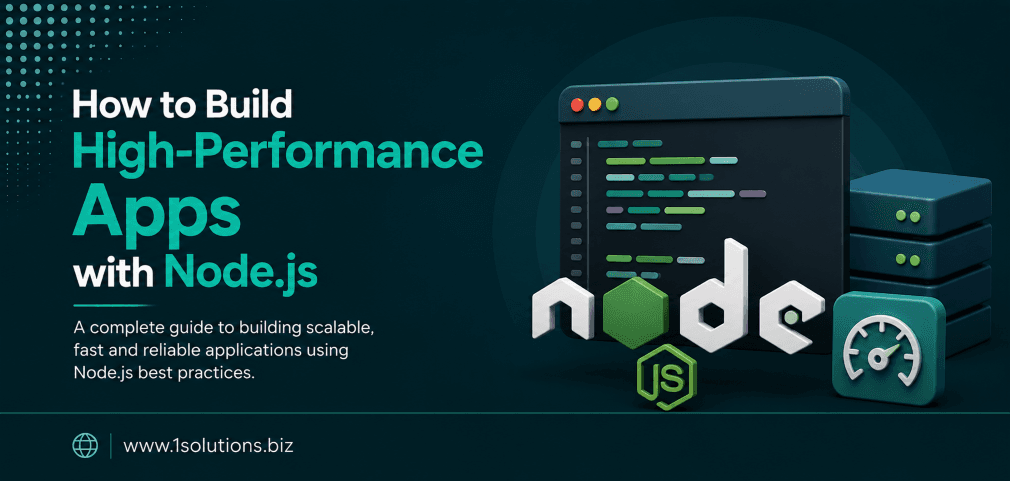
If you want to build high-performance apps with Node.js development services, you are working with one of the most capable runtime environments available for server-side JavaScript. Node.js powers some of the most traffic-intensive platforms on the internet, and there are very concrete reasons why engineering teams keep reaching for it when performance is non-negotiable.
According to the Stack Overflow Developer Survey (2023), Node.js has been the most widely used web technology for eleven consecutive years, with over 42% of professional developers using it in their projects. That is not a trend. That is a settled choice made by teams who have tested alternatives and returned to Node.js for its speed, ecosystem, and scalability.
But knowing that Node.js is popular is not the same as knowing how to use it properly. This guide walks you through every meaningful step, from environment setup to production deployment, with honest trade-offs included at every stage.
Node.js is ideal for building fast, scalable applications due to its non-blocking I/O model and massive ecosystem. This guide covers architecture decisions, performance optimization, scaling strategies, and deployment best practices. You will also learn when Node.js is the right choice and when it is not.
⚡ Key Takeaways
- Node.js uses a non-blocking, event-driven architecture that handles thousands of concurrent connections efficiently.
- Choosing the right framework (Express, Fastify, NestJS) directly impacts your app’s throughput and maintainability.
- Clustering and load balancing are essential for squeezing full CPU utilization out of Node.js in production.
- Caching strategies with Redis can reduce database load by up to 80%, dramatically improving response times.
- Node.js is excellent for I/O-heavy workloads but is not the right tool for CPU-intensive tasks like complex image processing.
- Monitoring and profiling are not optional extras. They are part of the build process.
- A well-structured Node.js app benefits from proper SEO infrastructure when it serves a public-facing web product.
Step 1: Understand the Architecture Before You Write a Line of Code
The single biggest mistake teams make with Node.js is treating it like a traditional multi-threaded server environment. It is not. Node.js runs on a single-threaded event loop. This design choice is its greatest strength for I/O-heavy applications, and its clearest limitation for CPU-heavy tasks.
The Event Loop and Non-Blocking I/O
When a Node.js application receives a request, it does not wait for a database query or file read to complete before handling the next request. It registers a callback, moves on, and processes the response when the operation finishes. This means a single Node.js process can handle tens of thousands of simultaneous connections without spawning a new thread for each one.
According to the Node.js Foundation benchmark reports (2022), Node.js applications can handle up to 40,000 requests per second for simple JSON API workloads, depending on hardware configuration and application complexity. That throughput is achievable only if you respect the event loop and avoid blocking operations.
When Node.js Is the Right Choice
- Real-time applications: chat systems, live dashboards, collaborative tools
- REST and GraphQL APIs serving high concurrent traffic
- Streaming applications with large data payloads
- Microservices architectures where lightweight processes matter
- Ecommerce backends where fast product and inventory API responses drive conversions
When to Consider Alternatives
- CPU-bound tasks such as machine learning inference or video encoding
- Applications requiring heavy synchronous computation in the request cycle
- Systems where the team has zero JavaScript experience and a hard deadline
💡 Pro Tip: If your application needs both heavy I/O and occasional CPU-intensive tasks, use Node.js for the API layer and offload computation to worker threads or a separate service written in a more appropriate language like Go or Python.
Step 2: Set Up a Production-Grade Node.js Environment
Starting with the right environment configuration saves hours of debugging later. These are the non-negotiable setup steps.
Install Node.js Using a Version Manager
Use NVM (Node Version Manager) instead of installing Node.js directly. This lets you switch between Node versions per project without conflicts. Always target the current LTS (Long-Term Support) release for production work. As of 2024, Node.js 20 LTS is the recommended version for new projects.
Structure Your Project from Day One
A flat file structure works for tutorials. It fails in production. Use a feature-based folder structure:
- /src/routes: route definitions only, no business logic
- /src/controllers: request handling and response shaping
- /src/services: business logic and data access
- /src/models: database schemas and ORM definitions
- /src/middleware: authentication, logging, error handling
- /src/utils: shared helper functions
Environment Variables and Configuration
Never hardcode secrets. Use the dotenv package for local development and environment variable injection for production. Store database credentials, API keys, and port configurations outside your codebase entirely.
Step 3: Choose the Right Framework for Your Use Case
Node.js itself is not a framework. It is a runtime. The framework you choose on top of it determines your development speed, performance ceiling, and long-term maintainability.
| Framework | Best For | Throughput | Learning Curve | Trade-Off |
|---|---|---|---|---|
| Express.js | General APIs, quick prototypes | Moderate | Low | Minimal conventions, can become disorganized at scale |
| Fastify | High-throughput APIs | High | Low to Medium | Smaller ecosystem than Express |
| NestJS | Enterprise apps, microservices | Moderate to High | High | More boilerplate, steeper onboarding |
| Koa | Middleware-heavy APIs | Moderate | Medium | Requires more manual setup than Express |
| Hapi.js | Secure, configuration-driven apps | Moderate | Medium | Verbose configuration, less community activity |
Fastify is consistently the benchmark leader among these options. The Fastify team’s own benchmarks (2023) show it handling up to 30% more requests per second than Express under equivalent load conditions. For new projects where performance is the primary concern, Fastify is the honest recommendation.
Step 4: Implement Core Performance Optimization Techniques
Framework selection is the starting point, not the finish line. These techniques are what separate a functional Node.js app from a genuinely high-performance one.
Avoid Blocking the Event Loop
Any synchronous operation that takes more than a few milliseconds will block every other request in the queue. Common offenders include:
- Synchronous file system operations (
fs.readFileSync) - Complex regular expressions on large strings
- JSON parsing of very large payloads inside the request handler
- Crypto operations using synchronous methods
Replace all synchronous I/O with async alternatives and use setImmediate() or worker threads for computationally expensive operations.
Use Caching Aggressively
Redis is the standard caching layer for Node.js applications. Cache database query results, API responses, and computed values that do not change on every request. A well-implemented Redis caching strategy can reduce database load by 70 to 80% for read-heavy applications.
Use cache invalidation patterns carefully. Stale data is a real problem. Set appropriate TTL (time-to-live) values based on how frequently your data actually changes.
Implement Connection Pooling
Opening a new database connection for every request is expensive. Use a connection pool library appropriate to your database. For PostgreSQL, pg-pool is standard. For MongoDB, Mongoose handles pooling internally. Configure pool sizes based on your database server’s capacity, not your instinct.
Compress Responses
Enable Gzip or Brotli compression for all HTTP responses. The compression middleware for Express and Fastify’s built-in compression plugin handle this with minimal configuration. Brotli achieves roughly 20 to 26% better compression than Gzip for typical web payloads.
💡 Pro Tip: Do not apply compression at the Node.js level in high-traffic production environments. Offload compression to your reverse proxy (Nginx or Caddy) to keep the Node.js event loop free for application logic.
Step 5: Structure Your API for Scalability
An API that works well at 100 requests per minute often breaks in unexpected ways at 100,000. Design for scale from the beginning, even if you are not at scale yet.
Use Asynchronous Patterns Throughout
Async/await is readable and maintainable, but it has one common trap: unhandled promise rejections. Every async function in your route handlers and services should be wrapped in proper error handling. Use a centralized error-handling middleware rather than try/catch blocks scattered across every route.
Paginate All List Endpoints
Returning unbounded lists of database records is a performance disaster waiting to happen. Implement cursor-based pagination for large datasets. Offset pagination works for small datasets but degrades significantly as table size grows.
Validate and Sanitize Input Early
Use a schema validation library like Joi, Zod, or Fastify’s built-in JSON Schema validation at the route level. Reject malformed requests before they reach your business logic. This protects performance and security simultaneously.
Step 6: Scale Node.js Applications Properly
Node.js runs on a single thread by default. On a server with 8 CPU cores, a default Node.js process uses one core and leaves seven idle. This is where most teams leave significant performance on the table.
Use the Cluster Module
Node.js’s built-in cluster module lets you fork worker processes equal to the number of available CPU cores. Each worker runs its own event loop, and the master process distributes incoming connections across them. This is the simplest way to achieve full CPU utilization.
Use PM2 for Process Management
PM2 is the production process manager for Node.js. It handles clustering automatically with a single flag, restarts crashed processes, and provides built-in log management. For most production deployments, PM2 is the right tool. Configure it with ecosystem files that define cluster mode, memory limits, and environment variables per deployment target.
Horizontal Scaling with Load Balancers
When a single server reaches its capacity ceiling, add more servers behind a load balancer. Nginx works well as a reverse proxy and load balancer for Node.js applications. Configure sticky sessions if your application maintains server-side state, or better yet, move session state to Redis so any server can handle any request.
If your application serves an ecommerce platform or a content-heavy website, getting the infrastructure right also creates the foundation for effective search visibility. A fast-loading, reliably available application is a prerequisite for good search performance. You can read more about maximizing your online store’s reach through our ecommerce SEO packages designed for high-traffic stores.
Step 7: Monitor, Profile, and Debug in Production
Performance optimization without measurement is guesswork. These are the tools and practices that give you real data.
Application Performance Monitoring
Use an APM tool from day one. Options include New Relic, Datadog, and the open-source alternative Clinic.js. These tools show you where your application spends its time, which endpoints are slow, and how memory usage evolves over time.
Profile the Event Loop
Clinic.js Doctor is specifically built for Node.js event loop profiling. It detects event loop delays, I/O issues, and CPU overuse with a simple command-line interface. Run it against your production-equivalent load before every major release.
Set Up Structured Logging
Use Pino instead of console.log for production logging. Pino is the fastest Node.js logger available and outputs structured JSON logs that integrate cleanly with log aggregation tools like Elasticsearch, Splunk, or Datadog Logs.
Health Check Endpoints
Every Node.js service should expose a /health endpoint that returns the application’s status, database connectivity, and memory usage. Load balancers use this endpoint to route traffic away from unhealthy instances automatically.
💡 Pro Tip: Set memory limits in PM2 and Docker configurations. Node.js applications can experience gradual memory leaks that only manifest under sustained load. Automatic restarts when memory exceeds a defined threshold prevent silent degradation from becoming a full outage.
Step 8: Secure Your Node.js Application
Performance and security are not competing concerns. A compromised or DDoS’d application performs at zero. These are the baseline security measures for every Node.js production deployment.
- Use
helmetmiddleware to set secure HTTP headers with a single line of code - Implement rate limiting on all public-facing endpoints using
express-rate-limitor Fastify’s rate limit plugin - Validate all user input. Never pass raw user input to database queries
- Use parameterized queries or ORM methods that prevent SQL injection by default
- Enable HTTPS everywhere. Use Let’s Encrypt for free TLS certificates
- Run regular dependency audits with
npm auditand automate dependency updates with Dependabot or Renovate
According to the Snyk Open Source Security Report (2023), 40% of Node.js projects contain at least one known vulnerability introduced through third-party dependencies. Dependency hygiene is not optional.
Step 9: Deploy Node.js Applications with Confidence
The deployment pipeline is where many well-built applications introduce performance regressions. These practices prevent that.
Containerize with Docker
Docker containers make Node.js deployments reproducible across environments. Use multi-stage Docker builds to keep your production image small. A production Node.js image should contain only the runtime and compiled application code, not development tools or test files.
Use CI/CD Pipelines
Automate testing, linting, and deployment with a CI/CD tool like GitHub Actions, GitLab CI, or CircleCI. Never deploy to production manually. Automated pipelines catch regressions before they reach users and make rollbacks straightforward.
Environment-Specific Configurations
Maintain separate configuration files or environment variable sets for development, staging, and production. Never use production database credentials in a development environment. This seems obvious but is regularly skipped under deadline pressure.
If your Node.js application serves a public-facing website or web application, the performance work you do on the backend is only half the picture. Your users find you through search, and search performance requires its own discipline. Understanding tools and techniques for improving search visibility complements your technical investment. Our guide on how to boost your SEO efforts with page content analysis covers the content side of that equation.
Similarly, if you are building on top of a content management layer or considering a hybrid architecture, the decision between platforms matters. Our WooCommerce vs Shopify comparison guide explores how these choices affect scalability and marketing flexibility, which is directly relevant when your Node.js backend serves a commerce application.
For teams building applications that need to be discovered and ranked well in search, especially given how AI is reshaping how search engines surface content, it is worth reading about how to improve website visibility in AI search engines. The technical performance of your Node.js app directly supports these goals.
If the app you are building serves a specific business that also needs digital marketing support, our comprehensive digital marketing services can help connect your technical work to measurable business outcomes.
Practical Action Plan: Priorities for Your Node.js Build
- Do This Now: Set up your project structure, environment variable management, and a CI/CD pipeline before writing any application logic. These foundations are much harder to retrofit later. Also install PM2 from the start and configure cluster mode immediately.
- Worth Doing: Implement Redis caching for your most frequently called endpoints. Add Pino logging with structured output and connect it to a log aggregation tool. Set up a basic APM integration so you have baseline performance data before launch.
- Low Priority: Micro-optimize individual function execution times before you have real traffic data. Benchmarking synthetic workloads is useful but should not delay shipping. Optimize based on actual production profiling data, not assumptions.
Build High-Performance Apps with Node.js Development Services: Final Thoughts
The path to building a genuinely high-performance Node.js application is not about knowing one clever trick. It is about making a series of deliberate decisions across architecture, tooling, deployment, and monitoring that compound into a system that holds up under real-world load.
Node.js is an exceptional choice for the right workloads. It is honest to acknowledge that it is not the right choice for every workload. CPU-intensive tasks, large-scale data processing pipelines, and teams with no JavaScript experience are all situations where alternatives deserve serious consideration.
For I/O-heavy applications, real-time features, API-first architectures, and microservices, Node.js delivers exactly what it promises: fast, concurrent, maintainable server-side JavaScript that scales both technically and organizationally.
The steps in this guide give you a repeatable process, not a one-time setup. Performance work is ongoing. Profile regularly, update dependencies, and treat monitoring as a first-class part of your development workflow.
If you are also thinking about how your application’s visibility in search and AI-driven discovery channels fits into the bigger picture, explore how LLM optimization strategies are reshaping how web applications get discovered. The technical quality of your Node.js build is increasingly a factor in how AI systems evaluate and surface your application to users.
Frequently Asked Questions
Is Node.js suitable for large-scale enterprise applications?
Yes, with proper architecture. Companies including Netflix, LinkedIn, and PayPal use Node.js at enterprise scale. The key requirements are a well-structured codebase, clustering or containerized horizontal scaling, and robust monitoring. NestJS provides a more opinionated structure that many enterprise teams find helpful for maintaining large Node.js codebases.
How does Node.js handle CPU-intensive tasks?
Not well by default. The single-threaded event loop means a CPU-bound operation blocks all other requests while it runs. The proper solutions are Node.js worker threads for moderate CPU tasks, or offloading heavy computation to a separate service written in a language better suited to that work. Do not try to force CPU-intensive workloads through the main event loop.
What is the difference between Node.js clustering and using Docker containers?
Clustering uses multiple Node.js processes on a single machine to utilize all CPU cores. Docker containers package your application for consistent deployment across different environments and machines. These are complementary, not competing approaches. In production, you typically run clustered Node.js processes inside Docker containers, then scale the number of containers horizontally.
How much does it cost to build a high-performance Node.js application?
Development costs depend on application complexity, team size, and feature scope rather than the choice of Node.js itself. Node.js is open source and free. Infrastructure costs depend on your hosting choices and traffic volume. The efficiency of Node.js often reduces infrastructure costs compared to multi-threaded alternatives because fewer servers can handle equivalent load.
When should I use a Node.js development service instead of building in-house?
When your team lacks Node.js expertise, when you need to move faster than internal hiring allows, or when you need someone who has already solved the performance, security, and scaling problems you are about to encounter. Experienced Node.js development services bring patterns and tooling that in-house teams often take months to discover independently. The trade-off is knowledge transfer: ensure any service engagement includes documentation and knowledge sharing so your team can maintain what is built.