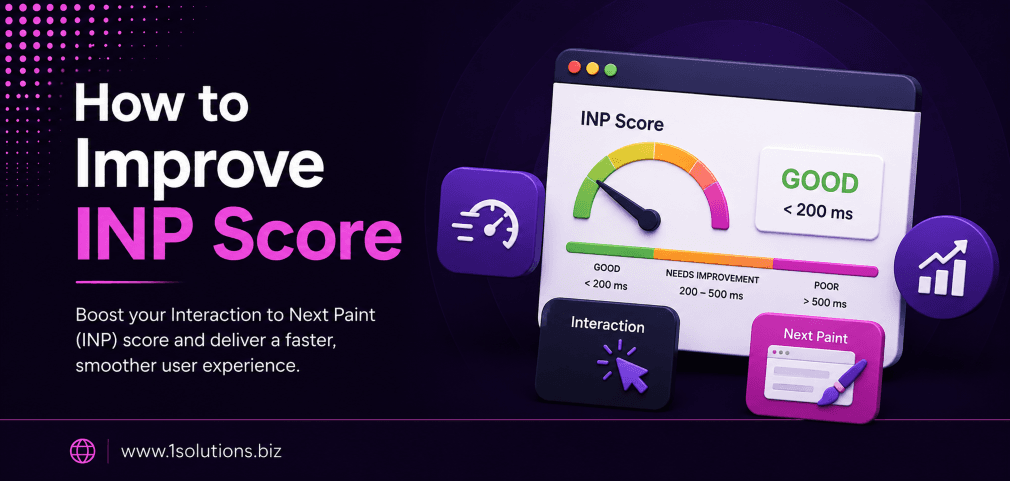
If you want to improve INP score and keep your website competitive in search rankings, you are in the right place. Interaction to Next Paint (INP) replaced First Input Delay (FID) as an official Core Web Vital in March 2024. It measures how quickly your page responds to every user interaction, from clicks to taps to keyboard inputs. A poor INP score does not just hurt your rankings, it drives real users away before they convert.
INP measures how fast your page responds to user interactions and is now a confirmed Google ranking factor. To improve INP score, you need to reduce JavaScript execution time, break up long tasks, optimize event handlers, and manage third-party scripts. The 10 strategies in this article give you a clear, prioritized path to hitting the “good” INP threshold of under 200 milliseconds.
⚡ Key Takeaways
- INP replaced FID as a Core Web Vital in March 2024 and directly affects Google rankings.
- A “good” INP score is under 200ms; anything above 500ms is considered poor.
- Long JavaScript tasks are the most common cause of high INP scores.
- Third-party scripts, render-blocking resources, and excessive DOM size all contribute to slow INP.
- Tools like Chrome DevTools, PageSpeed Insights, and WebPageTest help you identify INP bottlenecks.
- Splitting long tasks using
scheduler.yield()orsetTimeoutis one of the highest-impact fixes. - INP improvements directly support better user experience and higher conversion rates, not just SEO scores.
What Is INP and Why Does It Matter?
INP stands for Interaction to Next Paint. Unlike FID, which only measured the delay before the browser began processing the first user input, INP tracks the full latency of every qualifying interaction throughout a page visit. According to Google (2024), a good INP is under 200 milliseconds, a score needing improvement falls between 200ms and 500ms, and anything above 500ms is poor. The worst interaction latency during a session typically determines your page’s INP score.
Google confirmed that INP is now part of the Core Web Vitals assessment used in its Page Experience ranking signals. Research by HTTP Archive (2024) found that approximately 41% of websites had a “poor” INP score at the time of the metric’s official rollout. That is a significant opportunity for websites that take optimization seriously. For ecommerce stores, SaaS platforms, and content-heavy sites, reducing INP can meaningfully improve both rankings and revenue.
If you are also thinking about how algorithmic changes affect your visibility, it is worth reviewing why Google might not be indexing your pages, since technical health issues often cluster together.
10 Proven Strategies to Improve INP Score
1. Identify Your INP Bottlenecks with the Right Tools
Before you can fix anything, you need to know exactly where the problem lives. Chrome DevTools, PageSpeed Insights, and the Chrome User Experience Report (CrUX) are the three essential tools for diagnosing INP issues. In Chrome DevTools, open the Performance panel and record a session while clicking, typing, or tapping on your page. Look for long tasks, marked in red, that block the main thread for more than 50 milliseconds.
PageSpeed Insights pulls both lab data (simulated) and field data (real user measurements from CrUX) so you can see whether your INP issue reflects a real-world problem or only a testing environment concern. The Web Vitals extension for Chrome gives you a live INP readout as you interact with any page. WebPageTest also provides detailed interaction traces that pinpoint which event handlers are the slowest.
One often-overlooked step is segmenting your INP data by device type. Mobile users consistently experience higher INP scores than desktop users because mobile CPUs are slower and JavaScript execution takes longer. According to Google’s Web Almanac (2023), mobile pages are roughly three times more likely to have a poor INP score than desktop pages. Start your audit on mobile first.
💡 Pro Tip: Use the PerformanceObserver API in your browser console to log real INP values from your actual users. This gives you field data you can act on immediately, without waiting for CrUX to update.
2. Break Up Long JavaScript Tasks
Long tasks are the leading cause of poor INP. A long task is any task on the browser’s main thread that runs for more than 50 milliseconds without yielding control back to the browser. When a user clicks a button during a long task, the browser cannot process that interaction until the task finishes. The user sees no response. That delay becomes part of your INP score.
The primary fix is to break large JavaScript functions into smaller chunks and yield between them. Modern browsers support scheduler.yield(), which pauses a task and allows the browser to handle pending user interactions before continuing. For environments without scheduler support, you can use setTimeout(callback, 0) as a fallback to yield to the main thread between chunks of work.
Prioritize auditing your event listeners. Functions tied to click, keydown, and input events should do as little work as possible synchronously. Defer any non-essential work, like analytics logging or UI animations that do not need to happen instantly, to run after the critical response has been painted. This approach reduces perceived latency even when total work remains the same.
3. Optimize and Defer Third-Party Scripts
Third-party scripts, including chat widgets, analytics tags, advertising pixels, and social share buttons, are one of the biggest silent killers of INP. Each of these scripts can add tasks to the main thread, and because you do not control their code, they can behave unpredictably. A slow third-party script loading during a user interaction can push your INP well above 500ms with no obvious cause visible in your own codebase.
Start by auditing which third-party scripts are actually necessary. Use the Coverage tab in Chrome DevTools to see how much of each script’s code is actually executed. Scripts with low usage should be removed or replaced with lighter alternatives. For scripts you must keep, load them with the async or defer attribute so they do not block the main thread during page load.
Consider using a tag manager with a firing rule that delays non-critical tags until after the first user interaction. Google Tag Manager supports trigger conditions that can help you sequence script loading responsibly. Research from Cloudflare (2023) found that removing or deferring one or two unnecessary third-party tags reduced INP by an average of 60 to 120 milliseconds on content-heavy pages. That alone can move a poor score into the “needs improvement” range.
4. Reduce DOM Size and Complexity
A large, deeply nested Document Object Model (DOM) slows down every browser operation, including layout, style recalculation, and rendering. When a user interaction triggers a change in the DOM, the browser must recalculate styles and repaint affected elements. The larger the DOM, the longer this takes, and that delay shows up in your INP score.
Google recommends keeping your total DOM node count below 1,500, with a maximum tree depth of 32 nodes and no parent node containing more than 60 child nodes. In reality, many CMS-built pages, especially those using page builders, far exceed these limits. A page with 5,000 or 6,000 DOM nodes will struggle to achieve a good INP score regardless of how well the JavaScript is optimized.
Practical solutions include lazy rendering off-screen content, using content-visibility: auto in CSS to skip rendering of elements below the fold, and removing unused HTML elements generated by plugins or theme templates. For WordPress sites especially, bloated DOM structures from stacked shortcodes and widget areas are a common culprit. If your site runs on WordPress, working with a professional WordPress development team can help you identify and restructure bloated templates effectively.
5. Minimize Input Delay with Efficient Event Listeners
Input delay is the first phase of INP. It represents the time between when a user interacts with your page and when the browser can begin processing the event. Input delay increases when the main thread is busy executing other tasks. Reducing the frequency and duration of tasks running on the main thread during typical browsing is therefore one of the most direct ways to cut input delay.
Avoid attaching heavyweight computations to scroll, resize, or mousemove events without throttling or debouncing them. These events fire extremely frequently, and without rate limiting, they saturate the main thread and delay processing of click and keyboard events. Use requestAnimationFrame for visual updates and libraries like Lodash’s debounce or throttle functions for expensive operations triggered by frequent events.
Also review your event delegation patterns. Attaching a single event listener to a parent element is more efficient than attaching individual listeners to hundreds of child elements. Excessive event listeners increase memory pressure and can slow down event propagation, contributing to input delay in complex interactive UIs.
💡 Pro Tip: Run a performance profile while clicking your most-used buttons, like “Add to Cart” or “Submit.” If the interaction trace shows more than 200ms between the click timestamp and the next paint, your event handler is the primary suspect. Trace it line by line to find the expensive operation.
6. Minimize Presentation Delay Through Efficient Rendering
Presentation delay is the third and final phase of INP. It covers the time between when the browser finishes processing an event and when the updated frame is actually painted on screen. This phase is often underestimated but can account for a large portion of total INP latency, especially on pages with complex layouts or heavy CSS animations.
One of the most impactful techniques is using CSS contain and content-visibility properties to limit the scope of layout recalculations. When the browser knows that a component is visually isolated, it can skip recalculating layout for the rest of the page when that component changes. This dramatically reduces paint time for complex UIs.
Also avoid triggering forced synchronous layouts, which happen when JavaScript reads layout-affecting properties (like offsetHeight) immediately after writing to the DOM. This forces the browser to recalculate layout immediately rather than batching it, causing what developers call “layout thrashing.” Read layout properties in batches before any DOM writes, not after. Frameworks like React and Vue handle this more efficiently when used with virtualized rendering for large lists.
7. Use Web Workers for Heavy Computation
Web Workers allow you to run JavaScript on a background thread, completely separate from the main thread. Since INP is entirely determined by main thread availability, moving expensive computation off the main thread is one of the cleanest architectural solutions available. Web Workers are well-supported across all modern browsers and can handle tasks like data parsing, encryption, image processing, and complex filtering logic.
The trade-off is that Web Workers cannot directly access the DOM, so any results they produce must be sent back to the main thread via message passing before they can update the UI. For most heavy computation use cases, this is acceptable. The round-trip cost of postMessage is negligible compared to the savings from keeping the main thread free during the computation.
Comlink, a small open-source library, simplifies working with Web Workers by wrapping the postMessage API in a cleaner, promise-based interface. If your application involves filtering large datasets, running complex search algorithms, or processing user-uploaded files, Web Workers should be your first architectural consideration for those features. According to MDN Web Docs (2024), Web Workers are one of the most reliable techniques for achieving consistently good INP on data-intensive applications.
8. Implement Code Splitting and Lazy Loading
Shipping a large JavaScript bundle to every visitor means the browser must parse and compile all of that code before it can be fully responsive. Even code that is never executed on the current page consumes main thread time during the initial parse phase. Code splitting solves this by breaking your JavaScript into smaller chunks that are loaded only when needed.
Modern bundlers like Webpack, Vite, and Rollup support dynamic imports, which allow you to split your bundle along route or feature boundaries. A user visiting your homepage does not need the JavaScript for your checkout flow. By lazy loading that code, you reduce the amount of work the main thread must do upfront, which directly reduces the chance of long tasks blocking interactions early in the page lifecycle.
Pair code splitting with route-based prefetching so that chunks are downloaded in the background when a user is likely to navigate to a new route, but only after the current page is fully interactive. This gives you the performance benefits of lazy loading without the delay users would otherwise experience when navigating. Tools like quicklink from Google automate this prefetching based on viewport intersection.
9. Audit and Optimize CSS Animations and Transitions
CSS animations and transitions that trigger layout or paint operations add to presentation delay and can worsen INP significantly. Properties like width, height, top, left, margin, and padding trigger layout recalculation when animated, which is expensive. Stick to animating only transform and opacity, which can be handled entirely by the GPU compositor thread without touching the main thread at all.
Use the will-change CSS property sparingly and only for elements that will definitely animate. Overusing will-change consumes extra memory because the browser promotes those elements to their own compositing layers preemptively. On low-memory mobile devices, this can actually slow things down rather than speed them up.
Review any JavaScript-driven animations that use setInterval or setTimeout for frame updates and replace them with requestAnimationFrame, which syncs to the browser’s repaint cycle and avoids unnecessary reflows. If you are using animation libraries, check whether they are GPU-accelerated. GSAP, Framer Motion (in its default configuration), and CSS custom properties-based animations tend to be more INP-friendly than older jQuery-style animation approaches. This kind of technical optimization is also closely tied to broader page content analysis for SEO improvement, since render performance affects how Google evaluates your page experience.
💡 Pro Tip: Open Chrome DevTools, go to the Rendering panel, and enable “Paint flashing.” Interact with your page and watch for green overlays. Each flash indicates a repaint. Excessive repaints triggered by user interactions are a direct sign that your CSS or DOM structure needs optimization.
10. Monitor INP Continuously and Set Performance Budgets
Improving your INP score is not a one-time task. New features, plugin updates, third-party script changes, and CMS updates can all introduce regressions that push your INP back above the 200ms threshold. Continuous monitoring is the only way to catch these regressions before they affect rankings or conversions.
Set up Real User Monitoring (RUM) using tools like Google’s web-vitals JavaScript library, which you can log to your analytics platform of choice. Combine this with synthetic monitoring through tools like SpeedCurve or Calibre that run automated performance tests on a schedule and alert you to regressions. Establish a performance budget: a defined maximum INP threshold that triggers a review process when breached.
Performance budgets should be enforced in your CI/CD pipeline if possible, so that deployments that would cause an INP regression are flagged before they reach production. Lighthouse CI is a free option that integrates with GitHub Actions, GitLab CI, and other pipelines. According to a report by Web.dev (2024), teams that implement performance monitoring in their deployment pipeline are 3x more likely to maintain good Core Web Vitals scores over time compared to teams that audit performance manually on an ad-hoc basis.
If your site is running on an ecommerce platform and you want INP improvements to translate into measurable business results, pairing technical optimization with a strong ecommerce SEO strategy ensures that the traffic you attract actually converts. And if you are working to understand the broader SEO landscape as Google’s algorithms evolve, reading about Google AI Mode vs AI Overviews can give you useful context for how search behavior is shifting.
INP Score Benchmarks: Quick Reference
| INP Score Range | Rating | User Experience Impact | Priority Level |
|---|---|---|---|
| Under 200ms | Good | Fast, responsive interactions | Maintain and monitor |
| 200ms to 500ms | Needs Improvement | Noticeable lag on complex interactions | Address within 30 days |
| Above 500ms | Poor | Sluggish, frustrating experience | Urgent, fix immediately |
Practical Action Plan
Not every optimization carries equal weight. Here is a tiered action plan to help you focus your effort where it will have the most impact.
- Do This Now: Run a PageSpeed Insights audit on your most important landing pages and identify your current INP score and the primary long tasks causing it. Break those long tasks using
scheduler.yield()orsetTimeoutchunking. This single change often delivers the largest INP improvement with the lowest engineering effort. - Worth Doing: Audit your third-party scripts and defer or remove any that are not essential to the primary user journey. Reduce DOM node count on your heaviest pages by removing unused elements and lazy rendering below-the-fold content. Implement code splitting on your main JavaScript bundle if you have not already.
- Low Priority: Set up a full RUM pipeline and CI/CD performance budget enforcement. This is high-value long-term but requires infrastructure investment that may not be feasible immediately for smaller teams. Start with a simple scheduled Lighthouse CI run and scale from there.
If managing all of this feels overwhelming alongside your core business operations, working with an experienced team that offers professional SEO and performance optimization services can accelerate your results significantly.
How INP Connects to Broader SEO Health
INP does not exist in isolation. Core Web Vitals, including INP, Largest Contentful Paint (LCP), and Cumulative Layout Shift (CLS), are signals within Google’s broader Page Experience framework. A good INP score reinforces positive signals from LCP and CLS, while a poor INP can undercut an otherwise strong technical SEO foundation.
Sites that perform well on all three Core Web Vitals tend to see lower bounce rates and higher average session durations, both of which correlate with better organic rankings over time. Beyond the ranking benefit, fast, responsive pages simply convert better. A study by Deloitte (2023) found that a 0.1-second improvement in site speed improved conversion rates by an average of 8% for retail sites. INP is a direct measure of how fast your site feels to interact with, which makes it one of the most commercially meaningful metrics you can optimize.
For a deeper look at how content and page structure factor into your overall SEO performance alongside technical metrics, the guide on key SEO strategies for article ranking and the overview of local AEO best practices are worth your time. And if you are tracking how emerging AI-driven search changes affect the signals Google uses to evaluate pages, the article on WebMCP and its SEO implications is directly relevant to how technical performance will matter in AI-indexed search environments.
Conclusion
To improve INP score, you need a systematic approach that addresses JavaScript execution, third-party script management, DOM complexity, event handler efficiency, rendering performance, and ongoing monitoring. There is no single silver bullet, but the 10 strategies outlined here, applied in order of priority, give you a clear and actionable path from a poor or needs-improvement INP score to a consistently good one. The investment pays off in rankings, user satisfaction, and conversion rates simultaneously.
Frequently Asked Questions
What is a good INP score for SEO?
Google considers an INP score under 200 milliseconds to be “good.” Scores between 200ms and 500ms need improvement, and anything above 500ms is rated poor. For SEO purposes, hitting the “good” threshold is the goal, as Google uses Core Web Vitals, including INP, as part of its Page Experience ranking signals.
How is INP different from FID?
First Input Delay (FID) only measured the delay before the browser began processing the very first user interaction on a page. INP measures the full latency, from interaction to the next visual paint, for every qualifying interaction throughout the entire page visit. INP is a more comprehensive and representative measure of real-world responsiveness, which is why Google replaced FID with INP as an official Core Web Vital in March 2024.
Which tools can I use to measure INP?
The most reliable tools for measuring INP include Chrome DevTools (Performance panel), PageSpeed Insights, the Chrome User Experience Report (CrUX), the Web Vitals Chrome extension, WebPageTest, and the web-vitals JavaScript library for real user monitoring. For field data that reflects actual user experiences, CrUX and a custom RUM setup are the most accurate sources.
Can a WordPress site achieve a good INP score?
Yes, but it often requires deliberate optimization. WordPress sites built with heavy page builders, multiple plugins, and unoptimized themes frequently have bloated DOM structures and excessive third-party scripts that hurt INP. Switching to a lightweight theme, minimizing plugins, deferring third-party scripts, and using a performance-focused hosting environment can all help WordPress sites achieve good INP scores.
Does INP affect rankings directly?
INP is a confirmed Core Web Vital and is part of Google’s Page Experience ranking signal. Google has stated that Core Web Vitals are a ranking factor, though they are one signal among many. Pages with good INP scores are not guaranteed top rankings, but poor INP scores can be a disadvantage, especially in competitive niches where many pages have similar content quality and authority. The most reliable approach is to treat INP improvement as both a rankings investment and a user experience investment simultaneously.