
Are you ready to expand your online business and tap into new markets? If you’re already using Shopify as your online store platform, you might be wondering how to take things a step further.nnIf you’re looking for innovative ways to boost sales, linking eBay to your Shopify store might just be the game-changer you need.nnWith millions of active buyers on eBay and powerful features from Shopify, this integration opens up a world of opportunities.nnImagine reaching a wider audience while managing everything seamlessly in one place. Whether you’re selling handmade crafts or trending tech gadgets, combining these two platforms can help elevate your brand visibility and streamline operations.nnBy combining these two powerful platforms, you’re setting yourself up for success in an ever-evolving digital landscape. But what exactly do each of these giants offer? And how can their integration elevate your business? Let’s dive into the benefits that await when you connect Shopify with eBay.n
Benefits of Using Shopify for Merchants
n nn nnShopify offers a user-friendly platform that empowers merchants to create stunning online stores without needing extensive technical knowledge. Its intuitive interface makes it easy to set up and manage your e-commerce site.nnFlexibility is another major advantage. Shopify caters to various business models, whether you’re selling physical products, digital downloads, or services. You can customize your store with numerous themes and apps tailored for specific needs.nnAdditionally, Shopify provides robust security features. With built-in SSL certification and PCI compliance, you can ensure safe transactions for both you and your customers.nnThe comprehensive support system is also noteworthy. From forums to 24/7 customer service, help is always just a click away. This level of assistance allows merchants to focus more on growing their business rather than troubleshooting issues.n
Benefits of Using ebay for Merchants
n nn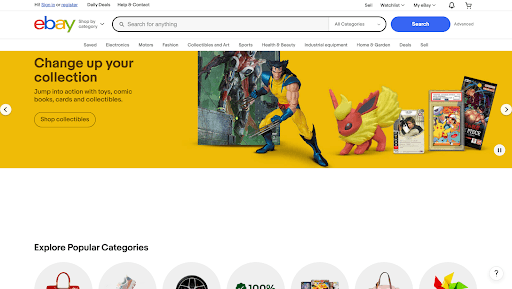 nneBay offers a unique platform for sellers, especially those looking to reach a vast audience.nnWith millions of active buyers, it presents an incredible opportunity to showcase products in front of eager customers. The auction-style format allows sellers to set competitive prices, which can lead to higher sales and increased visibility.nnAnother benefit is the trust factor associated with eBay’s established marketplace. Buyers feel secure making purchases on a well-known site that has built its reputation over years. This sense of security can translate into higher conversion rates for your Shopify store when integrated seamlessly with eBay.nneBay provides various tools and analytics features that help sellers track their performance effectively. Understanding what sells well and adapting strategies accordingly becomes much easier when you have access to real-time data.nnIntegrating Shopify with eBay streamlines inventory management across platforms. Sellers no longer need to update stock levels manually or worry about overselling items; everything syncs automatically.nnUtilizing both platforms not only broadens your market reach but also diversifies revenue streams. By tapping into eBay’s audience while maintaining control through your Shopify store, you’re positioning yourself for growth in this ever-evolving digital landscape.n
Why Link ebay to Your Shopify Store?
nIntegrating Shopify and eBay opens the door to a world of opportunity. By linking these platforms, you can effortlessly expand your customer base beyond your online store.n
- n
- Better Product Visibility- When you connect the two, your products gain visibility across multiple channels. This increases the chances of attracting new customers who might not find you on Shopify alone.
- Higher Product Reach- It allows you to tap into eBay’s massive customer base while managing everything from one platform. eBay boasts a vast audience that actively seeks diverse products daily. This means more eyes on your merchandise without extra marketing efforts.
- Easy Inventory Management- Managing inventory becomes simpler with integration. You can synchronize listings across both platforms, reducing the risk of overselling or stock discrepancies.
- Fully Automated- Automation is another significant perk. Once set up, tasks like updating product information or processing orders happen seamlessly in real-time.
- Analytics- Besides enhancing efficiency, this integration also allows for better analytics. You’ll gain valuable insights into sales performance across both channels, helping you make informed decisions moving forward.
n
n
n
n
n
nStep-by-step guide on how to link ebay to your Shopify storenn– Setting up an ebay accountnnCreating an eBay account is straightforward and opens the door to a vast marketplace. Start by visiting the eBay homepage and clicking on “Register.”nnYou’ll need to provide some basic information, like your name, email address, and a secure password. Make sure to choose a strong password for added security.nnOnce you’ve filled out the initial details, check your email for a verification link from eBay. Click it to confirm your account.nnNext, customize your profile. Add an avatar or business logo that represents you well. This helps build trust with potential buyers.nnDon’t forget about payment methods! Linking PayPal or another preferred payment option ensures smooth transactions when sales come in.nnLastly, consider setting up seller preferences if you plan on listing items right away. This will streamline future transactions as you start selling on this popular platform.nn– Integrating ebay with your Shopify storennIntegrating eBay with your Shopify store opens up a world of opportunities. First, you’ll need to navigate to the Shopify App Store and find an integration app that suits your needs. Popular options like InkFrog or CedCommerce can simplify the process for you.nnOnce you’ve chosen an app, install it and follow the prompts to connect your eBay account securely. This ensures seamless data transfer between both platforms.nnAfter linking accounts, sync your inventory. This step is crucial in keeping stock levels accurate across both channels. You don’t want overselling or discrepancies leading to customer dissatisfaction.nnMost apps also allow you to customize listings specifically for eBay’s audience, enhancing visibility and appeal.nnWith everything set up correctly, managing orders becomes much simpler as they will automatically flow into your Shopify dashboard for easy handling.nn– Managing inventory and ordersnnManaging inventory and orders efficiently is vital for any successful e-commerce store. When linking your eBay account to Shopify, this task becomes more streamlined.nnShopify’s dashboard provides a unified view of all your stock levels across both platforms. This means you can easily track what items are selling well on eBay compared to your Shopify store.nnWhen an order comes in from either platform, updates are automatically reflected in real-time. This minimizes the risk of overselling or running into stock shortages.nnYou’ll want to set clear guidelines for how inventory will be managed—whether through automatic updating or manual adjustments. Always monitor sales trends closely; it helps anticipate demand shifts.nnWith proper management, fulfilling orders across channels can become seamless, allowing you more time to focus on marketing and customer engagement instead of logistics headaches.n
Top Shopify ebay Integration Apps
nWhen it comes to integrating your Shopify store with eBay, choosing the right apps can significantly enhance your experience.nnHere are some of the top Shopify eBay integration apps that can streamline processes and maximize efficiency:nn1. CedCommerce Importernn nn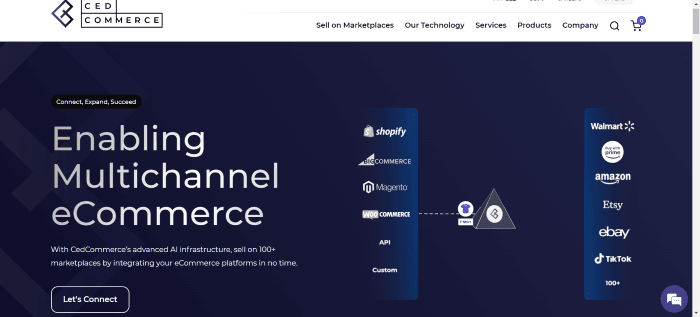 nnCedCommerce Importer stands out as a robust tool for Shopify users wanting to tap into eBay’s vast marketplace. This app simplifies the entire listing process, allowing you to import products effortlessly.nnWith its user-friendly interface, managing inventory becomes a breeze. You can easily sync your product details and stock levels between both platforms in real time. This minimizes the risk of overselling and ensures that your listings are always up to date.nnAdditionally, CedCommerce offers customizable options for product variations, giving you the flexibility needed to cater to different buyer preferences. Its automated features save valuable time by streamlining repetitive tasks associated with listing management.nnRating:nn4.8 stars (1,000+ reviews)nnFeaturesn
- n
- Quick product details sync
- Order, shipping, and cancellation sync automatically
- Enable bulk listing
- Adding multiple eBay accounts
n
n
n
n
nPricennFree version:n
- n
- Up to 50 eBay listings
- First 10 orders synced
n
n
nBronze: $29/monthn
- n
- Monthly eBay listings up to 500
- Monthly order syncing on first 100 orders
- Add as many eBay accounts as needed.
- 2 template/profile help
- Dedicated account manager
n
n
n
n
n
nSilver: $49/monthn
- n
- Monthly eBay listings up to 2000
- Monthly order syncing on first 500 orders
- Help with 5 profiles and templates
- Add as many eBay accounts as needed.
- Dedicated account manager
n
n
n
n
n
nGold: $79/monthn
- n
- Monthly eBay listings up to 5000
- Monthly order syncing on first 1000 orders
- Help with 10 profiles and templates
- Add as many eBay accounts as needed.
- Dedicated Account manager
n
n
n
n
n
n2. Shopify Marketplace Connectnn nn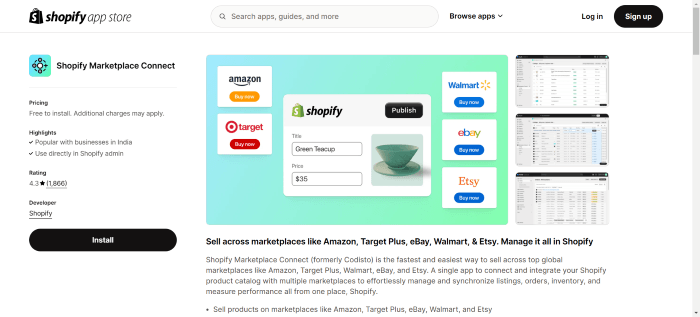 nnShopify Marketplace Connect is a powerful tool that simplifies selling on eBay. It bridges the gap between your Shopify store and eBay, streamlining product listings.nnWith this app, you can sync inventory effortlessly. Any changes made in Shopify reflect instantly on eBay. This feature ensures you’re never overselling or understocking items.nnAdditionally, the user-friendly interface makes listing products a breeze. You can import multiple products at once, saving time and effort.nnWhat’s more? The app supports various formats for product information, making it convenient to customize listings according to your branding needs.nnRatingnnShopify app: 4.5 stars (1,000+ reviews)nnFeaturesn
- n
- Excellent live chat support
- Supports all major marketplace product listings
- Listings, orders, and inventory sync in real time
- Adjustable fulfilment by sales channel
- Built-in currency converter
n
n
n
n
n
nPricingnnMarketplace Connect is free to install and use for your first 50 eBay orders per month. After that, the app takes 1% of synced marketplace orders (capped at $99/month).nn3. Trunk Realtime Stock Sync & Bundlingnn nn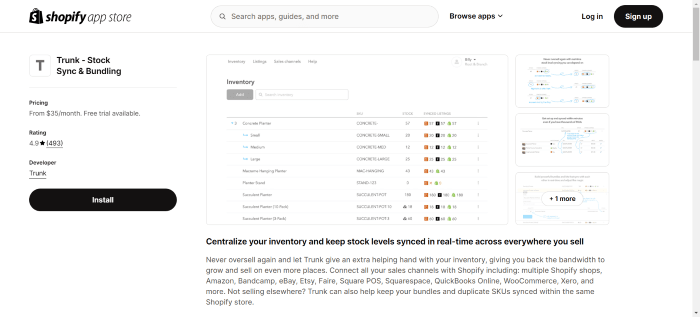 nnTrunk Realtime Stock Sync & Bundling is a game changer for Shopify sellers looking to streamline their inventory management. This app offers seamless synchronization between your Shopify store and eBay listings, ensuring your stock levels are always accurate.nnOne standout feature is its ability to bundle products. You can create attractive package deals that enhance customer experience while managing stock levels efficiently. This not only boosts sales but also simplifies inventory tracking.nnRatingnnShopify app: 4.9 stars (450+ reviews)nnFeaturesn
- n
- Pro version tracks stock bundles across platforms
- SKU sync in real time
- Notifies of low inventory levels Easily handles 1,000+ SKUs
n
n
n
nPricennEssential:n
- n
- $35/month up to 100 orders
- $45/month 101-200
- $59/month 201-400
- $89/month 401-800.
n
n
n
n
nThis includes:n
- n
- 14-day free trial
- Real-time inventory sync Notifies of low inventory.
- Expand sales channels as desired
n
n
n
nPro:n
- n
- Orders up to 100 cost $39, 101-200 cost $59, 201-400 cost $79, and 401-800 cost $119.
n
nThis includes:n
- n
- Including bundling,
- Kitting
- Duplicate SKU syncing
n
n
n
n4. Professional Importer For eBaynn nn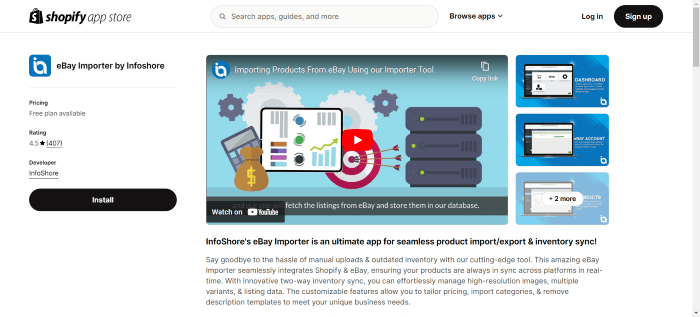 nnProfessional Importer for eBay stands out as a vital tool for Shopify merchants. It simplifies the process of importing eBay listings directly into your Shopify store.nnWith this app, you can effortlessly manage inventory from both platforms. This integration ensures that any changes on either side—be it prices or stock levels—are automatically updated, saving you time and reducing errors.nnThe user interface is straightforward, making navigation easy even for those new to e-commerce. You can bulk import products while maintaining their essential details like descriptions and images.nnAdditionally, it allows customization options so you can tailor product information to better suit your brand’s voice. This flexibility enhances your chances of converting visitors into customers.nnRatingnnShopify app: 4.6 stars (350+ reviews)nnFeaturesn
- n
- Near-real-time large inventory sync
- Shopify imports all eBay listings at once.
- eBay listings automatically import into Shopify.
- Many customisation options
- Dedicated Account manager
n
n
n
n
n
nPricen
- n
- Bronze ($20/month, 500 products)
- Silver ($30/month, 2000 items)
- Gold ($60/month, 5000 items)
n
n
n
n5. OmniSellnn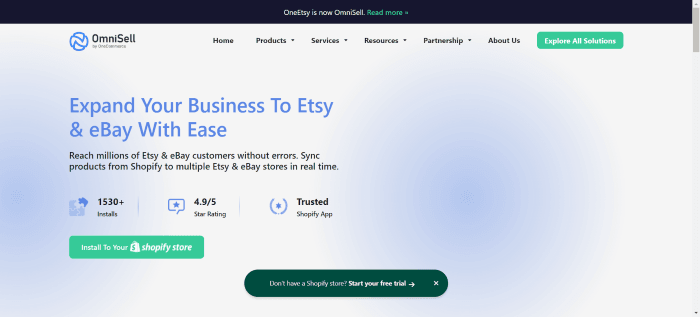 nn nnOmniSell stands out as a powerful solution for Shopify and eBay integration. This app simplifies the process of managing your online store across these two platforms.nnWith OmniSell, you can sync products effortlessly. It allows real-time updates on inventory levels, ensuring that stock counts remain accurate. This feature helps prevent overselling and keeps customers satisfied.nnThe user interface is intuitive, making it easy for anyone to navigate. You don’t need extensive technical skills to set it up effectively.nnAdditionally, OmniSell offers advanced analytics tools. These insights empower sellers to make informed decisions about their product listings and pricing strategies.nnRatingn
- n
- Shopify app: 4.9 stars (69 reviews).
n
nFeaturesn
- n
- Automatically assign Shopify product attributes to eBay listings and manually change them.
- Auto-error detection before eBay listing
- Auto-fill product data in bulk Price
n
n
n
nPricen
- n
- Free versionn
- n
- Import up to 5 products
- As many product assignments, shipping templates and profile templates as you need
n
n
n
n
n
- n
- Pro: $19/monthn
- n
- Import up to 50 products
- Modify prices automatically
- Sync product listings with eBay
n
n
n
n
n
n
- n
- Plus: $39/monthn
- n
- 1,000 products imported to eBay, Etsy & Shopify
- Modify prices automatically
- Sync product listings with eBay
n
n
n
n
n
n
- n
- Business: $199/monthn
- n
- 10,000 products imported to eBay & Etsy
- Modify prices automatically
- Sync product listings with eBay
n
n
n
n
n
n
- n
- LitCommercen
- n
- LitCommerce stands out as an exceptional tool for Shopify and eBay integration. It offers a user-
- friendly interface that simplifies managing inventory across both platforms. This app allows you to
- synchronize your product listings effortlessly, ensuring accuracy in stock levels.
n
n
n
n
n
nRatingn
- n
- The Shopify app has 4.6 stars from more than 100 reviews.
n
nFeaturesn
- n
- Works with all major marketplaces
- Edit a lot of imported items at once
- Syncing products in real time
n
n
n
nPricen
- n
- Free Versionn
- n
- Up to twenty ads
- Add up to 2 Channels
- Templates for lists
- Manager of listings
- Multiple locations for managing inventory
- Reports of errors
- Help via chat or email
n
n
n
n
n
n
n
n
n
n
- n
- Starter: $29 a monthn
- n
- All of the above
- List up to 1000 items
- Add three channels or more
- Sync and change the amount and price
- All orders will be synced.
- Reports on sales
- Fast support
n
n
n
n
n
n
n
n
n
n
- n
- Standard: $69 a monthn
- n
- Everything in the free plan plus
- As many as 5,000 listings
- Add as many as 5 Channels
- Sync and change the amount and price
- All orders will be synced.
- Reports on sales
- Fast support
n
n
n
n
n
n
n
n
n
n
- n
- Advanced: $149/monthn
- n
- Everything in the free plan plus
- There are up to 25,000 ads.
- Add up to 7 Channels
- Sync and change the amount and price
- All orders will be synced.
- Reports on sales
- Better support
n
n
n
n
n
n
n
n
n
nThese applications vary in functionality but share a common goal—to simplify the process of linking Shopify with eBay while enhancing sales potential across both channels.nnBy leveraging these tools effectively, you’ll find yourself better equipped to navigate challenges and boost overall performance in multi-channel retailing.n
Tips for a Successful Integration
nTo ensure a smooth integration between eBay and Shopify, begin by optimizing your product listings. Use high-quality images and detailed descriptions that capture attention on both platforms. Ensure consistency in branding across your store to build trust with customers.nnCross-promotion can be a powerful tool. Feature links to your eBay listings on your Shopify site and vice versa. This drives traffic and encourages purchases from different audiences.nnConsider the advantages of multi-channel selling as well. By listing products on both platforms, you tap into larger markets, potentially increasing sales significantly.nnKeep an eye on inventory management too. Regularly sync stock levels to avoid overselling or stockouts, which can damage customer satisfaction.nnIf you’re unsure how to set up these integrations or need custom automation, working with a Shopify developer can ensure your eBay-Shopify connection is smooth, scalable, and aligned with your business needs.nnLastly, utilize analytics tools available through Shopify and eBay to track performance metrics effectively. Understanding what works best helps refine strategies for better results moving forward.nn– Optimizing product listings for both platformsnnOptimizing product listings for both Shopify and eBay is crucial for visibility. Start by crafting compelling titles. Use relevant keywords that resonate with your target audience.nnNext, focus on high-quality images. Clear, well-lit photos can significantly impact purchasing decisions across platforms. Multiple angles allow customers to get a better feel of the product.nnProduct descriptions should be detailed yet engaging. Highlight key features and benefits while maintaining clarity. Bullet points can help emphasize important information quickly.nnPricing strategies are essential as well. Research competitors on both platforms to ensure your prices remain competitive without sacrificing profit margins.nnLastly, utilize tags and categories smartly on each platform. This helps in improving searchability and ensures that your products appear where potential buyers are looking most often.nn– Utilizing cross-promotion opportunitiesnnCross-promotion is a powerful strategy that can elevate your sales on both eBay and Shopify. By leveraging the strengths of each platform, you can reach a broader audience and drive more traffic to your listings.nnConsider featuring exclusive products or promotions on one platform while highlighting them on the other. For instance, if you’re running a special discount in your Shopify store, make sure to announce it to your eBay customers as well. This creates buzz and encourages visits across platforms.nnEngaging with customers through social media also opens up cross-promotional avenues. Share links to both your eBay shop and Shopify store in posts or stories for maximum exposure. Collaborate with influencers who resonate with your brand; they can introduce their followers to both channels.nnLastly, ensure that product descriptions encourage exploration of all available options—whether it’s an item listed solely on eBay or bundled offers from your Shopify site!nn– Maximizing sales through multi-channel sellingnnMulti-channel selling opens up new avenues for reaching customers. By connecting your Shopify store with eBay, you tap into a vast marketplace filled with eager buyers.nnWhen products are available on multiple platforms, visibility increases significantly. This means potential customers can discover your offerings in various spaces, whether they’re browsing Shopify or scouting deals on eBay.nnEffective cross-listing ensures that inventory is managed seamlessly across both sites. This reduces the risk of overselling and helps maintain customer satisfaction.nnEngaging marketing strategies like promotional discounts can further entice shoppers. When they see consistent branding and offers across channels, trust builds quickly.nnConsider leveraging social media to drive traffic to both your Shopify site and your eBay listings. A well-rounded approach captures diverse audiences who prefer different shopping experiences.nnEach channel complements the other, ultimately leading to increased sales and brand recognition.n
Common Challenges With Shopify Ebay Integration (and How to Fix Them)
nIntegrating Shopify with eBay can present some challenges. One common issue is syncing inventory across both platforms. If not set up correctly, you may end up overselling products or having discrepancies in stock levels.nnAnother hurdle is managing orders efficiently. When sales come from multiple channels, it can be easy to lose track of them unless you have an organized system in place.nnYou might also face challenges with product listings. Each platform has different requirements for images and descriptions, which could lead to confusion if not handled properly.nnTo address these issues, consider using integration apps designed specifically for Shopify and eBay connections. Regularly audit your inventory to ensure accuracy and streamline order management by implementing a centralized approach for handling sales data from both platforms.n
Shopify ebay Integration FAQs
n
- n
- How long does it take to set up the integration?nTypically, you can get everything linked in just a few hours.
- Will integrating Shopify with eBay affect my existing listings?nNo, integrating these platforms won’t automatically change or delete any of your existing listings. You will have control over which products are listed on each platform after connecting them.
- Are there any additional fees associated with using the Shopify eBay integration?nWhile setting up the integration itself may not incur extra costs beyond regular subscription fees (for either platform), be sure to check specific app pricing structures and potential transaction fees imposed by each marketplace.
- Do Shopify products sync automatically to eBaynThe answer is yes! However, ensure your product descriptions meet eBay’s requirements for optimal visibility.
- How is inventory management done after linking eBay to Shopify store?nSome may be concerned about managing inventory across platforms. Fortunately, most integration apps provide real-time syncing features that help streamline this process effectively.
- How does order management work between Shopify and eBay once integrated?nAfter linking accounts, all orders placed on either platform will appear in a centralized dashboard within your Shopify admin panel where you can manage fulfillment processes seamlessly without switching between sites.
- Where do I contact for support after linking both.nEach has its dedicated support system but integrating them allows you to manage issues from one central dashboard seamlessly.
n
n
n
n
n
n
n