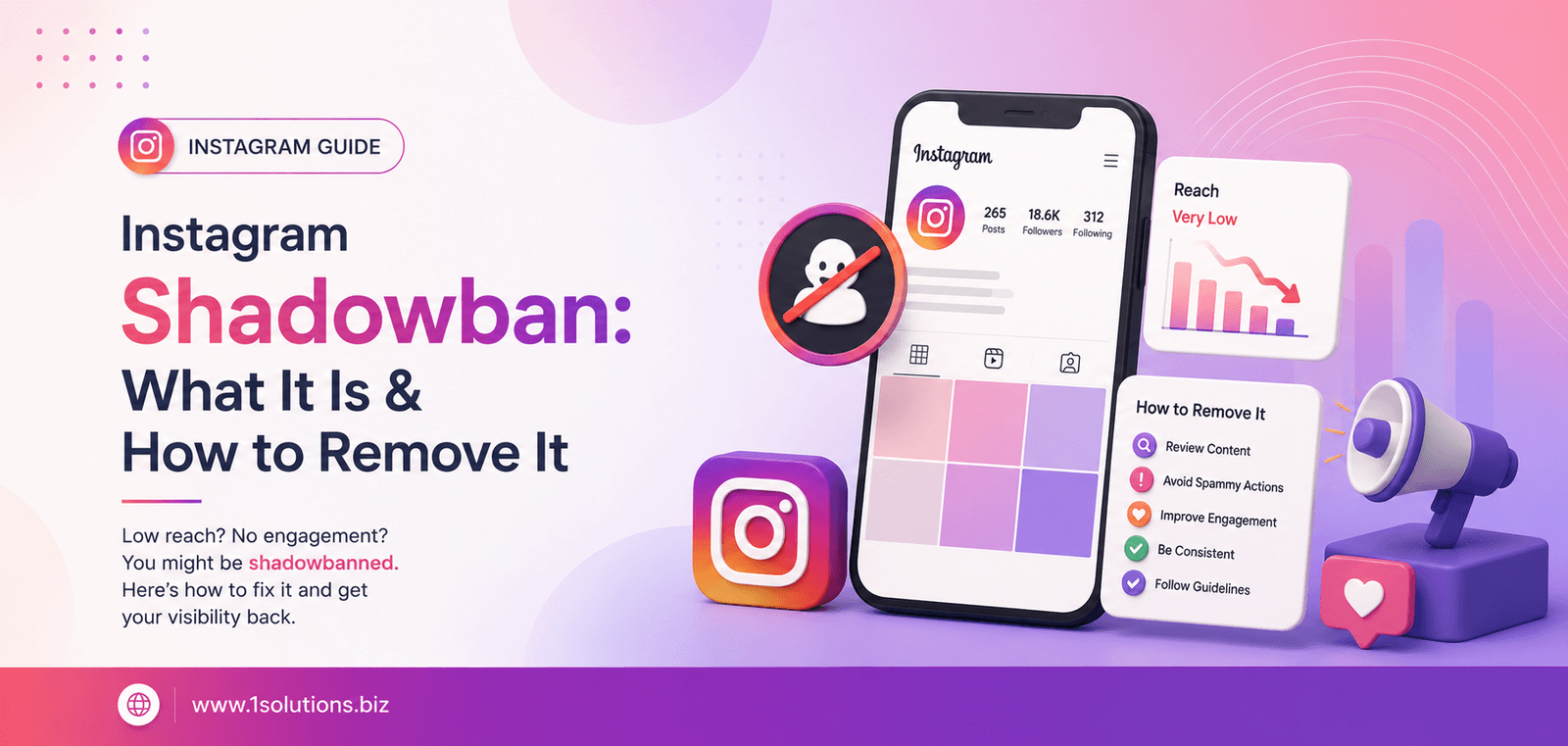
If your Instagram engagement has dropped off a cliff and your posts seem invisible to anyone who doesn’t already follow you, there is a good chance you are dealing with an Instagram shadowban. This frustrating situation affects creators, brands, and businesses across the platform every single day, yet Instagram has never officially confirmed the term. That gap between what users experience and what the platform admits makes it genuinely difficult to diagnose and fix.
This guide walks you through exactly what a shadowban is, why it happens, how to confirm whether you have one, and the concrete steps you need to take to recover your account and protect it going forward. Whether you are a solo creator, a small business owner, or a marketing team managing multiple accounts, the process is the same.
What Is an Instagram Shadowban?
An Instagram shadowban is when the platform quietly restricts the visibility of your content without notifying you. Your posts, Stories, and Reels still appear on your own profile, but they are suppressed in hashtag feeds, the Explore page, and the Reels discovery tab. Followers who already engage with your account may still see your content, but anyone who does not follow you yet is unlikely to find it.
The reason it feels so disorienting is that nothing looks broken from your end. You can still post, still comment, still send DMs. The restriction is invisible to you but very real to your potential audience.
Does Instagram Actually Use the Term “Shadowban”?
Instagram has danced around the subject for years. In 2022, the platform published a transparency report acknowledging that certain types of content are made “less visible” in recommendations. They listed a range of reasons including sensitive content, spam-like behaviour, and community guideline violations. While they stopped short of using the word “shadowban,” the mechanism they described is exactly what the creator community has been calling it for years.
According to a 2023 report by HypeAuditor, roughly 30 percent of Instagram accounts that use automation tools or purchased engagement experience some form of reach restriction within 90 days. That number underscores how widespread the problem is, particularly among accounts trying to grow quickly.
Common Signs You Have Been Shadowbanned
Before you start fixing the problem, you need to confirm it exists. Here are the most reliable indicators that an Instagram shadowban is affecting your account.
- Sudden drop in reach and impressions: A sharp decline in your Instagram Insights, especially under “From Hashtags” or “From Explore,” is one of the clearest warning signs.
- Hashtag posts disappear from results: When you search a hashtag you used in a recent post, your content does not appear in the feed, even when viewing it from a separate account that does not follow you.
- Engagement rates fall significantly: According to Socialinsider (2024), the average Instagram engagement rate across all account sizes is around 0.60 percent. If your rate drops well below your own historical average without any change in your content quality, suppression may be the cause.
- New followers have stopped arriving: Discovery has dried up entirely, meaning the algorithmic channels that bring new audiences to your account are no longer working.
- Comments and DMs from existing followers reference not seeing your content: If loyal followers are telling you they have not been seeing your posts, that is a strong signal your content is being deprioritised even in the home feed.
How to Check If You Have an Instagram Shadowban
There is no official Instagram shadowban checker tool, but you can use a combination of manual tests and native analytics to get a reliable answer.
Step 1: Review Your Instagram Insights
Go to your professional account dashboard and look at your reach data for the past 30 days. Break it down by source: Home, Hashtags, Explore, Profile, and Other. If Hashtags and Explore are showing near-zero impressions on posts where you consistently used relevant tags, that is a concrete data point suggesting suppression.
Step 2: Test Your Hashtags from a Second Account
Post something using a specific, moderately popular hashtag. Then, using a second Instagram account that does not follow your main account, search that hashtag and scroll through both the Top and Recent tabs. If your post does not appear in Recent within a few minutes of posting, your account may be restricted from hashtag discovery.
Step 3: Ask Trusted Non-Followers to Search for You
Ask a colleague or friend who does not follow your account to search a hashtag you recently used. If they cannot find your post, but followers can see it on your profile, you have confirmed restricted visibility.
Step 4: Check for Policy Violation Notifications
Go to Settings, then Account, then Account Status. Instagram will display any active restrictions or content violations tied to your account. If something shows up here, that is your starting point for the removal process.
Why Instagram Shadowbans Accounts: The Real Causes
Understanding the cause is essential because different causes require different fixes. Here are the most common reasons the algorithm restricts account visibility.
Using Banned or Restricted Hashtags
Instagram periodically bans or restricts hashtags that have been associated with spam, inappropriate content, or coordinated inauthentic behaviour. Using even one banned hashtag in a post can suppress the entire post’s discoverability. The tricky part is that a hashtag can look completely normal but still be restricted. Common examples change over time, so always check hashtags individually before using them in a campaign.
Spam-Like Behaviour
Posting at an unusually high frequency, rapidly following and unfollowing large numbers of accounts, or leaving identical comments across many posts in a short window all trigger Instagram’s spam filters. The platform’s algorithm is designed to detect and suppress these patterns because they degrade the user experience for everyone else.
Using Third-Party Automation Tools
Tools that automate likes, follows, comments, or DMs violate Instagram’s Terms of Service directly. Even tools marketed as “safe” or “compliant” carry significant risk. Instagram actively identifies third-party app access and can restrict accounts that use unauthorised applications. Revoke access to any apps you do not recognise in your account settings.
Receiving Multiple Reports from Other Users
If a significant number of users report your content as spam or inappropriate, Instagram’s moderation systems may automatically reduce your visibility while a review takes place. This can happen even if the reports are unfounded or coordinated by competitors.
Violating Community Guidelines (Even Subtly)
Instagram has a broad set of community guidelines that cover everything from nudity and hate speech to misinformation and graphic content. Content that falls into grey areas, even without explicit violations, can be labelled “sensitive” and made less recommendable. According to Meta’s own Transparency Center (2023), the platform removed over 700 million pieces of content in a single quarter for policy violations, with millions more being restricted rather than removed outright.
Sudden Spikes in Activity
If your account suddenly goes from posting once a week to posting ten times a day, or if you jump from following 100 people to following 500 in 24 hours, the algorithm treats it as suspicious. Gradual, consistent growth behaviour is rewarded while sudden spikes are flagged.
How to Remove an Instagram Shadowban: Step-by-Step
Once you have confirmed a shadowban and identified the likely cause, work through these steps in order. Do not skip ahead and do not rush the process. Recovery takes time.
Step 1: Stop All Suspicious Activity Immediately
Pause everything that might have contributed to the shadowban. Stop using hashtags temporarily, disconnect all third-party apps, stop mass following or unfollowing, and reduce your posting frequency. Give the account a rest of at least 48 to 72 hours. This signals to the algorithm that the unusual activity has stopped.
Step 2: Audit and Revoke Third-Party App Access
Go to Instagram Settings, then Security, then Apps and Websites. Review every app that has access to your account. Revoke access for anything you do not actively use or recognise. This is especially important if you have ever used a growth tool, a scheduling platform that requires login credentials rather than the official API, or any engagement-automation service.
Step 3: Review and Remove Banned Hashtags
Go back through your recent posts and manually check every hashtag you have used. Search each one on Instagram. If a hashtag’s page shows limited results, displays a message about hidden posts, or seems unusually sparse, it may be restricted. Edit those posts to remove the problematic hashtags. Going forward, research hashtags before you use them and diversify your hashtag strategy rather than relying on the same set repeatedly.
Step 4: Report the Issue to Instagram
Go to Settings, then Help, then Report a Problem. Describe what you are experiencing clearly and specifically. Mention the drop in reach, the disappearance from hashtag results, and any steps you have already taken to address it. Instagram’s support is not always responsive quickly, but submitting a report creates a paper trail and can sometimes accelerate a review of your account status.
Step 5: Switch to a Creator or Business Account
If you are currently running a personal account, switch to a Creator or Business account. This gives you access to better analytics through Instagram Insights, which helps you track recovery, and it aligns your account with the platform’s preferred format for content creators and brands. Importantly, having a professional account means you are subject to slightly different algorithmic treatment in terms of discoverability features designed for professional creators.
Step 6: Post High-Quality, Original Content Consistently
Once the rest period is over, return to posting with a renewed focus on quality and originality. Instagram’s algorithm heavily favours Reels right now, and original video content that generates saves, shares, and comments is the fastest way to rebuild your visibility. Aim for consistency rather than volume. Posting three to four times per week with genuinely engaging content is far more effective than posting daily with mediocre material.
Step 7: Rebuild Engagement Authentically
Spend real time engaging with accounts in your niche. Leave thoughtful comments, respond to every comment on your own posts, use Instagram Stories to interact with your existing audience through polls and questions, and engage with content in your community genuinely. Authentic engagement signals to the algorithm that your account is a real, active participant in the platform ecosystem.
Step 8: Monitor Your Recovery Through Insights
Check your Instagram Insights weekly as you work through recovery. Specifically watch the “Accounts Reached” metric broken down by follower versus non-follower. If the non-follower reach begins to increase, the shadowban is lifting. Full recovery can take anywhere from one week to several weeks depending on the severity of the restriction and how consistently you apply the steps above.
How Long Does an Instagram Shadowban Last?
There is no fixed duration. Anecdotal reports from creators and community discussions suggest that most shadowbans lift within 14 to 30 days when the account owner takes corrective action promptly. However, accounts with repeated violations or severe spam behaviour can experience restrictions that last much longer or recur frequently if the underlying behaviours are not permanently changed.
The most important thing to understand is that doing nothing is not a strategy. If you simply wait without addressing the root cause, the restriction may persist indefinitely or worsen.
How to Prevent an Instagram Shadowban in the Future
Prevention is significantly easier than recovery. Once you have restored your account’s visibility, these practices will help you stay in good standing with the algorithm over the long term.
Follow Instagram’s Terms of Service and Community Guidelines
Read them. They are updated regularly and contain specific guidance on what types of content, behaviour, and third-party tool use are permitted. Staying informed is your first line of defence.
Use Only Approved Scheduling Tools
If you use a scheduling platform, make sure it connects through the official Meta Business Suite API or a platform that is a verified Meta Marketing Partner. Tools in this category include Later, Hootsuite, Sprout Social, and Buffer. Avoid any tool that asks for your password directly rather than authenticating through Meta’s official channels.
Diversify Your Hashtag Strategy
Avoid using the same set of hashtags on every post. Rotate through different combinations, use a mix of high-volume and niche-specific hashtags, and keep your total count reasonable. Instagram’s own guidance suggests that fewer, more relevant hashtags now outperform the old strategy of stuffing 30 tags into every caption.
Grow Your Following Gradually and Organically
Sustainable growth on Instagram, as with broader digital marketing, comes from consistent value delivery rather than shortcuts. If you are looking to complement your Instagram strategy with a wider digital presence, understanding how to build authority across multiple platforms matters. You can explore how social media platforms fit into a broader digital strategy through our complete guide to the top 100 social media sites, which breaks down where different audiences actually spend their time.
Create Content That Earns Saves and Shares
The engagement signals that matter most to Instagram’s algorithm in 2024 and beyond are saves and shares, not just likes and comments. Content that is genuinely useful, educational, entertaining, or emotionally resonant earns these signals naturally. Think about what your audience would want to return to or send to a friend.
The Bigger Picture: Instagram Reach and Your Overall Digital Strategy
An Instagram shadowban is a sharp reminder of something every business owner and marketer should keep in mind: you do not own your audience on rented platforms. If Instagram restricts your reach tomorrow, your ability to connect with your audience drops to zero until the restriction lifts. That is why building owned channels, primarily your website and email list, is non-negotiable.
From an SEO perspective, your website should be working hard to attract organic traffic that is independent of any social media algorithm. If you have been relying heavily on Instagram for discoverability, now is a good time to evaluate your broader digital marketing strategy. Strong website visibility compounds over time in a way that social media reach simply does not.
It is also worth noting that search is evolving. AI-powered search tools are increasingly influencing how brands and creators are discovered online. Understanding how to position your content across these newer discovery channels is becoming just as important as mastering Instagram’s algorithm. Our guide on how to improve your website visibility in AI search engines covers this shift in detail and is worth reading alongside your Instagram recovery plan.
If your social media presence supports a broader content marketing and SEO strategy, the two reinforce each other. Social signals, brand searches driven by Instagram visibility, and traffic from bio links all contribute to the kind of online authority that search engines reward. Losing Instagram reach does not just hurt your social metrics, it can affect your broader digital footprint if the channels are interconnected.
When to Get Professional Help
If you have followed all of the steps above, waited the appropriate recovery period, and your account’s reach has still not returned to normal, it may be time to bring in expert support. Persistent reach suppression can indicate deeper account health issues, repeated guideline violations that need professional review, or technical problems with how your content is being classified.
At 1Solutions, we work with businesses and creators across the US, Canada, and Australia on social media strategy, content marketing, and the kind of digital visibility that does not depend on any single platform’s algorithm. If Instagram is a core part of your customer acquisition strategy, we can help you audit your current approach and build a more resilient presence that spans multiple owned and earned channels.
Understanding how different elements of digital marketing connect, from social media to organic search to content strategy, is the foundation of lasting visibility. Whether you are recovering from an Instagram shadowban right now or looking to build a strategy that is less vulnerable to algorithm changes in the future, the principles of creating genuine value for your audience remain constant.
Frequently Asked Questions About Instagram Shadowbans
Does Instagram officially admit that shadowbanning exists?
Instagram has never used the term “shadowban” officially. However, Meta’s Transparency Center and various Instagram communications have acknowledged that certain content is made “less recommendable” or has reduced distribution based on factors including spam behaviour, community guideline violations, and content sensitivity. The effect users call a shadowban is real even if the label is not official.
Can a shadowban happen even if I have not broken any rules?
Yes. False reports from other users, using a hashtag that was recently restricted without your knowledge, or being associated with a network of accounts flagged for spam can all trigger a restriction without any intentional violation on your part. This is why monitoring your account health regularly and auditing your hashtag use matters even for accounts with clean histories.
Will deleting and reposting content help lift a shadowban faster?
Generally, no. Deleting and reposting content does not reset the algorithmic restriction on your account. In some cases, rapidly deleting multiple posts can actually signal more unusual activity to the platform and compound the issue. It is better to leave existing content in place and focus on the corrective steps outlined in this guide.
How many hashtags should I use per post to avoid a shadowban?
Instagram has shifted its guidance over the years. In 2021, Adam Mosseri, the head of Instagram, suggested using between three and five highly relevant hashtags rather than the maximum of 30. More recent creator accounts from Instagram lean toward quality over quantity. Using five to ten targeted, non-banned hashtags that are genuinely relevant to your specific post is the safest and most effective current practice.
Is buying followers or engagement a cause of shadowbanning?
Absolutely. Purchased followers and engagement are among the most reliable triggers for account restrictions. Instagram’s systems are increasingly sophisticated at detecting inauthentic engagement, including sudden follower spikes from low-quality accounts, engagement from accounts with no profile photos or activity, and mismatched ratios between follower counts and actual engagement rates. Beyond the shadowban risk, purchased engagement actively damages your account’s credibility with both the algorithm and real human visitors. According to HypeAuditor (2023), accounts with purchased engagement see measurably lower organic reach over time compared to accounts that grow authentically.