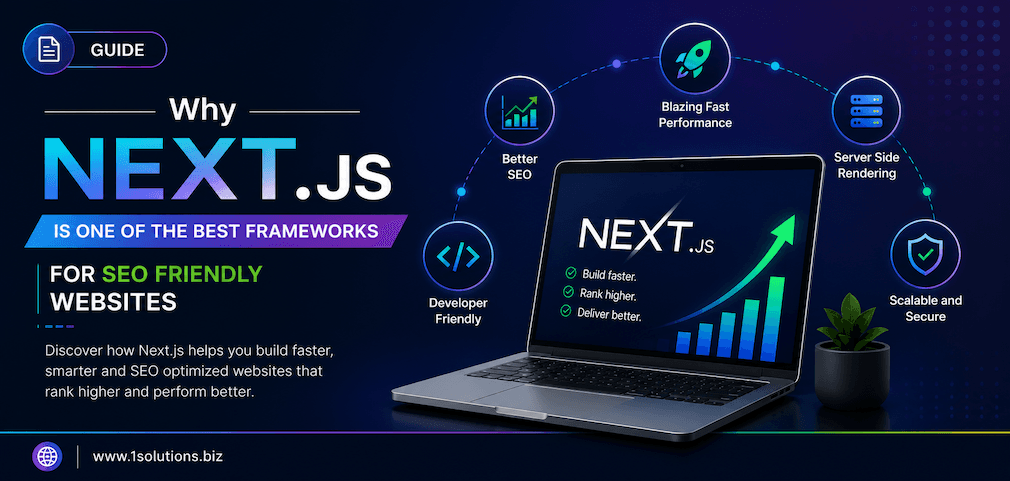
When enterprise teams evaluate frameworks for large-scale web projects, the conversation almost always circles back to one name: Next.js. There are good reasons for that. Arguing that Next.js is the best choice for enterprise web development is not simply hype. It is backed by measurable performance gains, a thriving ecosystem, and adoption by organizations that cannot afford to gamble on immature technology. This guide walks you through every critical decision point, trade-off, and implementation step so your team can move forward with confidence.
Next.js combines server-side rendering, static generation, and edge-ready architecture in a single framework that scales gracefully for enterprise workloads. It accelerates SEO performance, reduces time-to-interactive, and integrates smoothly with modern DevOps pipelines. This guide explains exactly how to evaluate, set up, and optimize Next.js for a large-scale production environment.
⚡ Key Takeaways
- Next.js supports multiple rendering strategies in a single project, giving enterprise teams surgical control over performance versus freshness trade-offs.
- Built-in image optimization, code splitting, and font optimization reduce Core Web Vitals friction without extra configuration.
- The App Router introduced in Next.js 13 enables React Server Components, cutting client-side JavaScript bundle sizes significantly.
- Enterprise SEO benefits directly from server-rendered HTML, structured metadata APIs, and faster page load times.
- Next.js integrates with headless CMS platforms, enterprise auth systems, and CI/CD pipelines without requiring custom middleware.
- Trade-offs exist: hosting complexity, learning curve for the App Router, and cold-start latency on serverless deployments need honest planning.
- Pairing Next.js with a strong SEO strategy compounds the framework’s technical advantages into measurable organic growth.
Step 1: Understand Why Enterprise Projects Need More Than a Standard React Setup
Plain React is a UI library, not a full application framework. Enterprise projects require routing, data fetching strategies, API layers, authentication, and performance optimization out of the box. Configuring all of that manually with Create React App or a custom Webpack setup introduces maintenance debt fast.
According to the Stack Overflow Developer Survey 2023, Next.js ranked as the sixth most popular web framework overall and the most desired React-based framework among professional developers. That adoption signal matters for enterprise teams because it directly affects hiring, community support, and long-term library compatibility.
Next.js solves the configuration problem by shipping with opinionated defaults that cover 90 percent of enterprise needs while still exposing escape hatches for the remaining 10 percent. File-based routing, API routes, middleware, image optimization, and internationalization support are all built in. Your team writes product code from day one instead of spending weeks on boilerplate.
💡 Pro Tip: Before committing to any framework, map your project’s data freshness requirements. If some pages need real-time data and others can be cached for hours, Next.js’s mixed rendering model is uniquely suited to serve both without spinning up separate applications.
Step 2: Choose the Right Rendering Strategy for Each Page Type
One of the most concrete reasons why Next.js is the best choice for enterprise web development is its ability to mix rendering strategies within a single codebase. This is not theoretical flexibility; it solves real architectural conflicts that enterprise projects face daily.
Here is how the four main rendering modes map to common enterprise use cases:
- Static Site Generation (SSG): Best for marketing pages, blog posts, documentation, and product listings that change infrequently. Pages are pre-built at deploy time and served from a CDN with near-zero latency.
- Server-Side Rendering (SSR): Best for personalized dashboards, authenticated pages, and content that must reflect database state on every request. The server renders fresh HTML for each visitor.
- Incremental Static Regeneration (ISR): A hybrid approach. Pages are statically generated but revalidated in the background at a configurable interval. Ideal for e-commerce product pages or news articles.
- Client-Side Rendering (CSR): Reserved for interactive widgets or user-specific components that cannot be pre-rendered. Used sparingly in Next.js enterprise projects to keep JavaScript bundles lean.
For teams building large product catalogs, ISR is particularly powerful. A retailer with 50,000 product pages does not need to rebuild all pages on every deploy. ISR lets stale pages regenerate silently in the background while users always receive a cached version instantly.
Step 3: Evaluate the App Router vs Pages Router Decision
Next.js 13 introduced the App Router, built on React Server Components. This is now the recommended approach for new enterprise projects. However, the Pages Router still works and is not deprecated, which matters for teams migrating existing codebases incrementally.
The core difference is where JavaScript runs. With React Server Components in the App Router, data fetching and rendering logic executes on the server by default. Only interactive components marked with 'use client' ship JavaScript to the browser. This architectural shift can reduce client-side bundle sizes by 30 to 50 percent on data-heavy pages, directly improving Time to Interactive scores.
The trade-off is a steeper learning curve. Developers familiar with the Pages Router and getServerSideProps need to rethink data fetching patterns. For teams with tight deadlines, starting with the Pages Router and migrating incrementally is a legitimate strategy. Next.js supports both routers running in parallel within the same project during a migration period.
Step 4: Set Up a Production-Grade Next.js Project Structure
A clean folder structure prevents the codebase from becoming a maintenance burden as team size grows. Here is a recommended enterprise-grade structure for App Router projects:
- /app: All routes, layouts, loading states, and error boundaries. Nested layouts map directly to URL segments.
- /components: Shared UI components separated into
ui(pure presentational) andfeatures(domain-specific). - /lib: Utility functions, API clients, and third-party SDK wrappers.
- /hooks: Custom React hooks for client components.
- /types: TypeScript type definitions shared across the project.
- /public: Static assets served directly. Keep this lean; large media should live on a CDN.
- /tests: Unit and integration tests mirroring the
/appand/componentsstructure.
TypeScript should be the default for enterprise projects. Next.js has first-class TypeScript support with zero configuration. The type safety it adds across API routes, server actions, and component props eliminates entire categories of runtime errors that would otherwise surface in production.
💡 Pro Tip: Enable strict mode in your tsconfig.json from day one. Retrofitting strict TypeScript into a large codebase later is painful. Starting strict costs a small amount of extra time upfront and saves significant debugging time at scale.
Step 5: Optimize for Core Web Vitals and Enterprise SEO
Technical SEO performance is one of the strongest arguments for why Next.js is the best choice for enterprise web development. Google’s Core Web Vitals directly influence search rankings, and Next.js ships with tooling that addresses every major metric without requiring third-party plugins.
According to a Cloudflare study from 2023, pages with a Largest Contentful Paint under 2.5 seconds see a 24 percent lower bounce rate compared to slower pages. Next.js helps achieve this through automatic image optimization via the next/image component, which handles lazy loading, format conversion to WebP, and responsive sizing with a single import.
For Cumulative Layout Shift, Next.js enforces width and height attributes on images and provides a font optimization module through next/font that preloads fonts and eliminates invisible text flashes. These two changes alone address the two most common CLS sources on enterprise sites.
The metadata API introduced in the App Router makes structured SEO metadata declarative and type-safe. Each page or layout can export a metadata object or a generateMetadata async function for dynamic pages. This replaces the scattered next/head calls that were easy to forget or duplicate in the Pages Router.
For enterprises investing in search visibility, pairing Next.js with professional search engine optimization services compounds the framework’s technical advantages. The fastest-rendering page still needs strong content, authoritative backlinks, and a coherent keyword strategy to rank competitively.
If you want to understand how modern search algorithms are evolving, the post on Google AI Mode vs AI Overviews explains the structural differences that affect how enterprise content gets surfaced in search results today.
Step 6: Handle Authentication, Authorization, and Middleware at Scale
Enterprise applications cannot separate authentication from architecture. Next.js Middleware runs at the edge before a request reaches any page or API route, making it the right place to enforce authentication checks without adding server round-trip latency.
A practical enterprise authentication setup typically involves:
- A JWT or session token stored in an HTTP-only cookie.
- Middleware that inspects the cookie on every request to protected routes and redirects unauthenticated users to the login page.
- An OAuth provider or identity platform integrated via a library like Auth.js (formerly NextAuth.js).
- Role-based access control enforced both in Middleware and at the Server Component level for defense in depth.
The edge runtime where Middleware executes does impose constraints. It cannot use Node.js-specific APIs. This means some authentication libraries need configuration adjustments for edge compatibility. Planning for this constraint early prevents surprises during deployment.
Why Next.js Is the Best Choice for Enterprise Web Development: A Feature Comparison
To make the architectural trade-offs concrete, here is a direct comparison of Next.js against two common alternatives for enterprise projects:
| Feature | Next.js | Nuxt.js (Vue) | Remix |
|---|---|---|---|
| Rendering flexibility (SSG, SSR, ISR, CSR) | All four, per page | SSG, SSR, CSR | SSR primary, limited SSG |
| React Server Components | Yes (App Router) | No (Vue ecosystem) | No |
| Built-in image optimization | Yes | Yes (via module) | Partial |
| Edge Middleware | Yes | Yes | Yes |
| Ecosystem and hiring pool | Very large (React) | Medium (Vue) | Growing (React) |
| Enterprise adoption | Very high | Moderate | Growing |
| Learning curve for App Router | Moderate-high | Low-moderate | Moderate |
Remix is worth acknowledging honestly. It has a cleaner mental model for nested routing and progressive enhancement. For teams building form-heavy applications with complex nested UI, Remix deserves evaluation. Next.js wins on ecosystem breadth, rendering flexibility, and the scale of enterprise adoption, but it is not the only defensible choice.
Step 7: Configure CI/CD, Monitoring, and Deployment for Enterprise Reliability
A framework is only as reliable as its deployment infrastructure. Next.js supports deployment on Vercel natively, but enterprise teams often require self-hosted or multi-cloud setups for compliance, cost, or geographic reasons.
For self-hosted deployments, Next.js can be run as a Node.js server using next start, containerized with Docker, and orchestrated with Kubernetes. The standalone output mode (output: 'standalone' in next.config.js) produces a minimal server bundle that includes only the files needed to run the application, making Docker images significantly smaller.
According to Vercel’s 2024 State of Web Performance report, teams using automated performance budgets in their CI pipelines caught 68 percent of performance regressions before they reached production. For enterprise teams, integrating Lighthouse CI or Next.js’s built-in @next/bundle-analyzer into pull request checks enforces performance standards without relying on manual review.
Monitoring in production should cover three layers: application errors (Sentry or similar), performance metrics (Real User Monitoring via Vercel Analytics, Datadog, or New Relic), and infrastructure health (uptime, error rates, cold-start frequency on serverless deployments).
For enterprises running content-heavy sites, understanding how search engines crawl and index pages matters as much as deployment stability. The post on increasing Google crawl rate covers practical steps that complement Next.js’s technical SEO advantages.
💡 Pro Tip: Cold-start latency is a real concern for Next.js applications deployed as serverless functions. If your enterprise application has consistently high traffic, provisioned concurrency or a containerized deployment behind a load balancer will eliminate cold-start spikes entirely.
Step 8: Integrate Next.js With Your Enterprise Content and Commerce Stack
Enterprise projects rarely live in isolation. Next.js is designed to function as the presentation layer in a composable architecture, pulling data from headless CMS platforms, commerce APIs, and internal microservices.
Common integration patterns include:
- Headless CMS (Contentful, Sanity, Strapi): Fetch content at build time for SSG pages or at request time for SSR pages. ISR sits in between, giving editors fast publish cycles without full rebuilds.
- Commerce platforms: Shopify Storefront API, BigCommerce, and Commercetools all have documented Next.js integration patterns. If you are evaluating commerce stack options, the detailed WooCommerce vs Shopify comparison is a useful starting point for understanding backend trade-offs before choosing a frontend framework.
- Authentication providers: Auth0, Okta, and Azure AD integrate via Auth.js adapters or custom OAuth flows in API routes.
- Analytics and personalization: Segment, Amplitude, and LaunchDarkly feature flags can be initialized in layout files or Middleware to ensure consistent instrumentation across all pages.
For e-commerce enterprises in particular, the rendering strategy choice has direct revenue impact. A 100-millisecond improvement in page load time correlates with a 1 percent increase in revenue according to Deloitte’s 2020 research on mobile site speed and conversions. ISR and SSG for product and category pages, combined with CSR only for cart and checkout personalization, is the pattern that delivers the best performance-to-freshness ratio.
If your enterprise runs digital marketing campaigns alongside the technical buildout, aligning your Next.js SEO architecture with a broader integrated digital marketing strategy ensures technical gains translate into measurable traffic growth.
For teams thinking about how AI-driven search changes content discoverability, the guide on improving website visibility in AI search engines is directly relevant to how Next.js-powered sites should structure their content and metadata.
Step 9: Address the Real Trade-Offs Honestly
No framework is universally perfect, and enterprise teams deserve a balanced view.
- Vendor complexity: Vercel is the path-of-least-resistance deployment target, but its pricing at enterprise scale can be significant. Self-hosting requires DevOps investment that smaller teams may underestimate.
- App Router maturity: The App Router is the future of Next.js, but some third-party libraries still have compatibility issues. Always verify library compatibility before committing to App Router in a new project.
- Caching complexity: ISR and the multi-layer caching model in the App Router are powerful but genuinely complex. Cache invalidation bugs in production are harder to diagnose than in a purely SSR or purely SSG setup.
- Team skill requirements: Next.js with TypeScript, React Server Components, and edge Middleware requires developers who are comfortable across multiple abstraction layers. Budget for onboarding time realistically.
These trade-offs do not disqualify Next.js for enterprise use. They are planning inputs. Teams that anticipate these challenges and build mitigation strategies into their project plan consistently ship successful Next.js applications at scale.
Practical Action Plan: What to Do First, Second, and Later
Use this prioritized checklist to move from evaluation to production without wasting cycles on low-impact work:
- Do This Now: Audit your current application’s rendering requirements by page type. Map each page to SSG, ISR, SSR, or CSR based on data freshness needs. This one exercise will clarify your architecture before you write a single line of Next.js code.
- Do This Now: Set up TypeScript in strict mode and configure ESLint with the
next/core-web-vitalsruleset. These defaults catch performance and accessibility issues at the coding stage rather than in production. - Do This Now: Define your deployment target early. Vercel, a containerized Node.js server, or a hybrid edge-plus-Node setup each have different infrastructure requirements. Decide before building, not after.
- Worth Doing: Integrate Lighthouse CI into your pull request pipeline. Set performance budgets for LCP, CLS, and FID. Teams that enforce budgets in CI see far fewer post-launch performance crises.
- Worth Doing: Evaluate your headless CMS and commerce backend compatibility with the App Router before migrating existing Pages Router code. Running both routers in parallel is acceptable during a phased migration.
- Worth Doing: Plan your caching invalidation strategy for ISR pages from the start. Document which content types trigger revalidation and how editorial teams will trigger on-demand revalidation when needed.
- Low Priority: Optimizing serverless cold-start times is worth addressing, but only after your core rendering strategy and deployment architecture are stable. Cold-starts are a tuning problem, not a foundational one.
- Low Priority: Exploring edge-native features like partial prerendering (currently experimental) can wait until the feature reaches stable status. Using experimental flags in production enterprise apps introduces unnecessary risk.
Conclusion: Building Enterprise Confidence With Next.js
The case for why Next.js is the best choice for enterprise web development rests on three pillars: unmatched rendering flexibility, a mature ecosystem with strong hiring supply, and technical SEO advantages that compound over time. It is not a perfect framework, and the trade-offs around hosting complexity, App Router learning curves, and caching behavior are real. But for teams building large-scale, performance-sensitive applications that need to rank in search, convert visitors, and scale reliably, Next.js offers the most complete toolkit available today.
Understanding how search engines are evolving also matters for teams building Next.js applications. The research on LLM optimization and ranking in AI search and the guide on building local pages that win in AI-powered search are both worth reading alongside your technical planning, because the framework you build on and the content strategy you execute are equally important to enterprise success.
If your team is ready to move from framework selection to measurable growth, exploring professional enterprise SEO services alongside your Next.js buildout ensures the technical foundation you are creating gets the visibility it deserves.
Frequently Asked Questions
Is Next.js suitable for very large enterprise applications with millions of users?
Yes. Next.js scales horizontally across serverless functions or containerized instances. Organizations including Tiktok, Twitch, and The Washington Post use Next.js in production. The key is combining ISR and SSG for cacheable pages, using CDN edge caching aggressively, and provisioning dedicated compute for SSR routes with high concurrency requirements.
How does Next.js compare to a traditional server-rendered framework like Laravel or Django for enterprise use?
Next.js is a frontend framework that can handle API routes, but it is not a backend application framework. For complex business logic, existing enterprises often keep a Laravel, Django, or Node.js backend and use Next.js purely as the presentation layer consuming API endpoints. This composable architecture is common and well-supported.
What are the main SEO advantages of Next.js over a single-page application built with plain React?
Plain React SPAs render content client-side, which historically caused crawling delays and incomplete indexing. Next.js server-renders HTML that search engine crawlers receive immediately on the initial request. Combined with the metadata API for structured title and description tags, built-in image optimization for Core Web Vitals, and clean URL routing, Next.js removes most of the technical SEO barriers that SPAs face.
Can we migrate an existing React application to Next.js incrementally?
Yes. Next.js provides an official incremental migration guide. You can run Next.js alongside your existing application, migrating one route at a time. The Pages Router is particularly friendly for migrations because its file-based routing closely mirrors common React Router patterns. The App Router is better targeted for new projects or as a second migration step.
What hosting infrastructure does an enterprise Next.js application actually need?
The minimum viable production setup is a Node.js server behind a load balancer with a CDN layer in front. For teams wanting less infrastructure management, Vercel provides zero-configuration deployment with automatic CDN and edge functions. Self-hosted Kubernetes deployments using the standalone output mode are common for enterprises with strict data residency or compliance requirements. The right choice depends on your team’s DevOps capacity, compliance constraints, and budget.