

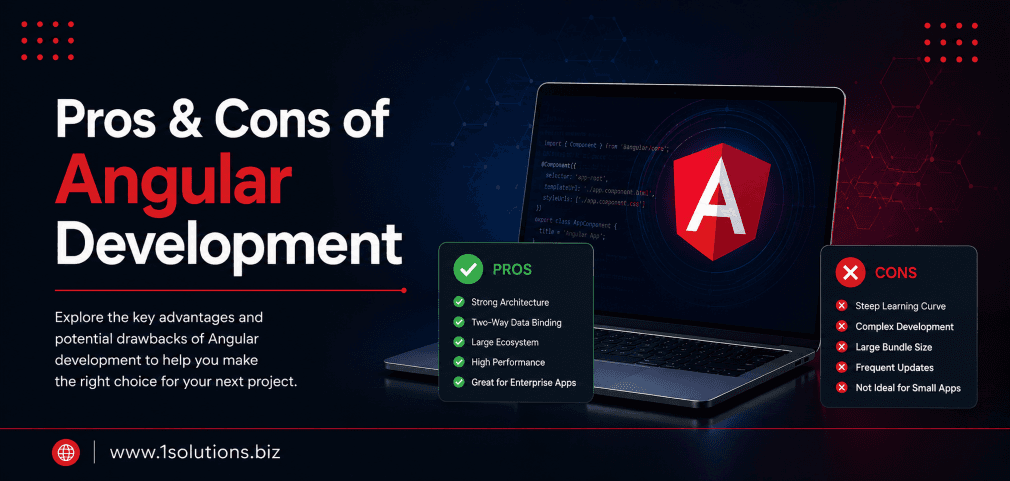
Understanding the Pros and Cons of Angular Development
If you are evaluating front-end frameworks for your next web project, the pros and cons of Angular development will likely come up early in your research. Angular, maintained by Google, is one of the most widely adopted frameworks in enterprise-level web development. But it is not the right fit for every project, team, or budget. This guide breaks down exactly what Angular does well, where it falls short, how it compares to alternatives, and what steps you should follow before committing to it as your core technology stack.
Angular is a powerful, opinionated framework ideal for large-scale enterprise applications. It offers strong tooling, two-way data binding, and a consistent structure, but comes with a steep learning curve, heavier bundle sizes, and SEO challenges that need deliberate solutions. Understanding both sides helps you make the right architectural decision for your project.
⚡ Key Takeaways
- Angular is best suited for complex, large-scale enterprise applications with long development timelines.
- Its two-way data binding and dependency injection reduce boilerplate code significantly.
- Angular has a steeper learning curve than React or Vue, requiring TypeScript proficiency.
- Out-of-the-box SSR support via Angular Universal can help address SEO performance issues.
- Bundle size and initial load time are real trade-offs that must be optimized deliberately.
- Pairing Angular with strong SEO services is essential for search visibility on Angular-built sites.
- Use the comparison table in this guide to evaluate Angular against React and Vue before deciding.
Step 1: Know What Angular Actually Is Before Evaluating It
Angular is a TypeScript-based, open-source front-end web application framework developed and maintained by Google. First released in 2016 as a complete rewrite of AngularJS, the modern Angular (versions 2 and beyond) is a component-based framework that provides a comprehensive solution including routing, HTTP handling, forms, animations, and testing tools out of the box.
According to the Stack Overflow Developer Survey 2023, Angular remains one of the top five most-used web frameworks globally, with approximately 17.1% of professional developers using it regularly. This is not a niche tool. It is a mature, well-supported framework with a large community and a robust ecosystem.
Understanding this context is important because many of the so-called “cons” of Angular are not bugs or design flaws. They are intentional trade-offs made to serve a specific type of project: large teams, complex data flows, and enterprise-grade requirements.
💡 Pro Tip: Before you decide on any framework, define your project scope. Angular’s complexity pays off at scale but adds overhead for simple marketing sites or small apps.
Step 2: Review the Core Pros of Angular Development
Here are the strongest advantages Angular brings to a project when used in the right context.
Comprehensive Framework Out of the Box
Unlike React, which is a library that requires additional packages for routing, state management, and form validation, Angular ships with all of these built in. This reduces decision fatigue and ensures consistency across large teams. You do not need to evaluate and integrate five separate libraries to build a production-ready application.
Two-Way Data Binding
Angular’s two-way data binding automatically synchronizes data between the model and the view. When the data model changes, the UI updates automatically, and vice versa. This dramatically reduces the amount of manual DOM manipulation needed, cutting development time for complex form-heavy applications.
Strong Typing with TypeScript
Angular is built entirely in TypeScript. This adds compile-time error checking, better code documentation through interfaces, and improved IDE support. For large teams working on long-lived codebases, TypeScript significantly reduces runtime errors and makes onboarding new developers faster.
Dependency Injection
Angular has a built-in dependency injection system that makes components modular and testable. This design pattern is standard in enterprise software development and makes unit testing far more manageable compared to frameworks that do not enforce it.
Component-Based Architecture
Everything in Angular is a component. This promotes reusability, encapsulation, and separation of concerns. Components can be developed, tested, and maintained independently, which is critical when multiple teams work on the same application.
Angular CLI
The Angular Command Line Interface automates scaffolding, testing, building, and deployment tasks. According to JetBrains State of the Developer Ecosystem 2023, 68% of Angular developers use the Angular CLI as their primary development tool. It enforces consistent project structure and dramatically speeds up repetitive tasks.
Long-Term Support and Google Backing
Google maintains Angular and uses it internally for products like Google Cloud Console. This means the framework has strong institutional backing, regular updates, and guaranteed long-term support cycles. Businesses building mission-critical applications can rely on Angular still being actively maintained years from now.
Step 3: Understand the Real Cons of Angular Development
No technology is without trade-offs, and honest evaluation of the cons of Angular development is just as important as the benefits.
Steep Learning Curve
Angular requires developers to understand TypeScript, decorators, modules, components, services, dependency injection, RxJS observables, and the Angular CLI before they can be productive. This is not a framework you can pick up in a weekend. For smaller projects or teams with limited Angular experience, this onboarding cost is significant.
Verbose Syntax and Boilerplate
Angular applications tend to require more code to accomplish the same result compared to Vue or React. You will often find yourself writing module files, component files, template files, and service files just to create a simple feature. This verbosity slows down development for smaller applications.
Performance on Initial Load
Angular’s bundle size is larger than most alternatives out of the box. Without proper lazy loading, tree shaking, and code splitting, an Angular application can result in slower initial page loads. This is a real concern for SEO and user experience, as Google’s Core Web Vitals directly measure load speed and interactivity. If your Angular site suffers from poor page speed, you will want expert help with technical SEO optimization to close the gap.
Overkill for Simple Projects
If you are building a brochure website, a simple blog, or a small ecommerce store, Angular’s complexity is unnecessary overhead. In those cases, a lighter solution like WordPress or a simpler framework would deliver faster results with lower maintenance costs. Speaking of which, understanding the right CMS comparison matters here too. Our WooCommerce vs Shopify comparison guide is a useful reference if you are evaluating platforms for simpler online store builds.
SEO Challenges with Single Page Applications
By default, Angular renders on the client side. Search engine crawlers traditionally struggle with JavaScript-heavy single page applications because the content is not available in the initial HTML response. This makes SEO a deliberate engineering task, not a default feature. Server-side rendering through Angular Universal and static site generation are solutions, but they require additional configuration and expertise.
Frequent Breaking Changes Between Versions
Historically, Angular has introduced breaking changes with major version releases, requiring teams to invest time in migrations. While the Angular team has improved their migration tooling significantly, upgrading an older Angular application to a newer major version still requires careful planning and testing.
💡 Pro Tip: Always pair Angular development with a defined update and maintenance schedule. Angular’s major version releases follow a predictable six-month cycle, so you can plan migrations well in advance.
Step 4: Compare Angular Against React and Vue
To put the pros and cons of Angular development into context, here is how it stacks up against the two most popular alternatives.
| Feature | Angular | React | Vue |
|---|---|---|---|
| Type | Full Framework | UI Library | Progressive Framework |
| Language | TypeScript | JavaScript / JSX | JavaScript |
| Learning Curve | Steep | Moderate | Gentle |
| Bundle Size | Larger | Medium | Small |
| Two-Way Binding | Built-in | Manual | Built-in |
| Best For | Enterprise Apps | Dynamic UIs | Small to Medium Apps |
| SEO Default | Requires SSR | Requires SSR | Requires SSR |
| Community Size | Large | Very Large | Large |
| Corporate Backing | Meta | Community |
React currently leads in popularity, with the Stack Overflow Developer Survey 2023 showing 40.6% of developers using it. Angular sits at 17.1% and Vue at 15.7%. However, popularity is not the primary selection criterion. The right framework depends on your team’s skills, project scale, and long-term maintenance requirements.
Step 5: Address the SEO Challenge in Angular Applications
One of the most frequently underestimated cons of Angular development is SEO performance. Because Angular applications render content dynamically using JavaScript, search engine crawlers may not index your content correctly without deliberate intervention.
Here are the main techniques used to resolve this:
Angular Universal for Server-Side Rendering
Angular Universal pre-renders pages on the server, delivering fully rendered HTML to both users and search engine crawlers. This ensures that your content is accessible and indexable regardless of the crawler’s JavaScript processing capability.
Static Site Generation
For content-heavy pages that do not change frequently, static site generation (SSG) can pre-build pages at compile time, resulting in fast-loading, crawlable HTML files. This is particularly useful for product pages, blog posts, and landing pages.
Proper Metadata Management
Angular’s built-in Title and Meta services allow developers to dynamically set page titles and meta descriptions per route. This is non-negotiable for any Angular app targeting organic search traffic.
Understanding how AI-driven search is evolving also matters here. Read our analysis of Google AI Mode vs AI Overviews to understand how search results are changing and what that means for how your Angular site needs to present its content to be discovered.
Additionally, improving Angular site visibility in modern search environments ties directly into broader content strategy. Our guide on how to improve website visibility in AI search engines outlines actionable approaches that work regardless of your front-end framework.
💡 Pro Tip: Always implement lazy loading for Angular modules. It splits your bundle into smaller chunks that are only loaded when needed, dramatically improving Core Web Vitals scores and Time to Interactive.
Step 6: Evaluate When Angular Is and Is Not the Right Choice
Not every project benefits from Angular. Here is a straightforward guide to deciding when it makes sense and when it does not.
Use Angular When:
- You are building a large-scale enterprise application with complex business logic
- Your team already has TypeScript and Angular experience
- The project will be maintained and scaled over multiple years
- You need consistent architectural patterns enforced across a large team
- Your application requires real-time data updates, complex forms, or heavy user interaction
Consider Alternatives When:
- You are building a simple marketing website or blog
- Your team is small and does not have Angular expertise
- Time to market is a higher priority than long-term scalability
- Your SEO requirements are complex and you cannot invest in Angular Universal setup
- Your project involves a simple ecommerce store (where platforms like WooCommerce or Shopify are more appropriate)
For teams evaluating web technology decisions with SEO as a primary concern, pairing any framework choice with a solid digital marketing strategy ensures that technical decisions and visibility goals stay aligned.
Step 7: Optimize an Angular Application for Performance and SEO
If you have decided Angular is the right choice, follow these practical steps to maximize performance and search visibility.
- Enable Lazy Loading: Split your Angular modules so only the code needed for the current route is loaded. This reduces initial bundle size significantly.
- Implement Angular Universal: Set up server-side rendering to ensure search crawlers receive fully rendered HTML. This is the single most impactful step for Angular SEO.
- Use the Angular CLI Build Optimizer: Run production builds with
ng build --configuration productionto enable tree shaking, ahead-of-time compilation, and minification. - Audit Core Web Vitals Regularly: Use Google PageSpeed Insights and Lighthouse to measure Largest Contentful Paint, Cumulative Layout Shift, and Interaction to Next Paint scores. Address failures before they impact rankings.
- Manage Metadata Per Route: Use Angular’s Meta and Title services to set unique, keyword-relevant metadata for every page in your application.
- Use a CDN: Distribute static assets through a content delivery network to reduce latency and improve load speed globally.
- Monitor Crawl Coverage: Use Google Search Console to verify that your Angular routes are being discovered and indexed. Watch for crawl errors or pages stuck as “Discovered but not indexed.”
For a deeper dive into why Google might not be indexing certain pages on your Angular site, read our guide on why Google is not indexing your page. Many of the causes listed there apply directly to Angular SPAs with poor SSR setup. Also, boosting on-page content quality is covered in our post on how to boost SEO efforts with page content analysis, which pairs well with Angular’s flexible content rendering capabilities.
Practical Action Plan: What to Do With This Information
Use this prioritized action plan to move forward after evaluating the pros and cons of Angular development.
- Do This Now: Define your project scope and team capacity. If you are unsure whether Angular is the right fit, document your requirements for complexity, timeline, team expertise, and SEO needs. This single step prevents costly late-stage framework migrations.
- Do This Now: If you are already using Angular, audit your current Core Web Vitals scores and verify that Angular Universal is configured and serving pre-rendered HTML to crawlers. These are non-negotiable baseline requirements.
- Worth Doing: Implement a lazy loading strategy across all feature modules. Profile your bundle size using
webpack-bundle-analyzerand eliminate unused imports and libraries. - Worth Doing: Set up automated Lighthouse testing in your CI/CD pipeline so performance regressions are caught before deployment, not after.
- Low Priority: Explore Angular’s new Signals-based reactivity model introduced in Angular 16 and 17. It offers a simpler alternative to RxJS for straightforward state management, but migrating existing code is a longer-term initiative rather than an urgent task.
Conclusion: Making an Informed Decision About Angular Development
The pros and cons of Angular development come down to a clear pattern: Angular is a powerful, comprehensive, and reliable choice for complex enterprise applications, but it introduces real overhead in learning curve, bundle size, and SEO configuration that lighter alternatives avoid. It is not a universally superior choice, and it is not a bad one either. It is a precision tool for a specific type of job.
For teams building data-intensive dashboards, internal tools, or large customer-facing platforms with complex workflows, Angular’s opinionated structure and rich feature set deliver genuine long-term value. For teams building smaller, content-first applications where SEO and time to market are the primary concerns, the trade-offs may outweigh the benefits.
Whatever framework you choose, technical excellence alone does not guarantee visibility or growth. Pair your development decisions with smart digital marketing services to ensure your application reaches the audience it was built for. If you need guidance on the SEO implications of your technology choices, the team at 1Solutions has over 15 years of experience helping businesses translate good development decisions into measurable search performance.
Frequently Asked Questions About Angular Development
Is Angular good for SEO?
Angular can be SEO-friendly, but it requires deliberate configuration. Because Angular is a client-side rendering framework by default, search engine crawlers may not see your content without server-side rendering (SSR) via Angular Universal or static site generation. When properly configured, Angular sites can rank as effectively as any other technology stack.
Is Angular harder to learn than React?
Yes, generally. Angular requires proficiency in TypeScript, RxJS, dependency injection, modules, and the Angular CLI before developers become productive. React has a smaller surface area and a gentler entry point, making it faster to pick up for developers new to front-end frameworks.
Should I use Angular for a small business website?
In most cases, no. Small business websites with limited interactivity are better served by CMS platforms like WordPress or lightweight frameworks like Vue. Angular’s complexity adds development time and cost without meaningful benefit for simple informational or brochure-style sites.
What is the performance difference between Angular and React?
Both frameworks have comparable raw rendering performance in most real-world scenarios. Angular’s larger initial bundle size can result in slower initial load times if not optimized, while React’s ecosystem flexibility can lead to similar issues when developers add too many third-party libraries. Both require deliberate performance optimization to score well on Core Web Vitals.
Does Google still support Angular?
Yes. Google actively maintains Angular and uses it internally for its own products. Angular follows a predictable release schedule with major versions roughly every six months and each major version receiving active support for 18 months followed by long-term support for an additional 12 months. The framework is not at risk of being abandoned.

