What Is Technical SEO? A Complete Breakdown for 2025
If your website is well-written, visually polished, and packed with great content but still struggling to rank, the culprit is often what happens behind the scenes. Technical SEO is the practice of optimizing your website’s infrastructure so search engines can crawl, interpret, and index your pages efficiently. Unlike on-page SEO (which focuses on content) or off-page SEO (which focuses on backlinks), technical SEO deals with the mechanics of your site itself. Get it wrong, and even your best content stays buried. Get it right, and everything else you do starts working harder.
This guide breaks down the 10 most critical components of technical SEO, why each one matters, and what you should actually do about them. Whether you manage a blog, a business website, or a large ecommerce store, these fundamentals apply to you.
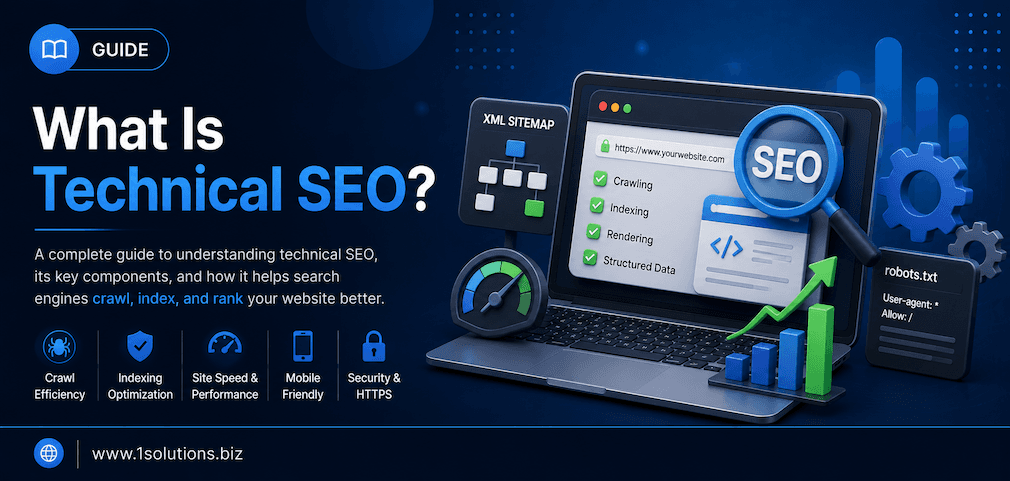
Technical SEO covers the behind-the-scenes optimizations that help search engines crawl and index your site correctly. It includes site speed, mobile-friendliness, structured data, security, and more. Without a solid technical foundation, even great content and strong backlinks will underperform.
⚡ Key Takeaways
- Technical SEO is distinct from content and link-building; it focuses on your site’s infrastructure and performance.
- Core Web Vitals are now official Google ranking signals, making page speed a non-negotiable priority.
- A poorly structured site can prevent Google from indexing your pages, no matter how good your content is.
- HTTPS is a confirmed ranking factor; sites without it face both ranking penalties and user trust issues.
- Structured data (schema markup) can earn rich results and significantly improve click-through rates.
- Crawl budget matters most for large sites; wasting it on low-value pages can suppress your best content.
- Fixing technical issues often produces faster ranking improvements than adding new content alone.
The 10 Core Elements of Technical SEO
1. Site Crawlability: Letting Search Engines In
Before Google can rank a single page of your site, its crawlers need to be able to access it. Crawlability refers to how easily search engine bots can navigate your website’s pages and follow its links. If key pages are blocked by your robots.txt file, hidden behind login walls, or unreachable due to broken internal links, Google simply cannot see them.
Your robots.txt file is a plain-text document that tells crawlers which areas of your site they can and cannot access. Misconfigured robots.txt files are a surprisingly common cause of ranking drops. A single incorrect “Disallow” directive can accidentally block your entire website from being crawled. Always audit this file before and after any major site migration or CMS update.
Beyond robots.txt, internal linking plays a massive role in crawlability. Pages with no internal links pointing to them, often called orphan pages, are invisible to bots unless they appear in your sitemap. Strengthening your internal link structure ensures crawlers can discover every important page. Our detailed post on how to use internal links to boost backlink impact goes deeper on this topic.
Crawlability issues are often silent. You will not get an error message; your pages simply will not appear in search results. Use Google Search Console regularly to check your coverage report and identify any pages that are blocked, not indexed, or returning errors.
2. Indexability: Getting Pages Into Google’s Database
Crawlability and indexability are related but not the same thing. A page can be crawled but still not indexed. Indexability refers to whether Google will actually store and categorize a page in its index so it can appear in search results. Several factors block indexation even when crawling works correctly.
The most common culprit is the noindex meta tag. This tag, placed in a page’s HTML head, explicitly tells search engines not to include the page in their index. It has legitimate uses, such as blocking thank-you pages or duplicate filter pages, but when applied incorrectly it creates serious ranking problems.
Duplicate content is another major indexability issue. When multiple URLs serve nearly identical content, Google has to choose which version to index and which to ignore. Without canonical tags, Google makes this decision on its own, and it does not always choose the version you want. According to Ahrefs (2023), 60% of pages have duplicate content issues that affect their ability to rank effectively.
If you have ever wondered why a specific page is not showing up in Google, our breakdown of why Google is not indexing your page covers 10 real reasons with actionable fixes for each one.
3. Site Speed and Core Web Vitals: Performance as a Ranking Signal
Page speed has been a ranking factor for years, but Google made it more precise in 2021 by introducing Core Web Vitals as official signals. These three metrics measure real-world user experience: Largest Contentful Paint (LCP), which tracks loading performance; Interaction to Next Paint (INP), which measures responsiveness; and Cumulative Layout Shift (CLS), which captures visual stability.
According to Google’s own research (2023), pages that meet Core Web Vitals thresholds are 24% less likely to be abandoned by users before the page finishes loading. That directly affects both rankings and conversions. Portent (2022) found that a site that loads in 1 second has a conversion rate three times higher than a site that loads in 5 seconds.
Common speed killers include unoptimized images, render-blocking JavaScript, excessive third-party scripts, and slow server response times. Tools like Google PageSpeed Insights, Lighthouse, and GTmetrix help identify specific bottlenecks. For ecommerce sites especially, speed optimization is critical because every second of delay reduces revenue. Explore our ecommerce SEO packages for a structured approach to performance alongside rankings.
💡 Pro Tip: Compress images with next-gen formats like WebP, defer non-critical JavaScript, and use a content delivery network (CDN) to serve assets from locations closer to your users. These three steps alone often produce dramatic speed improvements.
4. Mobile-Friendliness and Mobile-First Indexing: The Dominant Channel
Google switched to mobile-first indexing for all websites as of 2023, meaning it primarily uses the mobile version of your site for crawling, indexing, and ranking. If your desktop site is polished but your mobile experience is clunky, slow, or missing content, your rankings suffer regardless of how good your desktop version looks.
According to Statista (2024), mobile devices account for approximately 60% of global web traffic. That number makes mobile optimization not just a technical checkbox but a business necessity. A responsive design that adapts fluidly to any screen size is the most reliable approach. Avoid separate mobile URLs when possible, as they create duplicate content complexity and are harder to maintain.
Mobile-friendliness also goes beyond responsive layouts. Tap targets need to be large enough for fingers, font sizes need to be readable without zooming, and pop-ups that block the entire screen are explicitly penalized by Google under its intrusive interstitials policy. Test your site using Google’s Mobile-Friendly Test tool and review mobile usability errors in Google Search Console’s enhancement reports.
If you are running a WordPress site, your theme and plugin choices heavily influence mobile performance. A bloated page builder can introduce significant render-blocking code that destroys mobile load times. Working with an experienced WordPress development company ensures your site is built with performance and mobile compliance from the ground up.
5. HTTPS and Site Security: Trust Signals That Affect Rankings
Google confirmed HTTPS as a ranking factor back in 2014, and its importance has only grown since. HTTPS encrypts data transmitted between your server and your visitors, protecting sensitive information and building user trust. Sites still running on HTTP display a “Not Secure” warning in Chrome, which damages credibility before a user even reads a single word.
Migrating from HTTP to HTTPS involves obtaining and installing an SSL/TLS certificate, updating all internal links to use HTTPS, setting up 301 redirects from HTTP to HTTPS versions, and updating your sitemap and Google Search Console settings. Missing any of these steps causes crawl errors, mixed content warnings, or ranking fluctuations during the transition.
Beyond SSL certificates, technical site security also includes protecting against malware, enforcing proper server-level access controls, and avoiding server misconfiguration that could expose sensitive directories. Google’s Safe Browsing flags sites with malware or phishing content, and a flagged site loses rankings almost immediately. If your site has been penalized for security or link-related issues, our Google penalty recovery service can help you diagnose the problem and restore your rankings systematically.
6. XML Sitemaps: Your Site’s Navigation Guide for Crawlers
An XML sitemap is a structured file that lists all the important URLs on your website, helping search engines discover and prioritize pages for crawling. While a good internal link structure should help crawlers find most pages naturally, sitemaps serve as an explicit directory, especially useful for large sites, new sites with few backlinks, or sites with content that is harder to reach through navigation alone.
A well-maintained sitemap includes only canonical, indexable URLs. Common mistakes include listing pages with noindex tags, including redirected URLs, or adding pages that return 4xx or 5xx errors. Any of these signals a conflict to Google: your sitemap is saying “please index this page” while your page tags are saying “do not index this page.” Google will follow the tag, but the conflict wastes crawl budget.
Submit your sitemap through Google Search Console and monitor it for errors. For large ecommerce or news sites, consider segmenting your sitemap into smaller files grouped by content type, such as products, blog posts, and category pages. This makes it easier to diagnose issues when specific content types are not being indexed correctly. Our resource on SEO strategies for Google News article ranking covers sitemap best practices specifically for news content.
💡 Pro Tip: Set your sitemap to auto-update whenever new content is published. Most CMS platforms, including WordPress with plugins like Yoast or Rank Math, handle this automatically. Manual sitemaps fall out of date quickly and create more problems than they solve.
7. Structured Data and Schema Markup: Speaking Google’s Language
Structured data is code added to your HTML that explicitly tells search engines what your content is about, using a standardized vocabulary from Schema.org. When implemented correctly, structured data can trigger rich results in search, such as star ratings, FAQs, recipe cards, product prices, and event details, directly in the search engine results page (SERP).
According to Search Engine Land (2023), pages with structured data see an average 20-30% higher click-through rate compared to equivalent pages without it. That is a significant organic traffic gain that requires no additional content creation, just better code annotation.
Common schema types include Article, Product, FAQPage, BreadcrumbList, LocalBusiness, and HowTo. Each type has its own required and recommended properties. Incomplete or incorrect schema can result in Google ignoring it entirely or, in rare cases, triggering a manual action if it is used deceptively to misrepresent page content.
Structured data also plays a growing role in how AI-powered search features interpret and surface content. As tools like Google’s AI Overviews increasingly pull answers from structured, machine-readable sources, having schema markup in place gives your content a better chance of being selected. Our comparison of Google AI Mode vs AI Overviews explains how these systems work and what they look for.
8. Canonical Tags: Resolving Duplicate Content at the Source
Duplicate and near-duplicate content is one of the most persistent technical SEO problems, especially on ecommerce sites where the same product might be accessible through multiple URL paths due to filters, sorting parameters, or tracking codes. Canonical tags tell Google which version of a URL is the “official” one that should receive ranking credit.
A canonical tag looks like this in your HTML head: <link rel="canonical" href="https://example.com/preferred-url/" />. It points to the preferred version of the page. When Google sees this tag, it consolidates signals (like links and crawl data) to the canonical URL and avoids splitting authority across duplicates.
Self-referencing canonicals, where a page points to itself, are also recommended even when no duplicate exists. This is a defensive measure that prevents accidental canonicalization if someone links to your page with UTM parameters or session IDs appended. Canonical tags require careful attention during site migrations, redesigns, or when switching between HTTP and HTTPS, as canonicals can accidentally point to the wrong domain or protocol version.
It is worth noting that canonical tags are hints, not directives. Google does not always honor them, particularly if there are contradictory signals elsewhere on the page or if the canonical URL is not crawlable. Pair your canonicals with consistent internal linking and proper redirect structures to give Google the clearest possible signals.
9. Crawl Budget Optimization: Making Every Bot Visit Count
Crawl budget refers to the number of pages Googlebot is willing to crawl on your site within a given time frame. For most small sites, crawl budget is not a concern because Google can easily crawl every page. For large sites with thousands or millions of URLs, however, crawl budget becomes critical. If Googlebot wastes its visits on low-value pages like filtered search results, session-based URLs, or thin paginated pages, your important pages may not be crawled and indexed as frequently as they should be.
Managing crawl budget involves several tactics: blocking low-value URL patterns through robots.txt, using noindex on thin or duplicate pages, reducing redirect chains that consume crawl resources, fixing broken links that lead bots to dead ends, and ensuring your site architecture keeps important pages close to the homepage in terms of link depth.
According to Screaming Frog’s technical SEO research (2023), the average enterprise website has 35% of its pages classified as low-value or problematic in some way. That is a significant portion of crawl budget being wasted. Auditing your site’s URL structure and identifying pages that add no unique search value is a foundational step in crawl budget management.
For a comprehensive look at your current SEO performance and where technical gaps are costing you, explore our full range of professional SEO services designed to cover both technical and strategic optimization.
💡 Pro Tip: Use Google Search Console’s Crawl Stats report to see how often Googlebot visits your site and which pages it spends the most time on. A sudden drop in crawl frequency can be an early warning sign of technical issues that need investigation.
10. URL Structure and Site Architecture: Building for Humans and Bots
A clean, logical URL structure benefits both users and search engines. URLs should be descriptive, use hyphens to separate words, include relevant keywords where natural, and avoid unnecessary parameters, random strings, or deeply nested subdirectories. A URL like /blog/technical-seo-guide/ is far more useful to a crawler than /p=4928?ref=home&cat=3.
Site architecture, meaning how pages are organized and linked together, affects how PageRank flows through your site, how quickly crawlers can reach deep pages, and how intuitively users can navigate. A flat architecture, where most pages are reachable within three clicks from the homepage, is generally preferred for SEO. Deep, siloed structures make it harder for both users and bots to find content efficiently.
Breadcrumb navigation is a particularly effective architectural element for both users and search engines. It provides a clear hierarchical trail (Home > Category > Subcategory > Page) that helps crawlers understand content relationships while also triggering breadcrumb-style rich results in Google SERPs when paired with BreadcrumbList schema markup.
Consistent URL patterns also support content analysis and SEO auditing. When your site follows predictable conventions, diagnosing issues becomes much faster. Our resource on boosting SEO with page content analysis shows how architecture and content auditing work together to surface optimization opportunities that might otherwise be missed. For smaller businesses looking to build strong foundations without enterprise-level budgets, our SEO for small business programs include technical audits alongside content and local strategy.
Technical SEO: A Quick Comparison of Common Issues vs. Fixes
| Technical Issue | Common Cause | Primary Fix | Impact Level |
|---|---|---|---|
| Pages not indexed | Noindex tag, robots.txt block | Audit tags and directives | High |
| Slow page speed | Unoptimized images, render-blocking JS | Compress assets, defer scripts | High |
| Duplicate content | Multiple URLs, no canonical tags | Implement canonical tags | High |
| Mobile usability errors | Non-responsive design, small tap targets | Responsive theme, UX fixes | High |
| Missing HTTPS | No SSL certificate | Install SSL, update internal links | High |
| Broken internal links | Content deletion, URL changes | Redirect or re-link | Medium |
| No XML sitemap | CMS not configured | Generate and submit sitemap | Medium |
| Missing schema markup | No structured data added | Add relevant schema types | Medium |
| Crawl budget waste | Low-value URLs crawled | Block via robots.txt or noindex | Medium to High |
| Poor URL structure | Dynamic parameters, no keywords | Rewrite URLs, use redirects | Low to Medium |
Practical Action Plan: Where to Start with Technical SEO
- Do This Now: Run a crawl audit using Screaming Frog or Ahrefs Site Audit to identify broken links, redirect chains, noindex tags on important pages, and missing canonical tags. Fix critical indexability blockers first. Then audit your robots.txt and sitemap for conflicts. These are the issues that prevent your content from appearing in search at all.
- Worth Doing: Measure your Core Web Vitals using Google PageSpeed Insights and Search Console. Identify your worst-performing pages by LCP, INP, and CLS scores and work through image compression, script deferral, and layout stability fixes systematically. Implement schema markup on your highest-value page types such as products, articles, and FAQs.
- Low Priority: Refine your URL structure and site architecture for long-term scalability. This is important work but involves more risk of introducing redirect errors if rushed. Plan URL changes carefully with proper 301 redirects and update internal links before making any structural changes live. Also consider reviewing crawl budget management after resolving the higher-priority items above.
Conclusion: Technical SEO Is the Foundation Everything Else Rests On
Technical SEO is not glamorous, and it rarely gets the credit it deserves compared to content creation or link building. But without a technically sound website, all of that other work is compromised. Search engines cannot rank pages they cannot find, cannot index pages they cannot crawl, and will not favor pages that deliver a poor experience. The 10 elements covered in this guide, from crawlability and indexability through to URL structure and crawl budget, form the non-negotiable foundation of any serious search strategy.
The good news is that fixing technical issues often delivers faster, more measurable results than adding new content alone. A single crawlability fix can unlock rankings for dozens of pages overnight. A speed improvement can lift conversion rates across your entire site. Start with an audit, prioritize the highest-impact issues, and treat technical health as an ongoing discipline rather than a one-time project. For an in-depth look at how AI tools are changing how we diagnose and fix these issues, our guide to AI SEO tools for outranking competitors is worth reading alongside this one.
Frequently Asked Questions About Technical SEO
What is the difference between technical SEO and on-page SEO?
On-page SEO focuses on the content and HTML elements within a specific page, such as title tags, headings, keyword usage, and internal linking from a content perspective. Technical SEO focuses on your website’s infrastructure: how it is built, how fast it loads, how search engine bots can crawl and index it, and how it handles duplicate content, security, and structured data. Both are necessary, but technical SEO creates the foundation that on-page SEO depends on.
How often should I perform a technical SEO audit?
For most websites, a comprehensive technical audit every three to six months is a reasonable cadence. Large ecommerce sites or frequently updated sites may need monthly checks. Beyond scheduled audits, always run a technical review after major events like CMS migrations, redesigns, new plugin installations, or any significant change to your URL structure. Google Search Console provides ongoing monitoring that can alert you to new issues between full audits.
Can technical SEO issues cause a penalty from Google?
Most technical SEO issues result in ranking suppression rather than an official manual penalty. However, some technical problems, like cloaking (showing different content to bots than to users) or manipulative use of structured data, can trigger manual actions. Speed and mobile issues reduce rankings algorithmically rather than through penalties. If you suspect a penalty is affecting your site, a structured recovery process is essential. Our post on Google penalty recovery using smart link building tactics explains the broader recovery framework.
Does technical SEO matter for small websites?
Yes, though the specific priorities differ from large sites. Small websites rarely face crawl budget problems, but they still need HTTPS, mobile responsiveness, fast load times, clean URLs, and proper indexability settings. Even a five-page website can be hurt by a misconfigured robots.txt file or missing canonical tags. The technical basics apply to all sites regardless of size, and getting them right from the start is far easier than fixing them later after content has grown. Our local SEO packages include technical auditing specifically sized for smaller site footprints.
How does technical SEO relate to AI search and the future of search?
AI-powered search features like Google’s AI Overviews increasingly pull answers directly from well-structured, machine-readable content. Structured data, clean architecture, and fast-loading pages all make your content easier for AI systems to process and surface. As search evolves, technical SEO becomes more important, not less, because AI models prioritize content they can reliably parse and attribute. Our guides on improving visibility in AI search engines and LLM optimization for AI search ranking explore how technical foundations tie directly into AI search readiness.