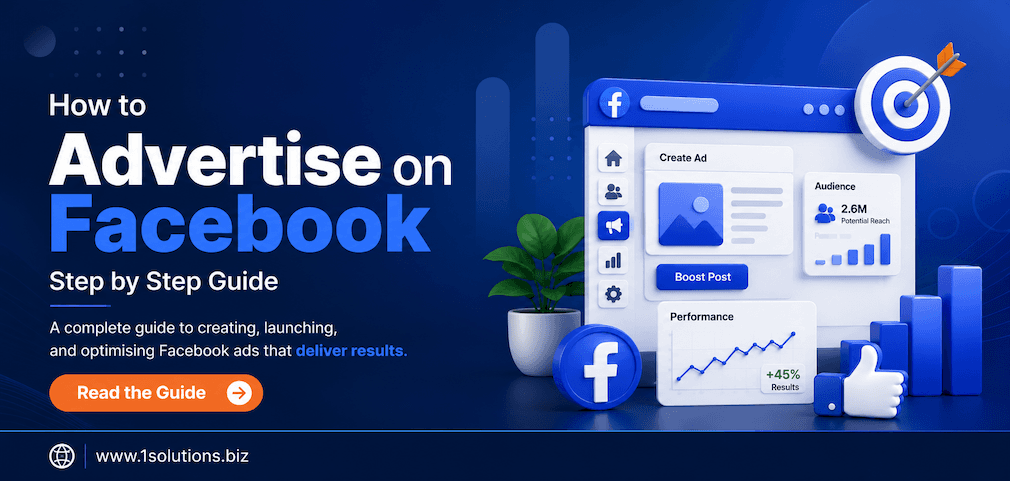
If you want to reach a massive, highly targetable audience without wasting your budget, Facebook advertising is still one of the most powerful tools available. This Facebook Advertising Guide walks you through every step, from creating your first campaign to optimizing for real results. Whether you are a small business owner running your first ad or a marketer looking to sharpen your approach, this guide covers what actually works and where the common pitfalls lie.
Facebook advertising lets businesses reach billions of users through highly targeted paid campaigns. This guide covers how to set up Facebook Ads Manager, choose campaign objectives, define audiences, create compelling ads, set a budget, and optimize for performance. It also addresses where advertisers typically go wrong and how to avoid those mistakes.
⚡ Key Takeaways
- Facebook has over 3.07 billion monthly active users as of 2024, making it the world’s largest social network (Meta, 2024).
- Start with a clear campaign objective: awareness, consideration, or conversion. Choosing the wrong one wastes budget fast.
- Custom Audiences and Lookalike Audiences are among the most powerful targeting tools available on any ad platform.
- Your ad creative, especially the first three seconds of video, determines whether users stop scrolling or keep moving.
- Set a realistic daily or lifetime budget and let the algorithm optimize before making major changes.
- Always install the Facebook Pixel on your website before spending a dollar on ads.
- Regular performance reviews and A/B testing are non-negotiable for improving return on ad spend over time.
Why Facebook Advertising Still Matters
Facebook advertising has matured considerably since its early days, but it has not lost relevance. According to Meta’s Q4 2024 earnings report, the platform now serves over 3.07 billion monthly active users globally. More importantly, Meta’s ad revenue reached $164.5 billion in 2024, which signals that businesses of all sizes continue to find measurable value in the platform.
The real appeal is targeting precision. You can reach people based on demographics, interests, behaviors, life events, and even their relationship to your existing customers. No other channel combines reach and granularity quite the same way. That said, increased competition has driven up costs, and the platform’s algorithm changes frequently. Going in without a plan means burning through budget without results.
If you are also exploring how social media platforms compare for organic reach and advertising, our overview of the top 100 social media sites is a good starting point for context.
Step 1: Set Up Facebook Ads Manager
Everything in Facebook advertising runs through Ads Manager. This is your central hub for creating campaigns, managing budgets, reviewing performance, and making optimizations. Here is how to get started:
- Create a Facebook Business Account: Go to business.facebook.com and set up your Business Manager account. This separates your personal profile from your ad activity and allows you to manage multiple pages and ad accounts.
- Add your Facebook Page: Link the business page you want to advertise. If you do not have one, create it first. Your page is the identity behind your ads.
- Set up an Ad Account: Within Business Manager, go to Ad Accounts and create a new one. You will need to add a payment method before running any campaigns.
- Install the Meta Pixel: This is a small snippet of code you place on your website. It tracks user behavior, measures conversions, and powers retargeting. Without it, you are flying blind. Add it through Events Manager in Business Manager.
💡 Pro Tip: Install the Meta Pixel before launching any campaign, even if you are not ready to run retargeting ads yet. The pixel needs time to collect data, and that data makes every future campaign more effective.
Step 2: Choose the Right Campaign Objective
When you create a new campaign in Ads Manager, the first decision is your objective. Meta organizes objectives into three stages based on the traditional marketing funnel:
| Funnel Stage | Campaign Objective | Best Used For |
|---|---|---|
| Awareness | Brand Awareness, Reach, Video Views | Introducing your brand to new audiences |
| Consideration | Traffic, Engagement, Lead Generation, Messages | Driving interest and interaction |
| Conversion | Sales, App Installs, Store Traffic | Getting people to take a specific action |
Choosing the wrong objective is one of the most common and costly mistakes. If you select Traffic when you actually want purchases, Facebook will optimize to send clicks to your site regardless of whether those visitors buy anything. For ecommerce businesses, the Sales objective combined with Pixel-based conversion tracking is usually the right starting point. For ecommerce marketing in particular, getting this step right has a compounding effect on every other decision you make.
Step 3: Define Your Target Audience
Facebook’s targeting capabilities are genuinely impressive, but more options do not always mean better results. Narrowing too aggressively limits reach; being too broad wastes budget. Here are the core audience types available:
Core Audiences
Built using Facebook’s own demographic and interest data. You can target by age, gender, location, language, interests, and behaviors. This works well for cold audiences when you do not yet have customer data to work from.
Custom Audiences
Upload a customer email list, use your website Pixel data, or target people who have engaged with your Facebook page or Instagram profile. These audiences are warmer and typically convert at higher rates because they already have some familiarity with your brand.
Lookalike Audiences
Feed Facebook a source audience, such as your existing customers, and it will find people who share similar characteristics. A 1% Lookalike is the tightest match and usually performs best for conversions. This is one of the most effective scaling tools on the platform.
💡 Pro Tip: Avoid stacking too many detailed targeting interests together. Facebook works best when you give its algorithm room to optimize. Start broader than you think you need to, then tighten based on performance data after a week or two.
Step 4: Select Ad Placements
Meta offers placements across Facebook, Instagram, Messenger, and the Audience Network. You can choose Advantage+ placements (formerly automatic) or select manually. Here is the honest trade-off: automatic placements generally deliver the best cost-per-result because Meta’s algorithm shifts budget toward wherever your audience is responding. Manual placements give you control but require more active management and can accidentally restrict reach.
For most advertisers starting out, Advantage+ placements are the safer choice. As you gather data, you can review performance by placement in Ads Manager and exclude the ones that drain budget without results.
Step 5: Set Your Budget and Bidding Strategy
You have two budget options: daily budget, which sets the maximum you spend per day, and lifetime budget, which sets the total spend across the campaign’s run time. For testing new audiences or creatives, daily budgets give you more flexibility. For campaigns with fixed end dates, like a product launch or seasonal promotion, lifetime budgets work better.
On bidding, most advertisers should start with Meta’s default bid strategy, which is lowest cost. This lets the algorithm find conversions as cheaply as possible within your budget. Cost cap and bid cap strategies are useful once you have conversion data and a clear target cost per result, but they can throttle delivery if set too aggressively early on.
According to WordStream’s 2024 Facebook Ads Benchmark Report, the average cost-per-click across all industries is approximately $1.72, while the average cost-per-thousand-impressions sits around $14.40. These numbers vary widely by industry, audience, and creative quality, so treat them as reference points rather than guarantees.
Step 6: Create Your Ad Creative
Creative is where campaigns are won or lost. Your targeting can be perfect and your budget reasonable, but if the ad itself does not stop someone mid-scroll, none of the rest matters. Facebook supports several ad formats:
- Single Image Ads: Clean, straightforward, and easy to produce. Best for simple offers or brand messages.
- Video Ads: Higher engagement potential. The first three seconds must be compelling enough to stop scrolling. Keep them concise, ideally under 30 seconds for most objectives.
- Carousel Ads: Multiple images or videos in a swipeable format. Excellent for showcasing a product range or telling a step-by-step story.
- Collection Ads: Opens into an instant experience on mobile. Particularly effective for ecommerce product discovery.
- Lead Ads: Pre-filled forms that stay within Facebook. Reduces friction for lead generation campaigns significantly.
For ad copy, lead with the benefit, not the feature. Address a pain point in the headline or first line, then explain how your product or service solves it. Include a clear call to action. And always match the message in the ad to the landing page the user reaches, because a disconnect there destroys conversion rates.
If you need help building or refining ad copy that actually converts, working with a team that offers professional content and copywriting services can make a measurable difference.
Step 7: Review and Launch Your Campaign
Before hitting publish, run through this checklist:
- Campaign objective is aligned with your actual goal.
- Pixel is installed and firing correctly on your website’s confirmation or thank-you page.
- Audience size is not too narrow: aim for at least 500,000 to 1 million for cold traffic campaigns.
- Ad creative has been previewed across all placements to check for cropping or formatting issues.
- Budget is set and payment method is confirmed.
- Campaign start and end dates are correct if using a lifetime budget.
Once launched, expect a learning phase of roughly 50 optimization events per ad set before the algorithm stabilizes. During this phase, avoid making significant changes. Editing audience, budget, or creative resets the learning phase and delays meaningful performance data.
Step 8: Monitor Performance and Optimize
Running ads without reviewing performance is like driving with your eyes closed. The key metrics to track depend on your objective, but these are universally important:
- Click-Through Rate (CTR): Indicates how compelling your creative and targeting are. A low CTR often means the ad is not resonating.
- Cost Per Result: The most direct measure of efficiency for your campaign objective.
- Return on Ad Spend (ROAS): For sales campaigns, this tells you how much revenue you generate per dollar spent.
- Frequency: How often the same person sees your ad. When frequency climbs above 3-4, you will often see performance decline as ad fatigue sets in.
- Relevance Score / Quality Ranking: Meta’s signals about how well your ad is landing with your audience.
Check in at least twice a week during active campaigns. Look for ad sets that are spending without converting and pause them. Scale ad sets that are hitting your cost-per-result targets by increasing the daily budget by no more than 20% at a time to avoid disrupting the algorithm.
It is also worth making sure your analytics setup is clean. If you are seeing inflated traffic numbers or unusual engagement patterns, learning how to identify and exclude bot traffic from Google Analytics 4 will help you make better decisions from cleaner data.
Common Facebook Advertising Mistakes to Avoid
Even experienced marketers make these errors:
- Skipping the Pixel: No Pixel means no retargeting, no conversion optimization, and no real attribution data.
- Editing campaigns during the learning phase: Let the algorithm gather data before you intervene.
- Using only one creative: Always test at least two to three variations to find what resonates.
- Ignoring ad fatigue: Refresh creative regularly, especially on retargeting campaigns.
- Sending traffic to a weak landing page: Facebook can deliver traffic, but a slow, confusing, or unconvincing landing page will waste every click.
If you are struggling with campaign management alongside everything else your business demands, a dedicated Facebook management service can handle strategy, creative, and optimization so you can focus on running your business.
For businesses comparing ad-supported platforms across their social strategy, understanding timing and audience behavior matters just as much as ad setup. Our analysis of the best time to post on TikTok highlights how platform-specific behavior patterns affect performance across all social channels.
💡 Pro Tip: If your ads are performing well on Facebook but your overall digital presence is inconsistent, your SEO and website experience may be limiting the full impact. A comprehensive digital marketing strategy that connects paid social with organic and content channels tends to produce far stronger long-term results than any single channel alone.
A/B Testing: How to Run Experiments That Actually Teach You Something
Facebook’s built-in A/B testing tool, found in Ads Manager under Experiments, lets you test one variable at a time. The golden rule of A/B testing is to change only one element per test: either the audience, the creative, the placement, or the copy. Testing multiple variables simultaneously makes it impossible to know what caused the difference in performance.
A reliable test needs a large enough sample size to be statistically valid. Facebook will tell you when your test has reached significance. Avoid ending tests early because early data is often misleading. Run tests for at least seven days, and ideally fourteen, to account for day-of-week behavioral variation.
Good creative testing habits compound over time. Each test teaches you something about your audience that makes the next campaign sharper.
Scaling Facebook Ads Without Breaking What Works
Scaling is where many advertisers get overexcited and undo good results. A few principles that hold up consistently:
- Scale vertically by increasing budget on a winning ad set gradually, no more than 20% every few days.
- Scale horizontally by duplicating a winning ad set and testing it against a new audience or creative without changing the original.
- Introduce new creatives before old ones are fully fatigued to maintain momentum.
- Revisit Lookalike Audiences at different percentage tiers (1%, 2%, 5%) as you increase spend.
According to Hootsuite’s 2024 Digital Trends Report, businesses that consistently test and iterate their ad creative see up to 49% lower cost per acquisition compared to those that run static campaigns without variation. That is a meaningful enough difference to take seriously.
Practical Action Section: What to Do and When
- Do This Now: Install the Meta Pixel on your website and verify it is firing correctly using the Meta Pixel Helper browser extension. Without this, every other step in this guide is less effective than it should be.
- Do This Now: Set up your Business Manager account and connect your Facebook Page and ad account. Running ads from a personal account limits your tools and creates administrative headaches.
- Worth Doing: Create at least three ad creative variations for your first campaign and use Facebook’s A/B testing tool to identify which performs best within two weeks of launch.
- Worth Doing: Build a Custom Audience from your existing customer email list or website visitors. These audiences will almost always outperform cold interest-based targeting for conversion campaigns.
- Low Priority: Explore advanced bidding strategies like cost cap or minimum ROAS bidding. These are useful, but only after your campaigns have exited the learning phase and generated enough conversion data to set meaningful targets.
- Low Priority: Experiment with Advantage+ Shopping Campaigns or AI-driven ad formats. These are worth testing eventually, but mastering the fundamentals first gives you a much better baseline for comparison.
Facebook Advertising Guide: Key Takeaways and Next Steps
This Facebook Advertising Guide has walked you through the full process: from account setup and campaign objectives to audience targeting, creative development, budgeting, and ongoing optimization. The platform is powerful, but it rewards patience and process over impulsiveness. No campaign is perfect from day one. What separates successful advertisers from those who give up is the willingness to test, learn, and iterate.
If your business also has a presence on other platforms or you are thinking about how ecommerce fits into your advertising mix, it is worth reading our comparison of WooCommerce vs Shopify to understand which backend setup best supports your Facebook shopping campaigns. And if your digital presence is not yet where it needs to be to support paid traffic, investing in SEO for small business alongside your ad spend helps build a more sustainable long-term growth foundation.
For businesses looking to go deeper on social strategy beyond Facebook, understanding how Instagram shadowbans work and how to avoid them is increasingly relevant as the two platforms share infrastructure. Our breakdown of Instagram shadowbans covers what triggers them and how to recover.
Frequently Asked Questions
How much does it cost to start advertising on Facebook?
There is no formal minimum, but most advertisers see meaningful data with at least $10 to $20 per day per ad set. Spending less than that often results in too little data to optimize effectively. For testing new creatives or audiences, a budget of $300 to $500 over two weeks gives you enough signal to make informed decisions.
Do I need a website to run Facebook ads?
Not necessarily. Lead generation campaigns using Facebook’s native lead forms do not require a website. However, for most business goals, especially sales and conversions, having a website with the Meta Pixel installed dramatically improves campaign performance and measurement accuracy.
How long does it take to see results from Facebook ads?
Most campaigns enter a learning phase that lasts roughly one to two weeks. During this time, performance data can be volatile. Realistic evaluation of whether a campaign is working should happen after at least two to three weeks of consistent spending, not after the first two or three days.
What is the difference between boosting a post and running a campaign through Ads Manager?
Boosting a post is a simplified advertising option with limited targeting and optimization controls. Running a campaign through Ads Manager gives you access to the full suite of objectives, audience tools, placement options, creative formats, and analytics. For serious advertising goals, Ads Manager is always the better choice.
How do I know if my Facebook ads are actually working?
Define your success metric before you launch. For sales campaigns, track ROAS and cost per purchase. For lead generation, track cost per lead. For awareness, track reach and frequency. Compare your results against industry benchmarks and your own previous campaigns, and ensure your Pixel is accurately attributing conversions so your data is trustworthy.