Why Is Your Bounce Rate So High? Let’s Break It Down
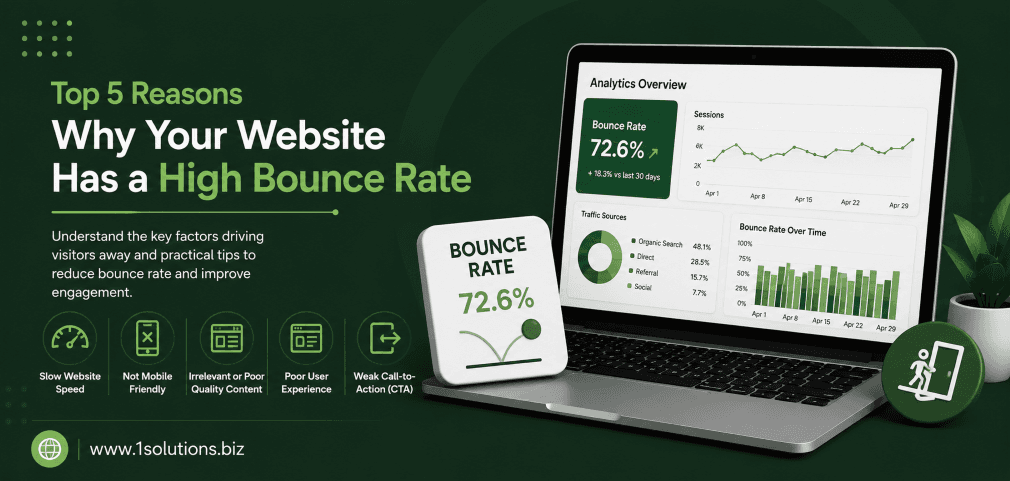
If visitors are landing on your website and leaving almost immediately, you are not alone, but you do have a problem. Understanding the top 5 reasons why your website has a high bounce rate is the first step toward fixing it. A high bounce rate does not just hurt your ego. It directly damages your search rankings, your conversion rates, and ultimately your revenue.
According to Contentsquare’s 2023 Digital Experience Benchmark Report, the average bounce rate across industries sits at around 50%. That means roughly half of all visitors leave without taking a single action. For some industries like e-commerce, even a slightly elevated bounce rate can translate into thousands of dollars in lost sales every month.
This article breaks down the five most common culprits behind a high bounce rate, explains why they matter, and gives you practical steps to fix each one. No fluff, no vague advice.
A high bounce rate is usually caused by slow page speed, poor content relevance, bad mobile experience, confusing navigation, or misleading traffic sources. Each of these problems is fixable with the right strategy, and addressing even one can significantly improve your engagement metrics and conversions.
⚡ Key Takeaways
- Page speed is one of the single biggest drivers of high bounce rates, especially on mobile devices.
- Misaligned content, where the page does not match what the visitor expected, causes immediate exits.
- Poor mobile experience affects more than half of all web traffic globally.
- Confusing site navigation forces users to give up and look elsewhere.
- Bad traffic quality from mismatched ads or keywords sends the wrong audience to your pages.
- Fixing your bounce rate requires a combination of technical improvements and content strategy adjustments.
- Regular audits of your page content and traffic sources are essential for maintaining a healthy bounce rate.
What Is a Bounce Rate and Why Does It Matter?
A bounce rate is the percentage of visitors who land on a page and leave without clicking on anything else on your site. In Google Analytics 4, this is measured through “engagement rate,” which is essentially the inverse of the traditional bounce rate metric. A session is considered bounced when a user does not engage for more than 10 seconds, trigger a conversion event, or visit a second page.
A high bounce rate matters for three core reasons. First, it signals to search engines that your content may not be relevant or satisfying to visitors. Second, it means your conversion funnel is broken at the very first step. Third, it wastes your ad spend and SEO investment by bringing people in who immediately walk back out.
Now, let us get into the five real reasons this is happening on your site.
Top 5 Reasons Why Your Website Has a High Bounce Rate
1. Slow Page Load Speed Is Killing Your First Impression
Speed is not just a technical metric. It is a user experience issue, and it is costing you visitors before they even see your content. According to Google’s own research (2022), the probability of a bounce increases by 32% when a page load time goes from 1 second to 3 seconds. That jump becomes 90% when load time goes from 1 second to 5 seconds. These are not marginal differences. They represent a massive portion of your audience that never gets the chance to engage with your content at all.
What causes slow load times? The most common culprits include unoptimized images, excessive JavaScript and CSS files that block rendering, slow server response times, and overloaded shared hosting environments. Many websites also suffer from poorly coded plugins, especially on platforms like WordPress, where plugin bloat is a widespread issue. If you are running a content-heavy or e-commerce site, these problems compound quickly.
The fix starts with measurement. Run your site through Google PageSpeed Insights and GTmetrix to get a clear picture of where the time is being lost. Focus first on your Largest Contentful Paint (LCP) score, which measures how quickly the main content of a page loads. Google recommends an LCP of 2.5 seconds or less. From there, compress images using tools like WebP format, enable browser caching, and consider a content delivery network (CDN) if your audience is spread across multiple geographic areas.
For WordPress users specifically, themes and plugins are the usual suspects. A bloated theme with animations, sliders, and heavy scripts on every page will drag your scores down significantly. Switching to a lightweight theme and auditing your plugin list can make a dramatic difference. If you are unsure where to start, working with a professional WordPress development partner can help you identify and fix performance bottlenecks that are not obvious on the surface.
It is also worth noting that speed improvements have a direct relationship with SEO performance. Core Web Vitals are a confirmed Google ranking factor, which means fixing your load speed does double duty: it reduces bounce rate and improves your search visibility at the same time. Our guide on boosting SEO with page content analysis also touches on how technical and content factors work together to keep visitors engaged.
💡 Pro Tip: Aim for a Time to First Byte (TTFB) under 200ms. If your hosting environment cannot achieve this, it may be time to upgrade your server tier or switch providers entirely. Speed issues at the server level cannot be fixed with front-end optimizations alone.
2. Your Content Does Not Match What Visitors Expected
This is what SEOs call a “relevance mismatch,” and it is one of the most damaging and underdiagnosed causes of high bounce rates. When a visitor clicks on your page from a search result or an ad, they arrive with a specific expectation. If your page content does not immediately confirm that it will deliver what they came for, they leave. This happens in seconds, often before they have even read a single full sentence.
Relevance mismatches happen for several reasons. Your meta title and description may promise something the page does not fully deliver. You may be ranking for a keyword that does not accurately reflect your content. Or you may have written content that is technically on-topic but buried the key information under too much preamble, making the visitor work too hard to find what they need.
According to a study by Nielsen Norman Group (2021), users typically decide within 10 to 20 seconds whether a page is worth their time. That means your headline, opening paragraph, and visual structure need to immediately communicate relevance and value. If your introduction is vague, generic, or slow to get to the point, you lose people before the real content even begins.
Content alignment is also an issue when your SEO strategy targets broad or mismatched keywords. If you are using highly generic terms to attract traffic but your actual offering is specific, you will attract visitors who are not looking for what you have. A stronger approach is to align your content tightly with search intent, whether that is informational, navigational, or transactional. Our article on key SEO strategies for Google article ranking covers how intent alignment affects content performance in detail.
The practical fix here involves auditing your top-bouncing pages in Google Analytics or Search Console, identifying the keywords bringing in traffic, and then honestly assessing whether your page content delivers on those keyword promises. If there is a gap, rewrite your introduction, restructure your headers to front-load key information, and make sure your page answers the most obvious question a visitor would have within the first scroll.
Working with a skilled content and copywriting team can make a significant difference here. Professional writers understand how to structure content so that it immediately validates the visitor’s decision to click, reducing the chance of an early exit.
3. Poor Mobile Experience Drives Users Away Instantly
Mobile traffic now accounts for more than 58% of all global web traffic, according to Statcounter’s Global Stats (2023). If your website delivers a poor experience on smartphones and tablets, you are alienating the majority of your audience before they have a chance to engage. And a poor mobile experience is not just about having a responsive layout. It encompasses font sizes, button placement, tap targets, loading behavior, and how content reflows across different screen sizes.
Many websites that look fine on desktop become difficult or even unusable on mobile. Text that is too small to read without zooming, buttons that are too close together to tap accurately, images that overflow their containers, or pop-ups that cover the entire screen on a small device, all of these create friction that causes visitors to bounce immediately.
Google’s mobile-first indexing means your mobile experience is also your primary SEO footprint. If your mobile pages are slow, hard to read, or cluttered with intrusive interstitials, you are hurting both your bounce rate and your rankings simultaneously. Google’s John Mueller has confirmed that intrusive pop-ups on mobile are a negative ranking signal, particularly when they appear immediately upon page load.
Testing your mobile experience should be a regular part of your site maintenance. Use Google’s Mobile-Friendly Test tool and review your Core Web Vitals scores specifically for mobile devices, which are often significantly worse than desktop scores. Common fixes include increasing tap target sizes to at least 48×48 pixels, using a font size of at least 16px for body text, and ensuring that any pop-ups or overlays are dismissible and do not cover the main content.
For e-commerce sites especially, mobile checkout friction is a critical contributor to bounce and abandonment rates. If your product pages, cart, and checkout are not optimized for mobile interaction, you are losing conversions at every step. Our comparison guide on WooCommerce vs Shopify explores how platform choice affects mobile performance and conversion rates, which is worth reviewing if you are evaluating your current setup.
💡 Pro Tip: Do not just test your site on one phone. Use Chrome DevTools to simulate multiple device sizes including older, lower-resolution models. Many of your visitors are not using the latest flagship smartphones, and your site needs to perform well across a range of devices.
4. Confusing Navigation and Poor User Experience Design
Even if your content is relevant and your page loads quickly, visitors will still bounce if they cannot figure out where to go next. Navigation confusion is a silent bounce rate killer because it is often invisible to site owners who already know their way around. When a first-time visitor cannot immediately identify what your site is about, where to find what they need, or what action to take next, the path of least resistance is to hit the back button and try another result.
This problem shows up in several specific ways. Overcrowded navigation menus with too many options create what psychologists call “choice paralysis.” Unclear page hierarchies where related content is buried several clicks deep make users feel lost. Missing or ambiguous calls to action leave visitors unsure of what you want them to do. Poor visual hierarchy, where everything looks equally important, makes it hard for the eye to settle on the next logical step.
According to a report by Forrester Research (2022), a well-designed user interface can increase conversion rates by up to 200%, while a better overall user experience can raise conversion rates by up to 400%. The inverse is also true: poor UX design directly contributes to high exit rates and low engagement.
Fixing navigation and UX issues requires stepping back and looking at your site through the eyes of someone who has never seen it before. Heatmaps and session recording tools like Hotjar or Microsoft Clarity are invaluable here. They show you exactly where visitors are clicking, where they are getting stuck, and how far they are scrolling before they give up. This kind of behavioral data is far more useful than guessing what users want.
Specific improvements to prioritize include simplifying your top navigation to no more than 5 to 7 primary items, adding clear and specific calls to action on every page, using breadcrumbs on deep pages so users always know where they are, and making your search functionality prominent and fast. Internal linking is another underutilized tool here. Strategically placed internal links guide visitors deeper into your site and signal where the next logical destination is. Our guide on using internal links to boost impact explains how this strategy works at both the UX and SEO level.
It is also worth investing in a professional audit of your site’s information architecture if you have not done so recently. What made sense when you first built the site may no longer reflect how visitors actually think about and navigate your content, especially if your business has grown or your product range has expanded.
5. You Are Attracting the Wrong Traffic in the First Place
Sometimes the problem is not your website at all. It is who is arriving on it. If your traffic acquisition strategy is pulling in visitors who are not genuinely interested in what you offer, no amount of design improvement or content polish will fix your bounce rate. Traffic quality is a fundamental factor that is often overlooked in favor of traffic quantity.
This issue surfaces most commonly in paid advertising campaigns. If your ad copy is vague or overly broad, it attracts clicks from people who were not really looking for your specific product or service. Similarly, if your SEO strategy targets high-volume keywords that do not match your actual offering, you will rank for terms that bring in curious browsers rather than qualified prospects. Both scenarios inflate your bounce rate with unqualified sessions.
Social media traffic is another common source of high-bounce sessions. Visitors arriving from a social post are typically in a browsing mindset rather than an intent-driven one. They are more likely to glance at content and move on unless the page delivers immediate, visually engaging value. This does not mean social traffic is bad, but it does mean your landing pages for social campaigns need to be designed differently than pages optimized for search traffic. Understanding how to structure campaigns properly, as covered in our article on how to advertise on Facebook effectively, helps ensure your social traffic is better targeted and better matched to your landing pages.
Referral traffic from low-quality or irrelevant websites can also inflate your bounce rate. If you are getting links from sites that have nothing to do with your industry or audience, the visitors they send are unlikely to find your content relevant. This is one reason why link building strategy matters beyond just domain authority. The relevance and quality of referring sites affects the quality of traffic they send.
To fix traffic quality issues, start by segmenting your bounce rate data by traffic source in Google Analytics. If one channel has a dramatically higher bounce rate than others, investigate why. Tighten your ad targeting, refine your keyword strategy to focus on intent-aligned terms, and review your backlink profile for sources that are sending irrelevant visitors. Partnering with an experienced SEO services team can help you build a traffic acquisition strategy that attracts visitors who are genuinely aligned with what you offer, reducing bounce rates and improving the quality of every session your site receives.
It is also worth noting that not all high bounce rates are bad. A single-page site or a contact page that gets people to pick up the phone may have a high bounce rate simply because users accomplished their goal and left. Context matters when interpreting your data. Our resource on local AEO best practices for small businesses touches on how to align your visibility strategy with the right audience intent.
💡 Pro Tip: Use UTM parameters on all paid and social campaigns so you can isolate and compare bounce rates by specific campaign, ad set, or keyword. Aggregate bounce rate data hides the nuances you need to make good decisions.
Bounce Rate by Traffic Source: A Quick Reference
| Traffic Source | Typical Bounce Rate Range | Key Fix |
|---|---|---|
| Organic Search | 40% to 55% | Align content with search intent |
| Paid Search (PPC) | 45% to 65% | Tighten ad targeting and keyword match types |
| Social Media | 60% to 80% | Design landing pages for browsing mindset |
| Email Marketing | 30% to 50% | Ensure email promise matches landing page content |
| Direct Traffic | 25% to 40% | Maintain strong UX for returning visitors |
| Referral Traffic | 45% to 70% | Audit referring sites for relevance |
Source: Contentsquare Digital Experience Benchmark Report, 2023. Ranges are indicative and vary by industry.
Practical Action Plan: Fix Your Bounce Rate Step by Step
- Do This Now: Run a Google PageSpeed Insights test on your top 5 highest-traffic pages and document your LCP, FID, and CLS scores. Fix any issues flagged as “Poor” before moving on to anything else. Speed problems compound across your entire site and affect every other effort you make.
- Do This Now: Open Google Analytics and segment your bounce rate by traffic source. Identify which channel has the highest bounce rate and pause or revise any paid campaigns targeting broad, non-specific keywords immediately.
- Worth Doing: Install a session recording tool like Microsoft Clarity (it is free) and review at least 20 recordings of bounced sessions on your most important landing pages. Look for patterns in where users stop scrolling or what they click before leaving.
- Worth Doing: Audit your top-10 highest-bouncing pages. Rewrite the opening paragraph of each to front-load the key value proposition and confirm to the visitor within seconds that they are in the right place.
- Low Priority: Conduct a full information architecture review, mapping out every page on your site and how they connect. This is a longer-term project but pays dividends in both UX and SEO as your site grows.
- Low Priority: Review your backlink profile for referring domains that are sending irrelevant traffic. Disavow or simply ignore low-quality links, but focus your energy on building relevant referral sources that send qualified visitors.
Conclusion: Fixing Your Bounce Rate Is a Multifaceted Project
The top 5 reasons why your website has a high bounce rate are rarely isolated from each other. A slow site also tends to have UX problems. Poor traffic quality often goes hand in hand with content relevance issues. That is why the most effective approach is a systematic audit rather than a single quick fix.
Start with the highest-impact issues first, which are almost always speed and content relevance, and work your way down the list. Track your changes using Google Analytics so you can see what is moving the needle and what is not. Bounce rate improvement is not a one-time project. It is an ongoing discipline that improves your site’s performance across every metric that matters.
If you want to take a more strategic approach to reducing bounce rates and improving overall site performance, connecting with a team that specializes in end-to-end digital marketing services can accelerate your progress significantly. The right expertise makes the difference between guessing and knowing exactly where to focus your effort.
Frequently Asked Questions
What is considered a good bounce rate for a website?
A bounce rate between 26% and 40% is generally considered excellent. Rates between 41% and 55% are average, and anything above 70% typically signals a problem worth investigating. However, context matters: a blog post or informational page may naturally have a higher bounce rate than a product page or homepage.
Does a high bounce rate directly hurt my Google rankings?
Google has not confirmed that bounce rate is a direct ranking factor, but poor engagement signals, including high bounce rates, can correlate with lower rankings because they reflect a poor user experience. Factors like Core Web Vitals, which relate closely to why visitors bounce, are confirmed ranking signals. Improving bounce rate almost always improves other signals that do matter to rankings.
How do I find which pages have the highest bounce rates?
In Google Analytics 4, navigate to Reports, then Engagement, then Pages and Screens. You can add a comparison to see engagement rate (the inverse of bounce rate) by page. Sort by sessions to focus on high-traffic pages first, then prioritize pages with engagement rates below 30% for immediate attention.
Can pop-ups cause a high bounce rate?
Yes, particularly on mobile devices. Pop-ups that appear immediately upon page load, cover the main content, or are difficult to dismiss are a known cause of high bounce rates and are a negative signal in Google’s mobile search ranking system. If you use pop-ups, configure them to appear after a delay or after a user has scrolled at least 50% down the page.
How long does it take to see improvement after fixing bounce rate issues?
Technical fixes like speed improvements can show results within days as returning visitors and new crawls reflect the changes. Content and UX changes typically take 2 to 6 weeks to show meaningful improvement in your analytics data, depending on your traffic volume. Paid traffic changes can show improvement almost immediately after you update your targeting or ad copy.