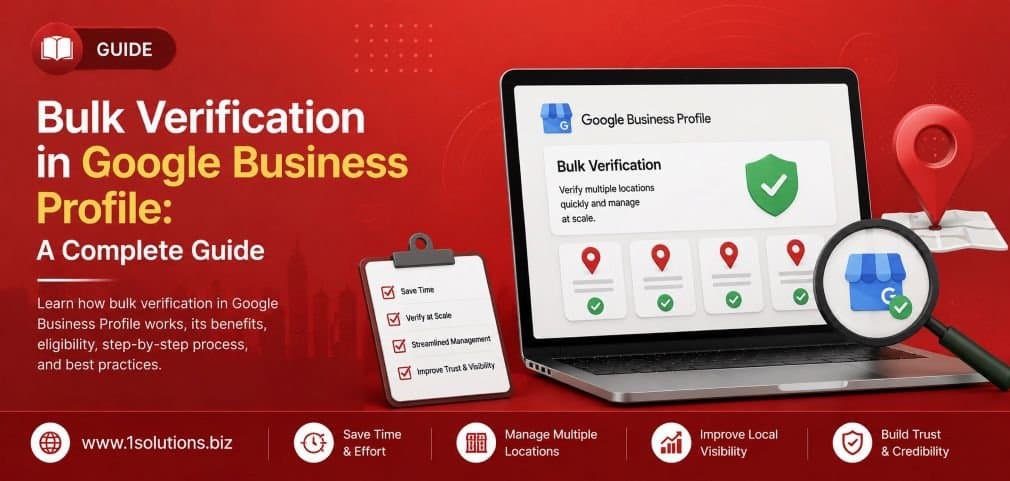
If you manage more than ten business locations, verifying each one individually through Google Business Profile can feel like an endless administrative task. Bulk verification exists precisely to solve that problem. Instead of submitting postcard requests or video verifications one location at a time, qualifying businesses can verify all their listings in a single structured process. This guide walks you through every step, explains who qualifies, and covers the common mistakes that delay approval.
Bulk verification in Google Business Profile lets businesses with 10 or more locations verify all listings at once through a single spreadsheet submission reviewed by Google. You must meet eligibility requirements, submit accurate location data, and pass Google’s manual review. Done correctly, it saves significant time and protects your local search visibility across all locations.
⚡ Key Takeaways
- Bulk verification is only available for businesses managing 10 or more locations under the same account.
- You must use a Business Account (not a personal Google account) to apply for bulk verification.
- Google reviews bulk verification requests manually, so approval can take up to a week or more.
- Each location’s data in your spreadsheet must be accurate and consistent to avoid rejection.
- Verified listings directly improve local search rankings and Google Maps visibility.
- Avoid common errors like mismatched phone numbers, duplicate listings, or incomplete addresses.
- After verification, ongoing profile management is essential to maintain ranking performance.
What Is Bulk Verification in Google Business Profile?
Bulk verification is a feature within Google Business Profile that allows multi-location businesses to verify ten or more locations in a single submission rather than going through individual verification methods for each one. Instead of receiving postcards for every address or completing separate video verifications, you upload a structured spreadsheet containing all your location data and submit it to Google for a manual review.
This process is particularly valuable for franchise operators, retail chains, service businesses with multiple branches, and agencies managing listings on behalf of clients. According to BrightLocal’s Local Consumer Review Survey (2023), 98% of consumers used the internet to find information about local businesses, which underlines why having every location properly verified matters for visibility and trust.
It is worth noting that bulk verification is not automatic. Google assigns a human reviewer to assess your submission, which means accuracy in your data matters far more than speed in filling out the form.
Who Qualifies for Bulk Verification?
Not every business can use the bulk verification route. Google applies a clear threshold: you need at least 10 locations to be eligible. Beyond that number, there are a few other conditions worth understanding before you start the process.
- Same business entity: All locations must belong to the same business. You cannot mix different brands or unrelated businesses in one bulk submission.
- Business Account requirement: The submission must come from a Google Business Account, not a personal Gmail account.
- No service-area-only businesses: Businesses that exclusively serve customers at customer locations (without a physical storefront visible to the public) may face additional scrutiny or be ineligible in some cases.
- No individual practitioner profiles: Profiles for individual practitioners within a larger organization, such as doctors or lawyers, are typically not eligible for bulk verification.
If you are managing fewer than 10 locations, you will need to use standard verification methods including video verification, phone verification, or the postcard method. For those growing toward multi-location status, investing in professional local SEO packages early can help you build a strong foundation before scale becomes a challenge.
💡 Pro Tip: Before starting your bulk verification request, audit every location for duplicate listings in Google Maps. Duplicate listings can cause your bulk submission to be rejected or create verification conflicts that delay the entire batch.
Step-by-Step: How to Apply for Bulk Verification
The process has several distinct phases. Follow each one carefully because skipping steps or submitting incomplete data is the most common reason bulk verification requests get delayed or denied.
Step 1: Create or Confirm Your Business Account
Sign in to Google Business Profile using a Google account that is set up as a Business Account. If you have been using a personal Gmail account to manage your listings, create a new Business Account and transfer management rights before proceeding. Google’s verification team expects submissions to come from verified business accounts.
Step 2: Add All Locations to Your Account
Before you can request bulk verification, all locations must already exist as listings in your Business Profile account. You can add them one by one through the dashboard, or use the bulk upload spreadsheet to create them all at once. Go to your Business Profile manager, click “Add business,” and then select “Import businesses” to upload multiple locations using Google’s official spreadsheet template.
Step 3: Download and Complete the Spreadsheet Template
Google provides a specific spreadsheet template for bulk location imports. You can find this by clicking the “Import businesses” option in your profile manager. The spreadsheet includes required fields such as:
- Store code (a unique identifier you assign)
- Business name
- Address lines 1 and 2
- City, state, and zip/postal code
- Country
- Phone number
- Website URL
- Business category
- Hours of operation
Every field must be filled out accurately. Inconsistencies between what you enter here and what appears on your website or other directories can trigger a rejection. This is also a good time to review your data for NAP (Name, Address, Phone) consistency, which is a core factor in local answer engine optimization strategies that directly affect how your listings perform in search.
Step 4: Upload the Spreadsheet
Once your spreadsheet is complete and double-checked, upload it through the “Import businesses” tool. Google will scan the file for formatting errors and flag any rows that contain issues. Fix all flagged errors before moving to the next step. Do not skip this error-checking phase because submitting a file with known issues will slow down the review process.
Step 5: Request Bulk Verification
After your locations are added, navigate to the verification section of your Business Profile manager. With 10 or more unverified locations in your account, Google will present “Chain” or “Bulk” as a verification option. Select it. You will be asked to fill out a verification form that includes:
- Your business name as it appears officially
- Number of locations you manage
- Contact information for the person responsible for the listings
- Your business website
Submit this form. Google will then send a confirmation email acknowledging that your request has been received and is under review.
Step 6: Wait for Google’s Manual Review
This is the part most people find frustrating. Google’s team manually reviews bulk verification requests, and the timeline is not fixed. Some businesses receive approval within a few days; others wait two weeks or more. During this period, do not make major changes to your listing data, as this can reset or complicate the review.
Step 7: Respond to Any Follow-Up Requests
Google’s review team may contact you with questions or ask for additional documentation to confirm your business legitimacy. Respond promptly and provide whatever is requested. Delays in responding will extend the overall verification timeline.
Common Mistakes That Delay or Deny Bulk Verification
Understanding where submissions go wrong is just as important as knowing the correct steps. These are the most frequent issues that cause problems:
| Mistake | Why It Causes Problems | How to Avoid It |
|---|---|---|
| Duplicate listings | Creates conflicts during review | Search and remove duplicates before submitting |
| Inconsistent NAP data | Raises legitimacy flags | Match data across website, directories, and spreadsheet |
| Wrong business category | Can trigger manual scrutiny | Use Google’s official category list |
| Personal Gmail account used | Ineligible for bulk option | Switch to a Business Account first |
| Missing store codes | Spreadsheet errors delay upload | Create unique codes for every location |
| Incomplete address fields | Google cannot map the location | Fill all address fields completely |
Many of these issues are also covered in detail in this resource about Google My Business mistakes that hurt local visibility, which is worth reviewing before you begin your submission.
What Happens After Bulk Verification Is Approved?
Once Google approves your bulk verification request, all eligible locations in your submission become verified. You will see a checkmark or verified status next to each listing in your Business Profile manager. At this point, your listings can begin appearing more prominently in Google Search and Google Maps results for relevant local queries.
Verification alone does not guarantee strong rankings. According to Moz’s Local Search Ranking Factors report (2023), proximity, relevance, and prominence are the three primary factors Google uses to rank local listings. Verification is a prerequisite for competing, not a ranking boost by itself.
After verification, your priority should shift to optimizing each profile. This means adding complete business descriptions, uploading high-quality photos, collecting and responding to reviews, and posting regular updates. Businesses that maintain active, fully optimized profiles consistently outperform inactive verified listings in local search results.
💡 Pro Tip: Set up Google Business Profile notifications so your team is alerted immediately when a customer leaves a review or asks a question. Responding within 24 hours signals active management to both Google and potential customers.
Managing Multiple Verified Locations Effectively
Verification is the starting line, not the finish line. Managing ten, fifty, or hundreds of locations requires a systematic approach. Here is what effective multi-location profile management looks like in practice:
Centralize Your Management Dashboard
Use the Business Profile manager to handle all locations from one interface. Assign location managers for specific branches where local knowledge is important, but keep a central admin account that maintains overall oversight and consistency.
Maintain NAP Consistency Across the Web
Your name, address, and phone number must match across your website, social profiles, and third-party directories. Even minor inconsistencies, such as abbreviating “Street” to “St.” in some places and not others, can create confusion for Google’s algorithms. Working with an agency experienced in comprehensive SEO services can help you audit and correct these inconsistencies at scale.
Create Location-Specific Content
Where possible, give each location its own page on your website with unique, relevant content. This supports the individual listing’s local relevance signal. Generic content copied across all location pages provides minimal SEO value and can even trigger quality issues, similar to what is discussed in strategies around boosting SEO through page content analysis.
Monitor for Unauthorized Edits
Google allows users to suggest edits to business listings. These edits can be applied automatically in some cases. Set up regular monitoring to catch and correct unauthorized or incorrect changes before they affect customer experience or search performance.
How Bulk Verification Fits Into Your Broader Local SEO Strategy
Bulk verification is one component of a larger local digital marketing effort. On its own, it establishes the legitimacy of your locations in Google’s ecosystem. But the real competitive advantage comes from what you build on top of that verified foundation.
According to Google’s own research (2022), businesses with complete and accurate profiles are twice as likely to be considered reputable by consumers. That reputation signal compounds with consistent review management, local link building, and schema markup on your website to create a strong local presence.
For businesses in competitive markets, combining verified profiles with a well-structured digital marketing strategy is what creates measurable differentiation. Verification opens the door; optimization and consistency keep you ahead.
It is also worth staying current on how Google’s search features are evolving. The rise of AI-powered results means local listings are being surfaced in new ways. Understanding the differences between Google AI Overviews and AI Mode can help you anticipate how your verified listings may appear in future search formats.
💡 Pro Tip: After bulk verification, use Google’s Business Profile Insights to track how customers are finding each location, what actions they take (calls, direction requests, website visits), and which profile elements are driving the most engagement. This data should guide your ongoing optimization priorities.
Practical Action Plan: Priority Tiers for Multi-Location Businesses
Use this tiered framework to sequence your efforts effectively after reading this guide:
- Do This Now: Audit all existing listings for duplicate profiles and NAP inconsistencies. Clean up your data before attempting bulk verification. A single duplicate or data conflict can delay your entire submission batch. Also confirm you are using a Business Account, not a personal Gmail account.
- Do This Now: Download Google’s official spreadsheet template and begin populating it with verified location data. Cross-reference each entry against your website’s location pages and any existing directory listings.
- Worth Doing: Assign dedicated profile managers to high-priority locations so that review responses, Q and A activity, and photo updates happen consistently. Set a review response policy so every location follows the same standard.
- Worth Doing: Create or update individual location pages on your website for each listed address. Ensure these pages include unique content, embedded Google Maps, and local schema markup to reinforce each listing’s relevance signals.
- Low Priority: Once bulk verification is approved and profiles are optimized, explore advanced features like Google Posts, product listings, and service menus. These add engagement depth but should not take priority over foundational accuracy and review management.
Bulk Verification vs. Individual Verification: A Quick Comparison
If you are still weighing whether bulk verification is right for your situation, here is an honest look at how it compares to individual verification methods:
Individual verification methods (postcard, phone, video, email) work well for businesses with fewer than 10 locations. They are straightforward and typically faster on a per-location basis. The downside is that at scale, they become unmanageable. Coordinating postcards for 30 locations across different addresses, following up on non-deliveries, and tracking verification status individually is time-consuming and error-prone.
Bulk verification, by contrast, has a longer upfront setup time and a manual review period that you cannot control. But once approved, all locations become verified simultaneously. For businesses planning to continue expanding, bulk verification also scales more cleanly because adding new locations to an already-approved bulk account is simpler than starting fresh verification for each new site.
The honest trade-off: if you need speed and have fewer than 10 locations, individual verification is better. If you have 10 or more and are planning for long-term multi-location growth, bulk verification is the right infrastructure investment.
Frequently Asked Questions
How long does bulk verification take in Google Business Profile?
Google does not publish a fixed timeline for bulk verification reviews. Most businesses report receiving a decision within 3 to 14 business days, but complex submissions or those requiring follow-up documentation can take longer. Submitting clean, accurate data and responding quickly to any follow-up requests from Google’s team helps keep the process moving.
Can I add new locations to an existing bulk verification approval?
Yes. Once your account has been approved for bulk verification, adding new locations is generally simpler. You can add them through the Business Profile manager, and they will typically go through an expedited review process rather than requiring a full new bulk submission. However, each new location still needs to meet Google’s standard guidelines for legitimate business listings.
What happens if my bulk verification request is rejected?
If Google rejects your bulk verification request, you will typically receive an email explaining the reason. Common causes include inconsistent business data, suspected duplicate listings, or the use of a personal account rather than a Business Account. Address the specific issues cited, make corrections to your data, and resubmit. You can also contact Google Business Profile support directly through the Help Center for guidance on resolving specific rejection reasons.
Do all 10 locations need to be in the same city or area?
No. Your locations can be spread across different cities or geographic areas. Bulk verification is not restricted by geography. What matters is that all locations belong to the same business entity and are managed under the same Google Business Account. Each location will appear in local search results relevant to its own address and service area regardless of where other locations are situated.
Will bulk verification affect my existing reviews and listing data?
No. Bulk verification is a status change, not a data reset. Any reviews, photos, posts, or other content already associated with your listings will remain in place after verification is granted. In fact, verified listings are more likely to retain existing content and less likely to have user-suggested edits auto-applied, which is another benefit of completing the verification process promptly.
Conclusion
Bulk verification in Google Business Profile is one of the most practical tools available to multi-location businesses that want to establish a legitimate, visible presence in local search. The process requires careful data preparation, patience during the manual review phase, and ongoing profile management after approval. None of that is complicated, but it does require attention to detail and a commitment to maintaining accurate information across every location you manage.
The businesses that get the most out of bulk verification are those that treat it as the starting point of a systematic local SEO effort rather than a one-time task. Verified profiles, optimized with consistent NAP data, quality photos, active review engagement, and location-specific content, are what consistently appear at the top of local search results. That visibility translates directly into customer calls, direction requests, and visits.
If managing this at scale feels overwhelming, working with specialists who understand both the technical requirements and the ongoing optimization needed can make a significant difference. Explore how structured local SEO packages can support your multi-location growth, or take a closer look at SEO solutions built for businesses at every stage to find the right level of support for where you are now.