Why Your Google Business Profile Might Be Quietly Working Against You
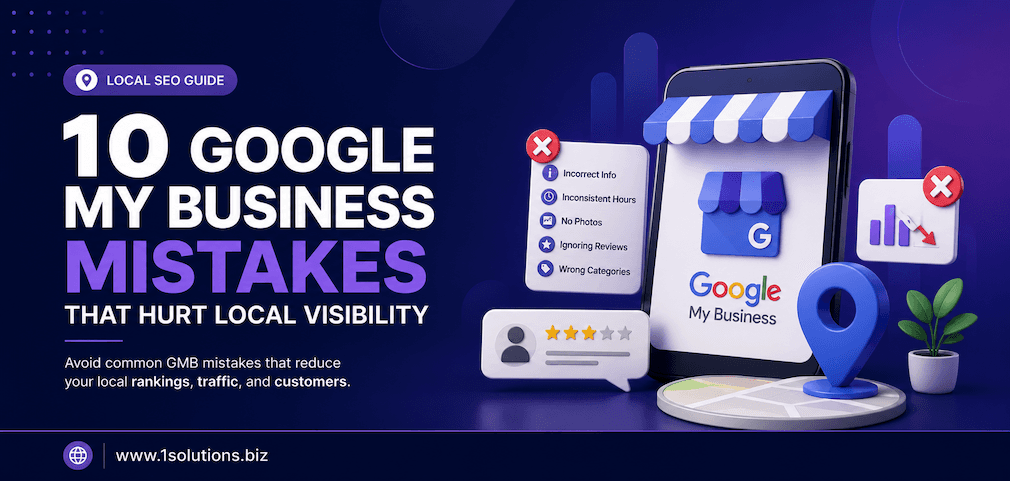
Most local businesses set up their Google Business Profile once and forget about it. That single decision costs them more customers than they realize. The common Google My Business mistakes covered in this guide are not always obvious, and that is exactly what makes them dangerous. They do not trigger warnings or alerts. They simply erode your local search rankings, reduce your map pack appearances, and send potential customers to competitors who have done the basics correctly.
According to BrightLocal (2023), 98% of consumers used the internet to find information about local businesses. Google Business Profile is often the very first thing those consumers see. Getting it wrong is not a minor inconvenience. It is a direct hit to your revenue pipeline.
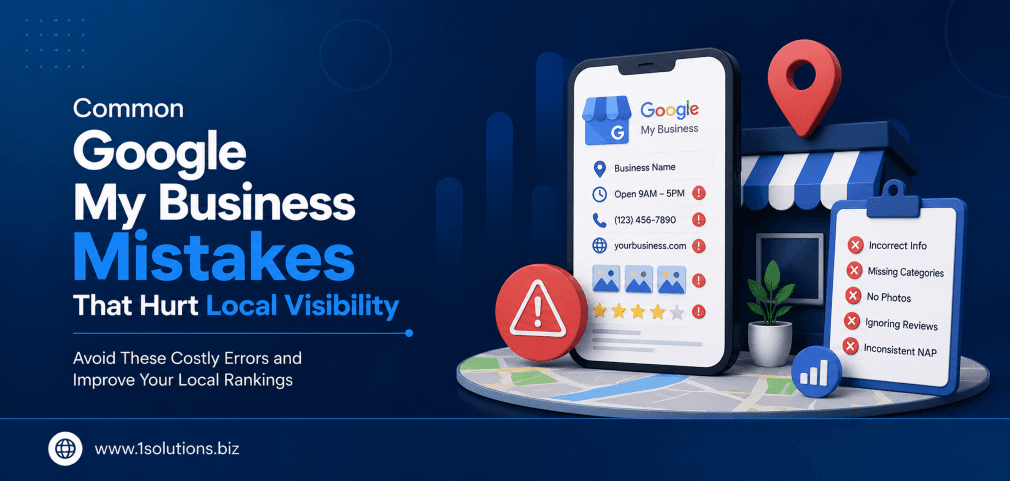
Most local businesses are unknowingly hurting their own Google rankings through avoidable profile errors. This article covers the 10 most damaging Google My Business mistakes, from incomplete profiles and wrong categories to ignored reviews and missing photos. Fix these issues systematically and your local visibility will improve significantly.
⚡ Key Takeaways
- An incomplete or inconsistent business profile is one of the fastest ways to lose local rankings.
- Choosing the wrong primary category can misdirect your entire local SEO strategy.
- Ignoring customer reviews, both positive and negative, signals low engagement to Google.
- Not using Google Posts means missing free, keyword-rich real estate directly on the search results page.
- NAP inconsistency across directories undermines the trust signals Google uses to rank local businesses.
- Photos and videos have a measurable impact on click-through rates and customer actions on your profile.
- Pairing your profile with a well-optimized website dramatically multiplies your local search effectiveness.
1. Leaving Your Business Profile Incomplete
The single most common Google My Business mistake is also the most straightforward to fix: leaving your profile incomplete. Businesses routinely skip sections like the business description, service areas, attributes, opening hours for specific days, and the website URL. Google uses every available signal to assess the relevance and authority of a listing. An incomplete profile tells the algorithm you are not a serious, active business.
Google’s own documentation confirms that businesses with complete profiles are twice as likely to be considered reputable by users. A complete profile includes your business name, address, phone number, website, hours, categories, services, products where applicable, attributes such as accessibility features or payment methods, and a well-written business description using relevant keywords naturally.
The description field allows up to 750 characters. Many businesses use 50 words and move on. That is a missed opportunity to communicate your services, your unique value, and your location context to both Google and potential customers. Think of your profile as a landing page. You would not publish a landing page with half the content missing. Apply the same standard to your Business Profile. If you are working with a professional team on your broader search strategy, pairing this with structured local SEO packages ensures nothing critical gets overlooked during setup.
2. Choosing the Wrong Primary Business Category
Your primary category is arguably the most important single field in your entire Google Business Profile. It tells Google what type of business you are, and it directly determines which search queries your listing is eligible to appear for. Choosing a vague or incorrect primary category is a quiet ranking killer that many businesses never diagnose.
For example, a business that offers both plumbing and HVAC services might select “Contractor” as its primary category when it should select “Plumber” or “HVAC Contractor” depending on its primary revenue source. The difference in search visibility between a specific and a generic category is substantial.
You can and should add secondary categories, but the primary one carries the most weight. Research competitors in the local pack for your most important keywords and check what primary categories they are using. Google provides hundreds of specific categories, and selecting the most precise one available for your core service will consistently outperform a broader catch-all category. This is a five-minute fix with potentially significant ranking implications.
💡 Pro Tip: Use a tool like PlePer or GMBspy to view the categories your top local competitors are using. Match or refine your primary category based on what is actually ranking in your target map pack, not just what sounds right to you.
3. Ignoring or Mishandling Customer Reviews
Reviews are one of the most powerful ranking and conversion signals in local search. According to Whitespark’s Local Search Ranking Factors study (2023), review signals account for a significant portion of Google’s local ranking algorithm, covering quantity, velocity, and diversity of reviews. Yet many businesses either ignore their reviews entirely or respond to them in ways that actively damage trust.
Not responding to reviews, both positive and negative, is a missed engagement signal. Google notices engagement. When you respond to reviews, you are demonstrating that your business is active and attentive. When you ignore negative reviews, potential customers read that silence as confirmation of the complaint.
Responding to negative reviews professionally, without defensiveness and with a genuine attempt to resolve the issue, actually builds more trust than a perfect five-star average. Consumers are increasingly skeptical of businesses with no negative reviews at all. A thoughtful, human response to criticism demonstrates confidence and customer care. If managing your online reputation feels overwhelming at scale, working with a team that specializes in professional reputation management can help you build a systematic response process that protects your brand equity.
4. Inconsistent NAP Information Across the Web
NAP stands for Name, Address, and Phone number. It sounds simple, but NAP inconsistency is one of the most persistent and damaging common Google My Business mistakes. If your business name is listed as “Smith’s Plumbing” on your website, “Smith Plumbing LLC” on Yelp, and “Smith Plumbing and Heating” on your Google profile, Google struggles to confidently confirm your business identity. That uncertainty translates directly into lower local rankings.
The problem compounds over time. Old citations from directory submissions, unchanged after a move or rebrand, create a web of conflicting signals. According to Moz’s Local Search Survey (2022), citation inconsistency remains one of the top reasons local businesses fail to rank in the map pack despite having otherwise solid profiles.
Conduct a full citation audit using tools like BrightLocal or Whitespark. Identify every place your business is mentioned online and standardize the format across all of them. This includes the suite number formatting, whether you use “St.” or “Street,” and whether your phone number uses parentheses or dashes. Consistency at this level of detail signals credibility to the algorithm. For a broader picture of how technical signals affect your search visibility, the guide on why Google is not indexing your pages offers useful parallel insights.
5. Neglecting Google Posts and Profile Updates
Google Posts are free, keyword-rich content slots that appear directly on your Business Profile in search results. They can promote offers, events, new products, and business updates. Most businesses never use them. This is a straightforward missed opportunity that your competitors may already be exploiting.
Google Posts expire after seven days for standard posts, which means consistent publishing is required to keep your profile looking active. An active profile with recent posts signals to both Google and users that your business is operational and engaged. A profile with no posts from the last six months raises doubts about whether the business is still open.
Posts also give you a place to use local and service-specific keywords naturally, reinforcing the relevance signals that influence your map pack ranking. Use them to announce seasonal promotions, share customer success highlights, or promote new service offerings. Consistency matters more than polish here. A brief weekly post beats an elaborate monthly one when it comes to maintaining engagement signals. For businesses looking to understand how search intent and content signals intersect, exploring local AEO best practices provides complementary strategic context.
💡 Pro Tip: Schedule your Google Posts in batches using a content calendar. Align them with your service seasons, local events, or promotional calendar to keep your profile consistently active without requiring daily attention.
6. Not Adding or Maintaining Business Photos and Videos
Visual content on your Google Business Profile has a measurable impact on user behavior. According to Google’s own data, businesses with photos receive 42% more requests for directions and 35% more click-throughs to their websites than businesses without photos. Despite this, a large portion of local business profiles contain either no photos or only a single low-resolution image uploaded at setup.
Photos should cover your exterior so customers can find you, your interior to set expectations, your team to build trust, and your products or services in action. Each image tells a different part of your business story. Video content, even short clips, adds another layer of engagement and is still used by so few businesses that it represents a genuine competitive differentiator.
Beyond the initial upload, photo freshness matters. A profile where all photos are three years old sends a quiet but real signal of neglect. Make adding new photos a monthly habit. Use accurate file names that describe what is in the image before uploading, as this provides an additional relevance signal. Geo-tagged photos add a further layer of local context. Visual content investment is low-cost and high-return in the context of your Business Profile.
7. Selecting Incorrect or Excessive Service Areas
Service area businesses, those that travel to customers rather than receiving customers at a fixed address, often make two related mistakes. The first is setting their service area too broadly, claiming coverage across an entire region when they realistically serve a much smaller area. The second is setting it too narrowly or not setting it at all.
Google’s algorithm is sophisticated enough to recognize when a service area claim is disproportionate to a business’s actual footprint of reviews, citations, and website content. Over-claiming service areas does not expand your rankings. It dilutes the relevance signals you have built in your actual operating area and can result in rankings that are both broad and shallow instead of strong within your genuine service zone.
Set service areas to reflect where you realistically complete jobs and where your reviews and citations are concentrated. Then build your broader digital presence, website content, local citations, and targeted reviews, to expand that footprint over time in a credible way. Businesses working with a comprehensive search engine optimization partner can get strategic guidance on how to scale service area targeting alongside content and citation development.
8. Failing to Use the Q&A Section Strategically
The Questions and Answers section of your Google Business Profile is one of the most overlooked features in local SEO. It functions as a public FAQ, visible to anyone who views your profile. The critical detail that most business owners miss is that anyone can answer the questions posted there. If you do not populate and monitor this section, random users or even competitors can provide inaccurate or unhelpful answers on your behalf.
A smarter approach is to proactively seed this section with your own questions and answers covering the queries you most commonly receive. What are your hours during holidays? Do you offer free estimates? Are you accepting new clients? What payment methods do you accept? Answering these questions yourself, with keyword-rich, helpful responses, puts you in control of the narrative and adds searchable content to your profile.
Monitor the Q&A section regularly for new questions from users and respond to every single one promptly. Unanswered questions create doubt. Google also surfaces Q&A content in knowledge panels and sometimes in featured snippets for local queries. This section is an underused ranking and conversion asset. For additional context on how question-based content affects search visibility, the resource on boosting SEO with page content analysis offers useful tactical parallels.
9. Not Linking to a Well-Optimized Website
Your Google Business Profile and your website function as a system, not as separate assets. The website link on your profile is one of the most important fields you can fill in, and the quality of the website it points to directly affects your local search performance. A profile linking to a slow, unoptimized, or mobile-unfriendly website undermines all the work you have done on the profile itself.
Google’s local ranking algorithm considers the on-page SEO of your linked website when assessing your relevance for local queries. A website with dedicated service pages, location-specific content, and clear NAP information reinforces the signals in your profile. A website that lacks these elements weakens them.
Ensure your website is mobile-optimized, loads quickly, and contains locally relevant content including your city and service area references in page titles, headers, and body copy. Each service you list on your Business Profile should ideally have a corresponding page on your website. This creates a coherent, reinforcing signal system that Google rewards. Businesses without a strong website foundation should consider partnering with a team experienced in building and optimizing local business websites alongside their broader digital marketing strategy. For more foundational context on how search algorithms are evolving, the breakdown of Google AI Overviews versus AI Mode is worth reading as part of your strategic planning.
💡 Pro Tip: Create a dedicated landing page on your website for each service you list on your Google Business Profile. Link your profile to the most relevant page for each service query, not just your generic homepage. This alignment between profile and website content sends stronger relevance signals to Google’s algorithm.
10. Not Verifying or Monitoring Your Profile for Unauthorized Edits
Verification is the starting point for any Google Business Profile, but many businesses treat it as a one-time task rather than an ongoing responsibility. The reality is that Google allows users to suggest edits to any Business Profile. These suggested edits can sometimes be applied automatically, changing your hours, address, phone number, or even your business name without your knowledge or approval.
This is one of the most surprising common Google My Business mistakes because it is not something the business actively does wrong. It is something that happens to an unmonitored profile. Competitors, confused users, or automated systems can inadvertently introduce errors that cost you rankings and misdirect customers.
Set up alerts and log into your Business Profile dashboard at least once a week to review any suggested changes, new reviews, and questions. Enable notifications so Google emails you when edits are proposed. Treat your profile the way you would treat any business asset: with regular attention and protective oversight. For businesses managing multiple locations or high-volume profiles, working with specialists in SEO for small businesses can ensure consistent monitoring and rapid response to any unauthorized changes. You can also review additional detail on these issues at the dedicated resource covering Google My Business mistakes that hurt local visibility to cross-reference these findings with additional context.
Comparison: Profile Health Before and After Fixing These Mistakes
| Profile Element | Neglected Profile | Optimized Profile |
|---|---|---|
| Business Description | Missing or generic | Keyword-rich, 500+ characters |
| Primary Category | Vague or incorrect | Precise, matches top competitors |
| Review Responses | None | All reviews answered within 48 hours |
| NAP Consistency | Varies across directories | Identical across all citations |
| Google Posts | Never used | Updated weekly |
| Photos | One stock image | 20+ real photos, updated monthly |
| Q&A Section | Unmonitored | Proactively seeded and monitored |
| Website Link | Points to slow homepage | Points to optimized service page |
Practical Action Plan: Where to Start
- Do This Now: Audit your profile for completeness, verify your primary category matches your top service, and check that your NAP information is identical on your website, Google profile, and top five directories. These three steps address the highest-impact errors immediately.
- Worth Doing: Set up a weekly Google Posts schedule, respond to all existing unanswered reviews, and proactively seed your Q&A section with your 10 most frequently asked questions. These actions build ongoing engagement signals that compound over time.
- Low Priority: Add geo-tagged photos, explore secondary categories, and research competitor category selections. These refinements add incremental value but should follow the foundational fixes above.
Frequently Asked Questions About Common Google My Business Mistakes
How often should I update my Google Business Profile?
At minimum, review your profile monthly to check for unauthorized edits, update your hours for upcoming holidays, and add new photos. For Google Posts, a weekly publishing cadence is ideal to maintain the engagement signal that Google values in active profiles.
Can a competitor damage my Google Business Profile?
Yes. Competitors or users can suggest edits to your profile, and Google sometimes applies these automatically. Monitoring your profile regularly and enabling edit notifications is the most reliable way to catch and reverse any unauthorized changes before they affect your rankings.
Does responding to every review actually improve rankings?
Review responses are an engagement signal. While Google has not confirmed a direct ranking boost from responses alone, the research consensus from sources like BrightLocal and Whitespark consistently shows that actively managed profiles with high review engagement outperform neglected ones. Responding also improves conversion rates from profile visitors to actual customers.
How many photos should my Google Business Profile have?
Google does not publish a specific number, but data from Google itself shows that profiles with more than 100 photos receive significantly more views. A practical target for most small businesses is 20 to 30 quality photos covering exterior, interior, team, and services, with new images added monthly to maintain freshness signals.
Is my Google Business Profile enough for local SEO, or do I need more?
Your Business Profile is essential but not sufficient on its own. It works best as part of a broader local SEO system that includes an optimized website, consistent citations, a review acquisition strategy, and local content creation. For businesses ready to build that complete system, exploring structured local SEO packages is a logical next step. You can also review the guide on SEO strategies that work for startups for broader foundational context if you are just beginning your local search journey.