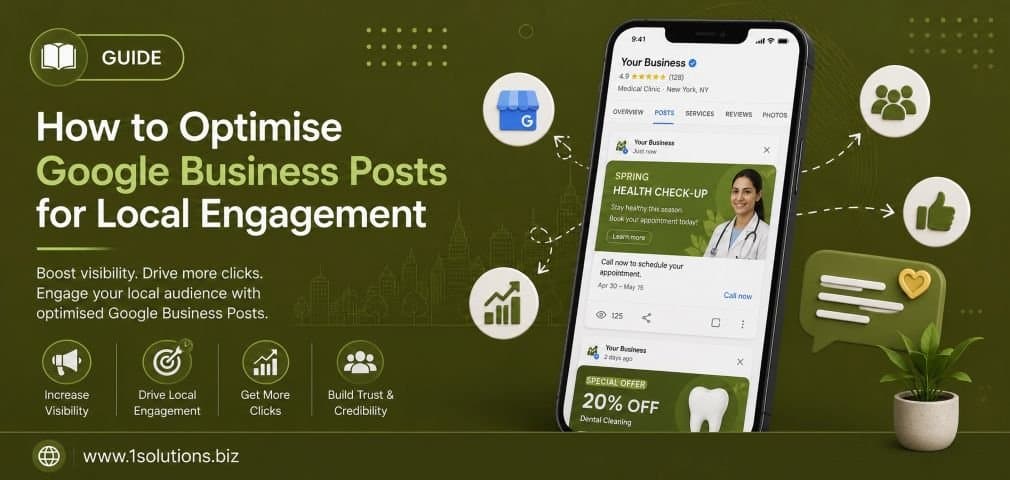
How to Optimise Google Business Posts for Local Engagement (2026 Edition)
If you want to optimise Google Business Posts for local engagement in 2026, you need more than a profile photo and a phone number. Google Business Profile (GBP) has evolved into a dynamic content channel, and the businesses that treat it seriously are winning local search. This guide breaks down exactly what works, what does not, and how to build a posting strategy that drives real foot traffic, calls, and conversions.
Google Business Posts are one of the most underused local SEO assets available for free. Posting consistently with the right format, visuals, keywords, and calls to action significantly improves local pack visibility and customer engagement. This guide gives you a complete 2026 playbook to do it right.
⚡ Key Takeaways
- Post at least once per week to maintain freshness signals in Google’s local algorithm.
- Use offer posts and event posts strategically, not just generic updates.
- Images sized at 1200x900px with real photography outperform stock photos consistently.
- Always include a primary keyword naturally within the first 100 characters of each post.
- Track post performance through GBP Insights and adjust content type accordingly.
- Responding to reviews and Q&A alongside posting compounds your local authority signals.
- AI-assisted tools can help scale post creation without sacrificing local relevance.
1. Understand What Google Business Posts Actually Do
Before optimising anything, you need to understand the mechanism. Google Business Posts appear directly in the Knowledge Panel and local pack results when someone searches for your business name or a related category query. They function like mini social media updates but are indexed by Google and visible in search results, Maps, and increasingly in AI-generated local summaries. According to BrightLocal (2024), 64% of consumers use Google Business Profile to find contact details and business information, making it one of the highest-intent touchpoints in the entire customer journey. Posts give you a chance to surface timely, relevant content at that exact moment of intent. They are not permanent like your business description. Most post types expire after seven days, which means your strategy must be ongoing, not a one-time setup task. Think of them as a rolling editorial calendar for your local audience. The businesses that win in local search treat GBP posts the same way they treat their blog or social content: with planning, purpose, and consistency. If you have been ignoring this feature, you are leaving a genuinely valuable local engagement tool unused. Check out our related post on 10 Google My Business Mistakes That Hurt Local Visibility to see if you are already making common errors before building your new strategy.
2. Choose the Right Post Type for Your Goal
Google Business Profile offers several post types and each serves a different purpose. What’s New posts are your general updates, announcements, or content shares. Event posts allow you to promote specific time-bound activities with a start and end date. Offer posts let you highlight promotions and discounts with optional coupon codes and terms. Product posts allow you to showcase individual items with pricing and a direct link. Choosing the wrong post type is one of the most common mistakes local businesses make. If you are running a seasonal sale, an Offer post will display a special badge in search results that a What’s New post will not. If you are hosting a workshop or community event, an Event post ensures the dates are prominently displayed. Matching your post type to your marketing objective is the foundation of effective optimisation. A restaurant promoting a weekend brunch special should use an Offer post with a booking link. A service business announcing a team expansion should use a What’s New post with a human-interest angle. Getting this right from the start means your content reaches users in the most compelling format possible, improving both click-through and conversion rates without any additional cost.
3. Write Posts That Lead with Local Intent
Your post copy must speak to a local audience, not a generic internet audience. This means referencing local context, seasonal relevance, and community-specific value whenever possible. Do not open a post with your brand name or a vague greeting. Lead with the benefit or the hook. For example, instead of “Smith’s Plumbing is offering discounts this month,” try “Burst pipes in winter? Our emergency team is available 24 hours in your area.” The second version addresses a local pain point immediately. Whitespark’s Local Search Ranking Factors (2023) confirmed that behavioural signals, including click-through rate from search results, are among the top local ranking factors. Posts that earn clicks because they are locally relevant contribute positively to these signals. Keep your first sentence under 100 characters because that is roughly what appears in the post preview before a user clicks. Every character in that preview window is premium real estate. Use plain language, avoid jargon, and write the way your best customers actually speak. If your business serves a specific trade or lifestyle community, use the vocabulary of that community. Local SEO is not just about proximity. It is about relevance, and relevance is communicated through language that resonates with the specific people in your area who need what you offer.
💡 Pro Tip: Write your post copy in a notes app first and read it aloud. If it sounds like a corporate press release, rewrite it. Google Business Posts perform best when they sound like they come from a real person who knows the local community.
4. Optimise Images for Maximum Visual Impact
Images are the single biggest driver of engagement on Google Business Posts, yet most businesses either skip them entirely or upload low-resolution logos that look unprofessional. Google recommends images of at least 720x540px, but in practice, 1200x900px JPG or PNG files at under 5MB consistently perform better in terms of display quality. Use real photography whenever possible. Google’s own data (2022) showed that businesses with photos receive 42% more requests for directions and 35% more website clicks than those without. While that data refers to profile photos, the principle extends to post images because posts with compelling visuals stop the scroll in a way that text-only posts cannot. Avoid heavy text overlays on images as Google has been known to reduce visibility of overly promotional image content in some verticals. Show your team, your product in use, your premises, your event in action. Authenticity outperforms polish in local search. If you are using a smartphone camera, shoot in good natural light and use portrait mode for product close-ups. Batch-create your post images at the start of each month so you are never scrambling for content at the last minute. This workflow approach is part of a broader content efficiency strategy covered in our guide to boosting SEO with page content analysis, which applies equally well to GBP content planning.
5. Build a Keyword Strategy Specific to Local Posts
Keyword optimisation for Google Business Posts works differently from on-page SEO. You are not writing for a crawl-heavy indexation environment. You are writing for a blended algorithm that factors in proximity, relevance, and prominence simultaneously. That said, naturally including your primary service keywords in post copy does reinforce topical relevance signals. If you are a landscaping company, your posts should naturally mention services like “lawn care,” “garden maintenance,” or “seasonal planting” alongside location cues. Do not keyword-stuff. A post that reads “Best plumber London plumbing services London emergency plumber” is not going to help you and may trigger spam filters within GBP itself. The goal is natural language that a helpful employee would actually write. Think about the questions your customers are asking and write posts that answer them. “Not sure when to service your boiler? Here’s the sign most homeowners miss:” is a post that uses natural language while clearly targeting intent. For structured support on implementing a broader local search strategy, our local SEO packages include GBP optimisation as part of a fully managed approach. You can also review the Local AEO Best Practices for Small Businesses for complementary strategies that work alongside your GBP content.
6. Post Consistently Using a Content Calendar
Consistency is the most underrated ranking factor in Google Business Profile optimisation. Businesses that post sporadically, say once a month after they remember, see significantly less engagement than those posting two to three times per week. Google’s algorithm rewards freshness, particularly for businesses in competitive local categories. The practical solution is a content calendar. Plan your posts four weeks in advance, aligning them with your business cycle: promotions, seasonal services, product launches, community events, staff milestones, customer success stories, and educational tips. A content calendar does not need to be complex. A simple spreadsheet with columns for date, post type, headline, copy, image file, and CTA link is sufficient. The discipline of planning in advance also improves post quality because you are writing with purpose rather than scrambling at the last minute. Consider batching your content creation into a single session each month. Write all copy, select all images, and schedule posts using a third-party GBP management tool or post directly through the GBP dashboard. Businesses working with a professional agency benefit from having this handled systematically. Our team at 1Solutions builds and executes these content calendars as part of our broader search engine optimisation services for local businesses across competitive verticals.
💡 Pro Tip: Map your GBP post calendar to your Google Analytics seasonal traffic data. If you see a spike in website visits every October for a particular service, start posting about that service in September. Anticipate demand rather than react to it.
7. Use Calls to Action That Convert
Every Google Business Post allows you to include a call to action button. The available options include: Book, Order Online, Buy, Learn More, Sign Up, and Call Now. Choosing the right CTA button for each post type is critical for conversion. An offer post about a free consultation should use “Book” rather than “Learn More” because it drives the user to a commitment action immediately. A product post should use “Buy” or “Order Online” with a direct link to the product page, not your homepage. Sending users to a homepage from a specific product post creates friction and increases bounce rates, which negatively impacts your overall digital presence. When adding your CTA URL, always use UTM parameters so you can track post-specific traffic in Google Analytics. A simple UTM string like “?utm_source=gbp&utm_medium=post&utm_campaign=offer-june” will give you clear attribution data to evaluate which post types and topics are actually driving business results. This data-driven approach to CTA optimisation is something many businesses skip, leaving them unable to justify or improve their GBP investment. Strong CTAs paired with relevant landing pages can meaningfully increase conversion rates from a channel that costs nothing to use. If your landing pages need work, our digital marketing services team can help align your full funnel from GBP post to conversion.
8. Leverage Offer Posts and Event Posts Strategically
Among all post types, Offer and Event posts generate the highest engagement rates because they communicate time-sensitive value. An offer post with a discount or exclusive deal creates urgency. An event post with a clear date and location drives direct action. For Offer posts, always include: a compelling headline (under 58 characters for full display), a clear discount or value proposition, optional coupon code for tracking, terms and conditions if applicable, and a start and end date. For Event posts, include: event name, date and time, a description that explains who should attend and why, and a link to a registration or information page. One strategic tip many businesses miss is using Event posts for virtual or digital events, not just physical ones. A webinar, an online sale launch, or a social media live session can all be promoted as Event posts in GBP. This expands the utility of the post type well beyond physical location-dependent events. Combining offer and event posts with your email marketing and social channels creates a multi-touch campaign that reinforces your message across platforms. For a complementary perspective on multi-channel promotion, see our post on how to advertise on Facebook step by step, which pairs well with GBP event promotion strategy.
9. Monitor Performance and Iterate Based on Data
Optimisation without measurement is guesswork. Google Business Profile Insights provides data on how many people viewed your posts, clicked your CTA, requested directions, or called your business. Review this data monthly at minimum. Look for patterns: which post types generate the most views, which topics drive the most CTA clicks, which image styles correlate with higher engagement. Over time, you will build a picture of what your specific local audience responds to. This is audience intelligence that is unique to your business and your location, and it cannot be bought or replicated from a competitor’s strategy. Use this data to double down on what works and phase out what does not. If your educational tip posts consistently outperform your promotional posts, that tells you your audience values information over discounts, which should influence your entire content approach. If product posts with real photography outperform those with branded graphics, invest in a quarterly product photography session. The iteration cycle, post, measure, learn, adjust, is the engine of sustainable local engagement growth. This approach mirrors the broader data-driven SEO methodology detailed in our article on key SEO strategies for content ranking, where measurement and iteration are equally central to long-term performance.
10. Stay Ahead of GBP Changes in the AI Era
Google Business Profile is not static. In 2025 and into 2026, Google has been integrating GBP data more deeply into its AI-generated search experiences, including AI Overviews and the emerging AI Mode. Posts, reviews, and Q&A responses are being pulled into these AI summaries, meaning your GBP content now has potential reach far beyond the traditional Knowledge Panel. Understanding how this works gives you a strategic advantage. When AI systems summarise local businesses, they pull from structured, fresh, and authoritative content signals. A business that posts regularly with clear, informative copy is more likely to be referenced in an AI-generated recommendation than a business with a stale profile. For deeper context on how these AI systems are changing local search, read our analysis on Google AI Mode vs AI Overviews and their key differences. Similarly, the rise of agentic browsing tools means automated agents are increasingly performing searches on behalf of users, and a well-structured GBP profile with consistent posts is more machine-readable and actionable for these tools. This is covered in detail in our post on agentic browsers and how they work. The businesses that future-proof their GBP strategy now will maintain a competitive advantage as these AI and agentic search trends accelerate through 2026 and beyond.
Comparison: GBP Post Types at a Glance
| Post Type | Best Use Case | Expiry | CTA Options | Engagement Potential |
|---|---|---|---|---|
| What’s New | General updates, news, tips | 7 days | Learn More, Call Now, Book | Medium |
| Offer | Promotions, discounts, deals | Custom date range | Buy, Order Online, Learn More | High |
| Event | Time-specific events, launches | Event end date | Book, Sign Up, Learn More | High |
| Product | Individual product showcase | No expiry | Buy, Order Online | Medium-High |
⚠ Warning: Do not rely solely on What’s New posts. Businesses that only use one post type are missing significant engagement opportunities. Rotate your post types based on your monthly business objectives to keep your profile dynamic and signals varied.
Practical Action Plan: Priority Tiers
- Do This Now: Audit your current GBP post history. If you have not posted in the last 7 days, your profile is showing stale content. Create and publish a What’s New post today with a real image and a CTA link. Set a weekly reminder to post at minimum once every five days going forward.
- Worth Doing: Build a 30-day content calendar with a mix of post types. Include at least one Offer post per month tied to a real promotion, one Event post if applicable, and two to three What’s New posts with educational or community-focused content. Set up UTM tracking for all CTA links.
- Low Priority: Explore third-party GBP scheduling tools once your manual posting habit is established. Tools like Semrush, BrightLocal, or Hootsuite can streamline scheduling but are only worth the investment once your content strategy is proven and you are ready to scale volume or manage multiple locations.
FAQ: Optimising Google Business Posts for Local Engagement
How often should I post on Google Business Profile?
Post at least once per week as a baseline. Two to three posts per week is optimal for competitive local categories. Consistency matters more than volume. A reliable weekly post is better than a burst of ten posts followed by a month of silence.
Do Google Business Posts directly improve local search rankings?
Posts are not a confirmed direct ranking factor, but they contribute to engagement signals, profile freshness, and relevance, all of which influence local pack performance. The indirect ranking benefit is well documented by practitioners even if Google does not explicitly confirm posts as a ranking variable.
What happens when a post expires?
What’s New posts expire after seven days and are moved to an archive that is not prominently displayed in search. Offer and Event posts expire at their set end date. Expired posts do not penalise your profile, but an empty or stale post section does signal inactivity. Always have at least one active post live.
Should I use hashtags in Google Business Posts?
Hashtags have no functional SEO value in GBP posts as they are not hyperlinked or algorithmically processed the way they are on social platforms. Focus your character count on compelling copy and keywords rather than hashtags, which add visual clutter without benefit.
Can I use AI tools to write Google Business Posts?
Yes, but with caution. AI-generated copy can be a useful starting point, especially for batch content creation. However, always edit for local specificity, brand voice, and accuracy. Generic AI posts that lack local context or authentic detail will underperform posts written with genuine knowledge of your business and community. Use AI as an assistant, not an author.
Conclusion
To optimise Google Business Posts for local engagement in 2026, you need a disciplined, data-informed approach that treats GBP as a live content channel rather than a static directory listing. The businesses winning in local search are posting consistently, choosing the right post types, using real imagery, writing for local intent, and measuring what works. The good news is that this is an entirely free tool with a high ceiling of potential impact. The businesses that invest the time now will see compounding returns in visibility, trust, and customer engagement through 2026 and beyond. If you need expert support building and executing this strategy, our team at 1Solutions has been delivering local search results for over 15 years.