Why the Time to Post on TikTok Actually Matters
If you have ever uploaded a TikTok video that got almost no views despite solid content, timing could be the missing piece. The time to post on TikTok directly influences how quickly the algorithm picks up your content, how many early interactions it receives, and ultimately how far it travels across the For You Page (FYP). Getting the timing right is not a magic trick, but it is one of the most controllable levers you have for improving organic reach.
TikTok’s algorithm evaluates early engagement signals, including watch time, shares, comments, and likes, within the first hour of a post going live. If your audience is asleep when you publish, those signals will be weak, and the algorithm may deprioritize your content before it even has a chance to spread.
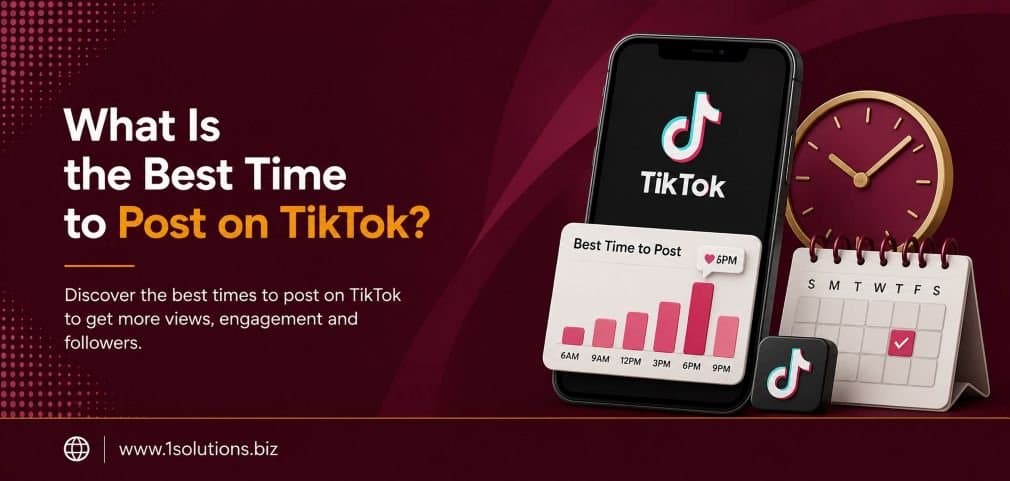
The best time to post on TikTok is generally between 6 AM and 10 AM, and again from 7 PM to 11 PM on weekdays, based on aggregated engagement data. However, your specific audience’s behavior matters most, so using TikTok Analytics to find your personal peak windows is the only reliable long-term strategy. Consistency and content quality still outweigh timing alone.
⚡ Key Takeaways
- Early engagement signals in the first 30 to 60 minutes after posting heavily influence TikTok’s algorithm distribution.
- Globally aggregated best times are a useful starting point, but your own analytics data will always be more accurate for your audience.
- Tuesdays, Thursdays, and Fridays tend to produce the highest engagement rates across most niches.
- Posting too frequently without spacing can cannibalize your own reach by splitting your audience’s attention.
- TikTok Pro/Business accounts unlock the Analytics tab, which is essential for finding your unique optimal posting windows.
- Scheduling tools like TikTok’s native scheduler or third-party platforms allow you to post at peak times without manual effort.
- Even the best posting time cannot compensate for low-quality content. Timing amplifies good content, it does not fix poor content.
Step 1: Understand How TikTok’s Algorithm Uses Timing
Before you pick a posting time, you need to understand why timing interacts with the algorithm the way it does. TikTok does not distribute your video to all your followers at once. Instead, it shows the content to a small test audience first. If that group engages positively, such as watching most of the video, sharing it, or leaving a comment, TikTok pushes the content to a larger batch. This process repeats in waves.
According to Hootsuite’s 2023 Social Media Trends Report, videos that receive strong engagement within the first hour are significantly more likely to be promoted to the FYP, where most discovery happens. If your target audience is inactive during your posting window, that first test group engagement will be low, and the algorithm may simply stop distributing your content.
This is also why the time to post on TikTok matters differently than it does on platforms like Instagram or Facebook, where chronological feeds still play a partial role. TikTok is almost entirely algorithm-driven, so timing affects the quality of your early test audience, not just visibility in a feed.
💡 Pro Tip: Think of your first 60 minutes post-upload as a launch window. Plan to be online, respond to early comments, and boost engagement yourself during this period. Active creators who engage with their own comment sections see meaningfully faster algorithm pickup.
Step 2: Learn the Globally Aggregated Best Times
While your personal analytics will always be the gold standard, aggregated industry data gives you a useful baseline if you are just starting out and have no historical data to work from. Influencer Marketing Hub analyzed over 100,000 TikTok posts in 2023 and identified these peak engagement windows:
| Day of the Week | Best Posting Times (Local Time) | Engagement Level |
|---|---|---|
| Monday | 6 AM, 10 AM, 10 PM | Moderate |
| Tuesday | 9 AM, 12 PM, 6 PM | High |
| Wednesday | 7 AM, 8 AM, 11 PM | Moderate |
| Thursday | 12 PM, 5 PM, 7 PM | High |
| Friday | 5 AM, 1 PM, 3 PM | Very High |
| Saturday | 11 AM, 7 PM, 8 PM | Moderate |
| Sunday | 7 AM, 8 AM, 4 PM | Moderate |
These times reflect aggregated data and should be treated as a starting point, not a guarantee. Sprout Social’s 2024 data also reinforced that Tuesday through Thursday are consistently the strongest days for short-form video engagement across social platforms.
One important note: these times are most effective in your audience’s local time zone, not necessarily yours. If your followers are primarily in a different time zone from you, you may need to adjust your publishing schedule accordingly.
Step 3: Switch to a TikTok Pro or Business Account
To access the Analytics dashboard you need for data-driven timing decisions, you must have a TikTok Pro or Business account. Both are free. Here is how to switch:
- Open TikTok and go to your profile page.
- Tap the three-line menu in the top right corner.
- Select “Settings and Privacy.”
- Tap “Account” and then “Switch to Business Account” or “Switch to Pro Account.”
- Follow the on-screen prompts to complete the setup.
Once switched, you will see an “Analytics” option in your settings menu. It takes about 7 days of posting activity before the data becomes meaningful, so do not make major decisions based on the first few days of numbers.
Step 4: Read Your TikTok Analytics to Find Your Personal Peak Times
This is the most important step for any creator or brand that has been posting for more than a few weeks. Your audience’s behavior is unique to you. Here is how to extract the data you need:
Checking Follower Activity
- Go to your profile and tap the three-line menu.
- Select “Creator Tools” and then “Analytics.”
- Tap the “Followers” tab at the top of the screen.
- Scroll down to find “Follower Activity,” which shows a graph of when your followers are most active by hour and by day of the week.
This graph is the single most valuable piece of data for timing decisions. It tells you, based on your actual follower base, the hours they are using TikTok. Cross-reference those activity peaks with the aggregated best times in the table above to find overlapping windows that are strong on both measures.
Reviewing Individual Video Performance
Inside the “Content” tab of Analytics, you can review performance metrics for each individual video. Look at videos that significantly outperformed your average and check what time of day they were posted. Over time, patterns will emerge that reveal which posting windows work best for your specific content style and audience.
💡 Pro Tip: Export your TikTok Analytics data monthly and track it in a simple spreadsheet. Comparing your posting times against views, average watch time, and follower growth over several months gives you far more reliable trends than a single week of data ever could.
Step 5: Match Your Posting Schedule to Your Content Type
Not all TikTok content performs on the same schedule. The nature of what you post affects when it should go live. Here are some practical guidelines:
Educational and How-To Content
Educational videos tend to perform well during morning and midday hours, when people are in a learning mindset. Early morning slots between 7 AM and 9 AM capture commuters and people who scroll before work. Lunchtime slots around 12 PM to 1 PM also work well.
Entertainment and Humor
Entertainment content, including comedy, trends, and casual lifestyle videos, tends to spike in the evenings. The 7 PM to 10 PM window is when users are relaxed, scrolling for fun, and more likely to share content with friends.
Product and Ecommerce Content
For brands running product-focused TikToks, the after-work window from 5 PM to 8 PM tends to be most effective. Users are more purchase-oriented during leisure browsing sessions than during quick daytime breaks. If you are growing an ecommerce presence, pairing smart TikTok timing with a broader strategy through professional ecommerce marketing services can significantly amplify your results.
News and Trending Topics
If you are reacting to trends or breaking news, timeliness overrides optimal timing windows. Posting within the trend’s active window matters far more than waiting for your “ideal” slot.
Step 6: Build a Consistent Posting Schedule
Consistency signals reliability to both the algorithm and your audience. TikTok has confirmed in its own creator resources that accounts that post regularly tend to receive more consistent distribution. Here is how to structure a sustainable schedule:
- Beginners: Start with 3 to 4 posts per week. Focus on quality and spacing posts at least 12 hours apart.
- Intermediate creators: Aim for 5 to 7 posts per week, mixing content formats such as tutorials, trends, and behind-the-scenes clips.
- High-volume creators: Posting more than twice per day is generally not recommended unless you have a large and highly engaged audience. Over-posting can split your engagement across too many videos, weakening each individual post’s early signal.
According to data from Later’s 2023 TikTok study, accounts posting between 4 and 7 times per week saw the highest follower growth rates compared to either lower or higher posting frequencies. This reinforces the idea that there is a sweet spot between consistency and oversaturation.
Managing a consistent social media presence across multiple platforms is part of a broader digital marketing strategy that keeps your brand visible and cohesive. Timing your TikTok posts is just one component of that larger picture.
Step 7: Use Scheduling Tools to Automate Your Posting
Manually posting at 6 AM every Tuesday is not realistic for most people. Scheduling tools solve this problem. Here are your main options:
TikTok’s Native Scheduler
TikTok’s built-in scheduler allows you to schedule posts up to 10 days in advance directly within the app or TikTok Studio. This is the most straightforward option and ensures no third-party tool handles your video file, which can sometimes affect quality or metadata.
Third-Party Scheduling Platforms
Tools like Later, Buffer, and Hootsuite all support TikTok scheduling. They offer additional features like bulk scheduling, best-time suggestions based on your historical data, and cross-platform management if you are also managing Instagram, YouTube Shorts, or other channels.
When evaluating these tools, check whether they support direct TikTok publishing or require a manual notification to post. Direct publishing is preferable for maintaining a smooth workflow.
If you are also active on other social platforms and looking to understand patterns across them, our guide on the top 100 social media sites provides a useful reference for where different audiences are spending their time.
💡 Pro Tip: When using scheduling tools, always preview your video within the tool before setting the schedule. Some platforms compress video files differently, and a quality check before your posting window prevents the frustration of a blurry or cropped video going live at your peak time.
Step 8: Test, Measure, and Refine Over Time
No optimal posting time stays fixed forever. Audience behavior shifts with seasons, trends, platform updates, and changes in your own content style. Building a habit of regular review is what separates creators who plateau from those who continue to grow.
Running a Timing Experiment
To test posting times systematically, take a consistent content format, such as a weekly tip video, and post it at different times across four weeks. Keep the content quality and format as consistent as possible and change only the posting time. After four weeks, compare the view counts, engagement rates, and watch-time percentages for each version.
This is essentially A/B testing your posting schedule. It takes patience, but the data you gather will be far more relevant to your specific account than any generic guide, including this one.
What Metrics to Track
- Views in first 24 hours: The clearest indicator of whether your timing helped or hurt early distribution.
- Average watch time percentage: High watch time signals content quality to the algorithm, not timing, but seeing it drop at specific times can reveal audience mismatch.
- Follower growth per post: Shows which content and timing combinations are converting viewers into followers.
- Share rate: Shares are the strongest distribution signal on TikTok. If shares are high, the algorithm will push your content much further.
If you are building out a content strategy across multiple channels and want to understand how on-page content quality affects overall visibility, the principles covered in this guide on boosting SEO through page content analysis translate well to thinking about content performance holistically.
You may also find it useful to look at how social platforms fit into a broader visibility strategy by reading about local AEO best practices for small businesses, particularly if you are using TikTok to drive local foot traffic or brand awareness in a specific service area.
Common Timing Mistakes TikTok Creators Make
Understanding what not to do is just as valuable as knowing best practices. Here are the most frequent timing-related mistakes:
- Posting at your own convenient time rather than your audience’s active time: Your schedule and your audience’s schedule are rarely the same. Use scheduling tools to bridge this gap.
- Ignoring time zone differences: If a significant portion of your followers are in a different time zone, failing to account for that can cost you an entire peak window.
- Changing your posting schedule too frequently: Constant changes make it harder to gather reliable comparative data and can confuse both the algorithm and your audience’s expectations.
- Assuming weekend posts are always weaker: For some niches, Saturdays and Sundays are actually peak days because the audience has more free time. Always check your own analytics before assuming.
- Posting multiple videos within a 2 to 3 hour window: This fragments your own early engagement pool and forces TikTok to split its test distribution between two posts at once.
Understanding audience behavior and platform-specific patterns is a core part of effective social media management. These same principles apply when managing other social channels. If you are curious how similar dynamics play out on Facebook, understanding proper Facebook management services can offer a complementary perspective on audience timing and content scheduling across platforms.
For broader social media visibility, it is also worth exploring how issues like an Instagram shadowban can affect reach, since the mechanics of platform suppression have some parallels to poor TikTok distribution caused by timing misalignment.
Practical Action Plan: Prioritizing What to Do First
Here is a tiered breakdown of actions based on immediate impact and effort required:
- Do This Now: Switch to a TikTok Pro or Business account if you have not already, and check your Follower Activity tab in Analytics. This gives you real data within minutes and costs nothing.
- Do This Now: Schedule your next three posts using TikTok’s native scheduler at times that align with your follower activity peaks. Do not wait for perfect data; use the aggregated best times from the table above as a starting point.
- Worth Doing: Set up a simple spreadsheet to log each video’s posting time, view count at 24 hours, and engagement rate. After 4 to 6 weeks, you will have enough data to spot clear patterns.
- Worth Doing: Test a third-party scheduling tool like Later or Buffer if you are managing TikTok alongside other platforms. The cross-platform view and bulk scheduling features save considerable time.
- Low Priority: Run a formal A/B timing experiment with controlled content. This is valuable but requires patience and consistency to yield reliable results. Start it after your basic schedule is established and running smoothly.
- Low Priority: Deep-dive into competitor posting patterns. While it is interesting to observe when similar creators post, your own audience data will always be more actionable than copying someone else’s schedule.
If you are working to grow your overall digital presence alongside your TikTok strategy, pairing your social media efforts with professional SEO services ensures your brand visibility extends beyond social platforms and into organic search, where long-term audience growth happens at scale.
Conclusion: Your Best Time to Post on TikTok Is Not One-Size-Fits-All
The best time to post on TikTok depends on a combination of globally aggregated data, your specific follower activity patterns, your content type, and consistent testing over time. Starting with Tuesday through Friday mornings and evenings gives you a statistically strong baseline. Switching to a Pro account and reading your own analytics data turns that baseline into a personalized strategy. Using scheduling tools removes the friction of manually posting at inconvenient hours.
What will not work is picking a “best time” from a single source and never revisiting it. Audience behavior evolves, your content style may shift, and the platform itself continues to change. Treat timing as an ongoing optimization, not a one-time decision, and you will consistently outperform creators who set and forget their schedules.
Combine smart timing with strong content quality, a regular posting cadence, and a broader digital strategy, and TikTok becomes one of the most powerful organic reach tools available to any creator or brand.
Frequently Asked Questions
What is the single best time to post on TikTok?
Based on aggregated industry data from sources like Influencer Marketing Hub (2023), the strongest general windows are Tuesday through Friday, between 6 AM and 10 AM or 7 PM and 11 PM in your audience’s local time. However, your TikTok Analytics follower activity data will always be more accurate for your specific account than any universal recommendation.
Does posting time actually affect TikTok views?
Yes, but indirectly. TikTok’s algorithm uses early engagement signals, including watch time, comments, and shares collected shortly after posting, to decide how widely to distribute content. If your audience is inactive when you post, those signals will be weak, limiting distribution. Posting at peak activity times increases the quality of your initial test audience, which improves the chance of wider FYP distribution.
How often should I post on TikTok for the best results?
According to Later’s 2023 TikTok study, accounts posting 4 to 7 times per week see the highest follower growth rates. Posting more than twice per day is generally counterproductive for most accounts because it splits early engagement across multiple videos, weakening each post’s algorithm signal. Quality and spacing matter as much as frequency.
Should I post at the same time every day on TikTok?
Posting consistently, even at slightly varied times, is generally better than irregular posting at perfect times. Consistency builds audience expectations and signals reliability to the algorithm. That said, try to stay within your identified peak activity windows rather than posting at the exact same minute each day out of rigid habit.
Can I schedule TikTok posts in advance?
Yes. TikTok’s native scheduler (available through TikTok Studio) lets you schedule posts up to 10 days ahead directly within the platform. Third-party tools like Later, Buffer, and Hootsuite also support TikTok scheduling and offer additional features like analytics dashboards and cross-platform management. Scheduling is the most practical way to consistently post at optimal times without disrupting your daily routine.