YouTube Subscriber List: How to See Who Subscribed to Your Channel
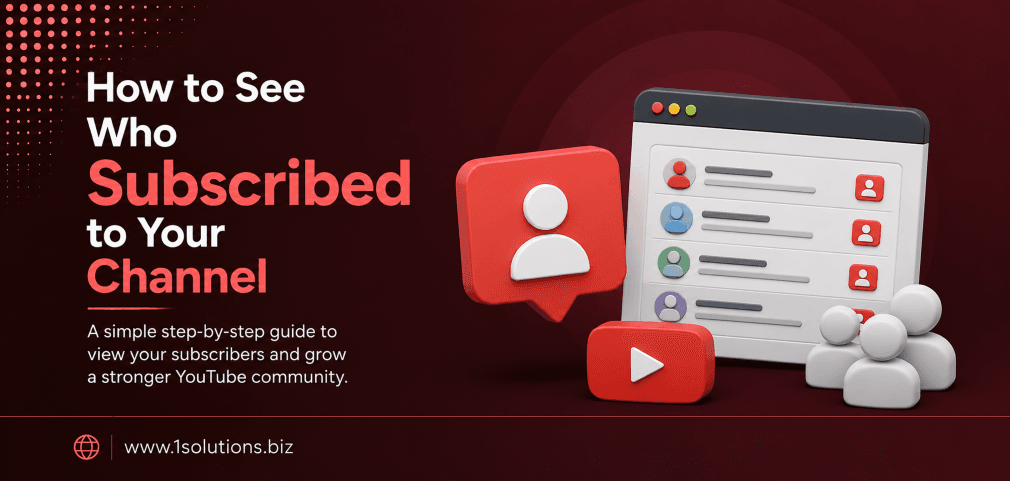
If you run a YouTube channel, knowing how to see who subscribed to your channel is one of the first things you will want to figure out. It sounds simple, but YouTube’s privacy architecture makes this more nuanced than most creators expect. You can see some subscribers, but not all of them, and understanding exactly why takes a few minutes to unpack.
This guide walks you through every available method, explains YouTube’s privacy controls, and helps you make sense of your subscriber data inside YouTube Studio. Whether you have 50 subscribers or 50,000, the process is the same.
YouTube only shows you subscribers who have made their subscriptions public. You can view this list inside YouTube Studio under the Audience section. Third-party tools and notification settings can give you additional insight, but complete visibility into every subscriber is not possible due to platform privacy rules.
⚡ Key Takeaways
- YouTube only displays subscribers who have set their subscription list to public in their account settings.
- You can access your visible subscriber list through YouTube Studio under the Analytics or Community tabs.
- Recent subscribers show up in your notifications, but this list is limited to the most recent activity.
- Approximately 70% of YouTube users keep their subscriptions private, so your visible list will always be a partial view.
- YouTube Studio’s Audience analytics gives you demographic and engagement data even when individual identities are hidden.
- Understanding your subscriber behavior is more valuable for growth than knowing exactly who subscribed.
- Third-party tools cannot bypass YouTube’s privacy settings, so be cautious of services claiming otherwise.
Why YouTube Does Not Show You Every Subscriber
Before jumping into the steps, it helps to understand the core limitation. YouTube gives every user the ability to keep their subscriptions private. When a viewer chooses this option, their subscription is invisible to channel owners. According to a 2023 analysis by Social Media Examiner, roughly 70% of YouTube users keep their subscription lists set to private. This means the majority of your subscriber base will not appear in any list you pull.
This is not a bug or an oversight. It is a deliberate privacy feature that YouTube has maintained since the platform scaled globally. The trade-off for channel owners is real: you gain aggregate data through analytics, but you lose individual-level transparency for most of your audience.
That said, the data you can access is still useful, and knowing how to navigate it properly is worth your time.
How to See Who Subscribed to Your Channel Using YouTube Studio
YouTube Studio is the main dashboard for channel management, and it is where you will find the closest thing to a subscriber list that YouTube provides. Follow these steps carefully.
Step 1: Sign In to Your YouTube Account
Go to youtube.com and sign in with the Google account linked to your channel. If you manage multiple channels, make sure you switch to the correct channel before proceeding.
Step 2: Open YouTube Studio
Click on your profile icon in the top right corner of the screen. From the dropdown menu, select YouTube Studio. This takes you to your channel dashboard.
Step 3: Navigate to the Recent Subscribers Section
On the YouTube Studio dashboard, look at the right-hand side panel. You will see a card labeled Recent Subscribers. This shows a small preview of the most recent public subscribers. Click See All to expand the full list.
Step 4: View the Full Recent Subscribers List
After clicking See All, you will see a list of subscribers who have made their subscriptions public. Each entry shows the subscriber’s channel name, their subscriber count, and the date they subscribed. You can sort this list by the most recent or by the last 28 days, 7 days, or 365 days.
💡 Pro Tip: Use the 28-day filter in your Recent Subscribers panel to identify which content is attracting the most new public subscribers. If a specific video caused a spike, that is a strong signal to create more content in that format.
Step 5: Check the Community Tab for Subscriber Interactions
Inside YouTube Studio, go to the Community tab on the left sidebar. Here you can see comments, mentions, and direct interactions from subscribers. While this is not a subscriber list, it lets you engage with the viewers who are most active on your channel.
How to Use YouTube Analytics to Understand Your Subscribers
The Analytics section of YouTube Studio goes deeper than the subscriber list. Even when individual identities are hidden, the aggregate data tells a rich story about your audience.
Accessing Subscriber Analytics
From the YouTube Studio left sidebar, click Analytics. Then navigate to the Audience tab. This section shows you:
- The number of subscribers gained and lost over a selected time period
- The videos that drove the most subscriptions
- When your subscribers are most active on YouTube
- Subscriber age range and gender breakdown (where data is available)
- Geographic distribution of your audience
According to YouTube’s Creator Academy (2024), channels that regularly review their Audience analytics and adjust their upload schedules based on peak viewer activity see up to 30% better average view duration compared to channels that post without reviewing this data.
Gained vs. Lost Subscribers
The Audience tab also shows you a net subscriber graph. This view breaks down which videos caused subscriber gains and which caused losses. A video with a high unsubscribe rate is a signal that the content did not match your audience’s expectations. This is one of the most actionable data points available to creators.
Checking Subscriber Notifications on Mobile
If you use YouTube on your phone, the notification bell can give you real-time updates when someone with a public subscription subscribes to your channel. Here is how to access this on mobile:
- Open the YouTube app and tap your profile picture in the top right corner.
- Tap Your Channel.
- Tap the bell icon or go to your channel’s main page.
- Recent subscriber notifications appear in your notification tray if the subscriber’s account is public.
This method is less systematic than YouTube Studio but useful for quick checks when you are away from your desktop.
💡 Pro Tip: Enable YouTube push notifications on mobile to get instant alerts when a public subscriber joins your channel. This is especially useful during a content launch or a viral moment when subscriber velocity matters.
Comparison: What You Can and Cannot See About Subscribers
| Data Point | Visible to Channel Owner | Where to Find It |
|---|---|---|
| Public subscriber names | Yes | YouTube Studio: Recent Subscribers |
| Private subscriber names | No | Not available anywhere |
| Total subscriber count | Yes | YouTube Studio: Dashboard |
| Subscribers gained per video | Yes | Analytics: Content tab |
| Subscriber age and gender | Aggregate only | Analytics: Audience tab |
| When subscribers are online | Yes | Analytics: Audience tab |
| Email addresses of subscribers | No | Not available |
| Notification of new public subs | Yes | Studio notifications / Mobile app |
Can Third-Party Tools Show You More Subscriber Data?
This is one of the most common questions creators ask, and the honest answer is: not really. No third-party tool can access subscriber data that YouTube has restricted. Any service claiming to show you the full identity of every subscriber is either misrepresenting what it does or violating YouTube’s terms of service.
What third-party analytics tools like Social Blade, VidIQ, or TubeBuddy can show you includes:
- Your channel’s subscriber growth trajectory over time
- Estimated daily subscriber gains and losses
- Comparisons with competitor channels
- Keyword and tag performance linked to subscriber growth
These tools are genuinely useful for growth strategy, but they do not crack YouTube’s privacy wall. Use them for what they are good at and do not expect individual subscriber data from them.
If you are building your YouTube presence as part of a broader digital marketing strategy, understanding which platforms your audience lives on matters as much as any single metric. A well-rounded approach through professional digital marketing services can help you turn YouTube audience insights into multi-channel growth.
How to Manage and Engage Your Visible Subscriber List
Once you know who your public subscribers are, the next step is to use that knowledge strategically. Here are practical ways to engage them:
Reply to Comments from Subscribers
In your Community tab inside YouTube Studio, filter comments from subscribers specifically. Replying to these comments builds loyalty and signals to the algorithm that your channel has active engagement. According to Hootsuite’s 2024 Social Media Trends Report, channels with above-average comment response rates experience 25% higher return viewer rates over 90 days.
Use Channel Memberships to Build a Closer Inner Circle
If you are eligible for YouTube Channel Memberships, this feature creates a paid tier that gives you slightly better visibility into who your most invested viewers are. Members are essentially identifiable because they have opted into a paid relationship with your channel.
Cross-Promote on Other Platforms
Many YouTube creators overlook the value of understanding where their subscribers come from outside YouTube itself. If a meaningful portion of your viewers comes from social platforms, checking your full social media ecosystem can reveal which platforms are driving the most qualified subscribers to your channel.
Similarly, if you want to grow on Instagram alongside YouTube, be aware of platform-specific issues like shadow restrictions. Our guide on the Instagram shadowban and how to remove it covers how invisible penalties can silently undercut your growth on social platforms.
How Privacy Settings Affect What Subscribers You Can See
YouTube users control their own subscription privacy through their Google account settings. When a user sets their subscriptions to private, they disappear from your visible subscriber list even if they have been subscribed for years. They still count toward your total subscriber number, they still see your videos, and their views still contribute to your analytics. They are simply invisible to you by name.
You cannot change this from your end. You also cannot request that subscribers make their accounts public. Respecting this boundary is both a legal obligation under privacy regulations and a trust issue with your audience.
💡 Warning: Do not use or purchase tools that claim to reveal private YouTube subscriber identities. These services typically violate YouTube’s Terms of Service and can result in your channel being penalized or terminated. The risk is not worth it.
Building a Subscriber Strategy Beyond the List
Knowing who subscribed to your channel is useful, but building a strategy around subscriber behavior is far more powerful. The metrics that actually drive channel growth include watch time, click-through rate on thumbnails, average view duration, and the subscriber-to-view ratio on each video.
If your channel supports a business, think about how your YouTube content fits into your broader content strategy. Well-optimized video content combined with strong written content creates compounding visibility. If you need help shaping that strategy, working with a team that offers expert content and copywriting services can help you align your YouTube messaging with your overall brand narrative.
For channels built around local services or small businesses, understanding how your YouTube presence connects to local search visibility is also worth exploring. The principles in local AEO best practices for small businesses apply directly to how you optimize video descriptions and channel metadata for local discovery.
And if you want to go further with your SEO strategy across all digital touchpoints, understanding the evolving search landscape matters. Articles like our breakdown of Google AI Mode vs AI Overviews show how search behavior is changing in ways that affect content discoverability across platforms, including YouTube.
Practical Action Plan: Managing Your YouTube Subscriber Data
- Do This Now: Open YouTube Studio and check your Recent Subscribers panel. Filter by the last 28 days and note which videos drove the most public subscriptions. This is your fastest win for understanding what content converts viewers into subscribers.
- Worth Doing: Set up a regular monthly review of your Audience analytics tab. Track subscriber gain and loss by video, note patterns in when your subscribers are most active, and adjust your upload schedule accordingly. This takes about 20 minutes per month and compounds over time.
- Low Priority: Explore third-party tools like VidIQ or TubeBuddy for subscriber growth tracking and keyword optimization. These tools add context but are not essential until you are actively optimizing for algorithmic growth. Set this up once your core analytics review habit is established.
If your YouTube channel is part of a broader SEO push, it is also worth reading about SEO strategies that work for startups and growing brands. Many of the principles that drive search visibility also improve YouTube discoverability, since Google increasingly surfaces YouTube content in standard search results.
For those who want to extend their understanding of how search and social platforms intersect, our guide on AI SEO tools to outrank competitors covers a range of options that help you stay ahead in an increasingly automated discovery landscape.
Conclusion
Understanding how to see who subscribed to your channel comes down to one practical reality: YouTube shows you the subscribers who choose to be visible, and no tool or workaround changes that. What you can access, through YouTube Studio’s Recent Subscribers panel and the Audience analytics tab, is still genuinely useful. Aggregate data, subscriber-linked video performance, and behavioral insights give you everything you need to grow strategically without needing a complete identity list.
Focus on the data you have, use it consistently, and build content that earns subscriptions from the kind of audience that engages with your channel long-term. That approach will always outperform trying to chase granular identity data that the platform intentionally limits.
If your channel is part of a larger digital presence and you want professional support aligning your video strategy with search visibility, our SEO services are built to help businesses grow across all digital channels, including video.
Frequently Asked Questions
Can I see all of my YouTube subscribers?
No. YouTube only shows you subscribers who have set their subscription list to public in their account settings. The majority of users keep subscriptions private, so the visible list is always a partial view of your total subscriber count.
Where exactly do I find my subscriber list in YouTube Studio?
Go to YouTube Studio from your profile menu, then look at the right-hand panel on the Dashboard for the Recent Subscribers card. Click See All to expand the list. You can also find subscriber data inside the Analytics section under the Audience tab.
Why does my subscriber count show more subscribers than appear in my list?
Because the subscriber count includes all subscribers, both public and private. The list you see in YouTube Studio only reflects those with public subscriptions. The difference between the two numbers represents your private subscribers.
Can third-party tools reveal private YouTube subscribers?
No. Third-party tools cannot access private subscriber data. Tools like VidIQ or Social Blade can show growth trends and channel comparisons but cannot identify private subscribers. Any tool claiming otherwise is violating YouTube’s Terms of Service.
Is there a way to notify my subscribers about new uploads without knowing who they are?
Yes. When you publish a video, YouTube automatically notifies subscribers who have the notification bell enabled. You do not need to know their identities to reach them. You can also use YouTube’s Community tab to post updates that appear in subscriber feeds.