WordPress Maintenance & Support Services

WordPress Maintenance Services - Secure, Updated & Fully Supported

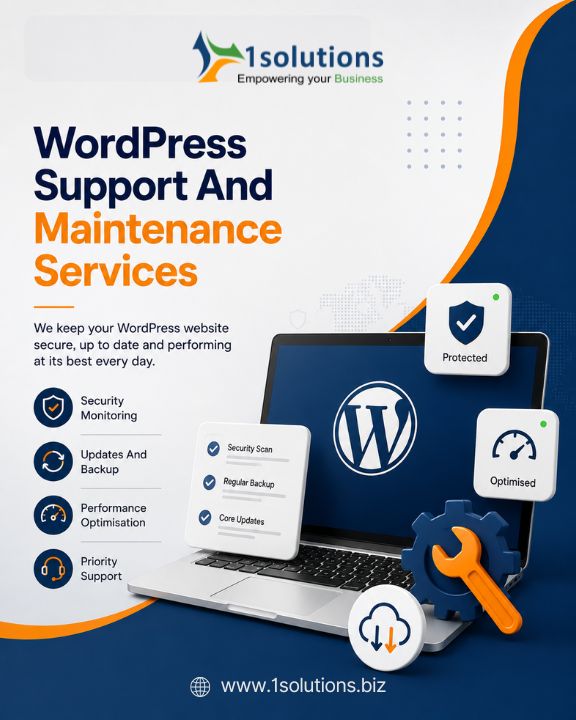
Professional WordPress maintenance services for businesses worldwide - all plugin and core updates tested on a staging site before production, security hardening and malware removal, WooCommerce checkout testing, daily off-site backups, 24/7 uptime monitoring, and emergency WordPress support. 15+ years, 150+ sites maintained.


150+ WordPress Sites Maintained
WooCommerce Specialists
Updates on Staging First
Malware Removal Included
150+
WordPress Sites
15+
Years Experience
99.9%
Avg Uptime Achieved
98%
Client Retention
Trusted by Leading Businesses

What Is WordPress Website Maintenance?

WordPress website maintenance is the ongoing process of keeping your WordPress site secure, updated, backed up, and performing well. WordPress powers 43% of all websites on the internet - and its popularity makes it the most targeted CMS by attackers. Outdated plugins and themes are responsible for the majority of WordPress hacks.

A managed WordPress maintenance service handles every recurring task so your team never has to think about updates, backups, or security scans:

  • WordPress core and plugin security patches applied within 48 hours of disclosure
  • All updates tested on a private staging site before going to your live production site
  • Daily automated backups stored off-site, with monthly restore testing
  • 24/7 uptime monitoring with immediate alerts on any downtime
  • Weekly malware scanning and WAF rule updates
  • Core Web Vitals and PageSpeed tracking - Google ranking signals
  • SSL certificate and domain expiry monitoring
  • Monthly developer hours for content updates and minor design changes

What Happens Without WordPress Maintenance

Security breaches Outdated plugins and themes are the #1 attack vector for WordPress hacks. Malware, SEO spam, and phishing pages get injected into your site.

Plugin conflicts and white screens WordPress and PHP version upgrades change the environment. Untested plugin updates frequently cause fatal errors and white screens of death.

SEO ranking drops Broken links, declining Core Web Vitals scores, and crawl errors from unmonitored sites compound into measurable organic traffic loss over months.

Data loss risk Without daily off-site backups and restore testing, a server failure or post-hack recovery may result in permanent loss of site content and database.

WooCommerce checkout failures WooCommerce plugin updates can silently break payment gateways and checkout flows, costing hours of lost revenue before the issue is caught.

Emergency recovery costs Ad-hoc emergency developer rates for hacked sites or broken updates cost far more than a monthly maintenance retainer over a year.

Why WordPress Sites Need Regular Maintenance

According to Sucuri's annual Hacked Website Report, the vast majority of compromised WordPress sites were running outdated software at the time of the attack. The window between a vulnerability being disclosed and mass exploitation beginning can be as short as a few hours, making prompt patching essential for any business website. Regular WordPress maintenance is not optional - it is the difference between a site that earns trust and one that becomes a liability.

WordPress Maintenance Services

What Our WordPress Maintenance Covers

From WordPress core and plugin updates applied staging-first, through security hardening and malware removal, WooCommerce-specific maintenance with checkout testing, daily backups, uptime and performance monitoring, bug fixes, and monthly developer hours.

01

WordPress Core & Plugin Updates

All WordPress core updates (minor security patches within 48 hours, major versions after staging compatibility assessment) and all plugin and theme updates - applied to a staging clone, visually and functionally tested, then deployed to production during a low-traffic window. Never direct-to-production.

02

WordPress Security Hardening & WAF

Wordfence or equivalent WAF installation, brute-force protection, login URL change, 2FA for admin accounts, file permission hardening, disabling XML-RPC, security response headers, DISALLOW_FILE_EDIT, removal of WordPress version disclosure, and monthly security audit of user roles.

03

WordPress Malware Removal & Hack Recovery

Emergency malware removal - file-system and database scanning, removal of injected code, backdoors, phishing pages, and SEO spam, clean restore from backup where required, vulnerability patching, hardening against recurrence, and a written post-incident report. Covered in all maintenance plans.

04

Daily Backups & Disaster Recovery

Automated daily full WordPress backups (files + database) via UpdraftPlus or equivalent, stored off-site on AWS S3 or Backblaze B2. Monthly restore testing to verify backup integrity. Rapid point-in-time restore in the event of data loss, host failure, or post-hack recovery.

05

WooCommerce Maintenance

WooCommerce-specific maintenance including WooCommerce core and premium extension updates, payment gateway functionality testing after every update, checkout flow regression testing, order notification email testing, product catalogue integrity checks, and priority emergency response for payment failures.

06

Uptime & Performance Monitoring

24/7 uptime monitoring with instant team alerts and escalation. Core Web Vitals (LCP, INP, CLS) and PageSpeed score tracking with monthly benchmarked reports. CDN and caching configuration (WP Rocket, LiteSpeed Cache, Cloudflare) to maintain loading performance as content grows.

Tools & Stack

WordPress Maintenance Stack

WordPress 6.x, WooCommerce, Wordfence/Sucuri security, UpdraftPlus backups, WP Rocket performance, Cloudflare CDN, all major page builders, WooCommerce extensions, and managed WordPress hosting expertise.

WordPress Core
WordPress 6.x (latest)PHP 8.xMySQL / MariaDBWooCommerce 9.xGutenberg / Block EditorWordPress REST API
Security
Wordfence SecuritySucuri WAFiThemes SecurityMalware Removal2FA (WP 2FA)CVE Monitoring
Backup & Recovery
UpdraftPlusBackupBuddyManageWP BackupsAWS S3 / Backblaze B2Daily Automated BackupsRestore Testing
Performance
WP RocketLiteSpeed CacheCloudflare CDNRedis Object CacheWebP Image OptimisationGZIP / Brotli
Page Builders
ElementorDivi / ExtraGutenberg / FSEWPBakeryBeaver BuilderBricks Builder
WooCommerce Extensions
WC SubscriptionsWC MembershipsStripe / PayPalWC BookingsYITH PluginsWC Order Management
Monitoring & Reporting
UptimeRobot / Better UptimeGTmetrix / PageSpeedGoogle Search ConsoleScreaming FrogCore Web VitalsManageWP Reports
Managed Hosting
WPEngineKinstaSiteGroundFlywheelCloudwayscPanel / Plesk Hosting
WordPress Maintenance Plans

Choose Your WordPress Care Plan

From an Essential plan for small business websites to a Professional plan with WooCommerce support and priority SLA, to an Enterprise plan with a dedicated WordPress engineer and 2-hour emergency response.

Start Here
WordPress Essential
Core WordPress maintenance - secure, updated, backed up.
Monthly WordPress core and plugin updates applied to staging and tested before production. Daily backups with off-site storage. Uptime monitoring. SSL management. Monthly security scan. Broken link report. Up to 4 hours of developer time for minor content and design changes.
Best for
  • Small business WordPress websites
  • Brochure and lead-generation sites
  • WordPress blogs and content sites
  • Sites needing security and updates without full retainer
Process: Audit → Monthly updates → Monthly report → Support tickets
Active within 3 business days of onboarding
Get a maintenance quote →
Most Popular
WordPress Professional
Priority support, WooCommerce coverage, and more dev hours.
Everything in Essential plus: 4-hour emergency SLA, WooCommerce update and checkout testing, weekly malware scans, Cloudflare CDN and caching configuration, Core Web Vitals monitoring, Google Search Console integration, up to 8 developer hours per month, and a dedicated account manager.
Best for
  • WooCommerce and eCommerce stores
  • High-traffic WordPress websites
  • Lead-generation sites with marketing activity
  • Agencies needing white-label WordPress support
Process: Audit → WooCommerce update cycle → 4h emergency SLA → 8h dev bank → Monthly call
Active within 2 business days
Get a maintenance quote →
High-Volume
WordPress Enterprise
Dedicated WordPress engineer, 2-hour SLA, multi-site management.
Dedicated WordPress engineer, 2-hour emergency SLA, multi-site maintenance under one retainer, staging environment management, annual penetration testing, custom plugin maintenance, advanced WooCommerce support, up to 20 developer hours per month, quarterly strategy calls, and custom SLA.
Best for
  • Enterprise WordPress / WooCommerce platforms
  • Multi-site WordPress networks
  • High-volume eCommerce (1000+ orders/day)
  • Agencies with multiple client WordPress sites
Process: Custom SLA → Dedicated engineer → Multi-site management → Quarterly strategy review
Custom onboarding - typically 5–7 business days
Get a maintenance quote →
Plan Comparison

WordPress Maintenance Plans at a Glance

Compare what is included in each WordPress care plan to find the right level of support for your business.

FeatureEssentialProfessionalEnterprise
WordPress core & plugin updates (staging-first)
Daily off-site backups + monthly restore testing
24/7 uptime monitoring
Malware removal (included in plan)
SSL certificate management
Monthly maintenance report
Monthly developer hours4 hrs8 hrs20 hrs
Emergency response SLANext day4-hour2-hour (24/7)
WooCommerce update & checkout testing-
Core Web Vitals monitoring-
Google Search Console integration-
Dedicated account manager-
Monthly account call-
Multi-site management--
Dedicated WordPress engineer--
Annual penetration testing--
Custom plugin maintenance--
Quarterly strategy calls--
How We Maintain Your WordPress Site

Our WordPress Maintenance Process

Starting with a WordPress health audit, through immediate priority fixes, a structured monthly update cycle with staging testing, 24/7 monitoring, incident response, and a detailed monthly report.

01
WordPress Site Audit

We begin with a comprehensive WordPress audit: WordPress core version and update history, full plugin inventory with version and vulnerability check against the WPScan database, theme compatibility assessment, security configuration review, backup status check, PageSpeed and Core Web Vitals baseline, broken link count, and hosting environment review (PHP version, server errors). You receive a written audit report before the retainer begins.

02
Onboarding & Staging Setup

Secure access handover: WordPress admin, hosting panel (cPanel / Plesk / managed hosting dashboard), FTP/SSH, domain registrar, Google Search Console, and Analytics. We create a staging clone of your WordPress site, configure our monitoring tools (uptime, Wordfence, backup agent, performance tracking), and establish the update workflow - all without touching your live site.

03
Immediate Priority Fixes

Critical issues identified in the audit are resolved in week one: outdated WordPress core and plugins, unpatched security vulnerabilities, missing or broken backup configuration, absent SSL or expiring certificate, misconfigured user permissions, and any active malware detected during the initial security scan. These are resolved as priority work before the regular monthly maintenance cycle begins.

04
Monthly WordPress Update Cycle

Each month: all plugin and theme updates are applied to the staging clone, tested for compatibility (visual regression + functional tests on key pages and WooCommerce checkout if applicable), then deployed to production in a low-traffic window. WordPress minor version security patches applied within 48 hours of release. Major WordPress version updates assessed on staging over 2–4 weeks before production deployment.

05
Incident Response & Emergency Support

Continuous uptime monitoring means we are alerted to outages immediately. Security scans catch malware before it spreads. Plugin conflicts from auto-updates (if any) are detected on staging before reaching production. When incidents do occur - hacks, white screens, fatal errors, payment failures - we respond within your plan SLA, resolve, and follow up with a written incident report.

06
Monthly Report & Dev Hour Usage

A detailed monthly WordPress maintenance report by the 5th business day of the following month: all updates applied (with changelog notes), security scan results, uptime stats, Core Web Vitals trend, backup status, broken links repaired, developer hours used and remaining, and recommendations for the coming month. Professional and Enterprise plans include a monthly call with your account manager to review the report and plan upcoming work.

Client Results

What Our WordPress Maintenance Clients Say

Trusted by professional services firms, eCommerce brands, media groups, and agencies in the US, UK, and Australia who rely on us to keep their WordPress sites secure, updated, and running.

★★★★★

Our WordPress site had not been updated in over two years when we came to 1Solutions. They performed an audit, removed three malware infections we did not even know about, updated everything safely, and got us onto a maintenance retainer. Since then the site has been faster, more secure, and our team never has to think about updates. The monthly reports are exactly the right level of detail.

LH
Lisa H.
Operations Director, Professional Services (UK)
★★★★★

We have a high-volume WooCommerce store and had a critical payment failure after a plugin update that cost us several hours of sales. After engaging 1Solutions for WooCommerce maintenance, every update goes through staging with checkout testing first. We have had zero update-related payment failures in 18 months. Their 4-hour emergency SLA also gives us genuine confidence during peak trading.

JW
Jason W.
eCommerce Director, Retail Brand (AU)
★★★★★

We have six WordPress sites across three brands and 1Solutions maintains all of them under one retainer. One account manager, one monthly invoice, one report covering all sites. The consistency and attention to detail across all six has been excellent for two years. The quarterly strategy calls help us plan what to build next on each site.

RP
Rachel P.
Head of Marketing, Media Group (US)
Why 1Solutions

Why Choose Us for WordPress Maintenance

15+ years of WordPress maintenance, WooCommerce expertise, staging-first update workflow, 48-hour security patch SLA, emergency response in every plan, transparent monthly reporting, and rolling monthly contracts with no lock-in.

15+ Years WordPress Expertise

We have been maintaining WordPress websites since version 2.x - through every major release, block editor transition, and PHP version migration. We understand WordPress internals, the plugin ecosystem quality spectrum, and the security patterns that cause most hacks. Our maintenance processes are built around the actual failure modes we have seen.

Staging-First - Never Direct to Production

Every WordPress and plugin update goes to a staging clone first. We test for visual regressions, form functionality, WooCommerce checkout flow, and any custom feature interactions before deploying to production. Our guarantee: if an update causes issues, you never see it on your live site.

WooCommerce Specialists - Not Just WordPress

WooCommerce updates require payment gateway testing, checkout regression testing, and order flow validation after every update - not just a visual check. Our WooCommerce maintenance includes all of this. We understand the WooCommerce extension ecosystem, known plugin conflicts, and the consequences of skipping checkout testing.

Security Patches Within 48 Hours

When WordPress, WooCommerce, or a high-severity plugin vulnerability is disclosed, the window between disclosure and mass exploitation can be hours. We monitor CVE feeds and the WPScan database and apply critical security patches within 48 hours of disclosure for all retainer clients - even outside the regular monthly update cycle.

Emergency Response in Every Plan

WordPress emergencies - hacked sites, white screens, payment failures, site outages - are covered in every maintenance plan, not billed as emergency call-out fees on top of your retainer. You pay a predictable monthly fee. We handle incidents within your plan SLA with a written follow-up report.

Multi-Site Management Under One Retainer

We maintain multi-site portfolios of WordPress websites - 3, 6, 10, or more - under a single retainer with consolidated reporting. One account manager, one invoice, one point of contact, and consistent maintenance quality across every site. Particularly suited to agencies, franchise groups, and media companies.

Transparent Reporting - No Black Box

Your monthly WordPress maintenance report names every plugin updated (with version before and after), every security issue detected and resolved, uptime statistics, Core Web Vitals trends, developer hours used, and recommendations. We do not hide behind vague "maintenance performed" summaries.

No Lock-In - Monthly Rolling

Our WordPress maintenance retainers run month-to-month. No 12-month contracts, no early termination fees. If you want to pause or leave, you give us 30 days notice and we provide a clean handover document covering all access credentials, the current backup state, and any outstanding work.

Start Your WordPress Maintenance Plan

Tell us about your WordPress site and we will recommend the right plan and send a quote. We start every new engagement with a free WordPress health audit - CMS version, plugin vulnerability check, security configuration, backup assessment, and performance baseline - before the retainer begins.

Free WordPress health audit before the retainer starts

All plugin updates tested on staging before going to production

WooCommerce checkout and payment testing included in Professional plans

Malware removal and emergency response covered in all plans

Monthly rolling - no 12-month lock-in contracts

Tell Us About Your WordPress Site

FAQ

WordPress Maintenance - Frequently Asked Questions

Everything you need to know about WordPress maintenance with 1Solutions - what is covered, how updates work, WooCommerce support, security hardening, emergency response, and how to switch from another agency.

WordPress website maintenance is the ongoing process of keeping your WordPress site secure, updated, backed up, and performing well. It includes: applying WordPress core and plugin security patches promptly; testing all updates on a staging site before deploying to production; running daily automated backups stored off-site; monitoring uptime 24/7; scanning for malware and security vulnerabilities; managing SSL certificates and domain renewals; monitoring Core Web Vitals; repairing broken links; and providing developer hours for minor content and design changes. Without regular WordPress maintenance, sites accumulate unpatched vulnerabilities, outdated plugins, and degraded performance - the root cause of most WordPress hacks and outages.
WordPress maintenance covers: WordPress core and plugin/theme updates tested on staging before production; daily automated backups with off-site storage (AWS S3 or Backblaze B2); 24/7 uptime monitoring; weekly malware scanning and WAF rule updates; SSL certificate management; broken link scanning and repair; Core Web Vitals monitoring; monthly maintenance reports; and monthly developer hours for content updates and minor fixes. WooCommerce maintenance plans also include payment gateway testing and checkout regression testing after every update.
WordPress minor security patches should be applied within 48 hours of release - the window between a vulnerability disclosure and mass exploitation can be measured in hours. Plugin updates should be assessed and applied monthly, or sooner for security patches. Major WordPress version updates (released 2–3 times per year) should be assessed on a staging clone over 2–4 weeks before production. A typical WordPress installation has 15–30 active plugins, each with its own update cadence. Our WordPress maintenance service monitors all these update streams on your behalf so you never have to think about it.
An unmaintained WordPress website accumulates serious risks over time. Outdated plugins and themes are the most common attack vector - responsible for the majority of WordPress hacks. An unpatched critical vulnerability can be exploited within hours of public disclosure. Beyond security, outdated plugins cause plugin conflicts, PHP fatal errors, and white screen of death events as your hosting provider upgrades PHP versions. Performance degrades as caches become stale, images unoptimised, and database tables bloated. Backups may not be running, meaning a hack or server failure could result in permanent data loss. SEO rankings also suffer as page speed declines and broken links accumulate.
WordPress maintenance costs vary by plan scope. Basic WordPress maintenance covering core and plugin updates, backups, uptime monitoring, and security scanning typically starts from $99–$149/month for smaller brochure sites. Mid-tier plans covering WooCommerce maintenance, priority emergency SLA, Core Web Vitals monitoring, and 8 developer hours per month range from $249–$499/month. Enterprise plans with a dedicated WordPress engineer, 2-hour emergency SLA, multi-site management, and 20+ developer hours per month are custom-priced. Contact us for a quote tailored to your site - every engagement starts with a free WordPress health audit.
A WordPress care plan (also called a WordPress maintenance retainer or WordPress support plan) is a monthly subscription service that handles all the ongoing maintenance tasks your WordPress site requires - updates, backups, security, monitoring, and developer support. Instead of managing these tasks yourself or hiring a developer ad hoc when problems occur, a care plan provides proactive, structured maintenance on a predictable monthly cost. A good WordPress care plan includes staging-first updates, daily backups, malware monitoring, uptime alerts, and a pool of developer hours for minor changes each month.
Yes - all WordPress sites need maintenance regardless of size. A small brochure site has the same exposure to WordPress core vulnerabilities, plugin security flaws, and hosting environment changes as a large eCommerce site. In fact, smaller sites are often more vulnerable because they are less monitored. The essential maintenance tasks - security patches applied within 48 hours, daily backups, uptime monitoring, and malware scanning - apply equally to a 5-page business site and a 500-page WooCommerce store. Our WordPress Essential plan is designed exactly for smaller sites that need security and updates without a full-scale retainer.
Yes. We provide WordPress malware removal and hack recovery - scanning files and database for injected code, backdoors, phishing pages and SEO spam, removing all malware, restoring from clean backup where needed, patching the exploited vulnerability (most commonly an outdated plugin), hardening against recurrence, and providing a written incident report detailing the attack vector and remediation steps. For clients on our maintenance retainer, malware removal is covered within the plan at no additional cost.
Most WordPress malware removal engagements are completed within 4–12 hours of our receiving access. The timeline depends on the type of infection: file-level malware injections and database injections typically resolve in under 4 hours. More complex compromises involving backdoors hidden across multiple plugin files, or SEO spam poisoning thousands of database entries, may require 8–24 hours. We provide a written incident report after every malware removal engagement covering the infection type, affected files, remediation steps, and hardening measures applied.
Yes. WooCommerce maintenance is a speciality. WooCommerce core and extension updates can break checkout flows, payment gateways, and product display in ways that standard visual checks miss. Our WooCommerce maintenance includes: WooCommerce core and premium extension updates; payment gateway functionality testing (Stripe, PayPal, etc.) after every update; checkout flow regression testing; order notification email verification; product catalogue integrity checks; and priority emergency response for checkout and payment failures on Professional and Enterprise plans.
Yes. WooCommerce Subscriptions and WooCommerce Memberships add complexity to the update cycle - their renewal billing, member content access, and subscription management features must be tested after every WooCommerce core and extension update. Our WooCommerce maintenance process includes specific test cases for subscription renewal flows, membership access checks, and payment gateway token retention after updates. These are covered in our Professional and Enterprise maintenance plans.
We never apply updates directly to the production site. Every plugin, theme, or WordPress core update is applied to a staging clone first where we check for visual regressions and test critical functionality (forms, checkout, login, custom features). If an update causes a conflict on staging, we investigate the root cause, resolve it or defer the update, and communicate this in your monthly report. Your live site only receives tested, verified updates.
A WordPress staging site is a private, password-protected clone of your live WordPress site - identical in content, theme, and plugins - used to test updates, new plugins, design changes, and code changes before deploying them to the production site your visitors see. All our maintenance clients have a staging environment configured as part of onboarding. Every update we apply goes to staging first. If an update causes any issue on staging, it never reaches your live site.
Our WordPress security hardening covers: Wordfence or Sucuri WAF installation and configuration; brute-force login protection and login URL change; two-factor authentication (2FA) for all administrator accounts; file permission hardening (755 directories, 644 files, 600 for wp-config.php); disabling XML-RPC where not required; removing WordPress version disclosure from source; DISALLOW_FILE_EDIT in wp-config; security response headers (Content-Security-Policy, X-Frame-Options, X-Content-Type-Options, HSTS); regular user role and inactive admin account audits; and hosting-level security configuration for managed WordPress hosts (WPEngine, Kinsta, Flywheel).
We use UptimeRobot, Better Uptime, or equivalent monitoring services configured with 1–5 minute check intervals. When your site returns a non-200 status code or exceeds a response time threshold, our team receives immediate alerts via email, Slack, and SMS. For Enterprise plans, we also monitor from multiple geographic locations to detect regional CDN or DNS issues. Monthly maintenance reports include uptime statistics, average response time, and any downtime incidents with root cause analysis.
Core Web Vitals are Google's three page experience metrics: Largest Contentful Paint (LCP - loading performance), Interaction to Next Paint (INP - interactivity), and Cumulative Layout Shift (CLS - visual stability). Google uses Core Web Vitals as a ranking signal. Our WordPress maintenance plans include monthly Core Web Vitals tracking via Google Search Console and PageSpeed Insights, with trend reporting and recommendations. If a plugin update or new content causes a Core Web Vitals regression, we identify and resolve it within your monthly developer hours.
Yes. WordPress performance optimisation is included in our maintenance plans at varying levels. All plans include caching configuration (WP Rocket, LiteSpeed Cache, or W3 Total Cache) and CDN setup via Cloudflare. Professional and Enterprise plans include Redis object caching, image optimisation with WebP conversion, GZIP/Brotli compression, database cleanup and optimisation, and Core Web Vitals-focused performance work within your monthly developer hours. We track PageSpeed scores monthly and flag regressions.
All maintenance retainer clients have a dedicated emergency contact. We respond within the SLA of your plan: 2-hour for Enterprise, 4-hour for Professional, next-business-day for Essential (with priority escalation available for urgent issues). Common WordPress emergencies we handle: white screen of death, fatal PHP errors from plugin conflicts, hacked sites, WooCommerce payment gateway failures, site outages from hosting issues, SSL certificate lapses, and post-migration breakages. We investigate, resolve, and follow up with a written incident report.
Yes. We maintain WordPress on all major hosting platforms - cPanel and Plesk shared hosting (SiteGround, Bluehost, HostGator, Hostinger), managed WordPress hosting (WPEngine, Kinsta, Flywheel, Pressable), cloud-based hosting (Cloudways, AWS, DigitalOcean, Google Cloud), and dedicated servers. Each hosting environment has different access patterns (cPanel, SFTP, SSH, hosting dashboard APIs) and different caching and security tools available. Our onboarding process captures your hosting environment details and configures our maintenance workflow accordingly.
We maintain WordPress sites built with all major page builders: Elementor, Divi, WPBakery Page Builder, Beaver Builder, Bricks Builder, Oxygen, and Gutenberg (WordPress Block Editor / Full Site Editing). Page builder plugin updates are treated with particular care in our maintenance workflow - they touch every page on your site and must be tested thoroughly on staging before production deployment. We also support sites built with custom themes and custom Gutenberg blocks.
Yes. WordPress Multisite maintenance is available on our Enterprise plan. Multisite networks require coordinated update management - WordPress core and network-activated plugins must be updated network-wide and tested across representative sub-sites, not just the main site. We maintain multisite networks for media groups, franchise organisations, agencies, and education institutions managing multiple brand sites under a single WordPress installation.
Yes. Every maintenance client receives a monthly report by the 5th business day of the following month. The report covers: all WordPress core, plugin, and theme updates applied (with version before and after and changelog notes); security scan results; uptime statistics; Core Web Vitals trends (LCP, INP, CLS); backup status and last restore test date; broken links found and repaired; developer hours used and remaining; any incidents during the month with root cause and resolution; and recommendations for the coming month. Professional and Enterprise clients also receive a monthly call with their account manager.
Emergency response SLAs by plan: Enterprise - 2-hour initial response, 24/7 coverage including weekends; Professional - 4-hour initial response during business hours (Monday–Friday), with same-day escalation available for checkout or payment emergencies on WooCommerce sites; Essential - next-business-day response with a 4-hour priority escalation option available as a one-off add-on. All SLAs refer to initial contact and triage, not full resolution - resolution time depends on the nature of the emergency. We follow up every incident with a written report.
Yes. We take over from any previous developer, agency, or in-house team. We begin with a comprehensive WordPress audit: core version and update history, full plugin and theme inventory with WPScan vulnerability check, security configuration review, backup setup assessment, hosting environment review, codebase quality review for custom code, and PageSpeed/Core Web Vitals baseline. You receive a written audit report before the retainer begins. We operate on monthly rolling contracts with no lock-in, and provide a clean handover document if you ever transition away.
WordPress maintenance is proactive - regular, scheduled tasks (updates, backups, security scanning, monitoring) performed to prevent problems before they occur. WordPress support is reactive - help when something goes wrong (a plugin breaks, the site goes down, it gets hacked). Our plans combine both: structured monthly maintenance that reduces the frequency of support events, plus included emergency support when incidents do occur. Most WordPress problems are preventable with proper maintenance.
We do not sell or resell hosting, but we fully manage your WordPress hosting configuration as part of our maintenance service. This includes: PHP version compatibility management; disk space and error log monitoring; server-level caching configuration for managed hosts (WPEngine, Kinsta); Cloudflare configuration; SSL certificate management; cron job monitoring; and database optimisation. For clients who want us to recommend a hosting provider, we typically suggest WPEngine or Kinsta for business sites and high-traffic WooCommerce stores.
Because all our updates go to staging first, a plugin update that would break your site is caught before it ever reaches production. If a conflict or visual regression appears on staging, we investigate the root cause - typically a theme/plugin conflict, PHP compatibility issue, or a breaking change in the plugin's new version - and either resolve it, roll back the update pending a compatible version, or contact the plugin developer if required. We communicate this in your monthly report. Your live site always remains stable.
Getting started takes three steps. First, fill in our contact form with your WordPress site URL and a brief description of what you need - we respond within one business day. Second, we carry out a free WordPress health audit (core version, plugin vulnerability check, security configuration, backup status, PageSpeed baseline) and send you a written report with our recommended plan. Third, you approve the plan, we complete secure access onboarding, set up staging and monitoring tools, and your maintenance retainer begins - typically within 2–3 business days of sign-off.
Several things distinguish our WordPress maintenance: 15+ years of WordPress experience across 150+ maintained sites; a genuine staging-first workflow (not just claimed - we will show you the staging environment during onboarding); WooCommerce checkout testing on every update, not just visual checks; security patches applied within 48 hours of CVE disclosure; transparent monthly reports that name every plugin updated, not vague "maintenance performed" summaries; emergency response covered in every plan (not billed as separate call-out fees); and month-to-month rolling contracts with no lock-in. We also maintain multi-site portfolios under a single retainer - useful for agencies, franchise groups, and media companies.
Yes. We provide white-label WordPress maintenance for digital agencies - maintaining your clients' WordPress and WooCommerce sites under your agency brand, with reports using your logo, communication via your branded portal or email, and all client-facing documentation white-labelled. Agencies consolidate multiple client sites under a single retainer with a custom per-site rate. Our Professional plan is popular with agencies who want a 4-hour emergency SLA and 8 developer hours per client site per month.