Chrome Issues Final Warnings on HTTPS: What Every Website Owner Needs to Know
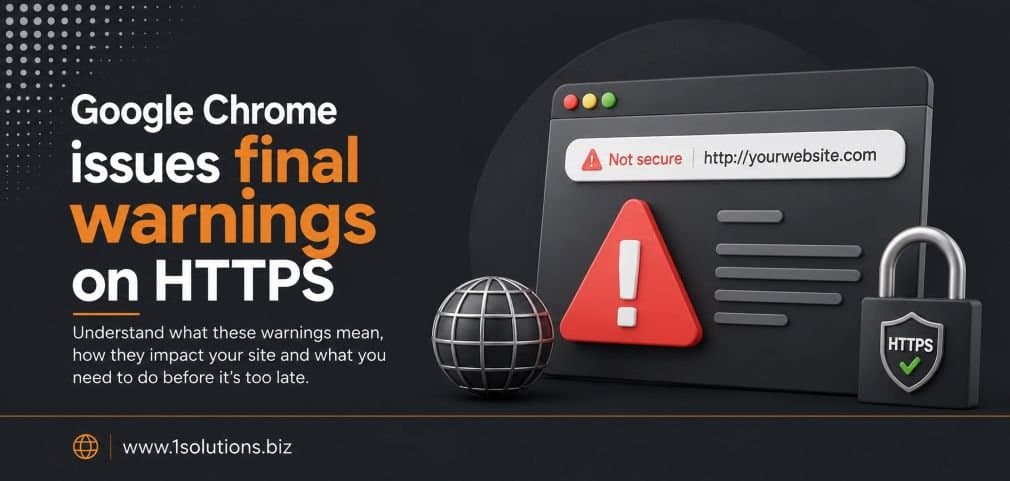
Google Chrome issues final warnings on HTTPS, and this time, the browser giant is not pulling any punches. If your website still serves pages over HTTP, Chrome is now making that fact impossible for visitors to ignore. A bold “Not Secure” label, interstitial warning screens, and outright blocking of certain content types have moved from rumor to reality. For anyone running a website in 2025, this is no longer a future concern. It is a present-day problem that directly affects traffic, trust, and search rankings.
Google Chrome is escalating its warnings against non-HTTPS websites, moving from subtle browser labels to full-screen interstitial warnings and content blocking. Websites still running on HTTP face reduced user trust, higher bounce rates, and search ranking penalties. Migrating to HTTPS is no longer optional for any website that wants to survive in organic search and maintain user confidence.
⚡ Key Takeaways
- Chrome now displays full interstitial warning pages for HTTP sites, not just a small “Not Secure” label in the address bar.
- Google confirmed HTTPS as a ranking signal back in 2014, and its weight has only increased since then.
- Over 95% of pages loaded in Chrome use HTTPS as of 2024, meaning HTTP sites are now a clear outlier.
- Mixed content, where an HTTPS page loads HTTP resources, is also being blocked by Chrome automatically.
- Migrating to HTTPS requires an SSL/TLS certificate, proper 301 redirects, and updating internal links and canonical tags.
- E-commerce sites and sites handling forms or logins face the highest risk from remaining on HTTP.
- Delaying migration risks compounding problems: ranking drops, lost conversions, and negative brand perception.
A Brief History of Chrome’s Push for HTTPS
Chrome’s campaign against unsecured HTTP has been a gradual but deliberate escalation over nearly a decade. Google first announced HTTPS as a lightweight ranking signal in August 2014 (Google Security Blog, 2014). At the time, the change was described as affecting fewer than 1% of global queries. That framing was meant to be reassuring, but it also signaled Google’s long-term direction.
By 2017, Chrome 62 began labeling HTTP pages that collected passwords or credit card details as “Not Secure.” In 2018, Chrome 68 expanded that label to every HTTP page without exception. Then came the move to block mixed content, where a secure HTTPS page was pulling in HTTP scripts or images. By 2020, Chrome was automatically upgrading mixed content audio and video to HTTPS and blocking content that could not be upgraded.
Now, in 2025, the final phase has arrived. Chrome is issuing full interstitial warning screens for HTTP pages, similar to the red warnings you see when visiting a site with an expired SSL certificate. This is not a soft suggestion. It is a hard stop for many users who will simply click away rather than proceed.
What the Current Chrome Warnings Actually Look Like
The evolution from a small padlock icon to a full-screen warning page is significant. Earlier versions of Chrome’s security signaling were passive. A greyed-out padlock or a small “Not Secure” text in the address bar was easy to miss, especially for non-technical users. The current warnings are anything but subtle.
For HTTP pages, Chrome now shows a prominent red warning screen that resembles the existing “Your connection is not private” error pages. Users see a clear message explaining that the site is not secure and that any information they enter could be intercepted. There is still a “proceed anyway” option, but research consistently shows that most users do not click through such warnings. According to Google’s own Transparency Report (2024), Chrome users bypass safety warnings in fewer than 5% of cases when the warning is a full interstitial screen.
For mixed content, Chrome 124 introduced automatic blocking without any user override for passive mixed content like images served over HTTP on an otherwise secure page. Active mixed content like scripts and iframes has been blocked for several years already.
💡 Pro Tip: Use Chrome DevTools (F12, then the Security panel) to audit your site for mixed content issues. You may have migrated to HTTPS but still be loading third-party resources over HTTP without realizing it.
Why This Matters for SEO Rankings
The connection between HTTPS and SEO is well-documented and increasingly consequential. Google confirmed in 2014 that HTTPS is a ranking factor. Since then, it has only grown in importance as Google’s algorithms have placed greater emphasis on page experience signals.
The 2021 Page Experience update formally incorporated Core Web Vitals alongside existing signals including HTTPS. Websites without a valid SSL certificate now face a compounded disadvantage: a direct ranking signal penalty plus indirect penalties from high bounce rates triggered by Chrome’s security warnings.
The data is clear. According to a Semrush study (2023), more than 98% of pages appearing on the first page of Google search results use HTTPS. That is not a coincidence. It reflects years of Google nudging webmasters toward secure connections through both algorithmic incentives and browser-level pressure.
For small businesses especially, the combined impact can be devastating. A user who lands on a site from a search result only to be met with a Chrome interstitial warning is almost certainly going to hit the back button. That increases your bounce rate, sends a negative engagement signal to Google, and reduces the likelihood of that page holding or improving its ranking. If you are working on SEO for your small business, ignoring HTTPS migration is one of the fastest ways to undermine every other effort you are making.
It is also worth noting that Chrome’s warnings affect not just organic traffic but also paid traffic, direct traffic, and referral traffic. No channel is immune to the bounce rate impact of a security warning screen.
Chrome Issues Final Warnings on HTTPS: The Technical Side Explained
Understanding what HTTPS actually does is essential for making the case internally, whether you are a developer convincing a client or a business owner trying to understand what your web team is talking about.
HTTP (HyperText Transfer Protocol) transmits data between a browser and a server in plain text. Anyone monitoring the network, whether on a public Wi-Fi network or through a man-in-the-middle attack, can read that data. HTTPS (HTTP Secure) encrypts that data using TLS (Transport Layer Security), formerly known as SSL. This means that even if someone intercepts the data, it appears as scrambled characters rather than readable information.
For sites that handle form submissions, login credentials, payment details, or any personally identifiable information, the risk of remaining on HTTP is not just theoretical. It is a concrete liability. For informational blogs or content-only sites, the SEO and trust implications are the primary concerns, but the security argument still applies.
The certificate itself is obtained from a Certificate Authority (CA). Free options like Let’s Encrypt have made SSL certificates accessible to virtually every website owner, removing the cost barrier that once held some back. Most reputable hosting providers now offer one-click SSL installation and automatic renewal through Let’s Encrypt.
Mixed Content: The Hidden HTTPS Problem
One of the most common mistakes website owners make after migrating to HTTPS is assuming the job is done once the certificate is installed. Mixed content issues can quietly undermine your secure connection and trigger Chrome’s warnings even on a site that technically has an SSL certificate.
Mixed content occurs when an HTTPS page loads resources such as images, scripts, stylesheets, or iframes over HTTP. Chrome has been progressively tightening its treatment of mixed content for years, and the current state is as follows:
- Active mixed content (scripts, iframes, stylesheets): Blocked by Chrome without any user override option. This has been the case since Chrome 79.
- Passive mixed content (images, audio, video): Chrome 124 introduced automatic blocking for these as well, with no option to load them even if the user clicks “proceed.”
The practical impact is that a site with mixed content issues may display correctly in some browsers but appear broken or trigger security warnings in Chrome. Given that Chrome held approximately 65.7% of global browser market share as of Q1 2025 (StatCounter, 2025), this is not a niche concern. It affects the majority of your visitors.
Fixing mixed content requires auditing all resources loaded by your pages and ensuring every URL is referenced with HTTPS rather than HTTP. This includes hardcoded URLs in your CMS, third-party embeds, and legacy media files in your content library. If you are running a WordPress site, tools like the Better Search Replace plugin can help update database references, but a manual audit of embedded third-party scripts is also necessary. Our guide on WooCommerce store maintenance covers a similar checklist approach that applies well to any CMS migration.
💡 Pro Tip: After migrating to HTTPS, run your site through SSL Labs’ free SSL Server Test (ssllabs.com/ssltest) to check certificate configuration quality. A misconfigured certificate can be just as damaging as no certificate at all.
HTTP vs HTTPS: A Direct Comparison
| Factor | HTTP | HTTPS |
|---|---|---|
| Data Encryption | None, plain text transmission | TLS encryption protects all data in transit |
| Chrome Browser Label | “Not Secure” label and interstitial warning | Padlock icon (or no warning for standard sites) |
| Google Ranking Signal | Negative signal, confirmed penalty | Positive ranking signal since 2014 |
| User Trust Impact | High bounce rates from security warnings | Higher conversion rates, lower abandonment |
| Cost of SSL Certificate | Not applicable | Free via Let’s Encrypt, or paid options available |
| Mixed Content Risk | Not applicable | Possible if migration is incomplete |
| HTTP/2 and HTTP/3 Support | Generally not supported | Required for HTTP/2 and HTTP/3 performance benefits |
| Form and Login Security | Credentials transmitted in plain text | Encrypted credential transmission |
The E-Commerce Dimension: Higher Stakes for Online Stores
For e-commerce websites, the implications of Chrome’s escalating HTTPS warnings are particularly severe. Users shopping online are already conditioned to look for security signals before entering payment information. A Chrome interstitial warning before they even reach the checkout page effectively destroys that sale and potentially that customer relationship permanently.
According to a Baymard Institute study (2023), 19% of users who abandon online shopping carts cite security concerns as a reason. That figure was measured in a general context. When a browser actively warns the user that a site is not secure, that abandonment rate climbs far higher.
E-commerce sites also face regulatory considerations. Data protection regulations require that personal data be transmitted securely. Running an e-commerce store on HTTP is not just an SEO and conversion problem. It is potentially a compliance issue depending on your jurisdiction and the data you collect.
The comparison between platforms matters here too. If you are evaluating your technology stack for a migration, understanding the differences in how platforms handle SSL by default is relevant. Our WooCommerce vs Shopify comparison guide covers how each platform approaches security and SSL configuration, which is a useful starting point for store owners planning a migration or launch.
Comprehensive e-commerce marketing services that ignore the HTTPS foundation are building on sand. Every ad dollar, every email campaign, every SEO effort is compromised if the landing page triggers a security warning in the world’s most popular browser.
How HTTPS Migration Affects Your Broader SEO Strategy
Migrating from HTTP to HTTPS is not just a technical checkbox. Done incorrectly, it can cause significant short-term ranking disruptions. Done well, it consolidates your site’s authority and improves its long-term ranking stability.
The key SEO considerations during an HTTPS migration include:
- 301 redirects: Every HTTP URL must redirect to its HTTPS equivalent using a 301 (permanent) redirect. Using 302 (temporary) redirects loses the link equity transfer.
- Canonical tags: Update all canonical tags to reference HTTPS URLs. Mixed canonical signals confuse crawlers and can cause duplicate content issues.
- XML sitemaps: Regenerate and resubmit your XML sitemap with all HTTPS URLs to Google Search Console.
- Internal links: Update all internal links to use HTTPS to avoid unnecessary redirect chains.
- Google Search Console: Add your HTTPS site as a separate property in Search Console. Google treats HTTP and HTTPS as different sites.
- Backlink profile: You cannot force external sites to update their links to you, but 301 redirects pass link equity, so most of your backlink value is preserved.
Understanding why pages may not rank or index correctly is a broader skill that applies here. Our post on why Google might not be indexing your pages covers many of the same crawl and configuration issues that arise during and after an HTTPS migration. And if you want to ensure your content is actually performing after migration, reviewing your page content analysis approach is a smart next step.
Chrome’s Relationship With Emerging Web Technologies
It is worth situating Chrome’s HTTPS push within its broader trajectory as a browser platform. Chrome is not just enforcing security for its own sake. HTTPS is a prerequisite for many of the advanced web features that Chrome supports and promotes.
HTTP/2 and HTTP/3, which significantly improve page load performance through multiplexing and reduced latency, require HTTPS in all major browser implementations. Service Workers, which power Progressive Web Apps (PWAs) and offline functionality, only work on HTTPS origins. The Geolocation API, Push Notifications, and WebAuthn (passkey authentication) all require secure contexts.
This means that staying on HTTP does not just mean losing a security label. It means being locked out of performance improvements and modern web capabilities that are increasingly factored into user experience expectations and, by extension, Google’s page experience scoring.
The browser landscape is also shifting in other ways that intersect with security. Our piece on agentic browsers and how they work explores how AI-powered browser agents are beginning to automate web interactions, and these systems have their own security requirements that build on the HTTPS foundation.
💡 Warning: Do not migrate to HTTPS during a high-traffic period or major campaign. Schedule the migration during a low-traffic window and have a rollback plan ready. Even a well-executed migration can cause a temporary ranking fluctuation of one to two weeks.
The SEO Signals Beyond the Certificate
Once HTTPS is in place, the work of building a secure and well-ranking site continues. The certificate is the foundation, but Chrome’s warnings are also a reminder that user trust is multidimensional. A site can have a valid SSL certificate and still lose users to poor UX, slow load times, or misleading content.
Google’s broader ranking framework evaluates E-E-A-T (Experience, Expertise, Authoritativeness, Trustworthiness), and trustworthiness is not determined solely by HTTPS. It encompasses clear contact information, author credentials, privacy policies, and consistent brand signals across the web. A comprehensive search engine optimization strategy treats HTTPS as one piece of a larger trust and authority framework, not a standalone fix.
For sites that have suffered ranking drops, whether from a botched migration or from other algorithmic issues, the path to recovery involves both technical cleanup and content quality improvements. Our guide to key SEO strategies for Google News ranking illustrates how technical hygiene and content quality work together across different types of sites.
Practical Action Plan: What to Do About Chrome’s HTTPS Warnings
Here is a prioritized action plan based on urgency and impact:
- Do This Now: Audit your site using Chrome DevTools and an online SSL checker to confirm whether you have HTTPS installed and whether you have mixed content issues. If you are on HTTP, obtain a free Let’s Encrypt certificate through your hosting provider and install it immediately. Set up 301 redirects from all HTTP URLs to HTTPS. Resubmit your sitemap to Google Search Console.
- Worth Doing: Update all internal links and hardcoded resource URLs from HTTP to HTTPS. Scan your content database for HTTP references using a tool like Screaming Frog or a CMS plugin. Verify that third-party scripts (analytics, chat widgets, ad pixels) are loading over HTTPS. Review your canonical tags and hreflang tags if applicable.
- Low Priority: Implement HTTP Strict Transport Security (HSTS) headers to instruct browsers to always use HTTPS, even if a user types the HTTP version of your URL. This is a security hardening measure rather than an immediate ranking or warning fix. Consider submitting your domain to the HSTS preload list once your configuration has been stable for several months.
Conclusion: Chrome Issues Final Warnings on HTTPS and the Clock Is Running
The message from Chrome issues final warnings on HTTPS is unambiguous. The browser that the majority of the world’s internet users rely on is now actively steering users away from HTTP sites with the same visual warnings it uses for outright malicious websites. The window for treating this as a future project has closed.
The good news is that the technical path to HTTPS is well-documented, often free, and supported by nearly every modern hosting provider. The bad news is that every day you delay is a day your competitors on HTTPS are absorbing the traffic and trust that your site is losing to browser warnings and ranking disadvantages.
Whether you are a solo blogger, a growing e-commerce operation, or an enterprise with a complex multi-domain architecture, the principles are the same. Secure your connection, eliminate mixed content, validate your configuration, and treat HTTPS as the baseline from which all other optimization efforts build. If your broader digital presence needs a health check alongside your technical migration, exploring structured digital marketing services that integrate technical SEO with content and authority building is a logical next step.
Frequently Asked Questions
Does switching from HTTP to HTTPS always improve my Google ranking?
Not immediately and not automatically. HTTPS is a confirmed ranking signal, but it is one of hundreds of factors Google evaluates. You may see a modest direct ranking improvement, but the more significant benefit is indirect: fewer users bouncing from Chrome security warnings, which improves engagement signals. If your site has other technical or content problems, fixing HTTPS alone will not overcome them.
Will my site lose rankings during an HTTPS migration?
A correctly executed migration with proper 301 redirects should preserve the vast majority of your ranking authority. Some sites experience a temporary fluctuation of one to three weeks as Google re-crawls and re-indexes the HTTPS versions of pages. Sites with poor redirect implementation or incomplete migrations can experience more significant drops. Planning carefully and monitoring Search Console closely in the weeks following migration is essential.
My site has an SSL certificate but Chrome still shows a warning. Why?
This is almost always a mixed content issue. Your page has an HTTPS certificate, but it is loading one or more resources (images, scripts, stylesheets) over HTTP. Chrome blocks or warns about these mixed content resources. Use the Security panel in Chrome DevTools to identify which specific resources are causing the problem and update them to HTTPS references.
Is a free Let’s Encrypt certificate as good as a paid SSL certificate for SEO purposes?
For SEO and Chrome warning purposes, yes. Google and Chrome treat all valid TLS certificates equally regardless of whether they are free or paid. The difference between certificate tiers (Domain Validation, Organization Validation, Extended Validation) affects what information is verified and displayed, not whether your site gets the green light from Chrome. For most websites, Let’s Encrypt’s free Domain Validation certificate is entirely sufficient.
Do Chrome’s HTTPS warnings affect my Google Ads or paid search campaigns?
Indirectly, yes. Google Ads itself requires landing pages to use HTTPS for ads in most categories. Beyond that policy requirement, a Chrome interstitial warning on your landing page will cause users who click your paid ads to immediately leave, wasting your ad spend and damaging your Quality Score over time. Higher bounce rates from security warnings feed into Quality Score calculations, which increases your cost per click and reduces ad placement quality.