How To Find Google Web Panda Penalized Website: Where To Start?
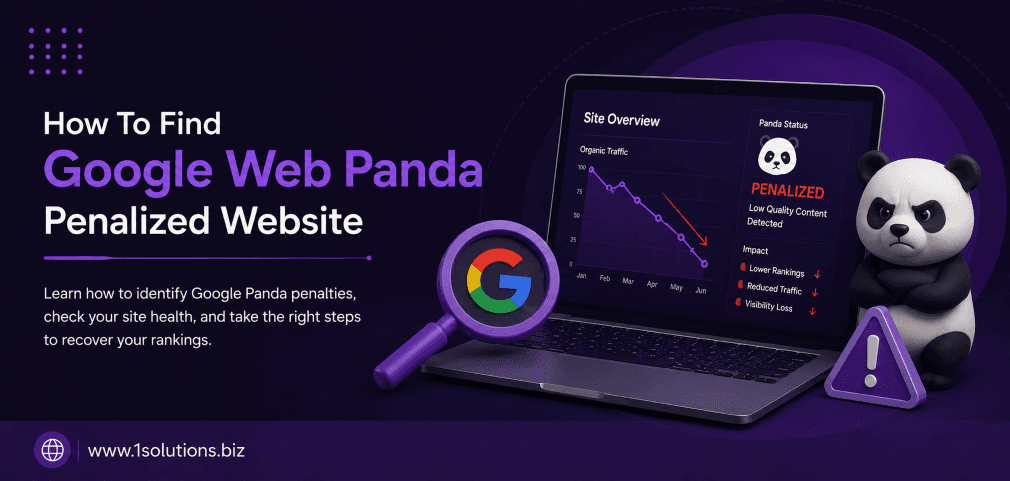
If your organic traffic dropped sharply without any obvious reason, you may be dealing with a Google Panda penalty. Knowing how to find a Google Web Panda penalized website is the critical first step before you can do anything meaningful about it. Panda targets content quality at a site-wide level, which means even a handful of low-quality pages can suppress your entire domain’s rankings. This guide walks you through exactly 10 actionable steps to diagnose whether Panda is the culprit and where to begin your recovery.
Google Panda penalizes websites for thin, duplicate, or low-quality content. To find out if your site has been affected, you need to cross-reference traffic drop dates with Panda update rollouts, audit your content quality, and check for duplicate or shallow pages. Once confirmed, a structured content improvement plan is your path to recovery.
⚡ Key Takeaways
- Google Panda has been part of Google’s core algorithm since 2016, making it a permanent quality filter rather than a one-time event.
- A sudden, sharp drop in organic traffic that aligns with a known algorithm update date is the clearest first signal of a Panda issue.
- Google Search Console, SEMrush, and Ahrefs are your primary diagnostic tools for confirming a penalty.
- Thin content, duplicate pages, keyword stuffing, and poor user engagement metrics are the top Panda triggers.
- Recovery requires fixing or removing low-quality content, not just adding new pages on top of the problem.
- Working with a specialist in Google Panda recovery can significantly shorten your recovery timeline.
- Monitoring traffic trends consistently using analytics tools prevents future penalties from going undetected.
1. Check Your Organic Traffic for a Sudden Drop
The most obvious starting point for identifying a Panda penalty is your organic traffic data. Log into Google Analytics or any analytics platform you use and navigate to your acquisition report filtered by organic search. Look for a sudden, steep decline in sessions, users, or pageviews from search engines. The key detail here is the timing: was the drop gradual or did it happen abruptly within a single day or week?
Panda penalties do not typically cause a slow bleed. They manifest as a cliff-like fall that correlates with an algorithm update rollout. According to Moz (2023), websites hit by quality-based algorithm updates often see organic traffic reductions of 30 to 90 percent within the update window. Compare your traffic trend across at least 12 to 18 months to identify the exact date the decline began. If you see a recovery period followed by another dip, that pattern suggests your site was caught in multiple Panda refresh cycles. This step alone does not confirm a Panda hit, but it gives you the date range you need for the next step.
2. Cross-Reference the Drop Date with Known Panda Update Dates
Once you have your traffic drop date, you need to check it against the historical record of Google Panda update releases. While Panda became part of Google’s core algorithm in January 2016, major refreshes and broader core updates still carry Panda’s content quality principles. Resources like the Google Algorithm Change History maintained by Moz, or the timeline published on Search Engine Land, list every confirmed update with its approximate rollout dates.
If your traffic drop aligns within one to two weeks of a known update, the likelihood of an algorithm-driven penalty is very high. This is not just about Panda specifically: since its integration into the core algorithm, what used to be isolated Panda hits now get lumped under broad core updates. However, the diagnostic approach remains the same. You are looking for a content quality problem. Bookmark the Moz algorithm history page and compare your Google Analytics data side by side. If the dates line up, you have strong circumstantial evidence. The next steps will help you move from circumstantial to confirmed.
3. Use Google Search Console to Identify Affected Pages
Google Search Console is an indispensable tool in this diagnostic process. Go to the Performance report and filter by date to compare the period before and after the traffic drop. Look at which pages lost the most impressions and clicks. Sort by the largest decline in clicks and pay attention to whether the affected pages share common characteristics such as short word counts, thin content, or near-duplicate topics.
Also check the Coverage report for any manual action notices. A manual penalty from Google’s spam team will appear here explicitly. If there is no manual action but traffic still dropped, that points toward an algorithmic penalty like Panda rather than a human reviewer’s decision. According to Search Engine Journal (2022), algorithmic penalties are far more common than manual actions and are often more difficult to diagnose because Google does not send you a notification. The URL Inspection tool can also help you verify whether specific pages are being indexed and how Google is rendering them, which is relevant when checking for content quality issues related to JavaScript rendering.
💡 Pro Tip: Export your Google Search Console performance data to a spreadsheet and sort pages by percentage traffic loss. Pages with the steepest declines are your first investigation targets, not the entire site at once.
4. Audit Your Site for Thin or Low-Quality Content
Thin content is Panda’s primary target. This means pages with very little substantive information, pages that exist purely for keyword stuffing, auto-generated content, or pages that simply aggregate information without adding any original value. Use a site crawler like Screaming Frog or Sitebulb to crawl your entire website and flag pages with low word counts, typically under 300 words, as well as pages with high keyword density ratios.
Pay special attention to category pages, tag archives, paginated pages, and old blog posts that were written quickly without research. These are common thin content offenders. For content quality improvement, our guide on how to boost your SEO with page content analysis provides a structured framework for evaluating each page systematically. Thin content does not always mean short content: a 2,000-word page stuffed with fluff and repetition can be just as damaging as a 150-word page. Focus on whether the content genuinely answers a user’s question or solves a problem.
5. Check for Duplicate and Near-Duplicate Content Issues
Duplicate content is one of the fastest ways to trigger a Panda quality filter. This includes exact duplicates copied from other sites, self-duplicated content across multiple URLs on your own site, and near-duplicate content where pages cover essentially the same topic with minor wording changes. Use tools like Copyscape for external plagiarism checks and Siteliner for internal duplication analysis.
A common internal duplication issue involves CMS-generated URL parameters. For example, a product page might be accessible at multiple URLs due to session IDs, filter parameters, or printer-friendly versions. Each of these counts as a separate page in Google’s index and dilutes your content quality signals. Canonical tags can address some of these issues, but they need to be implemented correctly. According to Semrush (2023), sites with more than 25 percent duplicate content across their indexed pages face significantly higher risks of quality-based ranking suppression. Check your canonical tag implementation and ensure that your preferred URLs are consistently signaled across internal links, sitemaps, and structured data.
6. Analyze User Engagement Metrics as Panda Signals
Google uses engagement signals as indirect indicators of content quality. While the exact weighting of these signals in the algorithm is not publicly confirmed, there is strong correlation data showing that pages with high bounce rates, very short session durations, and low pages-per-session tend to rank lower over time. Panda’s content quality assessment is informed by these behavioral patterns because they reveal whether users found what they were looking for.
In Google Analytics, look at the bounce rate and average session duration segmented by organic traffic. Compare pages that maintained their rankings against pages that lost traffic after the update. You will often find a clear pattern: the pages that survived have stronger engagement metrics. If users are landing on your pages and immediately returning to Google, that pogo-sticking behavior is a strong signal that your content did not satisfy the query. Improving content depth, adding visuals, improving page load speed, and making content easier to scan can all improve these metrics. Our 5 key SEO strategies for article ranking post covers several of these engagement-focused tactics in practical detail.
💡 Pro Tip: Segment your Google Analytics organic traffic by landing page and sort by bounce rate. Any page with a bounce rate above 80 percent and low average session duration warrants immediate content review.
7. Use Third-Party SEO Tools to Confirm Ranking Losses
While Google Search Console shows you data about your own site, third-party tools like Ahrefs, SEMrush, and Moz give you historical keyword ranking data that can confirm whether your site lost rankings across a broad set of keywords simultaneously. A Panda penalty does not usually cause one or two keywords to drop: it suppresses rankings across many keywords at once because it operates at the domain or site-section level.
In Ahrefs, use the Organic Keywords report and filter by position change during the time window of your suspected penalty. If you see dozens or hundreds of keywords drop from page one to page two or beyond within the same week, that is a hallmark Panda signature. Cross-referencing this with your competitor ranking data can also reveal whether the traffic went to competitors with better content. Semrush’s Traffic Drop Sensor can alert you to sudden organic visibility changes and is a useful ongoing monitoring tool rather than just a diagnostic one. For comprehensive search visibility management, professional SEO services include continuous ranking monitoring to catch drops before they become crises.
8. Evaluate Your Site’s Overall Content-to-Quality Ratio
Google’s Panda algorithm evaluates content quality at a site-wide level. This means that even if 80 percent of your content is excellent, the remaining 20 percent of low-quality pages can drag down your entire domain’s authority in Panda’s eyes. This is sometimes called the “weakest link” problem in Panda recovery: your good content is being suppressed because it shares a domain with poor content.
| Content Type | Panda Risk Level | Recommended Action |
|---|---|---|
| Thin blog posts under 300 words | High | Expand or consolidate with related posts |
| Auto-generated product descriptions | High | Rewrite with unique, specific details |
| Duplicate category/tag pages | Medium-High | Noindex or canonicalize |
| Outdated content with no recent updates | Medium | Refresh with current data and new insights |
| Well-researched long-form articles | Low | Maintain and update regularly |
| Original data, case studies, or guides | Very Low | Promote actively as cornerstone content |
Conduct a full content audit and categorize every indexed page into one of three buckets: keep and improve, consolidate with another page, or remove and redirect. This triage approach is more effective than trying to fix everything at once. Removing low-quality content entirely and setting up 301 redirects to relevant pages is often faster than rewriting dozens of thin pages. If you need professional support for this process, working with a team experienced in Google penalty recovery can accelerate the audit and remediation significantly.
9. Look for Signs of Keyword Stuffing and Over-Optimization
Panda penalizes not just thin content but also content that is clearly written for search engines rather than humans. Keyword stuffing, where the same phrase appears unnaturally many times throughout a page, is a classic Panda trigger. Over-optimization also includes unnatural heading structures where every H2 and H3 contains exact-match keywords, excessive internal linking with exact-match anchor text, and meta descriptions that read like keyword lists rather than useful summaries.
Use a keyword density tool or a content analysis plugin to scan your pages. A healthy keyword density sits between 0.5 and 2 percent for your primary term. Anything above 3 to 4 percent starts to look manipulative to both algorithms and human readers. Also review your internal linking structure. If every internal link to a particular page uses the exact same anchor text, that is an over-optimization signal. Our post on how to use internal links to boost backlink impact explains how to build a natural, varied internal link structure that supports rankings without triggering quality filters. According to HubSpot (2022), content that reads naturally and is written for a specific audience persona consistently outperforms keyword-heavy content in sustained organic rankings.
💡 Warning: Do not confuse a Panda penalty with a Penguin penalty. Panda targets content quality and site-wide thin content, while Penguin targets manipulative link building. The recovery approaches are different, so accurate diagnosis matters before you take any corrective action.
10. Build a Recovery Plan and Monitor Progress Over Time
Once you have confirmed a Panda penalty and identified the problem pages, the final step is creating a structured recovery plan with clear timelines and measurable milestones. Panda recovery is not instantaneous: because Panda is baked into the core algorithm, your site will only recover during the next major algorithm refresh or core update. This can take months, which makes consistent execution and patience essential.
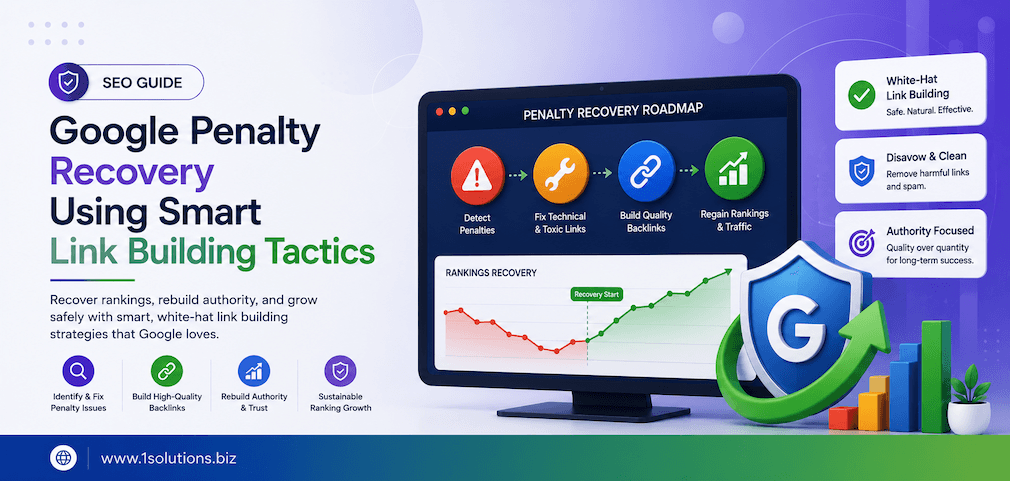
Start by prioritizing your highest-traffic pages for content improvement. Fix or remove your worst-performing content first, because that delivers the fastest signal improvement to Google. Establish a content quality standard for all future publishing: minimum word counts, required research depth, original perspectives, and proper formatting. Then set up automated rank tracking and traffic alerts so you can measure recovery in real time. For sustained improvement, consider reading our detailed guide on Google penalty recovery using smart link building tactics, which addresses the broader SEO rebuild that often accompanies Panda recovery. Also explore our post on why Google is not indexing your pages, as indexation gaps sometimes compound Panda-related visibility problems.
Practical Action Plan: Where To Focus Your Energy
- Do This Now: Pull your Google Analytics organic traffic report for the past 18 months and identify the exact date of your traffic drop. Then cross-reference that date with known algorithm update timelines using Moz’s algorithm change history. This confirms whether you are dealing with a Panda issue or something else entirely.
- Do This Now: Log into Google Search Console and check for manual action notifications. Export the Performance report to identify which pages lost the most clicks and impressions after the drop date.
- Worth Doing: Run a full site crawl using Screaming Frog or a similar tool to flag thin pages, duplicate content, and keyword stuffing issues. Create a prioritized list of pages that need to be rewritten, consolidated, or removed.
- Worth Doing: Use Ahrefs or SEMrush to pull historical keyword ranking data and confirm the breadth of ranking losses. A site-wide drop across many keywords confirms an algorithmic issue rather than a page-level problem.
- Low Priority: Once the core content issues are addressed, revisit your site’s internal linking structure and meta tag optimization to ensure there are no over-optimization signals that could slow your recovery.
- Low Priority: Set up automated traffic alerts in Google Analytics and rank tracking in your SEO tool of choice so that future drops are caught early rather than after weeks of lost visibility.
Frequently Asked Questions
How do I know if my website has been hit by Google Panda specifically?
The clearest indicators are a sudden drop in organic traffic that aligns with a known Google algorithm update date, widespread ranking losses across many keywords simultaneously, and no manual action notification in Google Search Console. If the drop date matches a core update rollout and your site has thin, duplicate, or low-quality content, Panda’s quality filters are almost certainly involved.
How long does it take to recover from a Google Panda penalty?
Recovery timelines vary widely. Because Panda is integrated into Google’s core algorithm, your site will typically see improvement only during the next major algorithm update or refresh. This can take anywhere from a few weeks to several months after you have completed your content fixes. Consistent improvement and patience are required, and there is no shortcut that reliably speeds up the process.
Can I recover from Panda by simply adding new content to my site?
No. Adding new high-quality content while leaving existing thin or low-quality content in place rarely works. Panda evaluates site-wide content quality, so your new content gets dragged down by the poor pages that still exist. You need to fix, consolidate, or remove the problematic content before the new additions can have their intended impact on your rankings.
Does Google Panda affect the whole website or just specific pages?
Google Panda operates primarily at the site-wide or site-section level. A cluster of low-quality pages can suppress the rankings of your entire domain, including pages that are individually well-written and well-optimized. This is why a comprehensive content audit of your entire site is necessary, not just a review of the pages that directly lost traffic.
Should I delete thin content pages or improve them?
It depends on whether the topic has genuine value to your audience. If a thin page covers a topic that matters to your users but was just executed poorly, rewrite and expand it. If the topic is genuinely redundant, obsolete, or offers no unique value, deleting it and setting up a 301 redirect to the most relevant remaining page is the cleaner solution. Avoid leaving 404 errors without redirects, as that creates additional crawl budget and user experience problems.
Conclusion
Understanding how to find a Google Web Panda penalized website requires a methodical approach that starts with traffic analysis and moves through content auditing, duplication checks, engagement analysis, and tool-based confirmation. There is no single magic signal that definitively identifies a Panda hit, but the combination of a traffic drop aligned with an update date, broad keyword ranking losses, thin content, and poor engagement metrics creates a clear enough picture to act on. The good news is that Panda penalties are fully recoverable with disciplined content improvement. If you need expert guidance through this process, our team at 1Solutions offers specialized Google Panda recovery services designed to diagnose, fix, and rebuild your organic visibility systematically.