















































































eCommerce growth in recent years has been largely driven by consumers who are comfortable shopping online and increasingly expect to be able to purchase items whenever and wherever they want.
This has resulted in a dramatic increase in the number of people who shop online.
In 2022, the worldwide ecommerce market is estimated to reach $5.55 trillion. This figure is expected to rise in the future years, indicating that borderless ecommerce is becoming a viable business model for online businesses.
Why SEO?

The rise of eCommerce has led to stiff competition among businesses. And, this has further resulted in the need for better optimization techniques for search engines. After all, it is the traffic from organic searches that decides the fate of an eCommerce business to a great extent.
Google’s algorithm keeps on changing and so do the optimization techniques. This is where things can get a little difficult, especially for those who are not well-versed with the nitty-gritty of SEO.
Nevertheless, we have put together a list of some foolproof Magento eCommerce optimization tips that will help your website rank higher in SERPs. But before that lets explore Magento in short.
What is Magento?

Magento is an eCommerce platform that helps businesses create online stores. It offers users a flexible shopping cart system, as well as control over the look, content, and functionality of their online store.
Magento is written in PHP and uses the Zend Framework. Magento also uses the entity-attribute-value (EAV) database model to store data.
It is widely used by big and small businesses due to its robustness, ease of running, and scalability.
Magento was created by Varien, Inc, a US company headquartered in Culver City, California. It was released on March 31, 2008.
Magento is available in two editions: Community Edition (CE) and Enterprise Edition (EE).
Why Magento is a popular choice?

There are a number of reasons why you might want to consider using Magento for your eCommerce business. Some of these reasons include:
-Magento is an open-source platform, which means it is free to download and use.
-It offers a high degree of flexibility and customization, allowing you to create a unique online store that meets the specific needs of your business.
-Magento is scalable, so it can grow with your business.
-It has a large and active community of users and developers, who can provide support and assistance.
-Magento is SEO friendly, helping you to optimize your store for search engines and improve your visibility online.
Best SEO Practices for Magento
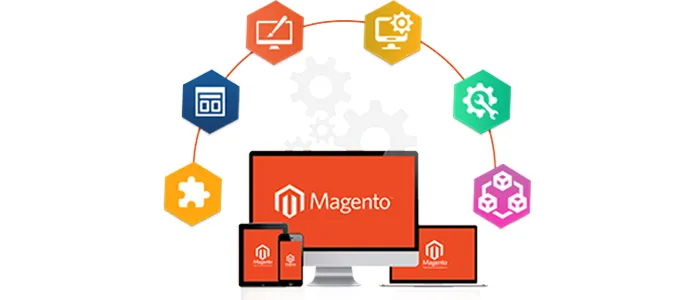
In today’s neck-to-neck competition, everyone is desirous to create a distinct, functional, and robust website on the Magento Platform.
Magento is no doubt a magical platform, but it needs sound strategic planning to build a dream website. Since 2008, Magento has become a popular e-commerce platform, with over 200,000 online stores using Magento, selecting it for your e-commerce project is a fantastic decision.
It has a lot of features and it is easy to use even by simple users which do not have coding skills.
Magento has its own pack of SEO extensions, some of them are free while others are not. Also, some of them are cheap and compatible with other SEO extensions while others are expensive and not compatible.
The success of your SEO exercise depends on a lot of factors such as how well your site is designed, its loading time, responsiveness to various devices, etc. Some of these tips, tricks, extensions, and best practices are the following:
1. Keyword research is essentia

If you want your Magento store to rank high in search engine results pages (SERPs), keyword research is essential.
You need to target the right keywords – those that your potential customers are actually searching for – and ensure that your site is optimised for them.
There are a number of different ways to carry out keyword research, but some of the best methods include using keyword planning tools like Google Keyword Planner and semrush.com, as well as looking at your competitor’s sites to see what keywords they are targeting.
2. Use keyword-rich titles and descriptions

Once you’ve identified the right keywords to target, it’s important to ensure that they are included in your site’s title tags and meta descriptions.
Your title tags should be unique to each page on your site, and should accurately reflect the content of that page. They should also include your target keywords.
Your meta descriptions are also important, as they give potential customers a brief overview of what they can expect to find on your page. Again, make sure that your target keywords are included, as this will help to increase your click-through rate (CTR).
3. Optimise your product pages

Your product pages are essential for attracting organic traffic from SERPs.
Make sure that your product pages are optimised for your target keywords, and include relevant, keyword-rich titles, descriptions and images.
It’s also important to ensure that your product pages are mobile-friendly, as more and more people are using mobile devices to search for products online.
4. Use Magento’s built-in SEO features

Magento is a very SEO-friendly eCommerce platform, and includes a number of built-in features that can help to optimise your site.
Some of the most important SEO features in Magento include:
• Canonical tags: These help to prevent duplicate content issues by telling search engines which version of a page is the original.
• Layered navigation: This helps search engines to index your site more effectively, and can also improve the user experience.
• URL rewrites: These can help to make your URLs more search engine friendly.
5. Create an XML sitemap

An XML sitemap is a file that contains a list of all the pages on your site, and is designed to help search engines to crawl and index your site more effectively.
Magento includes a built-in feature that allows you to generate an XML sitemap, which you can then submit to Google Webmaster Tools.
6. Use Google Analytics
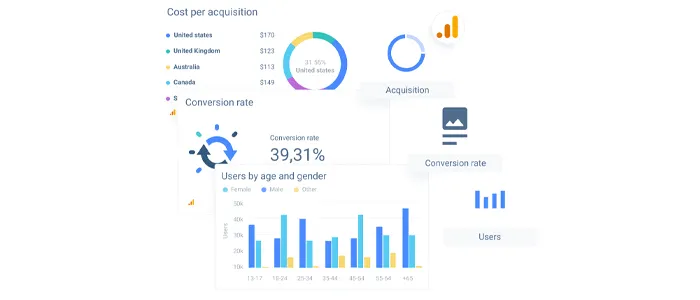
Google Analytics is a free tool that allows you to track your website’s traffic and performance.
It’s an essential tool for any eCommerce store, as it allows you to see how visitors are finding your site, what they’re doing on your site, and where they’re coming from.
This information can then be used to improve your overall SEO strategy.
7. Install the latest version of the Magento 2 platform

If you’re not already using Magento 2, now is the time to upgrade.
Magento 2 is a significant improvement over the previous version of the platform and includes a number of features that can help to improve your site’s SEO.
Some of the most important SEO features in Magento 2 include:
• Built-in support for Google AMP: This helps to improve the loading speed of your pages on mobile devices.
• Improved indexing: Magento 2 includes improved indexing features, which can help to improve your site’s crawlability.
• Meta tags: Magento 2 includes a number of new meta tags, which can be used to improve your site’s SEO.
8. Keep your site up to date

It’s important to keep your Magento site up to date, as new versions of the platform include important security and performance enhancements.
It’s also important to keep your extensions and themes up to date, as they may also include security vulnerabilities.
It’s a good idea to set up automatic updates for your Magento site, so that you can be sure that your site is always up to date.
9. Use a content delivery network (CDN)

A CDN is a network of servers that are used to deliver content to visitors.
Using a CDN can help improve your pages’ loading speed, as the content is served from a server closer to the visitor’s location.
It can also help to reduce the strain on your server, as the content is delivered from a different server.
10. Merge and minify JavaScript and CSS files

Merging and minifying your JavaScript and CSS files can help to reduce the number of HTTP requests that are made, and can also help to reduce the size of the files that are downloaded.
This can help to improve the loading speed of your pages, as well as reduce the strain on your server.
11. Use image compression

Images can often be quite large, and can therefore take a long time to load.
Using image compression can help to reduce the file size of your images, and can therefore help to improve the loading speed of your pages.
12. Use a caching extension

Caching can help to improve the loading speed of your pages, as it allows frequently accessed files to be cached on the visitor’s browser.
This means that the files don’t need to be downloaded from your server each time the page is accessed, which can help to reduce the strain on your server.
There are a number of caching extensions available for Magento, which you can use to improve the performance of your site.
13. Write unique product descriptions
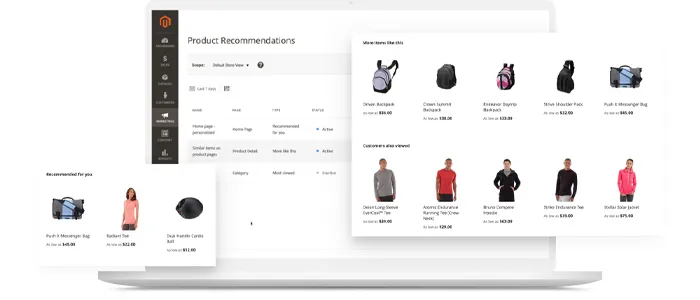
It’s important to write unique and relevant product descriptions for each of the products on your site.
This can help to improve your site’s SEO, as well as improve the likelihood of your products being found by potential customers.
14. Implement schema markup (rich snippet)

Schema markup is a type of code that can be added to your site to help search engines understand your content.
Adding schema markup to your site can help to improve your site’s SEO, as it can help your pages to appear in rich snippets in the search results.
Final Takeaway
There are multiple ways to optimize your Magento store to boost eCommerce store SEO rankings.
The tips and tricks mentioned in this article should help you to get started with improving your Magento site’s SEO.
Of course, this is just the tip of the iceberg when it comes to SEO, but if you follow these tips you should see a significant improvement in your site’s SEO.
If you need help with optimizing your Magento store, contact the SEO experts at 1Solutions to get assured rankings.









 in India