
An eCommerce marketplace is a place where buyers and sellers can meet each other and do business online. These marketplaces give vendors a digital place to sell their goods or services, and they make it easy for customers to buy a wide range of goods from many different vendors.nneCommerce marketplaces have changed the way people buy and sell by giving customers a place to buy everything they need at once and giving business owners a cheap way to reach a wider audience. With the rise of eCommerce marketplaces, entrepreneurs now have more ways to start their own businesses and take advantage of the growing online retail market.nnOver the years, building an online store with WordPress has become a lot simpler. But what about building a marketplace for multi-vendors like ThemeForest?nnWell, due to the existence of WordPress marketplace themes, it is now much easier to create your own multi-author online shop.nnYou can create a shop where vendors and developers can sign up, list their items for sale, and manage their own accounts, all from inside your WordPress website, by using one of these themes and the right WordPress plugins.nnIn this series, the best marketplace themes have designs that are designed for high conversion rates and to create more sales for your store. They also provide front-end forms and templates for your registration, account, and reporting pages, helping to give a professional look and feel to your multi-vendor e-commerce store.nnThanks to these themes, you will have no trouble giving your marketplace a professional design if you want to create a place where vendors can list and sell their physical or digital goods online. It’s all about attracting the right sellers and buyers to establish a profitable marketplace and these themes will definitely help you do just that.nn n
Vendify
n n
n
“Looking to transform your vision of a thriving multi-vendor marketplace into reality? Vendify streamlines the process, offering a comprehensive suite of eCommerce templates designed to power your WordPress platform. With Vendify, you can bypass the complexities of development and dive straight into building your brand.
n
What sets Vendify apart is its user-friendly approach. The theme boasts a fully developed marketplace website demo, allowing you to import a professional and functional site to your WordPress installation with just a few clicks. This rapid deployment ensures you can focus on what truly matters: curating your vendors and products.
n
The visual impact of Vendify is immediate. Upon installation, you’ll notice the striking header section, featuring a prominent full-screen background image. This captivating design element, enhanced with customizable text overlays and strategically placed buttons, draws visitors in and encourages engagement from the moment they land on your site.
n
Key Features that Empower Your Marketplace:
nn
- n
- Effortless Setup: Import a complete marketplace demo with just a few clicks, eliminating the need for extensive coding or design expertise. This streamlined process leverages the power of WordPress, a platform known for its accessibility. For those unfamiliar with the core platform, you can learn more at the official WordPress.org site.
- Visually Stunning Headers: Utilize full-screen background images with text and button overlays to create impactful first impressions. Design is very important for ecommerce, and to find more information about ecommerce best practices, you can review information from sites like, those that provide theme reviews, such as those found on Cloudways.
- Comprehensive eCommerce Templates: Benefit from a wide array of pre-designed templates, tailored for various marketplace functionalities, from vendor profiles to product listings. This is built to be compatible with WooCommerce. For more information about the e-commerce plugin, you can visit the official WooCommerce.com site.
- Multi-Vendor Functionality: Vendify is built to support a seamless multi-vendor experience, ensuring smooth transactions and vendor management.
- Customization Flexibility: Tailor the theme to match your brand’s unique identity with extensive customization options.
n
n
n
n
n
n
Vendify provides the ideal foundation for anyone looking to launch a robust and visually appealing eCommerce marketplace. Its blend of ease-of-use and powerful features makes it a top contender for entrepreneurs seeking a rapid and effective online presence.”
n
nn
n
n
Must Read – WooCommerce Store Maintenance Checklist You Should Not Miss
n n
Divi
n nn n
nn n
“Divi transcends the traditional theme concept, offering a powerful visual builder that empowers you to design a unique and dynamic marketplace. Known for its drag-and-drop interface, Divi enables you to craft every aspect of your site, from vendor profiles to product listings, without writing a single line of code. This flexibility makes it an ideal choice for entrepreneurs seeking complete creative control.
n
Divi’s strength lies in its modular approach. You can leverage its extensive library of pre-designed modules and templates to build complex layouts with ease. This visual design capability aligns with modern web design trends, where user experience and visual appeal are paramount. To further explore contemporary web design principles, you can refer to resources like those provided by Mozilla Developer Network (MDN).
n
While not a dedicated marketplace theme out of the box, Divi’s compatibility with WooCommerce and its vast customization options allow you to seamlessly integrate multi-vendor functionality using plugins. For a deeper understanding of WooCommerce’s capabilities, visit the official WooCommerce.com site.
n
Key Features that Unleash Your Design Potential:
nn
- n
- Visual Drag-and-Drop Builder: Design your marketplace with intuitive visual tools, eliminating the need for coding.
- Extensive Module Library: Access a vast collection of pre-designed modules to streamline your design process.
- Complete Customization: Tailor every aspect of your site to match your brand’s unique identity.
- WooCommerce Compatibility: Seamlessly integrate WooCommerce and multi-vendor plugins for robust marketplace functionality.
- Global Design Settings: Ensure consistency across your site with global design controls.
- Responsive Editing: Divi provides responsive editing, making sure your site looks great on all devices, a very important aspect of modern web design. To learn more about responsive design, you can read articles about responsive web design on Google Developers.
n
n
n
n
n
n
n
Divi’s versatility and design-centric approach make it a powerful tool for building a unique and engaging marketplace. It’s an excellent choice for those who prioritize creative freedom and visual excellence.”
nn
n n
Must Read:- E-Commerce Platforms 2025: Choosing the Right Store for Your Online Success
n n
Makery
n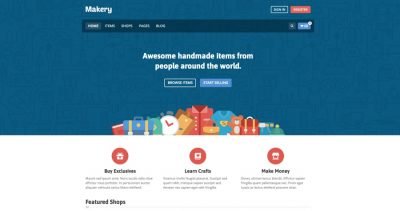 nn n
nn n
“Makery is a WordPress theme specifically designed to facilitate the creation of robust online marketplaces. It prioritizes the essential functionalities needed for multi-vendor e-commerce, ensuring smooth transactions and vendor management. Makery’s focus is on providing a streamlined experience, allowing site owners to concentrate on growing their marketplace.
n
One of Makery’s key strengths is its dedicated marketplace features. It’s built to handle vendor profiles, product listings, and transaction management with efficiency. This specialization is crucial for creating a user-friendly environment for both vendors and customers. When considering the importance of well structured e-commerce sites, you may want to review best practices for ecommerce user experience, and those can be found within resources that discuss UX design. A good place to start for general UX information is the Nielsen Norman Group. (Here is a link to the Nielsen Norman group: Nielsen Norman Group).
n
Makery’s integration with WooCommerce enhances its e-commerce capabilities, providing a reliable foundation for online transactions. For detailed information on WooCommerce’s features and functionalities, it’s always best to refer to the official source: WooCommerce.com.
n
Key Features that Empower Your Marketplace:
nn
- n
- Dedicated Marketplace Functionality:n
- n
- Makery offers features specifically designed for multi-vendor marketplaces, including vendor profiles, product management, and commission tracking.
n
n
- WooCommerce Integration:n
- n
- Seamless integration with WooCommerce ensures reliable e-commerce functionality.
n
n
- Vendor Management:n
- n
- Tools for managing vendor accounts, product listings, and sales.
n
n
- Transaction Management:n
- n
- Facilitates smooth and secure online transactions.
n
n
- Customization Options:n
- n
- Allows for customization to match your brand’s unique identity.
n
n
n
n
n
n
n
n
Makery provides a focused solution for those looking to build a functional and efficient online marketplace. Its emphasis on core marketplace features makes it a valuable tool for e-commerce entrepreneurs.”
nn
n
Must Read:- 17 Best WooCommerce WordPress Themes
n n
Kalium
n n
n
Kalium stands out as a versatile and visually stunning WordPress theme, particularly well-suited for creating unique and creative ecommerce marketplaces. Its flexible design and extensive customization options empower you to build a marketplace that reflects your brand’s distinct identity.
n
Refreshed and Enhanced Features:
nn
- n
- Aesthetic Excellence:n
- n
- Kalium’s emphasis on typography and visual design allows you to create a captivating shopping experience. The theme provides a rich selection of portfolio layouts and display options, crucial for showcasing diverse product ranges.
- It leverages high-resolution imagery and elegant animations, which can significantly boost user engagement. According to research by Adobe, 38% of people will stop engaging with a website if the content or layout is unattractive. This emphasizes the importance of 1 a visually appealing theme like Kalium.n
nnnnnnnn1. moldstud.com
n
n
n
n
n
n
n
n
n
- To learn more about the importance of visual design in e-commerce, refer to articles from the Nielsen Norman Group, which provides evidence-based user experience research.
n
n
n
n
- WooCommerce Integration with Enhanced Customization:n
- n
- Kalium offers seamless WooCommerce integration, enabling you to build a robust marketplace with ease. However, unlike basic integrations, Kalium provides enhanced customization options for product pages, shop layouts, and checkout processes.
- You can tailor the shopping experience to match your specific marketplace needs, from custom product filters to unique cart layouts.
- WooCommerce has a large community, and extensive documentation. For more information about WooCommerce, you can explore the official documentation: WooCommerce.
n
n
n
n
- Multivendor Capabilities (with plugins):n
- n
- While Kalium itself is not a multivendor plugin, it is compatible with popular multivendor plugins like Dokan and WC Vendors. This allows you to transform your website into a thriving marketplace where multiple vendors can sell their products.
- The theme’s flexibility ensures that the multivendor functionality integrates smoothly, maintaining a consistent and professional look.
- For more information regarding multivendor plugins, you can view the official websites of Dokan and WC Vendors.
n
n
n
n
- Performance and Responsiveness:n
- n
- Kalium is optimized for speed and performance, ensuring fast loading times and a smooth user experience. This is crucial for ecommerce marketplaces, where every second counts.
- The theme is fully responsive, adapting seamlessly to different screen sizes and devices, providing a consistent shopping experience across desktops, tablets, and smartphones.
- Google’s Core Web Vitals are a great resource to learn about web performance, and its importance for user experience. You can read more about core web vitals on the google web.dev website.
n
n
n
n
- Advanced Theme Options:n
- n
- Kalium’s advanced theme options panel gives you granular control over every aspect of your website’s design and functionality.
- From custom headers and footers to unique page layouts, you can create a truly bespoke marketplace that stands out from the competition.
- For more information about web design best practices, you can view articles from Smashing Magazine, a valuable resource for web designers and developers.
n
n
n
n
n
n
n
n
n
nMust Read:- WooCommerce: Advantages & Disadvantagesnn n
Marketica
n n
n
Marketica is a dedicated WordPress theme designed specifically for creating comprehensive online marketplaces. It offers a powerful set of features and functionalities that enable you to build a thriving platform for multiple vendors.
n
Refreshed and Enhanced Features:
nn
- n
- Dedicated Multivendor Functionality:n
- n
- Marketica is built with multivendor capabilities at its core, eliminating the need for extensive plugin integrations. This streamlined approach ensures a smooth and efficient marketplace operation.
- It provides robust vendor management tools, including vendor dashboards, product management, and order tracking.
- To understand more about the features of a good multivendor marketplace, you can look at the features offered by established platforms like Etsy or Shopify Multivendor.
n
n
n
n
- Advanced Product Management:n
- n
- The theme offers advanced product management features, allowing vendors to easily upload and manage their products.
- It supports various product types, including physical and digital goods, and provides options for product variations and attributes.
- For best practices for product management in ecommerce, you can review guides from BigCommerce.
n
n
n
n
- Comprehensive Vendor Dashboards:n
- n
- Marketica provides comprehensive vendor dashboards that give vendors complete control over their shops.
- Vendors can manage their products, orders, and earnings, and track their performance in real-time.
- To learn more about effective dashboard design, you can look at articles from Interaction Design Foundation.
n
n
n
n
- Integrated Payment Gateways:n
- n
- Marketica integrates with popular payment gateways, enabling seamless and secure transactions.
- This ensures that vendors can receive payments quickly and efficiently.
- For security best practices with online transactions, you can view resources from the PCI Security Standards Council.
n
n
n
n
- Customizable Shopfronts:n
- n
- Marketica allows vendors to customize their shopfronts, creating unique and branded experiences for their customers.
- This helps vendors to establish their identity and build customer loyalty.
- For information on best practices for ecommerce storefront designs, you can look at articles from HubSpot.
n
n
n
n
n
n
n
n
n
n
Must Read:- How to Open a Store on Amazon and Start Selling
n n
Uncode
n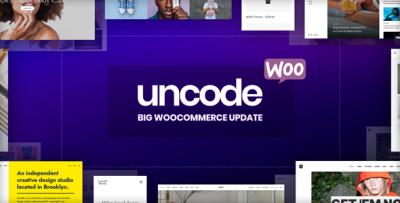 n
n
Uncode is a highly versatile and visually stunning WordPress theme, renowned for its pixel-perfect design and extensive customization capabilities. It provides the flexibility and power needed to create unique and engaging ecommerce marketplaces.
n
Refreshed and Enhanced Features:
nn
- n
- Exceptional Design Flexibility:n
- n
- Uncode’s advanced page builder, “Wireframes,” allows for unparalleled design control. You can create custom layouts and designs that perfectly match your marketplace’s brand and aesthetic.
- Its focus on typography and visual hierarchy ensures a polished and professional look.
- To explore web design trends and best practices, you can view resources from Awwwards.
n
n
n
n
- WooCommerce Integration with Creative Customization:n
- n
- Uncode offers seamless WooCommerce integration, allowing you to build a robust ecommerce platform. However, it goes beyond basic integration, providing creative customization options for product pages, shop layouts, and checkout processes.
- This allows you to create a unique shopping experience that sets your marketplace apart.
- For information on Woocommerce customization, you can view the official WooCommerce documentation.
n
n
n
n
- Performance Optimization:n
- n
- Uncode is built with performance in mind, ensuring fast loading times and a smooth user experience. This is crucial for ecommerce marketplaces, where speed is essential.
- It includes features like lazy loading and optimized code to enhance performance.
- To learn more about website performance optimization, you can view resources from Google’s PageSpeed Insights.
n
n
n
n
- Advanced Grid System:n
- n
- Uncode’s advanced grid system provides precise control over layout and content display. This is particularly useful for showcasing diverse product ranges in a visually appealing way.
- To understand more about grid systems in web design, you can read articles on CSS-Tricks.
n
n
n
- Extensive Theme Options:n
- n
- Uncode’s extensive theme options panel provides granular control over every aspect of your website’s design and functionality.
- This allows you to create a truly bespoke marketplace that meets your specific needs.
- For information on web design best practices, you can view articles from Smashing Magazine.
n
n
n
n
n
n
n
n
n
n
Must Read:- Best ecommerce marketing tools to get more sales in less time
n n
Meup
n n
n
Meup is a clean and modern WordPress theme designed for building stylish and user-friendly online marketplaces. Its minimalist aesthetic and focus on usability make it an excellent choice for marketplaces seeking a contemporary look.
n
Refreshed and Enhanced Features:
nn
- n
- Clean and Minimalist Design:n
- n
- Meup’s clean design and ample white space create a visually appealing and uncluttered shopping experience. This helps to highlight products and improve user focus.
- Its modern typography and subtle animations contribute to a sophisticated and professional look.
- To explore trends in minimalist web design, you can look at resources from Designmodo.
n
n
n
n
- Intuitive User Interface:n
- n
- Meup prioritizes usability, ensuring a smooth and intuitive shopping experience for both vendors and customers.
- Its clean layout and clear navigation make it easy for users to find what they’re looking for.
- For information on user interface design best practices for ecommerce, you can look at articles from Baymard Institute.
n
n
n
n
- WooCommerce Compatibility:n
- n
- Meup seamlessly integrates with WooCommerce, providing a robust ecommerce platform for your marketplace.
- It offers customization options for shop pages and product displays, allowing you to tailor the shopping experience to your specific needs.
- For Woocommerce documentation and support, you can look at the official WooCommerce website.
n
n
n
n
- Responsive and Mobile-Friendly:n
- n
- Meup is fully responsive, ensuring a consistent and optimized shopping experience across all devices.
- Its mobile-first approach ensures that your marketplace looks great on smartphones and tablets.
- For information on mobile first web design, you can look at resources from Mozilla Developer Network.
n
n
n
n
- Customization Options:n
- n
- Meup provides a range of customization options, allowing you to personalize your marketplace’s look and feel.
- From custom colors and fonts to unique page layouts, you can create a marketplace that reflects your brand’s identity.
- For information on web design customization options, you can explore resources from W3Schools.
n
n
n
n
n
n
n
n
n
n
Must Read:- 16 Simple Ways to Boost Your Ecommerce Conversion Rate
n n
TheGem
n n
n
TheGem is a high-performance and versatile WordPress theme that provides a comprehensive toolkit for building diverse ecommerce marketplaces. Its flexibility and extensive customization options make it suitable for a wide range of marketplace niches.
n
Refreshed and Enhanced Features:
nn
- n
- Extensive Pre-built Demos:n
- n
- TheGem offers a vast library of pre-built demos, including those specifically designed for ecommerce and marketplaces. These demos provide a solid foundation for your marketplace, saving you time and effort.
- To explore the benefits of using pre-built demos, you can look at articles from TemplateMonster.
n
n
n
- Visual Page Builder Integration:n
- n
- TheGem integrates seamlessly with popular visual page builders, allowing you to create custom layouts and designs with ease. This provides granular control over your marketplace’s look and feel.
- For information on page builder best practices, you can look at the wpbakery page builder documentation.
n
n
n
- WooCommerce Power:n
- n
- TheGem provides deep WooCommerce integration, enabling you to build a robust ecommerce platform. It offers advanced customization options for shop pages, product displays, and checkout processes.
- For Woocommerce information, you can look at the official WooCommerce documentation.
n
n
n
- Performance Optimization:n
- n
- TheGem is optimized for speed and performance, ensuring fast loading times and a smooth user experience. This is crucial for ecommerce marketplaces, where performance directly impacts sales.
- To learn more about website performance optimization, you can look at resources from Google’s PageSpeed Insights.
n
n
n
- Flexible Customization Options:n
- n
- TheGem provides a wide range of customization options, allowing you to personalize your marketplace’s design and functionality. This includes options for colors, fonts, layouts, and more.
- For information on website customization best practices, you can explore resources from W3Schools.
n
n
n
n
n
n
n
n
n
Must Read:– How to pick the right eCommerce marketing company
n n
Pixefy
n n
n
Pixefy is a modern and visually compelling WordPress theme designed to create engaging and user-friendly online marketplaces. Its focus on visual presentation and intuitive navigation makes it ideal for marketplaces that prioritize a strong aesthetic appeal.
n
Refreshed and Enhanced Features:
nn
- n
- Visual-Centric Design:n
- n
- Pixefy’s design emphasizes high-quality imagery and visual storytelling, creating a captivating shopping experience. This is particularly beneficial for marketplaces showcasing products with strong visual appeal.
- To learn more about the importance of visual marketing, you can explore resources from HubSpot’s Marketing Blog.
n
n
n
- User-Friendly Navigation:n
- n
- Pixefy prioritizes intuitive navigation, ensuring that customers can easily find and explore products. Its clean layout and clear categorization enhance the user experience.
- For information on user experience design, you can look at the Nielsen Norman Group.
n
n
n
- WooCommerce Integration:n
- n
- Pixefy offers seamless WooCommerce integration, providing a robust and feature-rich ecommerce platform. It includes customization options for product pages, shop layouts, and checkout processes.
- For Woocommerce support and documentation, please view the official WooCommerce Website.
n
n
n
- Responsive Design:n
- n
- Pixefy is fully responsive, ensuring a consistent and optimized shopping experience across all devices. This is essential for reaching a wider audience and improving customer satisfaction.
- For information on responsive web design, you can look at resources from Mozilla Developer Network.
n
n
n
- Customization Options:n
- n
- Pixefy provides a range of customization options, allowing you to tailor your marketplace’s look and feel to your specific brand. This includes options for colors, fonts, layouts, and more.
- For information on web design customization, you can look at resources from W3Schools.
n
n
n
n
n
n
n
n
n
Must Read:- Top Global Marketplaces for Selling Your Products Online
n n
Pofo
n n
n
Pofo is a modern and creative WordPress theme that offers a high degree of flexibility and performance, making it an excellent choice for building visually appealing and efficient online marketplaces. Its focus on design and speed makes it suitable for a wide range of marketplace niches.
n
Refreshed and Enhanced Features:
nn
- n
- Creative Design Options:n
- n
- Pofo provides a wide array of creative design options, including unique layouts, typography choices, and animation effects. This allows you to create a visually distinct and engaging marketplace.
- For inspiration and design trends, you can explore resources from platforms like Behance.
n
n
n
- WooCommerce Compatibility:n
- n
- Pofo offers seamless WooCommerce integration, enabling you to build a robust ecommerce platform. It includes customization options for product pages, shop layouts, and checkout processes.
- For information on Woocommerce, please view the official WooCommerce documentation.
n
n
n
- Performance Optimization:n
- n
- Pofo is optimized for speed and performance, ensuring fast loading times and a smooth user experience. This is crucial for ecommerce marketplaces, where performance directly impacts sales.
- For information on website speed optimization, you can look at resources like Google’s PageSpeed Insights.
n
n
n
- Responsive and Mobile-Friendly:n
- n
- Pofo is fully responsive, ensuring a consistent and optimized shopping experience across all devices. This is essential for reaching a wider audience and improving customer satisfaction.
- For information on responsive web design, you can look at resources from Mozilla Developer Network.
n
n
n
- Extensive Customization:n
- n
- Pofo provides a wide range of customization options, allowing you to tailor your marketplace’s look and feel to your specific brand. This includes options for colors, fonts, layouts, and more.
- For information on web design customization, you can look at resources from W3Schools.
n
n
n
n
n
n
n
n
n
Must Read – 10 Pre-Launch Checks for New WooCommerce Stores
n n
Walleto
n n
n
Walleto is a modern and sleek WordPress theme specifically designed for creating digital marketplaces. Its focus on user experience and clean design makes it an excellent choice for platforms selling digital products or services.
n
Refreshed and Enhanced Features:
nn
- n
- Dedicated Digital Product Focus:n
- n
- Walleto is tailored for digital products, offering features optimized for selling downloadable files, software, and online services.
- For information on best practices for selling digital products, explore resources from platforms like Sellfy.
n
n
n
- Clean and Modern Design:n
- n
- Walleto’s clean and minimalist design creates a professional and user-friendly shopping experience. This is crucial for showcasing digital products in a clear and organized manner.
- For inspiration on modern web design, explore resources from Designmodo.
n
n
n
- Easy Digital Downloads (EDD) Integration:n
- n
- Walleto is designed to work seamlessly with the Easy Digital Downloads (EDD) plugin, a powerful solution for selling digital products on WordPress.
- For documentation related to EDD, please view the official Easy Digital Downloads documentation.
n
n
n
- User-Friendly Interface:n
- n
- Walleto prioritizes user experience, ensuring that customers can easily browse, purchase, and download digital products.
- For information on user interface design best practices, you can look at articles from Baymard Institute.
n
n
n
- Responsive and Mobile-Friendly:n
- n
- Walleto is fully responsive, ensuring a consistent and optimized experience across all devices. This is crucial for reaching customers who prefer to shop on their smartphones or tablets.
- For information on responsive web design, you can look at resources from Mozilla Developer Network.
n
n
n
n
n
n
n
n
n
Must Read – Top 10 Reasons To Choose Shopify For Ecommerce
n nnConclusion-nnIn conclusion, choosing the right WordPress theme is crucial for creating a successful eCommerce marketplace. The themes mentioned above offer a range of features and customization options that can help you build a professional and user-friendly online store.nnWhether you are looking for a simple and minimalist design or a more feature-rich and visually stunning theme, there are many great options to choose from. By considering your specific needs and requirements, you can select a theme that aligns with your brand and supports your business goals.nnWith the right theme, you can create an engaging and memorable shopping experience for your customers, and grow your eCommerce marketplace into a thriving online business.nnFor expert theme customization and seamless integration, trust our experienced WordPress development agency to build your e-commerce site.