
























































Top 10 Tools To Effectively Analyze Your Website

Top 10 Tools To Effectively Analyze Your Website

Top 10 Tools To Effectively Analyze Your Website

If you want to grow organic traffic, fix hidden technical errors, and outperform competitors, you need the right tools to effectively analyze your website. Without data, you are essentially guessing, and guessing costs time and money. Whether you run a small blog, a local service business, or a large ecommerce store, regular website analysis is the foundation of every smart digital decision you make.

According to HubSpot (2024), companies that actively track and analyze website performance are 2.8 times more likely to report strong ROI from their digital marketing efforts. Yet many site owners still rely on surface-level metrics and miss the deep technical, SEO, and UX signals that actually move the needle.

This guide breaks down exactly ten tools, what each one does, where it excels, and where it falls short, so you can choose the right combination for your specific needs.

TL;DR

This article covers the top 10 tools to effectively analyze your website across SEO, performance, backlinks, UX, and technical health. Each tool is explained with real trade-offs so you can build a smart, practical analysis stack that drives measurable growth.

⚡ Key Takeaways

  • No single tool covers everything: use a combination of at least three to four tools for full website coverage.
  • Google Search Console is free and essential, but it only shows data from your own verified property.
  • Page speed directly impacts rankings and conversions: even a one-second delay can reduce conversions by up to 7% (Akamai, 2023).
  • Backlink analysis tools help you spot toxic links before they trigger a manual penalty.
  • Heat mapping and session recording tools reveal real user behavior that analytics numbers alone cannot explain.
  • Crawl tools are critical for large sites where manual audits are simply not possible.
  • Pairing technical analysis with content strategy gives you the best overall picture of site health.

Why Website Analysis Cannot Be Optional

A website that is not regularly audited is a website that is slowly losing ground. Search algorithms update frequently, user behavior shifts, and competitors improve their pages. Without consistent analysis, small problems compound into major traffic drops. Tools give you early warnings, competitive benchmarks, and the specific data points needed to prioritize fixes that produce real results. If you want to learn how algorithm changes like the Google May 2026 Core Update affect your site, you need reliable analysis data first.

The 10 Best Tools To Effectively Analyze Your Website

1. Google Search Console

Google Search Console (GSC) is the single most important free tool for any website owner. It is provided directly by Google and gives you verified data about how your pages perform in Google Search. Inside GSC, you can see which search queries drive impressions and clicks, identify pages that are not being indexed, spot Core Web Vitals issues flagged by Google itself, and review any manual actions or security problems applied to your site.

The Performance report shows you click-through rate, average position, and total impressions over time. The Coverage report tells you exactly why certain pages are excluded from Google’s index, whether that is a noindex tag, a crawl error, or a redirect loop. This is invaluable data you simply cannot get anywhere else, because it comes straight from the source.

The trade-off: GSC data has a latency of a few days and the historical window is limited to roughly 16 months. It also only shows data for your own verified site, so you cannot use it for competitor research. Pair it with the other tools on this list for a complete picture. If you are struggling with pages not appearing in search results, the guide on why Google is not indexing your page walks through the most common causes using GSC data as a starting point.

💡 Pro Tip: Check the “Discovered but not indexed” and “Crawled but not indexed” reports in GSC at least once a month. These two categories reveal the content Google has found but decided not to rank, which is a direct signal that your page quality or internal linking needs attention.

2. Google Analytics 4 (GA4)

Google Analytics 4 is the standard platform for understanding how users behave on your website once they arrive. While GSC tells you about visibility in search, GA4 tells you what happens after the click. You can track sessions, engagement rate, conversion events, traffic sources, landing page performance, and user journeys across devices.

GA4 uses an event-based data model, which is a significant shift from the old Universal Analytics session-based model. This means nearly every interaction, from a scroll to a video play to a form submission, can be tracked as a distinct event without additional code in many cases. The Explorations feature lets you build custom reports and funnels that go far beyond standard dashboards.

The trade-off: GA4 has a steeper learning curve than its predecessor. The interface is less intuitive for beginners, and some legacy reports that marketers relied on for years no longer exist in the same form. Sampling in large data sets can also skew results in certain report types. Despite these friction points, GA4 remains the most comprehensive free behavioral analytics platform available. Our full-service digital marketing team uses GA4 data to inform campaign decisions, content investments, and conversion rate improvements for clients across industries.

3. Ahrefs

Ahrefs is one of the most powerful paid SEO tools available, particularly for backlink analysis, keyword research, and competitive intelligence. Its Site Explorer feature lets you audit any domain’s backlink profile, see which pages earn the most organic traffic, identify content gaps between your site and competitors, and track referring domains over time.

The Site Audit tool crawls your website and surfaces technical SEO issues including broken links, duplicate content, slow pages, missing meta tags, and redirect chains. Ahrefs updates its index frequently, making it one of the most reliable sources for backlink data outside of Google itself.

For link building specifically, Ahrefs is unmatched. You can analyze competitor backlinks to find replicable opportunities, which is a strategy covered in detail in this guide on competitor backlink analysis. You can also monitor your own link growth over time and identify toxic or spammy links that might put your site at risk of a penalty.

The trade-off: Ahrefs is expensive, with plans starting at around $99 per month. It is a professional-grade tool best suited for SEO practitioners, agencies, and growth-focused businesses rather than casual bloggers.

4. SEMrush

SEMrush is a direct competitor to Ahrefs and offers a similarly broad set of features. Where SEMrush arguably edges ahead is in its advertising research capabilities and its all-in-one marketing platform approach. Beyond SEO, it offers tools for PPC analysis, content marketing, social media tracking, and brand monitoring, all within a single interface.

Its Site Audit tool is thorough and produces an overall health score based on the number and severity of technical issues found. The Position Tracking feature lets you monitor daily keyword rankings for your site and competitors side by side. The Keyword Magic Tool is one of the best for building out topically clustered keyword lists.

According to Statista (2023), SEMrush was used by over 10 million marketing professionals globally, reflecting its wide adoption across business sizes and industries.

The trade-off: Like Ahrefs, SEMrush is a premium product. Some users find the sheer volume of features overwhelming, and not all tools within the platform are best-in-class. Picking the features most relevant to your workflow helps avoid data overload. If your primary focus is on search optimization, pairing SEMrush with professional SEO services can help you turn raw data into a clear action plan.

5. Screaming Frog SEO Spider

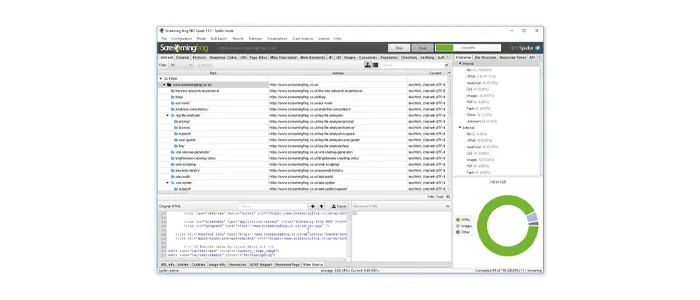
Screaming Frog SEO Spider is a desktop-based crawler that mimics how search engine bots move through your website. It reads every URL it finds and collects a comprehensive dataset including page titles, meta descriptions, heading structure, canonical tags, response codes, redirect chains, image alt text, and much more.

For technical SEO audits, Screaming Frog is often the first tool practitioners reach for. It can crawl sites of any size, and its free version handles up to 500 URLs, which is sufficient for small websites. Larger sites require the paid license at around 259 GBP per year.

One of its most practical uses is identifying crawl inefficiencies, which directly affects how often Google discovers and reindexes your pages. If you want a deeper understanding of this, the article on tips to increase Google crawl rate complements a Screaming Frog audit well.

The trade-off: Screaming Frog requires some technical knowledge to interpret results meaningfully. It also runs locally on your machine, so crawling very large sites can be resource-intensive. It does not provide keyword data or backlink information on its own, so it works best as part of a broader toolset.

💡 Pro Tip: Connect Screaming Frog directly to your Google Search Console and Google Analytics accounts. This integration lets you overlay traffic and impressions data on top of crawl data, making it much easier to prioritize which technical issues to fix first based on actual business impact.

6. Google PageSpeed Insights

Page speed is a confirmed Google ranking factor, and Google PageSpeed Insights (PSI) is the tool Google itself provides to measure it. PSI analyzes both mobile and desktop versions of any URL and produces a performance score from 0 to 100 based on Core Web Vitals metrics including Largest Contentful Paint (LCP), Interaction to Next Paint (INP), and Cumulative Layout Shift (CLS).

What makes PSI particularly valuable is that it shows both lab data (controlled test results) and field data (real-world user experience data collected from the Chrome User Experience Report). This distinction matters because a page can look fast in a lab environment but perform poorly for real users on slower connections.

According to Akamai (2023), a one-second delay in page load time can reduce conversions by up to 7%, which makes speed optimization a revenue issue, not just a technical one.

PSI also provides specific recommendations for each issue it finds, such as eliminating render-blocking resources or properly sizing images, along with an estimate of the potential time savings. This makes it actionable even for developers who are not deeply specialized in performance optimization. The trade-off is that scores can fluctuate between tests and PSI does not provide historical tracking, so you need a complementary tool for monitoring trends over time.

7. Hotjar

Hotjar fills a gap that pure analytics platforms cannot: it shows you what users actually do on your pages, not just aggregate numbers. Its core features include heat maps, scroll maps, click maps, and session recordings. Heat maps aggregate thousands of user interactions into a visual overlay showing where attention concentrates on a page. Session recordings play back individual user journeys, including mouse movements, clicks, and scrolls.

This behavioral data is invaluable for conversion rate optimization. If your analytics show a high bounce rate on a key landing page but you cannot identify why, a Hotjar session recording will often reveal the answer within minutes: a broken button, a confusing layout, a form that fails on mobile, or a CTA that gets no clicks because it is placed below the fold.

Hotjar also offers surveys and feedback widgets that let you ask users direct questions while they are on your site, combining quantitative behavioral data with qualitative user sentiment.

The trade-off: Hotjar can raise privacy considerations depending on your audience and regional data regulations. It also adds a small performance overhead via its tracking script. The free plan is generous for smaller sites, but larger sites with high traffic volumes will quickly need a paid tier. Hotjar data is most powerful when combined with GA4 and A/B testing tools rather than used in isolation.

8. Moz Pro

Moz Pro is an established SEO platform known for its approachable interface and the reliability of its Domain Authority (DA) metric, which has become a widely referenced proxy for site credibility across the industry. Its core tools include Site Crawl for technical audits, Rank Tracker for keyword position monitoring, Link Explorer for backlink analysis, and Keyword Explorer for search demand research.

Moz’s MozBar browser extension is also worth mentioning: it overlays SEO metrics directly on search results pages and any website you visit, making quick competitive assessments fast and frictionless during everyday browsing.

For businesses focused on local search visibility, Moz Local is a separate product that manages business listing consistency across directories, which feeds directly into local ranking performance. If local SEO is a priority for your business, combining Moz Local insights with the best practices covered in local AEO strategies for small businesses creates a strong foundation.

The trade-off: Moz’s backlink index is generally considered smaller than Ahrefs or SEMrush. Some advanced users find its data less granular for highly competitive keyword research. However, for small to mid-sized businesses that want a clean, less overwhelming interface with solid core features, Moz Pro offers genuine value.

9. GTmetrix

GTmetrix is a specialized web performance testing tool that goes deeper into speed diagnostics than Google PageSpeed Insights alone. It generates a performance report using both Google Lighthouse and its own Web Vitals scoring, providing a waterfall chart that visualizes every resource loaded by your page and how long each one takes.

The waterfall chart is particularly useful for diagnosing bottlenecks: you can see whether slowdowns come from server response time, third-party scripts, unoptimized images, or render-blocking CSS and JavaScript. GTmetrix also lets you test from multiple server locations and simulate specific connection speeds, including mobile 3G, which is critical for understanding real-world performance for users on slower networks.

Its monitoring feature can alert you when your page speed drops below a defined threshold, turning it into a proactive watchdog rather than just an on-demand diagnostic tool.

The trade-off: The free tier of GTmetrix limits the number of tests, server locations, and historical data available. For teams running regular performance audits, a paid plan is necessary. GTmetrix also focuses purely on speed and performance, so it needs to be paired with tools that cover SEO, content, and user behavior for a complete website analysis workflow.

💡 Pro Tip: Use GTmetrix to test your most important pages, primarily your homepage, key service or product pages, and your top organic landing pages, rather than trying to test every URL. Focus your optimization energy where traffic and conversions are highest for the fastest measurable return.

10. Majestic SEO

Majestic SEO is a specialist backlink intelligence tool that has built one of the largest link indexes available. Its two signature metrics, Trust Flow and Citation Flow, provide a quick read on the quality and quantity of links pointing to any domain or URL. Trust Flow measures the quality of inbound links based on proximity to trusted seed sites, while Citation Flow measures sheer link volume.

For link audits, Majestic’s Historic Index is particularly powerful: it stores link data going back years, allowing you to track link growth and loss over long periods. This is useful when investigating a traffic drop that may have been caused by lost backlinks rather than a technical issue.

Majestic also provides a Topical Trust Flow breakdown that categorizes a site’s backlinks by topic, helping you verify whether your link profile is topically relevant to your niche, which is increasingly important for modern SEO. If you are working to rebuild a link profile after a penalty or algorithmic demotion, resources like the guide on building links safely without triggering penalties are worth reading alongside your Majestic audit data.

The trade-off: Majestic is exclusively a backlink tool. It does not offer keyword research, site auditing, or content analysis. For most teams, it functions as a specialist complement to Ahrefs or SEMrush rather than a standalone solution. Its interface can also feel dated compared to newer platforms, though the data quality remains strong.

Quick Comparison: Tool Coverage At A Glance

ToolTechnical SEOBacklinksKeywordsPerformanceUX/BehaviorCost
Google Search ConsoleYesLimitedYesYes (CWV)NoFree
Google Analytics 4NoNoNoNoYesFree
AhrefsYesYesYesNoNoPaid
SEMrushYesYesYesNoNoPaid
Screaming FrogYesNoNoNoNoFree/Paid
PageSpeed InsightsLimitedNoNoYesNoFree
HotjarNoNoNoNoYesFree/Paid
Moz ProYesYesYesNoNoPaid
GTmetrixNoNoNoYesNoFree/Paid
Majestic SEONoYesNoNoNoPaid

How These Tools Connect To Your Broader SEO Strategy

Website analysis tools are only as useful as the strategy behind them. Data without direction produces reports, not results. If you are using these tools alongside a broader content and link-building strategy, you will want to make sure your internal linking structure is maximizing the authority each page earns. The guide on using internal links to boost backlink impact is a practical complement to what any backlink tool will surface in your audit.

Similarly, if your analysis reveals that AI-driven search features are affecting your visibility, the article on improving website visibility in AI search engines covers the tactical steps needed to adapt. For teams also exploring what AI SEO tools can add on top of these core platforms, the roundup of AI SEO tools to outrank competitors provides a useful next layer of analysis capability.

If you are running an ecommerce site, your analysis priorities shift slightly toward conversion paths, product page performance, and shopping feed health. Our ecommerce SEO packages are built around exactly the kind of data these tools surface.

Practical Action Plan: Where To Start

  • Do This Now: Set up Google Search Console and Google Analytics 4 if you have not already. These two free tools provide the baseline data every other analysis decision should be built on. Verify your property, submit your sitemap, and review the Coverage and Core Web Vitals reports within the first week.
  • Worth Doing: Run a Screaming Frog crawl and a PageSpeed Insights test on your top five most important pages. Fix any critical technical errors, broken links, or missing meta tags surfaced in the crawl before investing in paid tools. Add GTmetrix monitoring so you are alerted to performance regressions automatically.
  • Low Priority: Once your technical foundation is solid, layer in a paid tool like Ahrefs or SEMrush for ongoing keyword tracking, backlink monitoring, and competitive analysis. Add Hotjar to your highest-traffic conversion pages to understand behavioral patterns and identify UX friction points. Majestic is worth a trial if your strategy involves intensive link building or link profile cleanup.

Conclusion

The right tools to effectively analyze your website give you visibility into every layer of performance: technical health, search visibility, page speed, user behavior, and backlink authority. No single tool covers all of these dimensions, which is why building a smart, complementary stack matters more than picking one platform and hoping it tells you everything.

Start with the free tools, fix what they reveal, and then invest in paid tools as your strategy matures. If you need expert support turning analysis data into measurable growth, our team at 1Solutions offers professional SEO services backed by over 15 years of experience across industries and business sizes. We also offer a free 45-day SEO trial for businesses that want to see real results before committing to a full engagement.

Frequently Asked Questions

What is the best free tool to analyze a website?

Google Search Console is the best free tool for website analysis. It provides verified data directly from Google about your site’s search performance, indexing status, Core Web Vitals, and any manual actions. Combined with Google Analytics 4, you get a strong free foundation covering both search visibility and user behavior.

How often should I analyze my website?

A basic review of Google Search Console and GA4 should happen at least monthly. A full technical crawl using a tool like Screaming Frog is recommended quarterly, or immediately after major site changes such as a redesign, migration, or CMS update. Performance tests with PageSpeed Insights or GTmetrix should be run after any significant code or plugin changes.

Do I need to pay for website analysis tools?

Not necessarily at the start. Google Search Console, Google Analytics 4, the free tier of Screaming Frog, Google PageSpeed Insights, and basic Hotjar all cost nothing and cover a substantial amount of ground. Paid tools like Ahrefs, SEMrush, or Moz Pro become worthwhile investments once you are actively competing for keyword rankings and need competitive intelligence and backlink data.

Can website analysis tools help recover from a Google penalty?

Yes. Tools like Ahrefs and Majestic SEO help identify toxic or spammy backlinks that may have contributed to a manual or algorithmic penalty. GSC shows any manual actions applied to your site. Screaming Frog can surface thin content and duplicate pages that trigger algorithmic quality issues. For structured penalty recovery support, our Google penalty recovery service combines tool-based analysis with expert remediation.

What is the difference between a site audit tool and an analytics tool?

A site audit tool, such as Screaming Frog or Ahrefs Site Audit, crawls your website to find technical issues including broken links, missing tags, redirect errors, and crawlability problems. An analytics tool, such as Google Analytics 4, measures how real users interact with your site after arriving, tracking sessions, conversions, and behavior flows. Both types are necessary: audits identify what is broken, while analytics reveals how those issues affect real user experience and business outcomes.

Atul Chaudhary

Atul Chaudhary

With 18 years of industry experience, Atul specializes in building scalable digital products and crafting data-driven marketing strategies that deliver measurable business growth.