
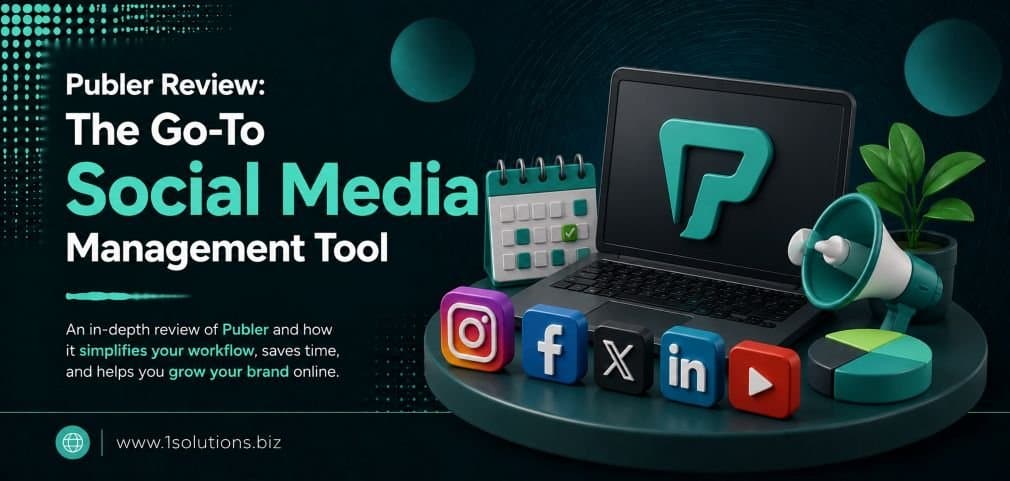
Publer Review: The Go-To Social Media Management Tool for 2025
If you have been searching for a reliable, affordable, and genuinely useful social media scheduling platform, the Publer Review: The Go-To Social Media Management Tool conversation has probably already crossed your path. Publer has grown from a modest scheduling app into a full-featured social media management suite trusted by solo creators, marketing teams, and agencies alike. But does it actually live up to the hype? This guide walks you through every major feature, pricing tier, real-world use case, and honest trade-off so you can make an informed decision before committing.
Publer is a capable, budget-friendly social media management tool that supports scheduling, analytics, AI-assisted content creation, and team collaboration across most major platforms. It is a strong choice for small to mid-sized teams but has some limitations in advanced analytics and CRM-level engagement features that larger enterprises may find restrictive.
⚡ Key Takeaways
- Publer supports scheduling for Facebook, Instagram, TikTok, LinkedIn, Pinterest, YouTube, Google Business Profile, and more.
- Its AI Assist feature helps generate captions, hashtags, and content ideas directly inside the composer window.
- The free plan allows up to 3 social accounts and 10 scheduled posts, making it genuinely useful for beginners.
- Publer’s pricing starts at $12/month, which is competitive against tools like Buffer, Hootsuite, and Later.
- Bulk scheduling via CSV upload is one of Publer’s standout efficiency features for high-volume publishers.
- The analytics dashboard covers basic to intermediate metrics but lacks the depth of dedicated analytics platforms.
- Combining Publer with a broader digital marketing strategy gives you the best return on your social efforts.
What Is Publer and Who Is It Built For?
Publer is a cloud-based social media management platform founded in 2014. It allows users to schedule, publish, analyze, and collaborate on content across multiple social channels from a single dashboard. The platform has evolved steadily and now includes an AI writing assistant, a media library, a link shortener, watermarking, and team workspace features.
According to Datareportal (2024), there are over 5.07 billion social media users globally, and the average user is active on nearly seven different platforms per month. That scale creates a real operational challenge for brands trying to maintain a consistent presence without burning out their marketing teams. Publer addresses that challenge directly.
The platform is best suited for:
- Freelance social media managers handling multiple clients
- Small to mid-sized marketing teams running content calendars
- Agencies needing workspace separation between clients
- Content creators managing personal brand accounts alongside business pages
- Small business owners who want to stay active on social without a full-time hire
It is less suited for enterprise teams needing deep social listening, CRM integration, or custom reporting dashboards. We will revisit those limitations honestly in the trade-offs section.
How to Set Up Publer: Step-by-Step
Getting started with Publer is straightforward. Here is how to move from sign-up to your first published post in under 30 minutes.
Step 1: Create Your Account
Go to Publer.io and sign up with your email or Google account. The onboarding wizard walks you through connecting your first social profile immediately after registration. No credit card is required for the free plan.
Step 2: Connect Your Social Accounts
From the dashboard, click Add Social Account in the left sidebar. Publer supports Facebook Pages, Facebook Groups, Instagram Business and Creator accounts, Twitter/X, LinkedIn Profiles and Pages, Pinterest, TikTok, YouTube, Google Business Profile, Mastodon, and Telegram. Authenticate each account using the standard OAuth process. For Instagram, you will need a Business or Creator account connected to a Facebook Page.
Step 3: Set Up Your Workspace
If you manage multiple clients or brands, create separate workspaces for each. Each workspace has its own set of connected accounts, media library, and team members. This prevents cross-posting errors and keeps client data cleanly separated.
Step 4: Configure Your Posting Schedule
Navigate to Settings > AutoSchedule to define your preferred posting windows for each day of the week. When you create content later, you can simply click “Add to Queue” and Publer drops it into the next available slot automatically.
Step 5: Create and Schedule Your First Post
Click the Create Post button. The composer opens with a multi-network selector at the top. Write your caption, upload media, and use the Customize per Network toggle to adjust text, hashtags, or media for each platform individually. Schedule it for a specific time, add it to your queue, or publish immediately.
💡 Pro Tip: Use Publer’s “Customize per Network” feature every time. A LinkedIn post and an Instagram post should not read identically. Tailoring tone and hashtag density per platform noticeably improves engagement rates.
Core Features Breakdown: What Publer Actually Does Well
Bulk Scheduling via CSV
One of Publer’s most underrated features is bulk post scheduling. You can upload a CSV file containing post text, media URLs, dates, and times for dozens or hundreds of posts at once. This is invaluable for product launches, campaign rollouts, or agencies managing editorial calendars weeks in advance. According to Sprout Social’s 2024 Index, marketers who schedule content in advance are 40% more likely to report consistent posting frequency, which directly correlates with follower growth.
AI Assist for Caption Writing
Inside the post composer, there is an AI Assist button powered by OpenAI’s technology. You can prompt it to generate a caption, expand a rough idea, rewrite existing copy in a different tone, or generate a list of relevant hashtags. It is not a replacement for a skilled copywriter, but it reduces blank-page friction significantly. For those managing high-volume content, this pairs well with dedicated professional content and copywriting services that ensure brand voice consistency across channels.
Media Library and Watermarking
Publer provides a built-in media library where you can store images and videos for reuse. The watermarking feature lets you automatically apply a logo or text overlay to images before posting, which is useful for brand protection without needing a separate design tool.
Recycling Evergreen Content
Publer allows you to mark posts as “evergreen” so they are automatically recycled and reposted at defined intervals. This is particularly useful for timeless content like tips, product highlights, or FAQs that stay relevant over time.
Link Shortener and UTM Tracking
Publer has a built-in link shortener that also supports custom UTM parameter generation. This means every link you post can carry tracking codes that feed directly into your Google Analytics reports, making attribution far cleaner.
Team Collaboration and Approval Workflows
On paid plans, you can invite team members and assign roles including Admin, Author, and Approver. Content can be submitted for review before publishing, which is essential for agencies working with clients who want sign-off before anything goes live.
Publer Pricing: Is It Actually Worth the Cost?
Here is a clear breakdown of Publer’s current pricing tiers as of 2025:
| Plan | Price (Monthly) | Social Accounts | Scheduled Posts | Team Members | Key Features |
|---|---|---|---|---|---|
| Free | $0 | 3 | 10 | 1 | Basic scheduling, AI Assist (limited) |
| Professional | $12/month | Up to 25 | Unlimited | 3 | Bulk scheduling, analytics, media library |
| Business | $21/month | Up to 50 | Unlimited | 10 | Approval workflows, client workspaces, priority support |
| Enterprise | Custom | Custom | Unlimited | Custom | Dedicated account manager, custom integrations |
Compared to Hootsuite’s entry-level paid plan at $99/month or Sprout Social starting at $249/month, Publer’s pricing is genuinely accessible. Buffer’s comparable plan sits around $18/month. For the feature set offered, Publer delivers strong value at the Professional and Business tiers.
💡 Pro Tip: Annual billing cuts roughly 20% off the monthly price. If you are committing to Publer after your free trial, paying annually immediately pays for itself within 2 to 3 months of savings.
Publer Analytics: What You Can and Cannot Track
Publer’s analytics dashboard covers the essentials: reach, impressions, engagement rate, follower growth, link clicks, and top-performing posts per platform. You can filter by date range and export reports as PDFs for client presentations.
However, there are real limitations to acknowledge. Publer does not offer:
- Social listening or keyword/hashtag monitoring
- Competitor benchmarking within the platform
- Sentiment analysis on comments
- Deep audience demographic breakdowns beyond what native platform APIs provide
If those capabilities matter to your strategy, you will need a supplementary tool like Brandwatch, Sprout Social, or native platform analytics. For businesses looking to complement their social data with broader search visibility metrics, understanding how to boost SEO with page content analysis can help connect social performance to organic traffic outcomes.
How Publer Compares to Competing Tools
A common question is whether Publer holds up against Buffer, Later, and Hootsuite. The short answer is: yes, for most small to mid-market use cases, Publer is the more cost-efficient choice. Buffer is simpler but lacks bulk scheduling and watermarking. Later excels at visual content planning but is heavily Instagram-centric. Hootsuite has deeper analytics and social listening but at a much higher price point.
Publer’s sweet spot is the team or agency that needs multi-platform scheduling, basic analytics, approval workflows, and AI-assisted content creation at a price that does not require a departmental budget sign-off.
Managing social media effectively also extends into platform-specific advertising. If you run paid campaigns alongside organic scheduling, our guide on how to advertise on Facebook covers the paid side of the equation in detail. And if you are managing brand presence across many channels, our complete guide to top social media sites helps you prioritize which platforms deserve your time and budget.
Real-World Use Cases and Workflow Examples
Use Case 1: Agency Managing 10 Clients
An agency running 10 client accounts can create 10 separate workspaces in Publer, each with its own social profiles, media library, and posting calendar. Team members are assigned per workspace, approval workflows ensure client sign-off before publishing, and monthly PDF reports are sent directly to clients. The Business plan handles this at a fraction of what Hootsuite or Sprout would cost.
Use Case 2: Ecommerce Brand Running Product Launches
An ecommerce business can use Publer’s bulk CSV upload to schedule an entire product launch campaign across Instagram, Pinterest, and Facebook simultaneously, with custom captions per platform. UTM links in every post feed back to Google Analytics for clean revenue attribution. For ecommerce brands, this pairs naturally with a strong ecommerce marketing strategy that connects social content to conversion-optimized product pages.
Use Case 3: Solo Creator Building a Personal Brand
A solo creator on the free plan can manage three accounts (say, Instagram, LinkedIn, and Twitter/X), schedule up to 10 posts at a time, and use AI Assist to generate captions when creativity runs low. As the audience grows and content volume increases, upgrading to Professional at $12/month becomes an easy business decision.
Social media visibility also intersects with search visibility. If you are trying to show up in local search results alongside your social presence, reviewing common Google My Business mistakes that hurt local visibility is a smart parallel step. And if your brand faces issues with suppressed reach on specific platforms, understanding Instagram shadowbans and how to remove them can help you diagnose why content is underperforming despite consistent scheduling.
Honest Trade-Offs: Where Publer Falls Short
No tool review is complete without honest criticism. Here is where Publer genuinely has room to improve:
- No social inbox: Publer does not have a unified inbox for monitoring and responding to comments or DMs across platforms. You will need to manage engagement natively or use a separate tool.
- Limited TikTok support: TikTok scheduling via Publer still requires a manual publish notification on some account types due to API restrictions, which is a friction point for video-first creators.
- No social listening: You cannot monitor brand mentions, trending hashtags, or competitor activity within Publer.
- Analytics depth: The reporting is functional but not sophisticated. Agencies needing white-label, custom-branded reports will find it limiting.
- Mobile app stability: User reviews on the App Store and Google Play note occasional bugs in the mobile experience, though the web app is consistently reliable.
Knowing these gaps upfront helps you decide whether Publer handles 80% of your workflow well enough that the remaining 20% can be covered by native platform tools or a lightweight supplementary app.
💡 Pro Tip: If social inbox management is critical for your brand, consider pairing Publer with a free tool like Meta Business Suite for Facebook and Instagram comment management. You get the scheduling efficiency of Publer without paying for a more expensive all-in-one platform.
Practical Action Plan: Getting the Most from Publer
Here is a prioritized action plan based on whether you are just starting or optimizing an existing setup:
- Do This Now: Connect all active social accounts, set up your AutoSchedule posting windows for each platform, and upload your brand assets to the media library. This foundation takes under an hour and immediately eliminates manual scheduling friction.
- Do This Now: Enable UTM parameters on all outbound links in Publer. Go to Settings and configure your default UTM structure so every post generates trackable data in Google Analytics without manual effort.
- Worth Doing: Audit your existing content library and tag evergreen posts for recycling. Even 10 to 15 recycled pieces reduce the content creation burden significantly over a quarter.
- Worth Doing: Set up a team workspace and approval workflow if you have even one collaborator. The discipline of a review step prevents publishing errors that are costly to correct after the fact.
- Low Priority: Explore Publer’s RSS feed auto-posting feature, which can auto-generate social posts from blog content. It is a useful feature, but only after your core manual workflow is running smoothly.
- Low Priority: Test bulk CSV scheduling on a small batch before committing a large campaign to it. The format is straightforward, but a single column error can affect dozens of posts, so a dry run with 5 to 10 posts first saves headaches.
How Publer Fits Into a Broader Digital Marketing Strategy
Publer handles the distribution layer of your social media strategy efficiently. But social media management is one component of a broader digital presence. According to HubSpot’s 2024 State of Marketing Report, brands that combine consistent social publishing with strong SEO practices generate 3x more inbound traffic than those relying on either channel alone.
If you are serious about growing your online visibility beyond social, aligning your social content with your SEO content calendar is a high-leverage move. For businesses exploring that connection, our resource on local AEO best practices for small businesses explains how to structure your content for both search engines and AI-driven answer features. For brands wanting professional support across the full digital channel mix, working with a team that provides comprehensive digital marketing services ensures your social, search, and content efforts compound rather than operate in silos.
Additionally, with AI becoming a significant factor in how content is discovered and consumed, understanding how platforms are evolving is increasingly important. Our breakdown of AI SEO tools to outrank competitors covers how search and AI discovery are reshaping content strategy in ways that directly affect social media planning.
Conclusion: Is Publer the Right Tool for You?
After this in-depth look at the Publer Review: The Go-To Social Media Management Tool, the verdict is nuanced but largely positive. Publer earns its place as one of the most cost-effective social media management platforms available in 2025. It handles multi-platform scheduling, bulk content operations, AI-assisted writing, team collaboration, and basic analytics better than most tools in its price range.
Where it falls short, primarily in social listening, advanced reporting, and a unified inbox, those gaps are predictable and manageable for the audience it serves best. For freelancers, growing brands, and lean agency teams, Publer delivers a high return on a modest investment.
If you want to maximize the impact of the content you schedule through Publer, combining it with a solid SEO and content strategy makes the biggest difference. Businesses ready to take that step can explore professional Facebook management services for platform-specific campaign support or work with specialists who understand how to turn consistent social publishing into measurable business growth.
Frequently Asked Questions About Publer
Is Publer free to use?
Yes, Publer offers a genuinely functional free plan that supports up to 3 social accounts and 10 scheduled posts at a time. It includes access to the post composer, basic scheduling, and limited AI Assist features. The free plan is a solid starting point for solo users or those evaluating the tool before upgrading.
Which social media platforms does Publer support?
Publer currently supports Facebook Pages and Groups, Instagram Business and Creator accounts, Twitter/X, LinkedIn Profiles and Company Pages, Pinterest, TikTok, YouTube, Google Business Profile, Mastodon, and Telegram. The platform regularly adds new integrations based on user demand.
Can Publer replace a dedicated social media manager?
Publer replaces the manual, repetitive parts of social media management such as scheduling, publishing, and basic reporting. It does not replace the strategic thinking, community engagement, creative direction, or crisis response that a skilled social media manager provides. Think of it as a tool that makes a human manager significantly more productive, not a substitute for one.
How does Publer’s AI Assist compare to other AI writing tools?
Publer’s AI Assist is contextually integrated into the post composer, which makes it faster to use than switching between tabs to use a separate AI tool. It is powered by OpenAI and performs well for caption generation, hashtag suggestions, and tone adjustments. For long-form content or highly nuanced brand voice, a dedicated AI writing tool or professional copywriting service will produce stronger results.
Is Publer suitable for managing social media for an ecommerce business?
Yes, Publer works well for ecommerce brands that need to schedule product posts, promotions, and campaign content across multiple platforms. The bulk CSV scheduling feature is particularly useful for coordinating sale announcements or seasonal campaigns. Pairing Publer with platform-specific advertising and a strong product page strategy gives ecommerce brands the most complete social-to-sale pipeline.